Need help? Reach us at 

 +1 (855) 418-2323
Need help? Reach us at
+1 (855) 418-2323

 File Converters TIFF and PDF apps Forensic Freeware
Download Total Mail Converter and convert your EML files to plain text today.
(includes 30 day FREE trial)
(only $59.90)
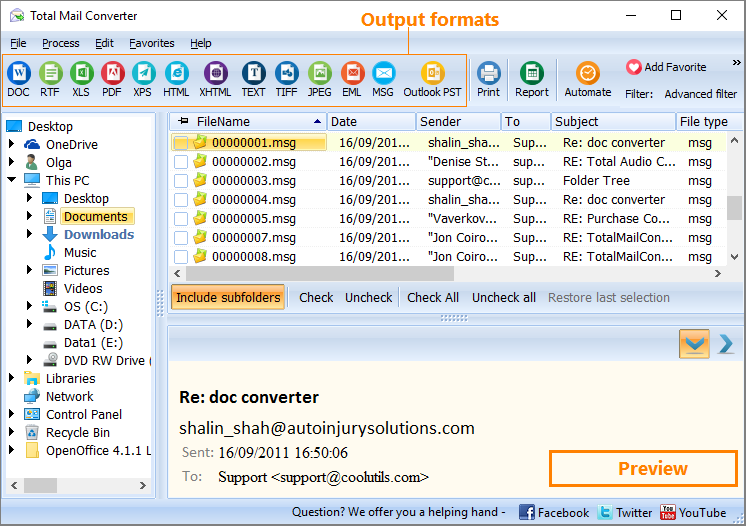
Quick answer: To convert EML to text, install Total Mail Converter, click Add files or Add folder to load your .eml files, select them, click the TXT button, pick which fields to include and a destination folder, then press Start. The whole batch converts to clean plain text offline, with no Outlook and no file-count limit.
EML is the standard email file format defined by RFC 5322. Each .eml file contains MIME headers (From, To, Date, Subject, Content-Type), an HTML or plain-text body, and any attachments encoded in Base64. Email clients like Thunderbird, Windows Mail, and many others read and write EML natively. The format is designed for mail transport, not for human browsing — open an EML in a text editor and you see encoded binary blocks, MIME boundaries, and HTML tags mixed with the actual message.
Plain text (TXT) is the simplest document format. A .txt file holds only characters and line breaks. It opens instantly in Notepad, VS Code, terminal editors, or any viewer on Windows, macOS, and Linux. There is no markup, no encoding, no binary data. Text files are the default input for search indexers, databases, data-analysis scripts, and NLP pipelines.
Converting EML to TXT strips MIME encoding, HTML tags, and transport headers. What remains is clean content: the sender, date, subject, and message body in readable form. The output is compact, universally accessible, and easy to search with grep, Windows Search, or any text-processing tool.
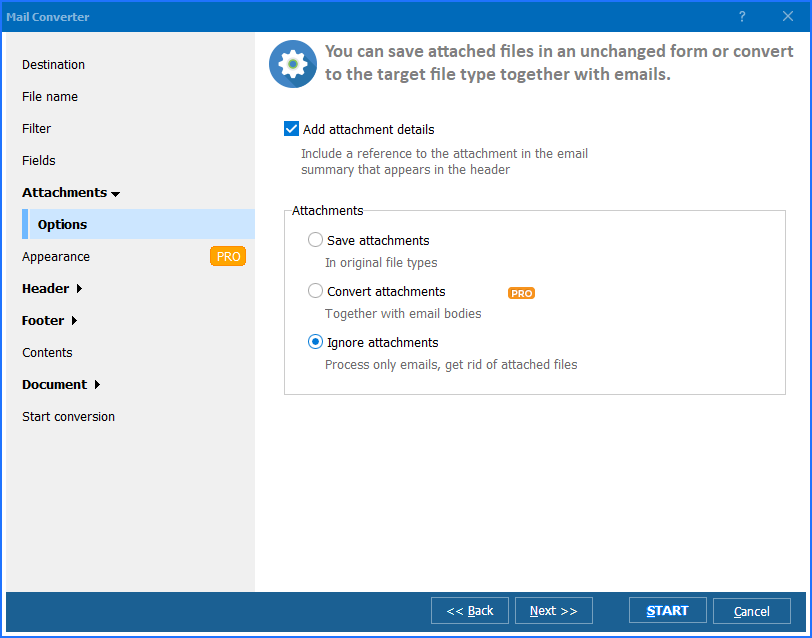
Output files contain clean, readable text. Attachments are saved separately to the same or a different folder — they are not embedded in the text output.
Total Mail Converter includes a command-line interface for scripting and automation:
MailConverter.exe "C:\Emails\*.eml" -sTXT "C:\Output\Text\"
Specify the source path (wildcards supported), the target format, and the destination folder. Wrap this in a .bat file and schedule it with Windows Task Scheduler for unattended nightly exports. The command-line version accepts all wizard options as parameters — field selection, file naming, merge mode, and attachment handling.
 Selective field export. Choose exactly which email fields appear in the output: sender, recipient, date, subject, body, CC, BCC, or any combination. Exclude unnecessary headers to keep the text clean.
Merge or split. Save each email as a separate .txt file for individual access, or merge an entire folder into one long text file — useful for full-text search across thousands of messages.
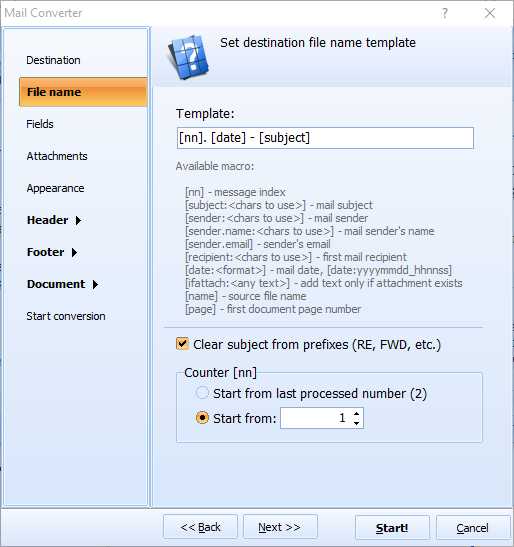
Customizable file naming. Name output files using date, sender, subject, or message index. A template like [Date]-[Subject].txt produces filenames that sort chronologically and are easy to find in a file manager.
Batch processing. Convert thousands of EML files in one session. Point Total Mail Converter at a folder of .eml files and process everything at once — no file-count limit.
Attachment handling. Attachments are saved to a separate folder alongside the text output. Documents, images, and archives remain intact and accessible without being mixed into the text content.
Multiple output formats. Besides TXT, Total Mail Converter exports EML to PDF, DOC, HTML, TIFF, PST, XLS, and more from the same interface.
| Feature | Manual Copy-Paste | Total Mail Converter |
|---|---|---|
| Batch export | One email at a time | Entire folders at once |
| Field selection | Copy everything or nothing | Choose specific fields |
| File naming | Manual renaming | Automatic templates (date, sender, subject) |
| Merge option | Manual concatenation | Built-in merge to one file |
| Speed (10,000 emails) | Days of manual work | Minutes |
| Command-line automation | Not possible | Full CLI + .bat scripting |
| Privacy | N/A | 100% offline — files stay on your PC |
| Pricing | Free but impractical | One-time $59.90 |

(includes 30 day FREE trial)
(only $59.90)
"I export thousands of EML files to plain text for corpus analysis in Python. Total Mail Converter strips the MIME encoding and HTML cleanly, so I get raw message bodies ready for tokenization. The merge option saves me an extra concatenation step. Processing 8,000 emails takes about three minutes."
 Nathan Gilmore Research Analyst
"Our audit process requires email records in a non-proprietary format. Converting EML to TXT with sender, date, and subject fields gives us a clean paper trail that any reviewer can open without specialized software. The command-line interface lets us schedule weekly exports automatically."
Sandra Velasquez Compliance Officer
"When we migrated mail servers, I had a folder of 12,000 EML files from former employees. Total Mail Converter turned them into searchable text files in under ten minutes. The file-naming templates made it easy to sort by date. Only wish the preview pane showed a bit more of each message before conversion."
 James Whitfield Office Manager
MailConverter.exe "C:\Emails\*.eml" -sTXT "C:\Output\" to convert all EML files in a folder. Save the command in a .bat file and schedule it with Windows Task Scheduler for unattended nightly exports.
Download free trial and convert your files in minutes.
No credit card or email required.

Related Topics
Convert EML to Doc

