Need help? Reach us at 

 +1 (855) 418-2323
Need help? Reach us at
+1 (855) 418-2323

 File Converters TIFF and PDF apps Forensic Freeware
Download Total Mail Converter and consolidate your MSG files into clean PST archives today.
(includes 30 day FREE trial)
(only $59.90)
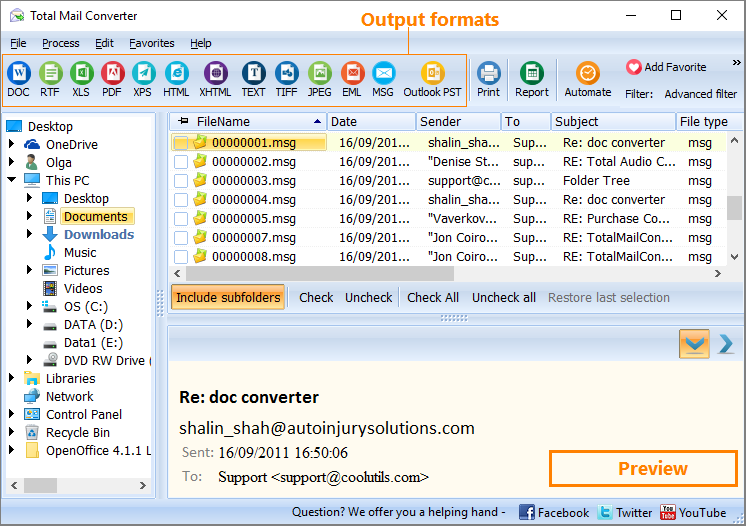
Quick answer: To convert MSG to PST, install Total Mail Converter, click Add files or Add folder to load your .msg files, select them, click the PST button, set the output path and merge or folder-grouping options, then press Start. Hundreds of messages merge into one searchable PST that Outlook opens directly, with no Outlook needed for the conversion itself.
MSG is Outlook's single-message file format. When you drag an email from Outlook to a Windows folder, it creates a .msg file containing one message — headers, body text, and attachments packed into a Microsoft OLE Compound Document (binary structured storage). MSG files are useful for saving or forwarding individual emails, but they were never designed for bulk storage. A folder with 5,000 MSG files is hard to search, slow to browse, and painful to migrate.
PST (Personal Storage Table) is Outlook's archive database. A single PST file can hold thousands of emails organized in a folder hierarchy, along with contacts, calendar items, and tasks. The Unicode PST format (used since Outlook 2003) supports files up to 50 GB. Outlook opens PST files natively — just double-click or use File → Open → Outlook Data File.
MSG files work for one-off message storage. PST works for organized archiving at scale. If you have a collection of MSG files and need them in a single searchable archive that Outlook can open directly, converting MSG to PST is the practical solution.
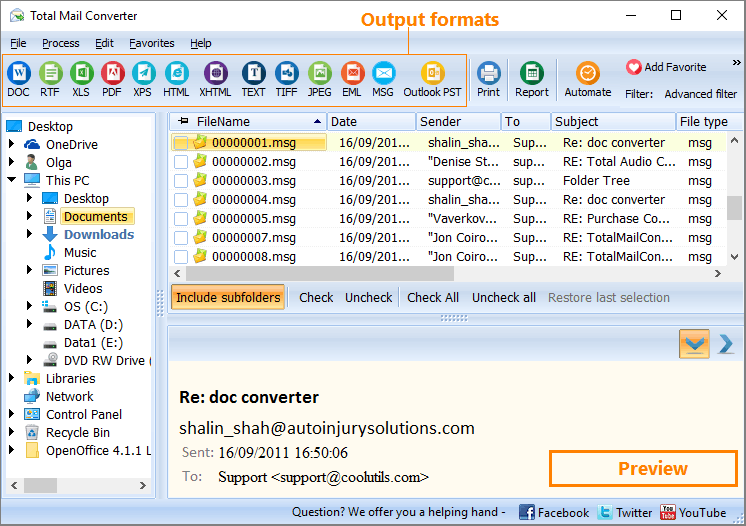
Once conversion finishes, open Outlook and go to File → Open & Export → Open Outlook Data File. Select the PST you just created. All converted messages appear in Outlook's folder pane, fully searchable and organized.
Total Mail Converter includes a command-line executable for scripted and automated conversion. Merge all MSG files in a folder into a single PST:
MailConverter.exe "C:\Emails\*.msg" -sPST "C:\Output\archive.pst"
Wrap this command in a .bat file or a Windows Task Scheduler job to run recurring merges automatically. Point the script at different source folders to create separate PST archives per department, project, or date range — all without opening the GUI.
 Merge thousands of MSG into one PST. Select 50 or 50,000 MSG files and combine them into a single PST archive. No file count limit, no size cap beyond the 50 GB PST format maximum.
No Outlook required for conversion. Total Mail Converter reads MSG files and writes PST output using its own engine. You do not need Outlook installed on the machine that performs the conversion. Outlook is only needed when you want to open the resulting PST file.
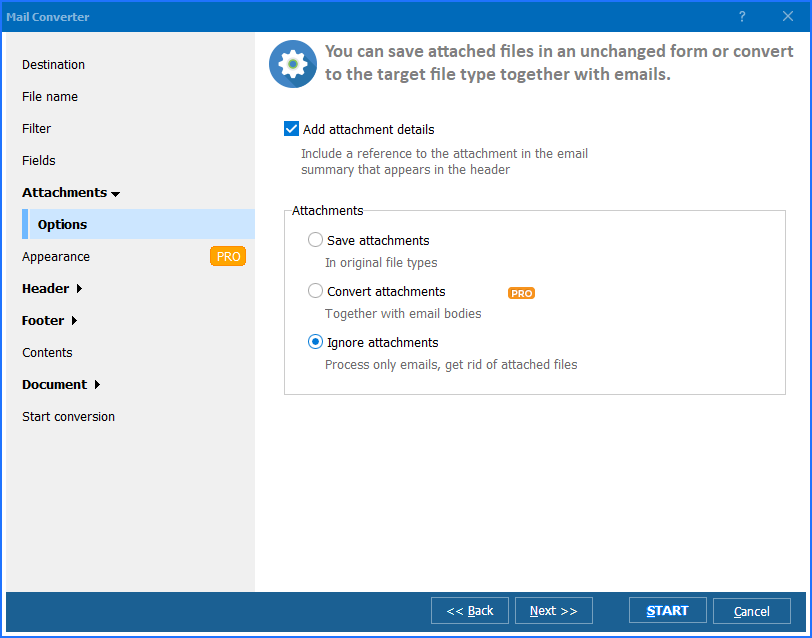
Full metadata preservation. Sender, recipient, CC, BCC, date, subject, message body (HTML and plain text), and all file attachments survive the conversion intact. The PST archive is a faithful copy of your original messages.
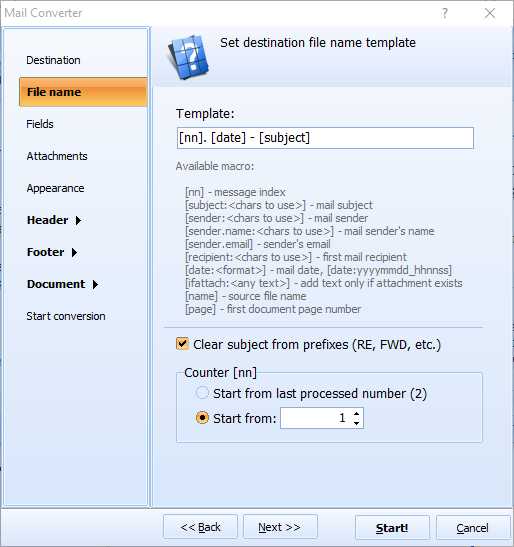
Folder grouping. Organize messages inside the PST by replicating the source folder structure. If your MSG files are sorted into folders by year, client, or project, the PST mirrors that hierarchy.
Batch processing without limits. Process an entire folder tree of MSG files in one run. The converter handles files in sequence with low memory usage, so even very large collections complete without errors.
Multiple output formats. Besides PST, Total Mail Converter also exports MSG files to PDF, DOC, HTML, TXT, TIFF, EML, and other formats. One tool covers all your email conversion needs.
| Feature | Manual Outlook Import | Total Mail Converter |
|---|---|---|
| Batch import | One MSG at a time (drag & drop) | Unlimited — entire folders at once |
| Outlook required | Yes — must be installed and running | No — standalone converter |
| Folder structure | Manual sorting after import | Automatic folder grouping |
| Speed (1,000 files) | 30+ minutes of manual work | Under 2 minutes |
| Automation | Not available | Built-in command line |
| Field selection | No control | Choose which fields to include |
| Pricing | Requires Outlook license | One-time $59.90 |

(includes 30 day FREE trial)
(only $59.90)
"We migrated 400 users from an old Exchange server and ended up with over 30,000 MSG files dumped into network folders. Total Mail Converter merged them into PST archives grouped by department in about 20 minutes. Opened perfectly in Outlook 2021 with all attachments and folder structure intact. Saved us days of manual drag-and-drop work."
 Kevin Driscoll IT Manager
"We use this for case file archiving. Attorneys save relevant emails as MSG files during discovery, and I merge them into one PST per case at the end. The metadata preservation is exact — dates, senders, CC fields all match the originals. Opposing counsel has never questioned the integrity of our archives."
Sandra Okafor Paralegal
"I had years of saved MSG files scattered across backup drives with no organization. Total Mail Converter pulled them all into a few clean PST files that I can actually search in Outlook. Conversion was fast and nothing was lost. My only wish is a built-in preview pane so I could glance at message content before converting, but that is a minor thing."
 Thomas Brennan Freelance Consultant
MailConverter.exe) that accepts source paths, output format, and destination as parameters. You can call it from .bat scripts, Windows Task Scheduler, or any automation tool to run conversions on a schedule without manual intervention.
Download free trial and convert your files in minutes.
No credit card or email required.

Related Topics
How to convert Email to PST format?

