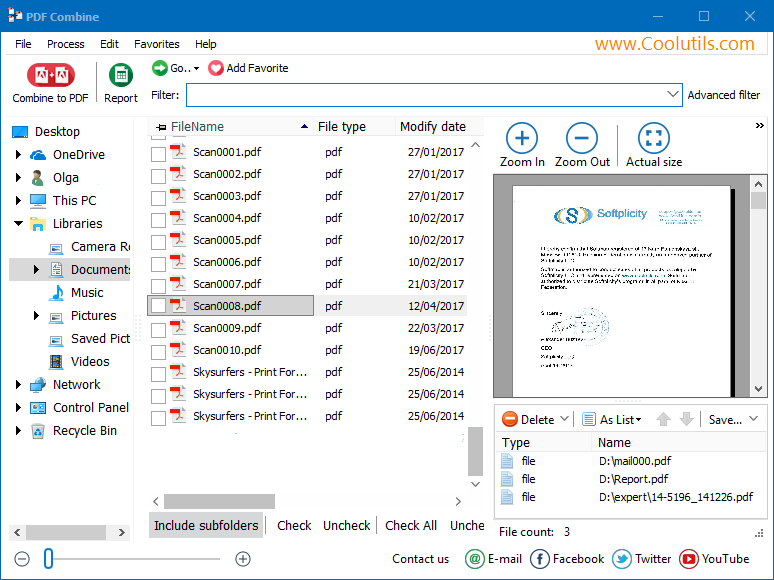
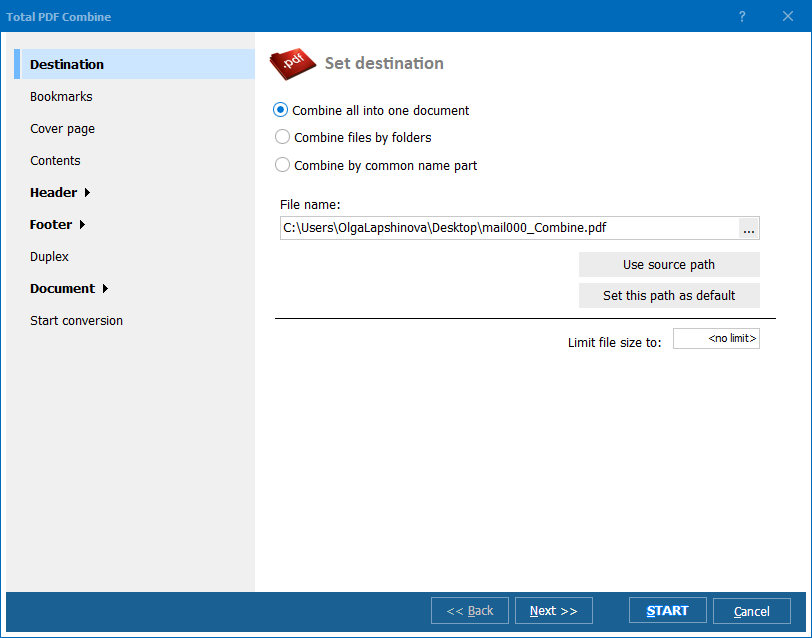
Quick answer: To combine PDF files, install PDF Combine, add the PDF files or whole folders you want to merge, set the order, choose to create bookmarks and a table of contents from file names, optionally encrypt or sign the result, then click Start. The entire batch merges into one PDF offline, with no upload and no file count limit.
"We merge scanned meeting minutes and reports into single yearly PDF archives, and the tutorial clearly showed how to build a table of contents from file names. Watching it first meant we set the bookmark structure correctly on the first try instead of redoing the whole batch."
Simon Whitcombe Records Clerk, Public Library System
"Employee files scattered across dozens of individual PDFs needed to become one document per employee, matched by common name parts. The video walked through exactly that scenario, and there's no file count limit, so we merged an entire department's personnel files in one run offline with no upload."
Dagny Eriksen HR Coordinator, Mid-Size Manufacturing Company
"I combine client statements into one signed PDF report each quarter, and the tutorial covers the encryption and digital signature steps well. Setting up bookmarks from titles instead of file names took a second look at the video, but once understood, merging the whole batch takes a couple of minutes."
Omar Haddad Freelance Consultant, Financial Reporting Services
Download free trial and convert your files in minutes.
No credit card or email required.