Need help? Reach us at 

 +1 (855) 418-2323
Need help? Reach us at
+1 (855) 418-2323

 File Converters TIFF and PDF apps Forensic Freeware
Download Total CAD Converter and start sending DWF drawings to your plotter today.
(includes 30 day FREE trial)
(only $99.00)
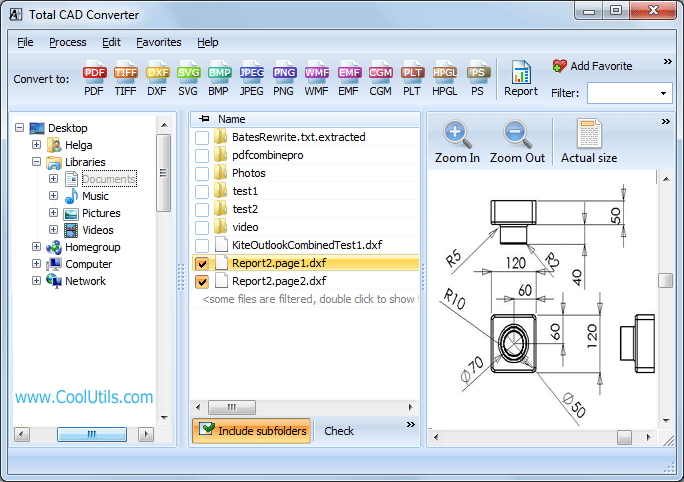
Quick answer: To convert DWF to HPGL, install Total CAD Converter, browse to the folder with your DWF files, check the ones you need, click the HPGL button, set paper size, pen width, and orientation, then press Start. The whole folder converts to plotter-ready .plt output in one batch — offline, with no AutoCAD or DWF viewer required.
DWF (Design Web Format) is a compressed file format developed by Autodesk for sharing and reviewing design data. DWF stores 2D drawings and 3D models in a lightweight package that is significantly smaller than the original DWG source. The format was designed for project collaboration — architects, engineers, and project managers use DWF files to distribute drawings to reviewers who do not have AutoCAD. DWF files are opened in Autodesk Design Review or a web browser plugin, not in a plotter queue.
HPGL (Hewlett-Packard Graphics Language) is a plotter instruction language. An HPGL file contains pen-up/pen-down commands, pen selection codes, coordinate sequences, and line speed parameters. Wide-format plotters, CNC routers, and vinyl cutters read HPGL natively. The device executes the movement commands directly — no CAD software or file viewer is needed at the plotter station. HPGL files use the .plt extension and are sometimes referred to as PLT files.
A plotter cannot interpret DWF data. DWF is a viewing and markup format; it does not contain pen-movement instructions. Converting DWF to HPGL extracts the geometry from the compressed DWF container and translates it into plotter commands. The result is a file that any HPGL-compatible device can print immediately — no Autodesk software, no DWF viewer, no additional drivers.
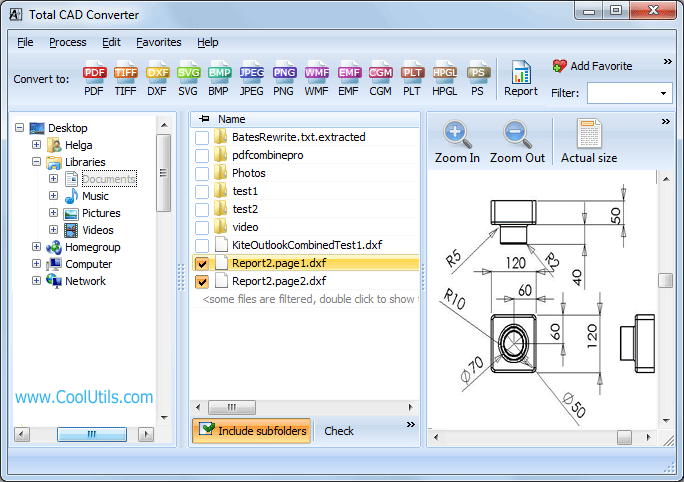
Batch jobs with hundreds of DWF files finish in under a minute. The converter remembers your last settings, so repeat jobs require only selecting files and pressing Start.
Total CAD Converter includes a command-line interface for automated and server-side workflows. Example:
CADConverter.exe C:\Drawings\*.dwf C:\Output\ -cHPGL
Use this in a .bat file or Windows Task Scheduler job to convert incoming DWF files to HPGL on a fixed schedule, overnight, or whenever new files arrive in a watched folder. The command-line version runs without any GUI and fits directly into existing plot pipelines.
 No AutoCAD or DWF viewer required. Total CAD Converter uses its own rendering engine to read DWF files. You do not need AutoCAD, Autodesk Design Review, or any other Autodesk application on the conversion machine. Install the converter, point it at your DWF files, and convert.
Batch processing. Select a folder with 300 DWF drawings and convert them all to HPGL in a single run. Each drawing gets its own PLT file, named to match the source. No manual file-by-file handling.
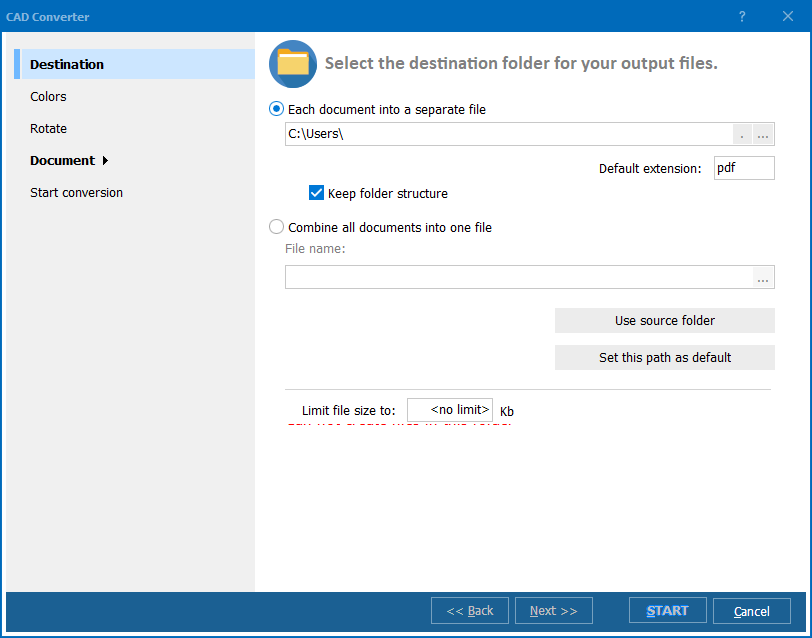
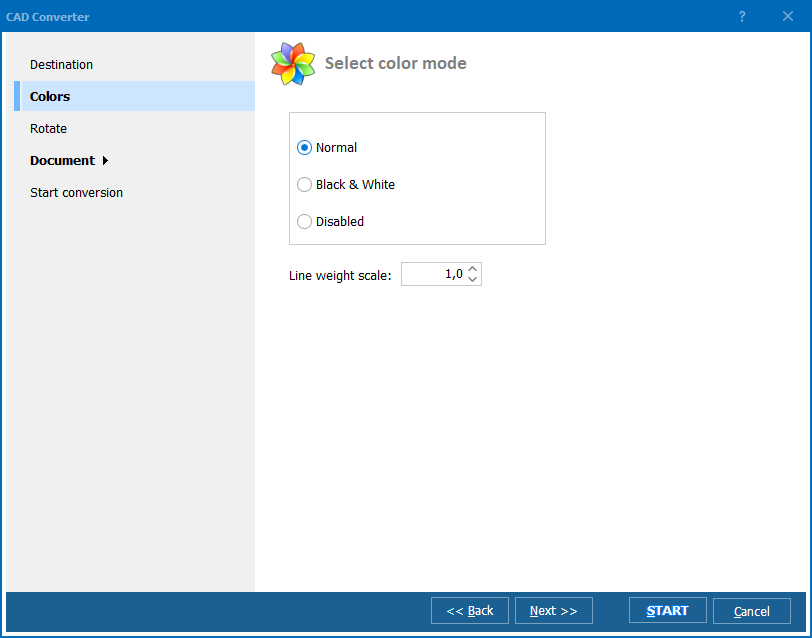
Plotter-specific settings. Adjust pen width, line weight scale, paper size (A4, A3, A1, custom), orientation, and scale factor before conversion. The HPGL output matches what your plotter expects — no adjustments needed at the print station.
DWF version support. Total CAD Converter reads DWF files created by all versions of AutoCAD and Revit, including both 2D sheet sets and compressed multi-sheet DWF packages. Older DWF files from the early 2000s convert the same way as current ones.
100% offline processing. All conversion runs locally on your PC. Architectural floor plans, engineering schematics, and proprietary designs never leave your machine. No cloud uploads, no third-party servers.
13+ output formats. Beyond HPGL, convert DWF to PDF, TIFF, JPEG, PNG, BMP, SVG, WMF, CGM, DXF, and more — all from the same interface.
| Feature | Online Tools | Total CAD Converter |
|---|---|---|
| File size limit | 10–50 MB | No limit |
| Batch conversion | One file at a time | Unlimited |
| Privacy | Drawings uploaded to cloud | 100% offline |
| AutoCAD required | Varies | No |
| Plotter settings | None | Pen width, paper, scale, orientation |
| HPGL output | Rarely supported | Full HPGL/HPGL2 |
| Automation | Not available | Built-in command line |
| Pricing | Subscription / per-file | One-time $99.00 |

(includes 30 day FREE trial)
(only $99.00)
Download free trial and convert your files in minutes.
No credit card or email required.

Related Topics
Convert HPGL to DXF — Batch HPGL to DXF Converter for Windows