Logo
Home Products Support Contact About Us
arrow1 File Converters
arrow1 TIFF and PDF apps
arrow1 Forensic
arrow1 Freeware

Immediate Email to PDF Conversion For e-Discovery


Is your trial date quickly approaching? Do you desperately need a secure eDiscovery solution for emails? Total Mail Convertor Pro is the most secure, efficient, and user-friendly app to convert emails to PDF or TIFF. All you have to do is place the order, receive the license, and start converting your emails in less than 3 minutes.

Quick answer: To convert emails to PDF or TIFF for e-Discovery, install Total Mail Converter Pro, select the folder of EML or MSG messages, choose PDF or TIFF as the target, enable options like Bates stamping, page numbering, and attachment conversion, then click Start. The whole mailbox is processed in one batch, offline, with attachments embedded or linked.

The only eDiscovery Software that converts attachments
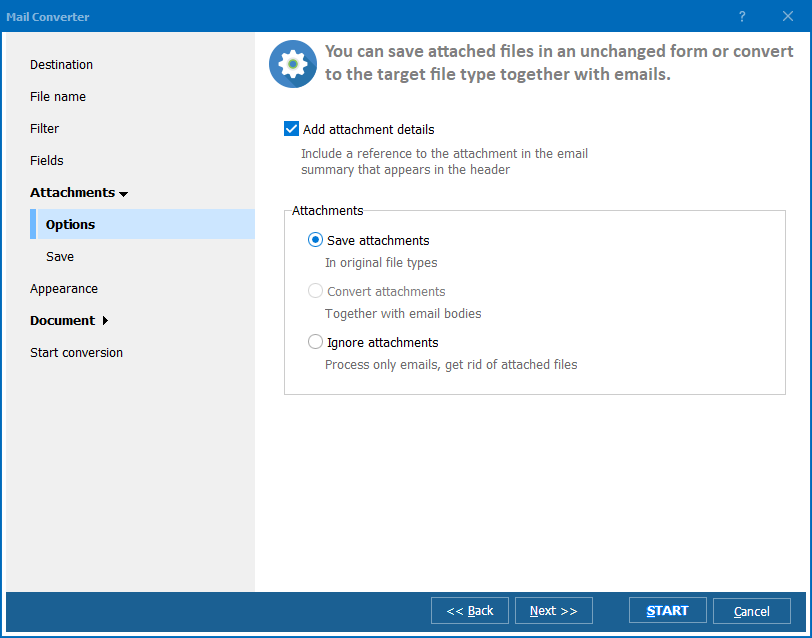
Total Mail Converter Pro will take your eDiscovery to an entirely different level. With the one-time license purchase, you will be able to take all the emails, including each attachment, and convert them into PDF or TIFF. The attachments will be converted regardless if they are a PDF, Word Doc, TXT, HTML, HTMLX, TIFF, RTF, as well as JPEG and TIFF. Embed attachments into output files or save in their original file types with a clickable link. Everything will be conveniently processed, where you are able to search each component to each email at once.

This Mail Converter Pro provides accurate data, allowing you to find immediate answers
Our proprietary technology is extremely accurate during output. No data will be lost. Most competitors handle Latin languages well enough, while we support non-Latin languanges as well. Be your emails written in Arabic or Hindu, you will get the exact copy of it in PDF or TIFF. In minutes you will get the document that is easy for you to search, evaluate, and assess.

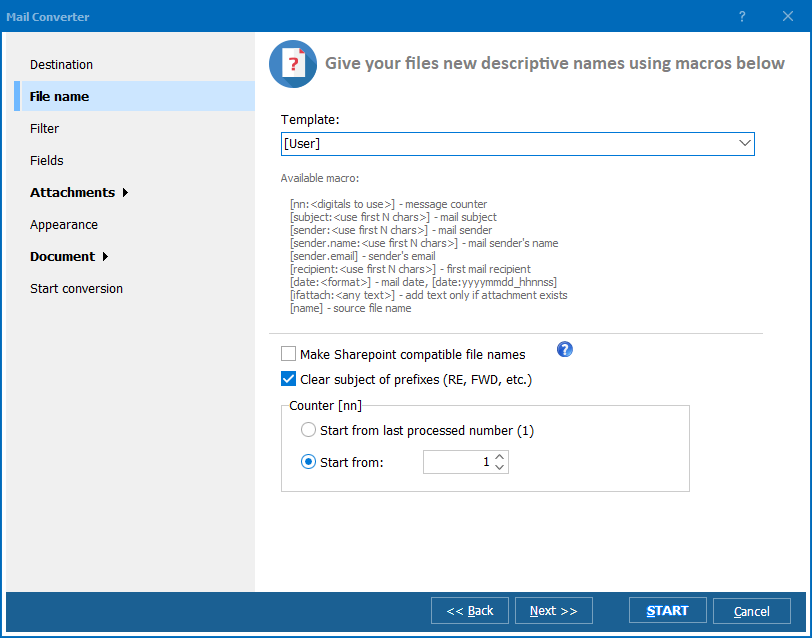
Custom features and options only add time back on your side
Our app is extremely flexible, allowing you to tailor and edit the output to fit the details you are looking for. While there is a wide range of options, here are a few of its most popular features:

  • Bates stamping
  • Watermarks and/or Company Logo
  • Page Numbering; Time and Date Stamping
  • Adjusting fonts and magins
  • Ability to mark legal notes as CONFIDENTIAL

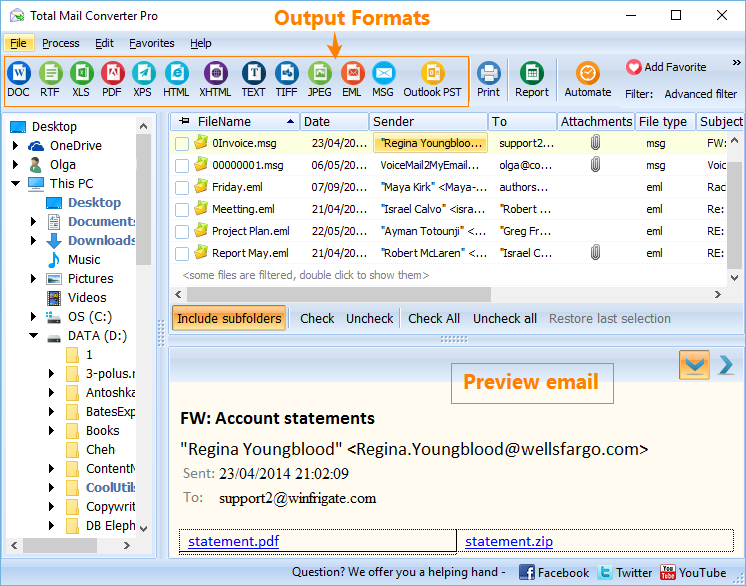
The clear, user-friendly interface was built with you in mind We know you have a lot of information to sift through, compile, evaluate, and share. You don't have the time to learn an entire new program. We kept this and your time in mind when it came to designing our app. The interface is great, and includes step-by-step settings and video tutorials.
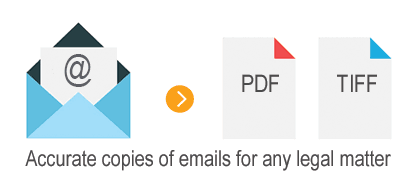
email to pdf legal

The interface is also designed for you to search through thousands of emails at once by any key word. We wanted to create the most helpful, time effective tool, and our interface has been key to that success. Total Mail Converter Pro runs fine on Windows Vista/7/8/10/11.

Our clients say:
"I'm overall pretty happy with the product. Very easy to use and worked well in our litigation process."

Cyrus Naim
Law Offices of Cyrus S. Naim
www.naimlegal.com


"I am very pleased with the program - it has saved me time already on a project where I need emails to appear in pdf. I had a small glitch when I first purchased - it wouldn't accept my registration number, but I emailed the help desk, followed their advice and it worked out fine. Overall I am very pleased - thank you!"

Dare DeLano
The law firm of DeLano & DeLano
www.delanoanddelano.com


"I used the program to convert batch .msg files to PDF. The program works pretty well."

Cheryl Chen
Los Altos Intellectual Property Attorney
www.lilaw.us


quote

Total Mail Converter Pro Customer Reviews 2026

Rate It
Rated 4.7/5 based on customer reviews
5 Star

"With a trial date closing in fast we needed EML and MSG mailboxes converted to PDF with Bates stamping applied automatically. Total Mail Converter Pro processed the whole folder as one batch and had our production set ready well inside the three-minute setup the vendor promised."

5 Star Gregory Pham eDiscovery Coordinator, Pham & Delaney Law Group

"Converting to TIFF instead of PDF was a requirement from opposing counsel on a recent matter, and this handled the switch without any extra configuration. Page numbering and attachment conversion both worked correctly across a mailbox with several thousand messages."

5 Star Vivian Okonkwo Litigation Support Manager, Okonkwo Legal Solutions

"Batch processing a full mailbox for e-discovery used to eat an entire afternoon of manual export. This app got it down to selecting the folder, enabling Bates stamping, and clicking Start. The license and installation steps could be documented a little more clearly for first-time legal users."

4 Star Marcus DeSantis Paralegal, DeSantis Trial Group

Email to PDF for e-Discovery — FAQ ▼

How do I convert emails to PDF for e-Discovery?

Install Total Mail Converter Pro, select the folder of EML or MSG messages, choose PDF as the output, enable Bates stamping and page numbering, then click Start. The whole mailbox is converted in one batch, producing searchable, court-ready PDF files.

Can Total Mail Converter Pro convert email attachments too?

Yes. It converts each attachment, whether it is a PDF, Word document, TXT, HTML, RTF, JPEG, or TIFF. You can embed attachments into the output file or save them in their original type with a clickable link.

Does it support Bates stamping for legal review?

Yes. Total Mail Converter Pro adds Bates stamps, watermarks, a company logo, page numbering, and time and date stamps. You can also mark pages as CONFIDENTIAL, which is built for litigation and e-Discovery workflows.

Can I convert emails to TIFF instead of PDF?

Yes. TIFF is offered alongside PDF as an output format. Both produce an exact copy of the email, so you can pick the format your e-Discovery platform or court requires.

Does it handle non-Latin languages like Arabic or Hindi?

Yes. The proprietary conversion engine renders non-Latin scripts accurately, so emails written in Arabic or Hindi appear as an exact copy in the PDF or TIFF with no data loss.

Can I convert a whole folder of emails at once?

Yes. Total Mail Converter Pro is built for batch processing. Point it at a folder, select thousands of messages, and convert them all in one run while keeping each email searchable by keyword.

What email formats can it open?

It processes EML and MSG email files. Once loaded, you can search across thousands of messages by keyword and convert the selected ones to PDF or TIFF together with their attachments.


Start working now!

Download free trial and convert your files in minutes.
No credit card or email required.

⬇ Download Free Trial Windows 7/8/10/11 • 174 MB

Support
Total Mail Converter Pro Preview1
Total Mail Converter Pro Preview2
Total Mail Converter Pro Preview3

Latest News

Newsletter Subscribe

No worries, we don't spam.


© 2026. All rights reserved. CoolUtils File Converters

Cards