Need help? Reach us at 

 +1 (855) 418-2323
Need help? Reach us at
+1 (855) 418-2323

 File Converters TIFF and PDF apps Forensic Freeware
1) Upload DOCM file to convert
Drop files here, or Click to select
Allowed file types: one, ofd, docx, doc, wbk, rtf, rvf, odt, abw, txt, dotx, docm, hwp, wpd, wps, tmd, py, inp, ipynb
2) Set converting DOCM to DOCX options
3) Get converted file
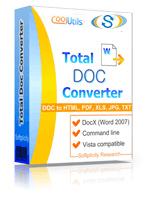
 Total Doc Converter
 Total Doc Converter supports DocX (the format of Word 2007 documents). Installed this free Microsoft Office Compatibility Pack to convert DocX files to HTML, PDF, XLS, JPG, TIFF, TXT with Total Doc Converter.Total Doc Converter converts Doc to PDF and allows you to add a digital signature to the final document.Convert and combine several documents into one multi-page file (PDF, DOC, TIFF or a very long TXT file). All done in one go!Total Doc Converter can convert Word 2010 to Word 2003 if you need a file compatible with older Microsoft Word.Have an outdated Microsoft Office 2003? Update all your old files to the new format in one go. Convert Doc files to DocX with our Total Doc Converter.Total Doc Converter allows setting your default font for text files.Total Doc Converter can print out, fax to send to OneNote any file you select. It will also create detailed reports on your Doc files in PDF, XLS, CSV, TXT formats. It's the esiest way to learn how many files you have and their parameters.Total Doc Converter has a clear, easy-to-follow interface. You won't get lost in settings!The widest list of supported file types: convert Word, Doc, DocX, DocM, RTF, RVF, or TXT files to RTF, DOCX, XLS, JPEG, PNG, TIFF, HTML, XHTML, PDF, TXT in a batch mode. It's a powerful all-in-one doc converter!Total Doc Converter supports several types of compression for TIFF. If you are at a loss the program will automatically choose the best value. Every document is displayed in Preview panel. You can zoom it or view the document full-sized. Use preview option to quickly find a file.Add your logo or any other image to the header or the footer of the output file.Do you want more order? Total Doc Converter will add page counters or a date to every page of the output files. The app is great for stamping legal bates too!Total Doc Converter can copy original time stamps if you want to keep them.Total Doc Converter offers a lot of additional settings for Doc to PDF conversions. Set user permissions, password-protect your files or sign with a digital signature. Get PDF, PDF/A and non-searchable PDFs.Total Doc Converter can be run via command line (get the ready-to-use command line from GUI).
💾 Upload Your File: Go to the site, click on «Upload File,» and select your DOCM file.
✍️ Set Conversion Options: Choose DOCX as the output format and adjust any additional options if needed.
Convert and Download: Click 👉«Download Converted File»👈 to get your DOCX file.




| File extension | .DOCM |
| Category | Document File |
| Description | DOCM is a new Word-based extension, a Macro-enabled MS Word Open HTML format. Just like DOCX, this format combines XML and ZIP compression algorithms resulting in smaller file size and therefore more convenient sharing and storage. However, DOCM files contain a VB (Visual Basic) programming code – a macro (the “M” in the file name stands for “Macro”), which is potentially dangerous and should be regarded with caution. DOCM files can be opened in Windows 7/8/Vista/XP. If you have downloaded a DOCM file from a source you do not trust, do not open it. |
| Associated programs | AbiWord Apple Pages AppleWorks KWord Microsoft Word StarOffice |
| Developed by | Microsoft |
| MIME type | application/msword |
| Useful links | |
| Conversion type | DOCM to DOCX |
| File extension | .DOCX |
| Category | Document File |
| Description | DOCX is an MS Office text format of new generation (starting from 2007 versions). It is a more open, more standardized version that allows various apps get easier access to data stored in Word files. DOCX files are lighter in size than DOC analogues due to a new, XML-based file structure. As opposite to DOC, a corrupted DOCX file still can be opened, and undamaged data still can be read and edited. Older Word versions can work with DOCX, if a free compatibility pack is installed and setup. |
| Associated programs | Microsoft Word 2007 Microsoft Word 2008 (MAC) OxygenOffice Professional (Linux) Word 2010 |
| Developed by | Microsoft |
| MIME type | application/vnd.openxmlformats-officedocument.wordprocessingml.document |
| Useful links |
Welcome to our online DOCM to DOCX conversion tool, designed to make your document management tasks seamless and efficient. DOCM files are Microsoft Word documents that contain macros, which are programmed to automate routine tasks. However, due to security concerns and compatibility issues, many users prefer converting DOCM files to the more widely supported DOCX format. Our tool facilitates this conversion quickly and easily, ensuring that your documents remain accessible and secure.
The primary benefit of converting a DOCM file to a DOCX file is the enhanced compatibility. DOCX is the default format for Microsoft Word and is compatible with a variety of word processing applications across different platforms. By converting to DOCX, you eliminate the dependency on macros and reduce the risk of malware, which is sometimes hidden in macro-enabled files.
Using our tool is straightforward. Simply upload your DOCM file, and our system will handle the conversion process automatically, delivering a DOCX file that maintains the integrity and formatting of the original document. This streamlined process requires no download or installation, offering a hassle-free experience.
What sets our tool apart from others is its focus on user-friendliness and security. We prioritize your document's privacy, ensuring that files are deleted from our servers shortly after conversion. Our service is continuously updated to maintain high conversion quality and efficiency. Experience the ease and reliability of converting DOCM to DOCX with our online solution designed to cater to your document needs.
| Feature | Online Converters | CoolUtils Desktop | WinWord Built-in | Other Software |
|---|---|---|---|---|
| Batch Conversion | Limited | ✅ Unlimited | Manual only | Limited |
| File Size Limit | 1-5MB | ✅ No limits | System dependent | Varies |
| Privacy & Security | Upload required | ✅ 100% offline | ✅ Local only | Varies |
| Conversion Speed | Internet dependent | ✅ Fast local processing | Slow | Medium |
| Advanced Options | Basic | ✅ Full customization | Limited | Basic |
| Cost | Free/Premium | One-time purchase | Requires Office | Subscription |
| Formatting Preservation | Good | ✅ Excellent | Good | Varies |
| Multiple Formats Support | Limited | ✅ 40+ formats | Few formats | Limited |
Page updated
