Need help? Reach us at 

 +1 (855) 418-2323
Need help? Reach us at
+1 (855) 418-2323

 File Converters TIFF and PDF apps Forensic Freeware
You have Word documents that need to go online — as web pages, intranet content, or HTML emails. DOCX is Microsoft Word's default format since Office 2007, but browsers cannot render it directly. Total Doc Converter reads DOCX files, converts each document to clean HTML with tables, images, and formatting preserved, and processes entire folders in a single batch.
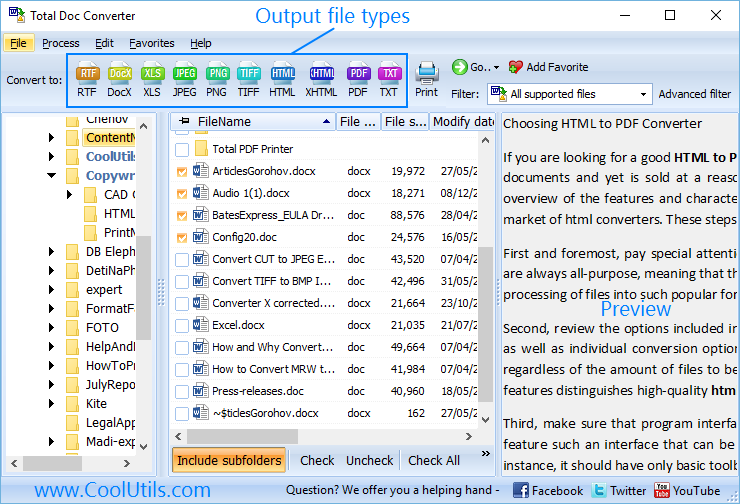
Quick answer: To convert DOCX to HTML, launch Total Doc Converter, open the folder with your DOCX files, tick the files or click Check All, press the HTML button, set the output folder and image handling (Base64 or external), then click Start. Each document becomes clean HTML with tables, fonts, and images preserved, in one offline batch.
DOCX is a ZIP-based XML format introduced with Microsoft Office 2007. It stores text, styles, tables, images, headers, footers, and macros in a structured package. DOCX files require Microsoft Word, LibreOffice, or a compatible viewer to open. They are designed for printing and editing, not for web display.
HTML (HyperText Markup Language) is the standard language of the web. Every browser on every device renders HTML natively. HTML files can include CSS for styling, JavaScript for interactivity, and embedded or linked images. An HTML file is viewable without any special software — just a web browser.
| Feature | DOCX | HTML |
|---|---|---|
| Format type | ZIP package with XML | Plain text markup |
| Viewer | Word, LibreOffice | Any web browser |
| Web display | Not directly viewable | Native browser support |
| Images | Embedded in ZIP package | Linked or Base64-embedded |
| Tables | Word table model | HTML table elements |
| Styling | Word styles and themes | CSS stylesheets |
| File size | Compact (ZIP compressed) | Varies (depends on images) |
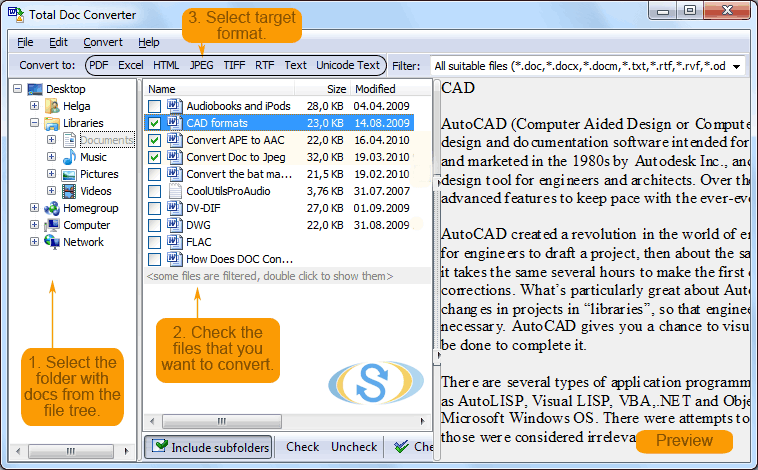
Launch Total Doc Converter. The folder tree on the left shows your local drives and network shares. Navigate to the directory containing your DOCX files. The file list displays each document with its name, page count, size, and modification date.
Tick individual DOCX files or click Check All to select the entire folder. Total Doc Converter handles batch processing — one file or thousands in the same operation.
Click the HTML button on the toolbar. The settings wizard opens with HTML output options.
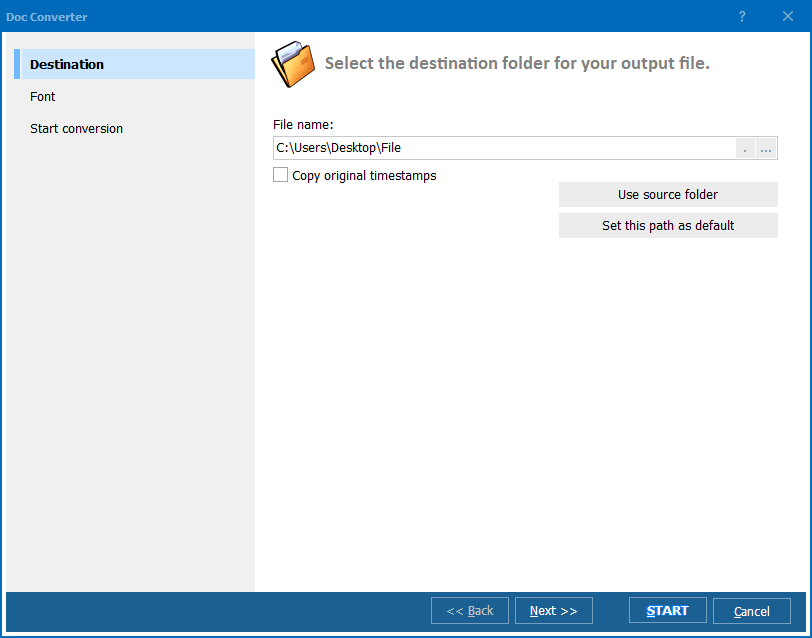
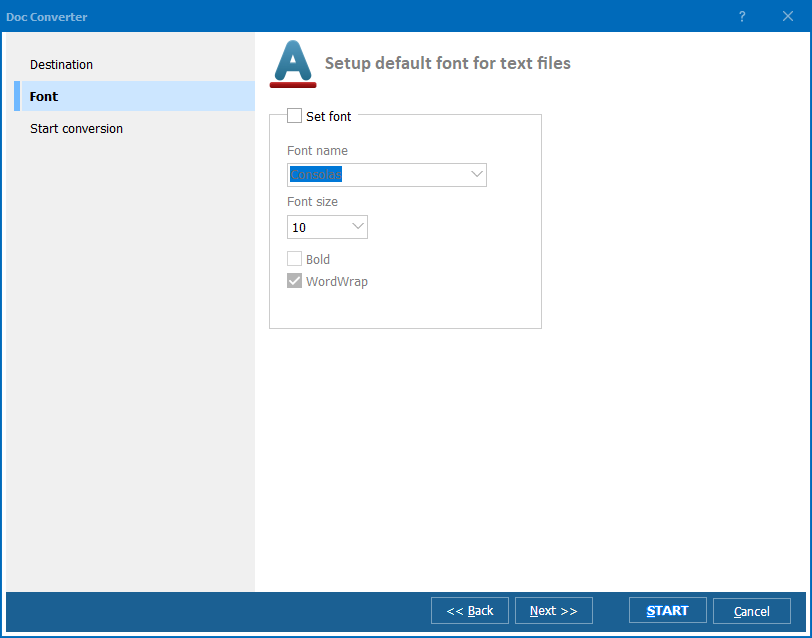
Set the output folder and file naming pattern. Configure the following:
Click Start. Each DOCX file is rendered as an HTML page with tables, formatted text, images, and links preserved. The conversion log shows the status of every file.
Total Doc Converter includes a command-line interface for automated workflows:
DocConverter.exe "C:\Documents\*.docx" -oHTML -d "C:\Output\html\" -EmbedImages
Parameters: source files (wildcards supported), -oHTML sets the output format, -d specifies the destination folder, -EmbedImages embeds images as Base64. Schedule with Windows Task Scheduler for automated batch conversion.
The GUI generates ready-to-use command lines: configure settings in the wizard, and the program outputs the exact command for your .bat script.
| Option | Description | Best For |
|---|---|---|
| Embedded images (Base64) | Images stored inside the HTML file as data URIs | Single-file distribution, email content |
| External images | Images saved as separate files in a subfolder | Websites, CMS imports, smaller HTML size |
| Inline CSS | Styles applied directly to each HTML element | Email newsletters, inline rendering |
| Embedded CSS | Stylesheet in the <head> section | Standalone web pages |
| UTF-8 encoding | Universal character set supporting all languages | Multilingual documents, web standards |
| Feature | Online DOCX-to-HTML Services | Total Doc Converter |
|---|---|---|
| Privacy | You upload documents to a third-party server. | Runs locally. No data leaves your computer. |
| Batch mode | One file at a time, manual upload. | Entire folders in one batch, hundreds of files. |
| Image handling | Limited control over image output. | Embed as Base64 or save as separate files. |
| CSS control | No options for styling output. | Inline, embedded, or external CSS. |
| Formatting accuracy | Often loses tables, fonts, or layout. | Preserves tables, images, fonts, and spacing. |
| Automation | Not available. | Command-line interface with scheduling. |
| Cost | Free for small files, paid subscriptions. | One-time purchase: $49.90. Free 30-day trial. |
Word documents often contain complex tables, nested lists, and multi-column layouts. Total Doc Converter renders these structures as clean HTML tables and CSS-styled elements. The output matches the original Word layout in the browser.
Choose between embedding images as Base64 data URIs (single self-contained HTML file) or saving them as separate image files in a subfolder (smaller HTML, faster loading for websites). Both modes preserve original image quality.
Total Doc Converter uses its own DOCX parser. It does not call Word, does not need Office installed, and runs on clean Windows servers. Convert DOCX files without any Microsoft software dependency.
Select an entire folder of DOCX files and convert them all in one operation. No file-by-file uploads, no internet dependency, no file size limits. Hundreds of documents convert in minutes.
Schedule nightly DOCX-to-HTML conversions with a .bat script. Integrate into CMS publishing pipelines, document management workflows, or intranet update processes.
HTML is one option among many. Total Doc Converter also exports DOCX to PDF, RTF, TXT, XLS, JPEG, TIFF, XPS, and more. One tool for all document conversion tasks.
Download the free 30-day trial — no email or credit card required. A personal license costs $49.90 and includes one year of free upgrades. Works on Windows 7/8/10/11.
Download Free Trial Buy License — $49.90
Download free trial and convert your files in minutes.
No credit card or email required.