Logo
Home Products Support Contact About Us
arrow1 File Converters
arrow1 TIFF and PDF apps
arrow1 Forensic
arrow1 Freeware

Combine Multiple TXT Files into Single PDF by Coolutils Software

PDF Combine Pro lets you create impressive documents with effortless navigation. After installing the software, you can start your first merger. Even the trial version is fully featured! Here is how to combine TXT files to PDF.

Quick answer: To combine multiple TXT files into one PDF, install PDF Combine Pro, select the text files in the folder tree on the left, click the Combine to PDF button, set the destination and layout options such as headers, footers, bookmarks or a cover page, then click Start. The whole batch merges into a single PDF in seconds, fully offline with no upload.

Step 1. Select Multiple TXT Files

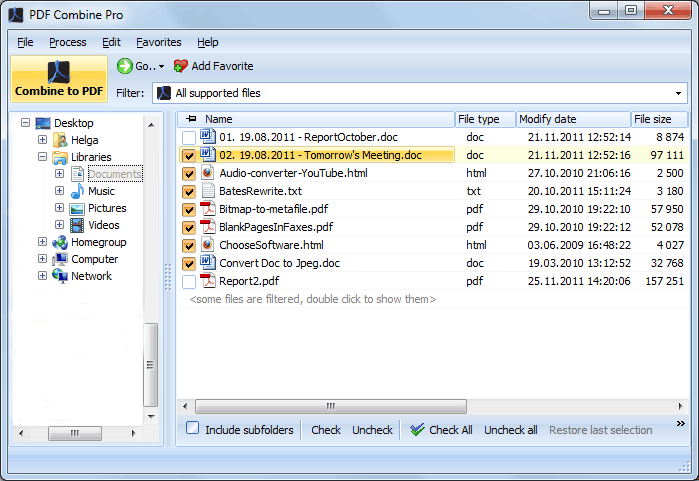
Run the program and define the source files. On the left side of the screen, you will see a tree structure. Click on the necessary folder to view its contents, and check the boxes next to the items you want to merge.
Total PDF Combine

Step 2. Set the Parameters

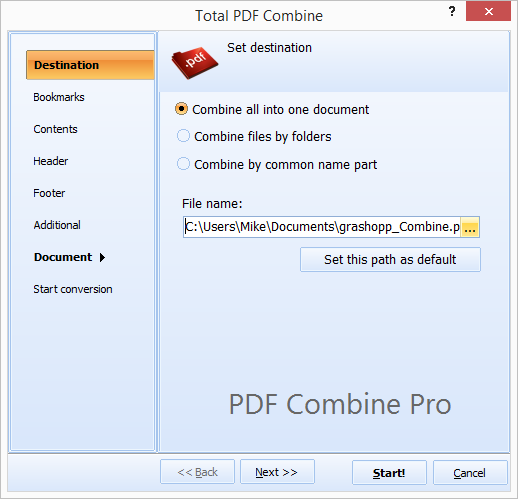
Click on the "Combine to PDF" button on the ribbon at the top. The wizard will pop up so you can adjust the settings to your liking.

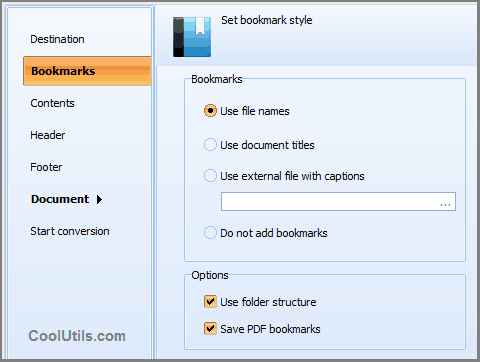
Set the destination path and make changes to the layout if necessary. You may add headers or footers, generate bookmarks, add a cover page, and more.
Total PDF Combine

Step 3. Click 'Start!'

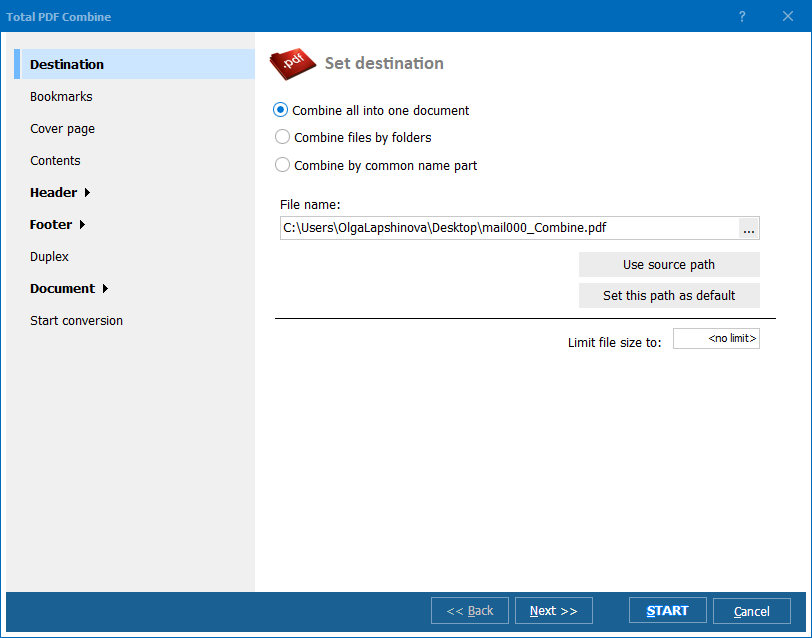
To merge text files into a single PDF, click on the button in the bottom right-hand corner. Your document will be ready in seconds!
Total PDF Combine

Combine TXT Files to PDF — FAQ ▼

Install PDF Combine Pro, check the TXT files in the folder tree, click the Combine to PDF button, set the destination and layout, then click Start. All selected text files are merged into a single PDF in seconds.
Yes. PDF Combine Pro merges an entire folder of text files in one run. Tick the folder or select individual TXT files and they are combined into one PDF, with no limit on the number of files.
PDF Combine Pro offers a fully featured trial, so you can merge text files to PDF before buying. The trial has no functional restrictions on the merging tools.
Yes. The settings wizard lets you generate bookmarks from file names, add headers or footers, insert a cover page, and set page numbers for the combined PDF.
PDF Combine Pro reads TXT files directly and needs no Word, Notepad, or any other editor installed. It runs as a standalone Windows application.
Yes. PDF Combine Pro includes full command-line support, so you can script the merge in a .bat file and schedule it with Windows Task Scheduler for unattended runs.
Yes. The content of each text file is placed into the PDF exactly as written, in the order you set in the file list. You can rearrange files before merging to control page order.


Start working now!

Download free trial and convert your files in minutes.
No credit card or email required.

⬇ Download Free Trial Windows 7/8/10/11 • 151 MB

Friday Sale
PDF Combine Pro Preview1
PDF Combine Pro Preview2

Latest News

Newsletter Subscribe

No worries, we don't spam.


© 2026. All rights reserved. CoolUtils File Converters

Cards