Logo
Home Products Support Contact About Us
arrow1 File Converters
arrow1 TIFF and PDF apps
arrow1 Forensic
arrow1 Freeware

Convert CSV to HTML — Create Clean HTML Tables from CSV Data


Need to turn CSV data into HTML tables for your website, report, or intranet? Total CSV Converter converts CSV files to clean, well-structured HTML tables — in batch, processing hundreds of files in one run. Unlike manual copy-paste or scripting, our converter:
  • Converts CSV files to properly formatted HTML tables
  • Processes an entire folder of CSV files in a single batch
  • Auto-detects or lets you set delimiters (comma, semicolon, tab, custom)
  • Supports selecting and reordering columns before conversion
  • Generates ready-to-embed HTML with clean markup
  • Works 100% offline — no files uploaded anywhere
  • Includes a 30-day free trial with no limitations

Download Total CSV Converter and start creating HTML tables from CSV data today.


Download Now!

(includes 30 day FREE trial)

Buy License

(only $49.90)

CSV vs HTML: What Is the Difference?

CSV (Comma-Separated Values) is a plain-text format where each line represents a row and values are separated by a delimiter. CSV files carry no formatting, no structure, and no visual layout. They are the standard export format for databases, spreadsheets, CRM systems, and web applications — designed for data exchange, not presentation.

HTML (HyperText Markup Language) is the standard language for web pages. An HTML table displays data in rows and columns with visible borders, headers, and styling. HTML files open in any web browser and can be embedded directly into websites, email templates, and online reports.

When you convert CSV to HTML, each row becomes a table row and each delimited value becomes a table cell. The result is a structured, readable table that you can view in any browser, embed in a web page, or attach to an email — no spreadsheet software required.
How to Convert CSV to HTML

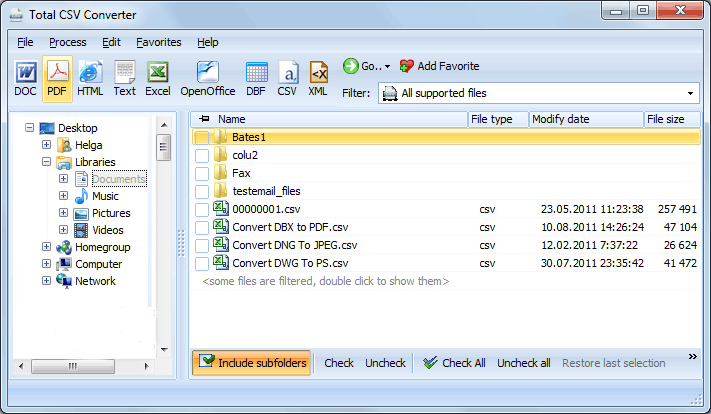
  • Step 1. Launch Total CSV Converter. The left panel shows a folder tree for quick navigation.
  • Step 2. Browse to the folder that contains your CSV files. The file list in the center displays all supported files.
  • Step 3. Check the files you want to convert. Use Check All to select every file in the folder for batch conversion.
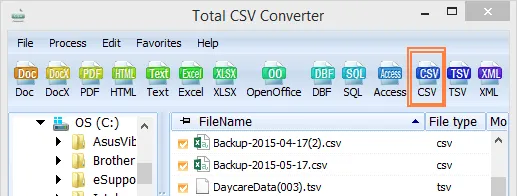
  • Step 4. Click HTML in the format toolbar at the top of the window.
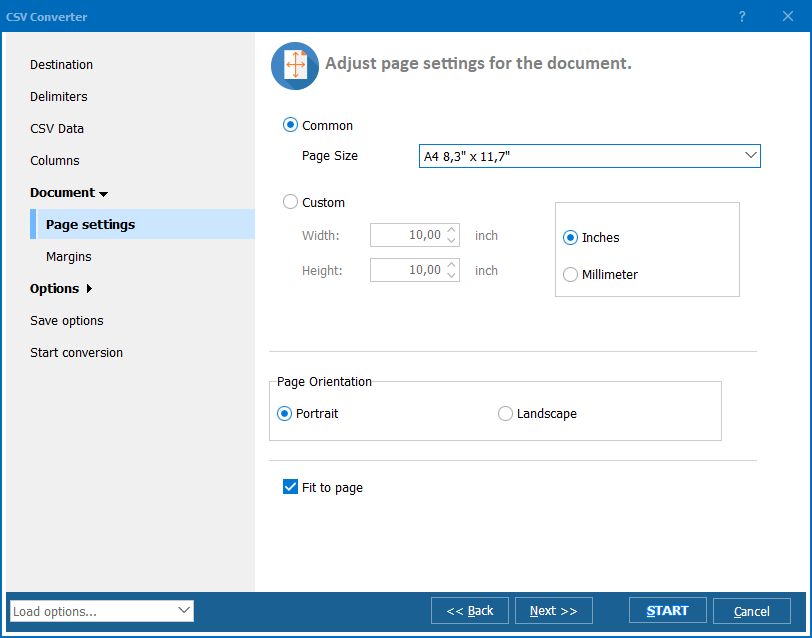
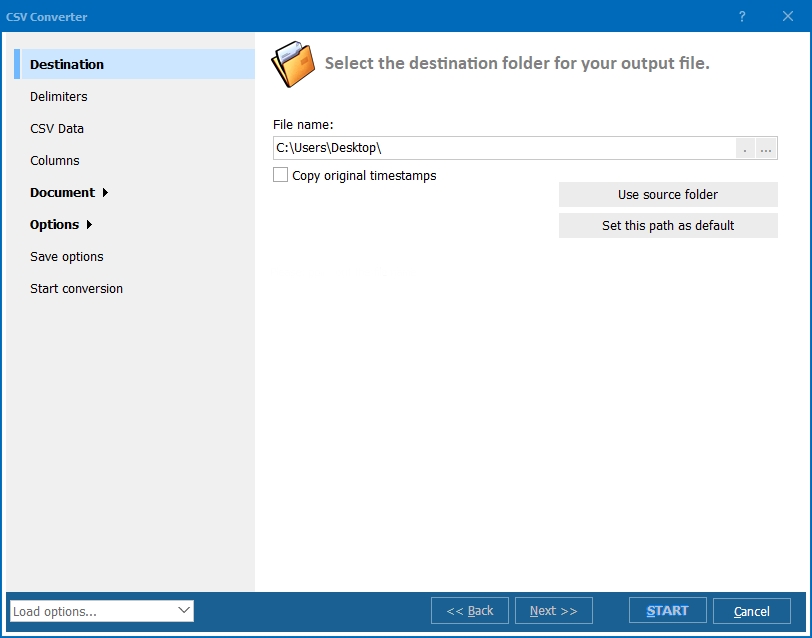
  • Step 5. In the conversion wizard, set the delimiter (comma, semicolon, tab, or custom), choose which columns to include, and select a destination folder for the output files.
  • Step 6. Press Start. The converter processes all selected files and saves HTML output to your chosen folder.

Total CSV Converter - CSV to HTML batch conversion interface

Each CSV file becomes a separate HTML file with a formatted table. Original CSV files remain untouched. You can also merge multiple CSV files into a single HTML page — useful for combining data exports into one consolidated report.

Command-Line Conversion

Total CSV Converter includes a command-line interface for converting CSV files without the GUI. Example:

CSVConverter.exe C:\Data\export.csv C:\Output\export.html -c HTML -SepChar ;

You can wrap this command in a .bat file or a scheduled task to automate recurring conversions. This is useful for publishing updated data on a website or intranet — a nightly script converts fresh CSV exports to HTML pages automatically.

Why Use Total CSV Converter?

Green PlusClean HTML output. Total CSV Converter generates well-structured HTML tables with proper <table>, <tr>, and <td> tags. The output is ready to embed in any website or view in any browser without editing the markup.

Green PlusBatch processing. Select hundreds of CSV files and convert them all to HTML in a single run. Each file becomes a separate HTML page, or merge them into one. No need to write scripts or open files one by one.

Green PlusSmart delimiter detection. The converter auto-detects commas, semicolons, tabs, and pipes. You can also set the delimiter manually for non-standard files — ensuring every value lands in the correct table cell.

Green PlusColumn selection. Choose which columns to include in the HTML output and reorder them as needed. This is useful when CSV exports contain many fields but you only need a few for your web page or report.

Green PlusEncoding support. Handle CSV files in any encoding: UTF-8, ANSI, Unicode, and more. Accented characters, CJK text, and special symbols display correctly in the HTML output.

Green Plus10+ output formats. Besides HTML, convert CSV files to XLS, XLSX, PDF, TXT, DBF, XML, JSON, and more — all from the same program.

Online Converters vs Desktop Converter

FeatureOnline ToolsTotal CSV Converter
File size limit5–50 MB typicalNo limit
Batch conversionOne file at a timeUnlimited
PrivacyFiles uploaded to cloud100% offline
Delimiter controlAuto onlyAuto + manual + custom
Column selectionNoChoose & reorder columns
AutomationManual onlyBuilt-in command line
PricingSubscription or per-fileOne-time $49.90

download CSV to HTML converter

Windows 7/8/10/11 • 30-day free trial

When Do You Need CSV to HTML Conversion?

Here are the most common scenarios where converting CSV to HTML is necessary:
  1. Publishing data on a website. You have CSV data from a database or spreadsheet and need to display it as a table on a web page. Converting to HTML gives you a ready-to-embed table with clean markup.
  2. Email reports. HTML tables render well in email clients. Converting CSV exports to HTML lets you send formatted data reports that recipients can read directly in their inbox — no attachments to open.
  3. Intranet dashboards. Internal reporting systems often export CSV. Converting to HTML creates browsable data pages that any employee can view in a web browser without specialized software.
  4. Data sharing with non-technical users. Not everyone can open CSV files correctly. An HTML table is universally readable — it opens in any browser on any device with proper formatting and column alignment.
  5. Automated reporting. A scheduled task converts nightly CSV exports to HTML pages, publishing fresh data to a web server automatically. No manual intervention required.


Download Now!

(includes 30 day FREE trial)

Buy License

(only $49.90)

FAQ ▼

Total CSV Converter generates standard HTML files with properly structured <table>, <tr>, and <td> tags. The first row of the CSV can be rendered as table headers (<th>). The output is ready to embed in any website or view in any browser.
Yes. Total CSV Converter supports comma, semicolon, tab, pipe, and custom delimiters. It can also auto-detect the delimiter used in each file, ensuring every value lands in the correct table cell.
Yes. The conversion wizard lets you choose which columns to include in the HTML output and reorder them. This is useful when CSV exports contain many fields but you only need a few for your table.
Yes. Total CSV Converter supports batch conversion. Select all CSV files in a folder (or use Check All), choose HTML as the output format, and press Start. There is no limit on the number of files.
Yes. The converter handles CSV files in UTF-8, ANSI, Unicode, and other encodings. Accented characters, CJK text, and special symbols are preserved correctly in the HTML output.
No. Total CSV Converter is a standalone Windows application. It creates complete HTML files that you can open in any browser or embed in any web page. No coding, scripting, or web development tools required.
Yes. Total CSV Converter includes a built-in command-line interface. You can convert CSV files to HTML from batch scripts, scheduled tasks, or automated pipelines without opening the GUI. A dedicated server license is available for unattended use.


Start working now!

Download free trial and convert your files in minutes.
No credit card or email required.

⬇ Download Free Trial Windows 7/8/10/11 • 49 MB

Support
Total CSV Converter Preview1
Total CSV Converter Preview2
Total CSV Converter Preview3

Latest News

Newsletter Subscribe

No worries, we don't spam.


© 2026. All rights reserved. CoolUtils File Converters

Cards