Need help? Reach us at 

 +1 (855) 418-2323
Need help? Reach us at
+1 (855) 418-2323

 File Converters TIFF and PDF apps Forensic Freeware
Download Total Doc Converter and modernize your Word document archive today.
(includes 30 day FREE trial)
(only $49.90)
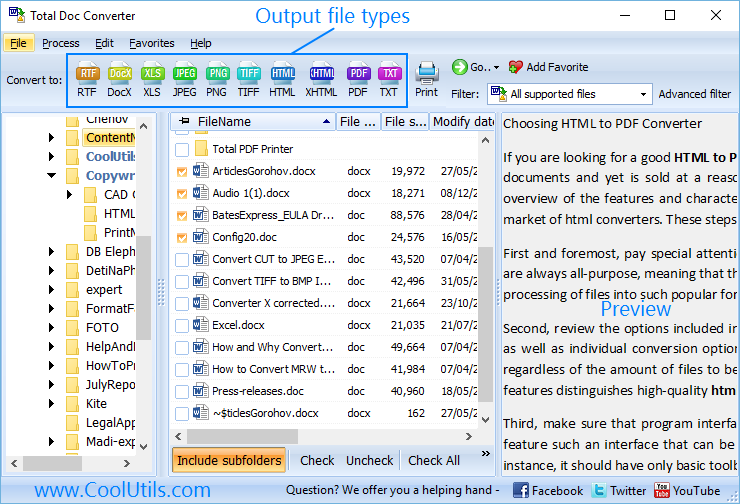
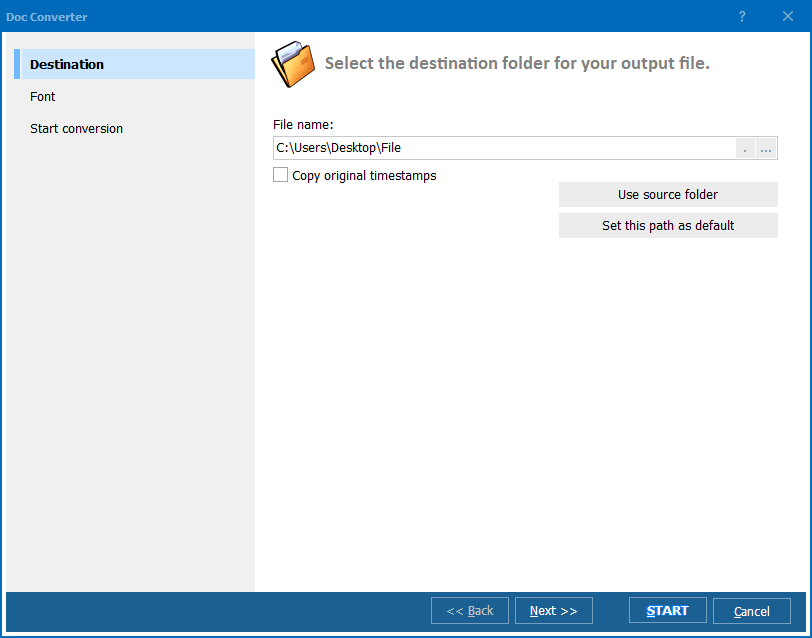
Quick answer: To convert DOC to DOCX, launch Total Doc Converter, browse to the folder with your DOC files, check the files (or Check All), click the DOCX button, set the destination folder, and press Start. The whole folder converts in one batch, offline, with formatting preserved and no file-size limit.
DOC is a proprietary binary format introduced by Microsoft Word in 1983. For over two decades it was the default document format across the business world. DOC files use a compound binary structure (OLE) that stores text, formatting, images, and macros in a single binary blob. The format is fully supported only by Microsoft Word — other word processors open DOC files with varying degrees of accuracy.
DOCX replaced DOC as the default format starting with Word 2007. It is an Office Open XML format that stores document content as a ZIP archive of XML files. DOCX files are smaller (typically 50–75% of the equivalent DOC), open faster, and are less prone to corruption. The XML-based structure also makes them easier to process programmatically and more compatible with third-party applications.
While modern Word versions still open DOC files, certain features behave differently in compatibility mode. Embedded objects, complex tables, and advanced formatting may render incorrectly when a DOC file is opened in newer editors. Converting DOC to DOCX with a dedicated tool ensures a clean transition without layout shifts or data loss.
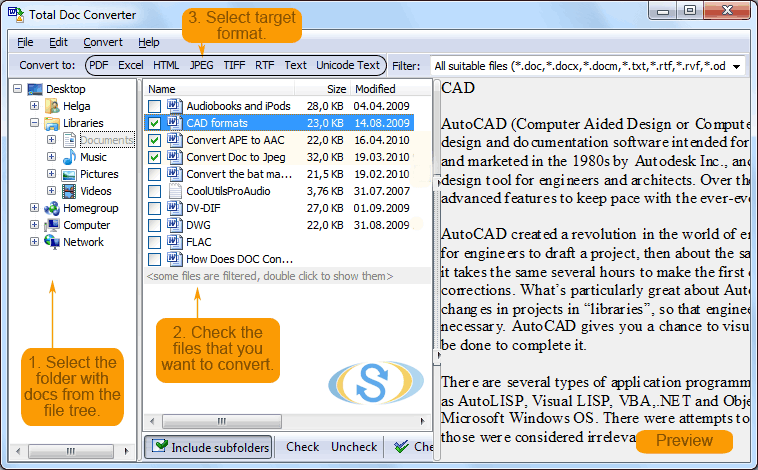
The entire conversion takes seconds, even for large batches. Your original DOC files remain untouched.
Total Doc Converter includes a command-line interface that lets you convert DOC to DOCX from scripts, batch files, or scheduled tasks. Example:
DocConverter.exe C:\Data\report.doc C:\Output\report.docx -c DOCX
Use wildcards to convert an entire folder in one command:
DocConverter.exe C:\Data\*.doc C:\Output\ -c DOCX
This makes it easy to integrate DOC-to-DOCX conversion into automated workflows, migration scripts, or server-side document processing. Write a .bat file once and reuse it whenever new DOC files appear.
 Batch processing. Select hundreds or thousands of DOC files and convert them to DOCX in a single run. No need to open each file in Word and re-save manually.
Formatting preservation. Fonts, tables, images, headers, footers, page breaks, columns, and styles survive the conversion. Your DOCX files look just like the DOC originals.
Folder structure support. When converting files across multiple subfolders, the converter recreates the original directory tree in the output location. No manual sorting required afterward.
Watermarking. Add text or image watermarks during conversion — useful for marking documents as "DRAFT", "CONFIDENTIAL", or stamping them with your company logo.
No cloud uploads. All processing happens locally on your PC. Sensitive contracts, legal documents, and internal reports never leave your machine.
20+ output formats. Besides DOCX, convert DOC to PDF, HTML, RTF, TXT, ODT, XHTML, JPEG, TIFF, and more — all from the same tool.
| Feature | Online Tools | Total Doc Converter |
|---|---|---|
| File size limit | 10–50 MB | No limit |
| Batch conversion | 1–5 files at a time | Unlimited |
| Privacy | Files uploaded to cloud | 100% offline |
| Speed | Depends on connection | Instant (local) |
| Automation | None or paid API | Built-in command line |
| Formatting quality | Basic | Full preservation |
| Watermarks | Not available | Text and image |
| Pricing | Subscription | One-time $49.90 |

(includes 30 day FREE trial)
(only $49.90)
Download free trial and convert your files in minutes.
No credit card or email required.