Logo
Home Products Support Contact About Us
arrow1 File Converters
arrow1 TIFF and PDF apps
arrow1 Forensic
arrow1 Freeware

How to convert DOC to TXT


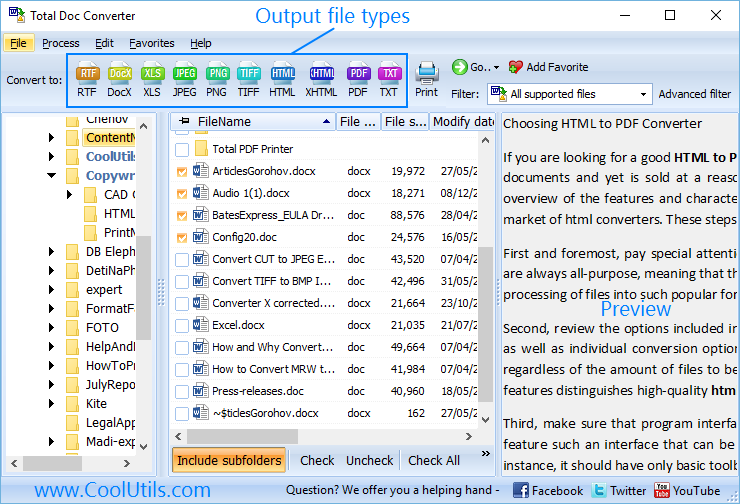
Doc to TXT conversion is possible without opening any programs, making any settings and other procedures that eat your time. You can convert Doc to TXT free using Online Doc Converter from CoolUtils. It is a freeware web service that features major functionality of desktop Total DOC Converter.

Quick answer: To convert DOC to TXT for free, open the CoolUtils Online Doc Converter in your browser, upload one Word document (up to 10 MB), choose TXT as the output format, and download the converted text file. For batches, unlimited file size, and more formats, the desktop Total DOC Converter does the same job offline on Windows.

The tool is perfect for both desktop and mobile users. Very often mobile devices are used as portable drives for storing different files. There are no document editors and special converter. The only way of data export is convert Doc online, and you can do this right in your mobile browser. Desktop users can save their memory space, as there is no need to install any software. Just upload your Doc file and get its converted copy immediately. Only basic features are available: you can convert one file at a time, and the file size should not be bigger than 10 MB. It is quite enough for a Word document. This free DOC TXT converter has the following advantages:

Green PlusIt is safe (the data is secured from third-party usage)

Green PlusIt is open for all users - you do not need to sign up, leave your personal contacts, etc.

Green PlusIt is quick and produces high-quality converted copies

Green PlusIt is ABSOLUTELY FREE!

It has a few shortcomings, but all they are covered by the desktop version. For instance, Total Doc converter is able to convert a lot of Doc originals in one batch, and the file size is not limited. As opposed to the online Doc converter, the desktop version supports more formats, including DocX, DocM, ODT, RTF, etc. It also can be run via command line or installed on a server.

You can use online converter any number of times, converting documents one by one. Besides TXT, you can export them to PDF, TIFF, XLS, JPEG. After conversion this free Doc converter automatically offers to open or save the converted file.

Windows Vista/7/8/10/11


quote

Total Doc Converter Customer Reviews 2026

Rate It
Rated 4.7/5 based on customer reviews
5 Star

"I needed the plain text out of a Word essay to paste into an online submission form that rejected DOCX uploads. The free Online Doc Converter from CoolUtils stripped it down to TXT in the browser in a few seconds, no signup and no software to install."

5 Star Brenda Okonkwo University Student

"A client sent a single DOC file that needed to become plain text for import into a legacy system. The online converter handled the upload and download in under a minute with no installation. For a one-off file under 10 MB, it did exactly what I needed for free."

5 Star Felix Grunwald Data Entry Contractor

"I use the free online DOC to TXT converter whenever a client sends a single document and I need to run it through a plain-text word-count tool. It is quick and requires no registration. When I have a whole batch of files, I switch to the desktop Total DOC Converter instead, since the online version is limited to one file at a time."

4 Star Renata Silva Freelance Proofreader

DOC to TXT — FAQ ▼

How do I convert DOC to TXT for free?

Open the free CoolUtils Online Doc Converter in your browser, upload one Word document up to 10 MB, choose TXT as the output format, and download the converted text file. No sign-up or personal details are needed.

Can I convert DOC to TXT in batch?

The free online converter handles one file at a time. For batch conversion of many DOC files at once, the desktop Total Doc Converter processes whole folders in a single run, with no file-count limit.

Is the DOC to TXT converter really free?

Yes. The online Doc Converter is a free web service open to all users, with no registration and no charge. The desktop Total Doc Converter adds batch processing and more formats and offers a 30-day free trial.

Does the online converter have a file size limit?

Yes. The free online service accepts files up to 10 MB, which is enough for a typical Word document. The desktop Total Doc Converter has no file-size limit.

Is it safe to convert DOC to TXT online?

Yes. The online converter secures your data from third-party use, and you do not need to sign up or share contact details. For fully offline conversion where files never leave your PC, use the desktop Total Doc Converter.

How do I convert DOC to TXT without Microsoft Word?

Both the online Doc Converter and the desktop Total Doc Converter read Word files directly, so no copy of Microsoft Word is needed. Just upload the file online, or open it in the desktop app and convert to TXT.

What other formats can I convert DOC to?

Besides TXT, the online Doc Converter exports Word files to PDF, TIFF, XLS, and JPEG. The desktop Total Doc Converter adds DOCX, ODT, RTF, HTML, and more, both as input and output formats.


Start working now!

Download free trial and convert your files in minutes.
No credit card or email required.

⬇ Download Free Trial Windows 7/8/10/11 • 87 MB

Support
Doc Converter Preview1
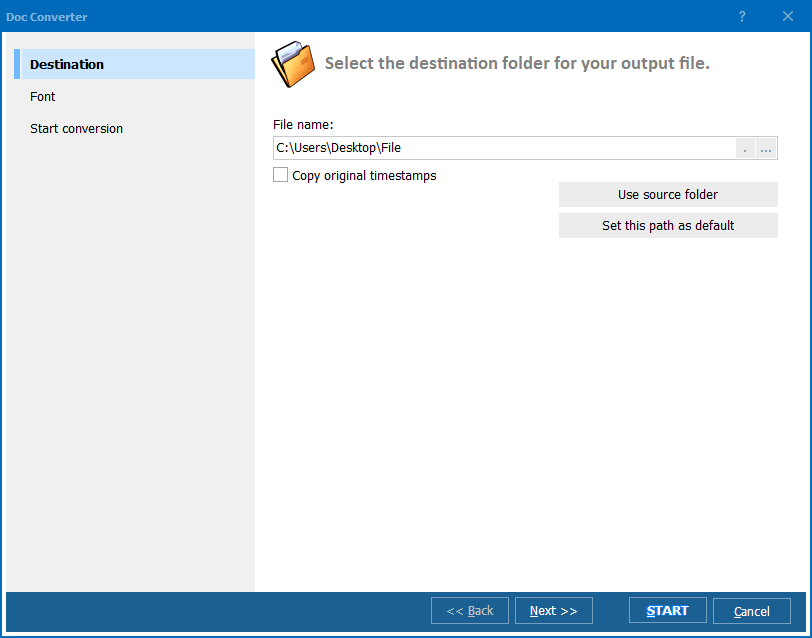
Doc Converter Preview2
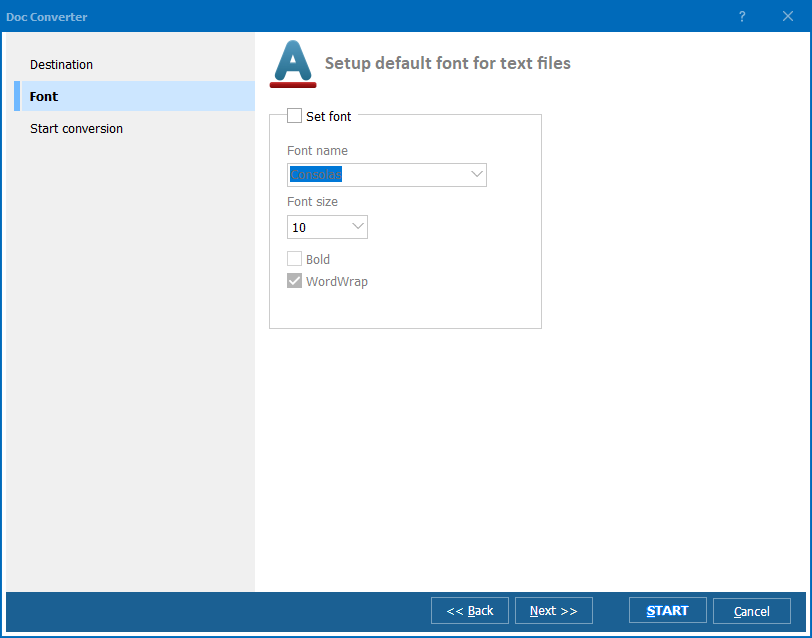
Doc Converter Preview3

Latest News

Newsletter Subscribe

No worries, we don't spam.


© 2026. All rights reserved. CoolUtils File Converters

Cards