Need help? Reach us at 

 +1 (855) 418-2323
Need help? Reach us at
+1 (855) 418-2323

 File Converters TIFF and PDF apps Forensic Freeware
Download Total Doc Converter and start extracting text from Word files today.
(includes 30 day FREE trial)
(only $49.90)
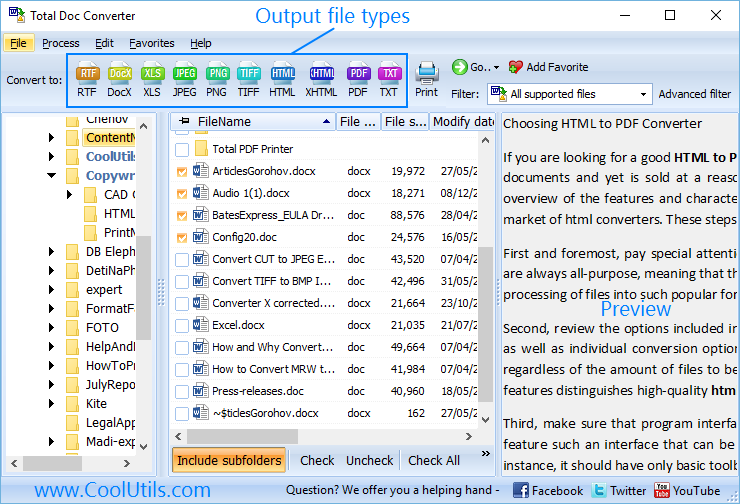
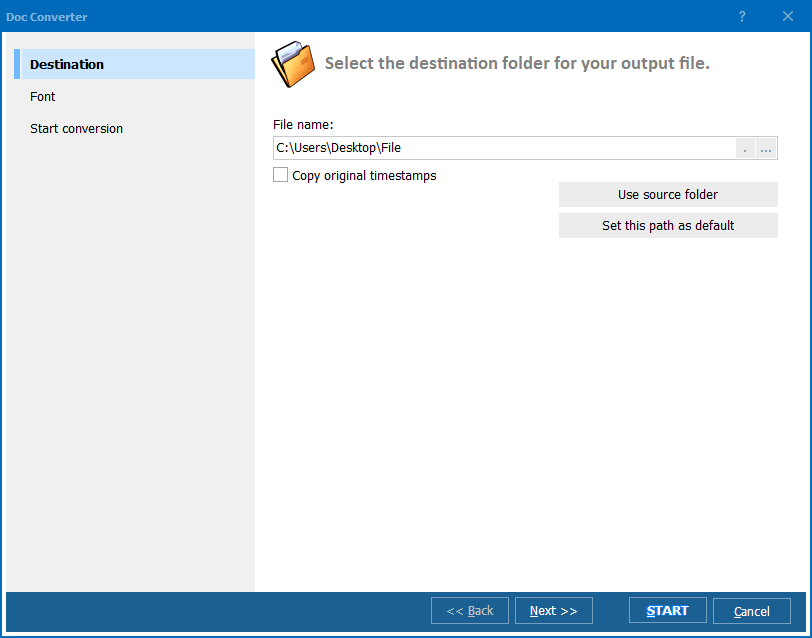
Quick answer: To convert Word to Unicode text, launch Total Doc Converter, browse to the folder with your DOC or DOCX files, check the ones you want, click the TXT button, select Unicode as the text encoding in the wizard, pick a destination folder, and press Start. Every character — including Chinese, Arabic, and Cyrillic — is preserved, and the whole folder converts offline in one batch.
DOC and DOCX are Microsoft Word's native document formats. They store not only the text itself but also fonts, styles, images, headers, footers, tables, and macros. This makes them feature-rich but also heavy, proprietary, and dependent on Word or a compatible application to open correctly.
Unicode text (.txt with UTF-8 or UTF-16 encoding) is the simplest document format possible: pure text with no formatting. Unlike older ASCII or ANSI encodings, Unicode supports over 140,000 characters across all modern writing systems. A Unicode text file opens instantly in Notepad, vi, nano, or any text editor on Windows, macOS, and Linux.
When you convert Word to Unicode, all formatting is stripped away — fonts, images, tables, and layout are discarded. What remains is the raw text content, accurately encoded so that every character displays correctly regardless of the reader's operating system or locale settings.
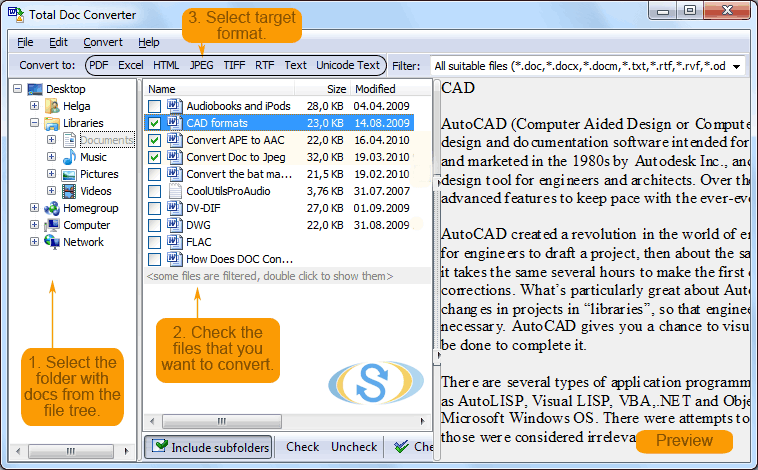
Each Word file becomes a separate .txt file. Original DOC/DOCX files remain untouched. The output text files use Unicode encoding, so international characters — accented letters, CJK ideographs, Cyrillic, Arabic — display correctly everywhere.
Total Doc Converter includes a command-line interface for converting Word files without the GUI. Example:
DocConverter.exe C:\Data\report.docx C:\Output\report.txt -c TXT -tUnicode
You can wrap this command in a .bat file or a scheduled task to automate recurring conversions. This is useful for server-side text extraction, indexing pipelines, or any workflow where you need plain text from Word documents without manual intervention.
 True Unicode output. Unlike simple copy-paste, Total Doc Converter uses proper encoding tables to ensure every character is mapped correctly. Accented characters, symbols, and non-Latin scripts survive the conversion intact.
Batch processing. Select 1,000 Word files and convert them all to Unicode text in a single run. Each source document becomes a separate .txt file. No need to open files one by one in Word and re-save them.
DOC and DOCX support. Works with legacy Word 97–2003 files (.doc) and modern Office Open XML files (.docx). You can also convert RTF, ODT, and other document formats from the same tool.
No Microsoft Word required. Total Doc Converter is a standalone application. It reads Word files using its own parser — no Office installation needed on the machine.
Privacy. All conversion happens locally on your PC. No cloud uploads, no third-party servers. Safe for legal documents, contracts, and confidential correspondence.
20+ output formats. Besides Unicode TXT, convert Word files to PDF, HTML, RTF, XHTML, ODT, JPEG, TIFF, and more — all from the same program.
| Feature | Online Tools | Total Doc Converter |
|---|---|---|
| File size limit | 5–50 MB typical | No limit |
| Batch conversion | One file at a time | Unlimited |
| Privacy | Files uploaded to cloud | 100% offline |
| Unicode encoding control | No choice | UTF-8, UTF-16, ANSI |
| Automation | Manual only | Built-in command line |
| Non-Latin character support | Often broken | Full Unicode support |
| Pricing | Subscription or per-file | One-time $49.90 |

(includes 30 day FREE trial)
(only $49.90)
Download free trial and convert your files in minutes.
No credit card or email required.

Related Topics
Word to HTML Converter