Need help? Reach us at 

 +1 (855) 418-2323
Need help? Reach us at
+1 (855) 418-2323

 File Converters TIFF and PDF apps Forensic Freeware
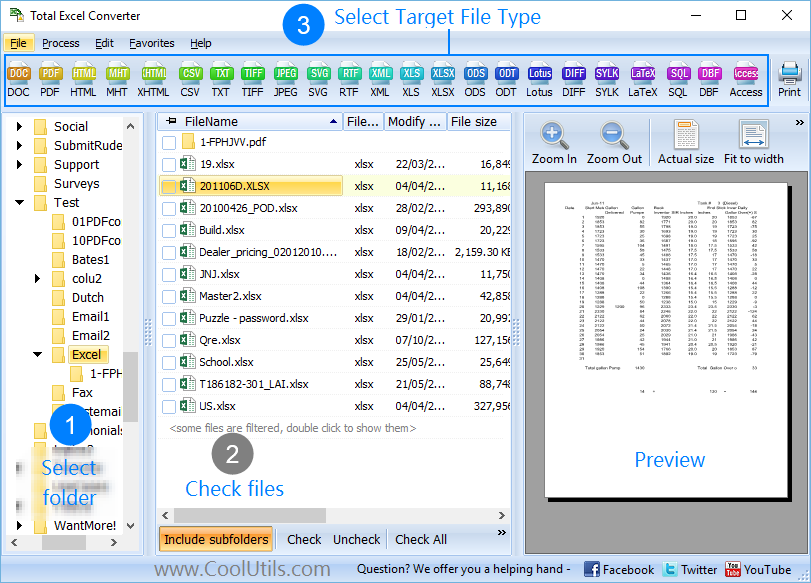
  | If you have to convert one or a few Excel files to JPEG each day only, you do not really need to buy the desktop converter. Although Total Excel Converter is really good, buying it in your situation is not an absolute necessity. Instead, you can use the free online Excel converter. It converts single Excel files to JPEG and a number of other formats instantly. Although it does not incorporate advanced features, such as batch function or command line support, it can be of great help for beginners and users who are not faced with the necessity of converting scores of Excel documents within a short while. Both Total Excel Converter and this free online Excel converter show great performance when used as designated. Which one you choose depends on your occupation and individual preferences. However, if you switch to a more active conversion regime, it is not unlikely that you are going to have to switch to the desktop converter.

Quick answer: To convert Excel to JPEG for free, open the free online Excel converter, press Browse to select your Excel file, click the Convert to JPEG link, then confirm with OK in the popup. The file converts in seconds with no download. For many files at once, batch, or command-line use, switch to the desktop Total Excel Converter. How to Convert Excel Files for Free
As follows from the above, it takes less effort to convert Excel to JPEG online than via the desktop converter. However, it would be pointless to even try to convert many files with the online converter over a short period of time. This is what appears to be a justification for not having to pay for using the online version. There are things that the desktop version can do and the online one cannot. At the same time, if you are required to convert only a few files each day, it is more advisable for you to convert Excel to JPEG online. |
Download free trial and convert your files in minutes.
No credit card or email required.

Related Topics
Convert Excel to PDF Open the