Need help? Reach us at 

 +1 (855) 418-2323
Need help? Reach us at
+1 (855) 418-2323

 File Converters TIFF and PDF apps Forensic Freeware
Download Total Image Converter and turn your HEIC photos into a shareable PDF today.
(includes 30 day FREE trial)
(only $24.90)
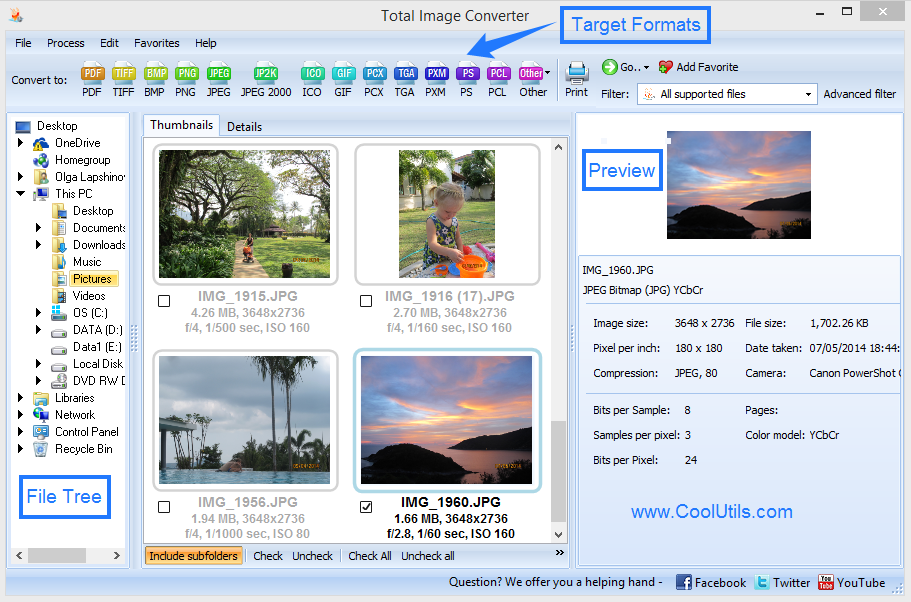
Quick answer: To convert HEIC to PDF, install Total Image Converter, browse to the folder with your HEIC photos, check the ones you need, click the PDF button, choose whether to merge them into one file, set the page size, then press Start. Every HEIC becomes a PDF page in one offline batch, with no upload and no file-size limit.
HEIC is Apple's photo format, efficient on the phone but unreadable on most PCs without a codec. PDF is the universal document format: it opens on every device, prints predictably, and can hold many images in one file with a fixed layout.
Converting HEIC to PDF is the right choice when the photos belong together as a document — receipts, ID scans, a set of contract pictures, or a photo report. Instead of attaching twenty loose image files, you send one PDF that opens in order, prints cleanly, and cannot be accidentally reshuffled. A single PDF is also far easier to archive than a pile of HEIC files.
Total Image Converter gives you both options: one PDF per photo, or all photos merged into a single paginated PDF.
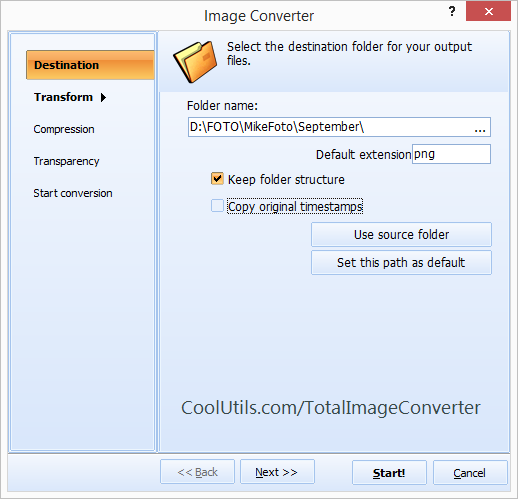
Choose Combine into one file to build a single multi-page PDF from all selected photos — ideal for a photo report or a set of receipts. The original HEIC files stay untouched.
Total Image Converter includes a command-line interface for converting HEIC to PDF without the GUI. Example:
ImageConverter.exe C:\Photos\*.heic C:\Output\report.pdf -c PDF -combine
Wrap this in a .bat file or a scheduled task to build PDFs from incoming iPhone photos automatically — useful for expense reports or nightly document runs.
 Merge or split. Build one multi-page PDF from many photos, or output a separate PDF for each image — your choice, in the same wizard.
Page control. Set page size, orientation, and margins so photos land on the page exactly how you want them for printing or sharing.
Headers and watermarks. Stamp a title, date, or logo on every page — handy for reports and confidential document sets.
100% private. Your photos never leave your PC. Nothing is uploaded, which matters for IDs, receipts, and personal images.
35+ formats. Besides PDF, convert HEIC to JPG, PNG, TIFF, BMP, and more — all from the same program.
| Feature | Online Tools | Total Image Converter |
|---|---|---|
| Files per job | 5–20 typical | Unlimited |
| Merge into one PDF | Sometimes | Yes |
| File size limit | 10–50 MB | No limit |
| Privacy | Photos uploaded to cloud | 100% offline |
| Headers & watermarks | Rarely | Built in |
| Automation | Manual only | Command line |
| Pricing | Subscription or per-file | One-time $24.90 |

(includes 30 day FREE trial)
(only $24.90)
Download free trial and convert your files in minutes.
No credit card or email required.

Related Topics
Convert ICNS to JPEG with ease and smile