Logo
Home Products Support Contact About Us
arrow1 File Converters
arrow1 TIFF and PDF apps
arrow1 Forensic
arrow1 Freeware

Convert MIM to PDF


Although a slew of shiny new office productivity tools arrive on the market every year, the vast majority of daily work still takes place via email. A result of this is that much of the most crucial information for any business can end up trapped in messages or attachments in one staff member's inbox.

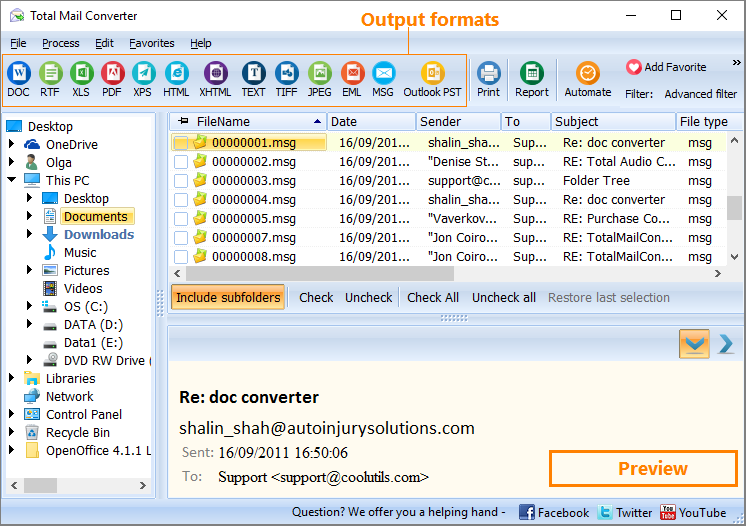
Quick answer: To convert MIM to PDF, install Total Mail Converter, open the folder of MIM files, check the messages or click Check All, click the PDF button, set the PDF type plus any page counters, Bates stamps, or digital signature, then start. The whole folder converts to PDF or PDF/A in one offline batch — no Outlook required and no upload.

Getting that information out can be problematic. You'll find yourself looking up arcane subjects such how to convert MIM to PDF or scrabbling around online for a MIM converter and potentially wasting hours of your time. If you're looking for a rock solid email converter to free your data, save yourself some major headaches and try out the Total Mail Converter.

It won't just solve your basic problem of how to save MIM as PDF, the additional functionality it offers is considerable - particularly when you have a lot of data on your plate.

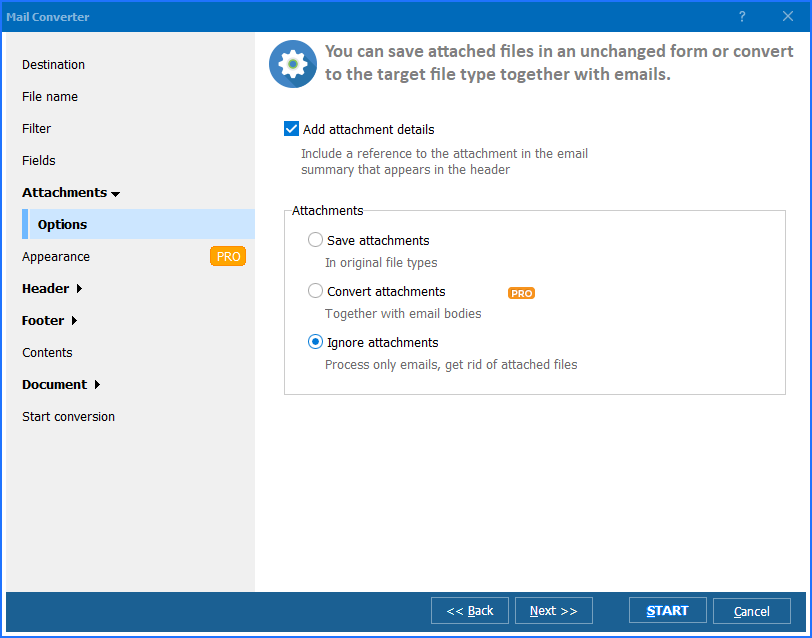
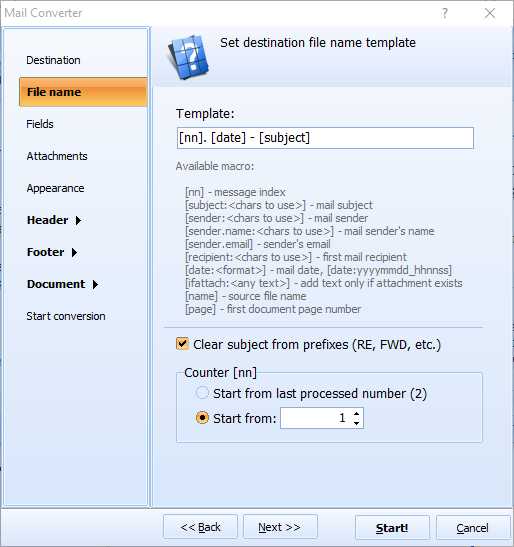
If you need to process hundreds or even thousands of emails, you'll be relieved to discover that batch processing comes as standard. With the built-in renamer, you also have the ability to rename all output files and attachments to your specifications and bring order to a particular collection of data.

Page counters can be added automatically to the header or footer of PDFs along with any other custom text you might require. In our most recent release of the software, you even have the ability to add an image (for example a logo) to every page. Think of the amount of manual work this would save on even the smallest of projects!

The PDF-specific options have also been thoroughly thought through. Output to both PDF and PDF/A formats is supported and non-searchable PDFs can also easily be created if required.

In addition to allowing the conversion from MIM to PDF, this email converter also allows you to set a full range of user permissions on the output files so you remain in control of their eventual use.

Finally, Total Mail Converter also allows signing with a digital signature with just a few clicks.

So, if you're looking for an email converter to process MIM files or other email message formats, use Total Mail Converter to get the job done quickly and with a minimum of hassle.

download Total Mail Converter

  • Convert MIM to PDF in batch
  • PDF, PDF/A, non-searchable PDF
  • Give output files new descriptive names
  • Password protect
  • Add pagination, stamp bates
  • Sign with a digital signature
  • Perfect for archiving old emails

quote

Total Mail Converter Customer Reviews 2026

Rate It
Rated 4.7/5 based on customer reviews
5 Star

"We inherited a folder of old MIM emails from a legacy mail system nobody could open anymore. Total Mail Converter processed the whole folder to PDF/A in one offline batch, and the Bates stamping option meant the archive was ready for public records requests immediately."

5 Star Patricia Enns Records Manager, Enns Municipal Archives

"A client's old accounting software exported correspondence as MIM files that nothing modern would open. Checking the messages, clicking the PDF button, and starting the batch took minutes, and no Outlook installation was needed on the machine I was working from."

5 Star Julian Roth IT Consultant, Roth Business Systems

"Converting thousands of MIM emails to PDF for a migration project would have taken days by hand. This ran the whole folder as one offline batch with page counters added automatically. The interface looks a little dated, but the conversion itself never missed a file."

4 Star Camille Dupont Paralegal, Dupont Legal Services

MIM to PDF — FAQ ▼

How do I convert MIM to PDF?

Install Total Mail Converter, open the folder with your MIM files, check the messages or click Check All, click the PDF button, choose the PDF options, and press Start. Each MIM file becomes a formatted PDF document.

What is a MIM file?

A MIM (or MHT/MIME) file is an email message saved in MIME format, holding the headers, body, and attachments of a single email. Total Mail Converter reads MIM files directly and renders them as PDF.

Can I convert MIM to PDF in batch?

Yes. Batch processing is standard in Total Mail Converter. Point it at a folder and convert hundreds or thousands of MIM files to PDF in one session, with a built-in renamer for the output files and attachments.

Can I create PDF/A or non-searchable PDF from MIM?

Yes. Total Mail Converter outputs standard PDF, PDF/A for archiving, and non-searchable (image-based) PDF. You can also set user permissions and password protection on the output files.

Can I add page numbers or a digital signature?

Yes. The program adds page counters and custom text (even a logo image) to the header or footer of every page, and can sign the output PDFs with a digital signature in a few clicks.

Do I need Outlook to convert MIM to PDF?

No. Total Mail Converter reads MIM files with its own engine and does not require Microsoft Outlook or any Office component. The 30-day free trial is fully functional and needs no credit card or email.


Start working now!

Download free trial and convert your files in minutes.
No credit card or email required.

⬇ Download Free Trial Windows 7/8/10/11 • 89 MB

Support
Total Mail Converter Preview1
Total Mail Converter Preview2
Total Mail Converter Preview3

Latest News

Newsletter Subscribe

No worries, we don't spam.


© 2026. All rights reserved. CoolUtils File Converters

Cards