Logo
Home Products Support Contact About Us
arrow1 File Converters
arrow1 TIFF and PDF apps
arrow1 Forensic
arrow1 Freeware

User-friendly Outlook Back Up And Archiving


One of the best ways to keep copies of your old emails is to empty Outlook and keep your files in PDF format. PDF is one of the most important document file types out there and it does bring in front a very good experience for all industries. Total Outlook Converter Pro can help you start archiving your emails and it will allow you to save Outlook emails as PDF, PDF/A, as well as JPEG, HTML, TIFF, DOC and TXT if you want.

Quick answer: To archive Outlook emails as PDF, install Total Outlook Converter Pro, load the emails or PST folders you want to keep, select the messages, choose PDF (or PDF/A) as the output format, optionally embed attachments in the same file, then click Start. Whole mailboxes convert in one batch, offline, with a free trial.

Why should you use email archiving?

  • It allows you to be independent of any email client or app. Migrate from Outlook to Gmail or switch from Windows to Mac; PDF copies of your emails are easily opened on any computer.
  • You can easily stick to the mailbox limits by archiving content.
  • The email program will run faster and better.
  • You can keep your emails when you retire and lose access to your work mail box.
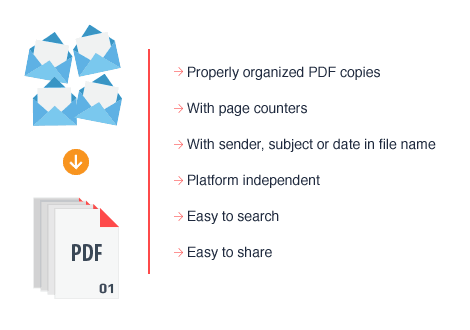
  • Once you need to present your emails for a legal matter, PDF files are easier to search and share.

Total Outlook Converter is one of the best tools that you can use if you want to start archiving old emails fast and easy. Since those emails can include bills, client information and other important content, you need to make sure that every piece of data is handled correctly and kept in a safe manner.
archive outlook emails

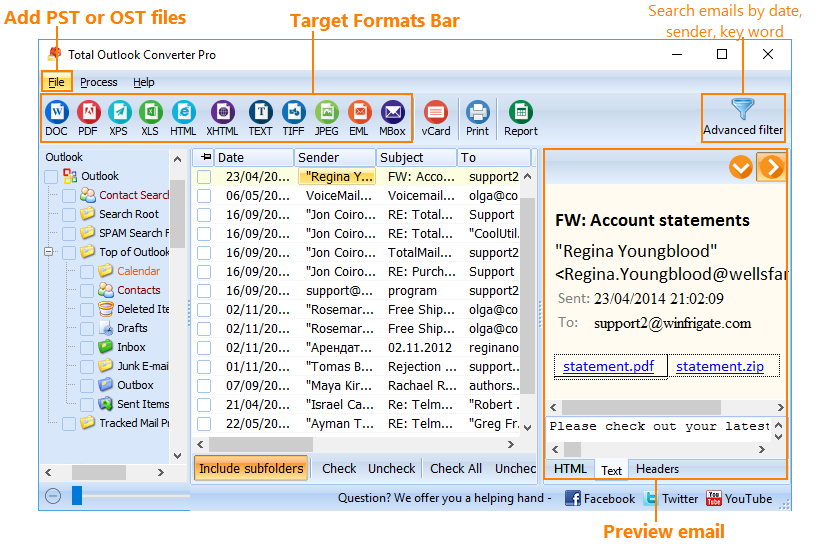
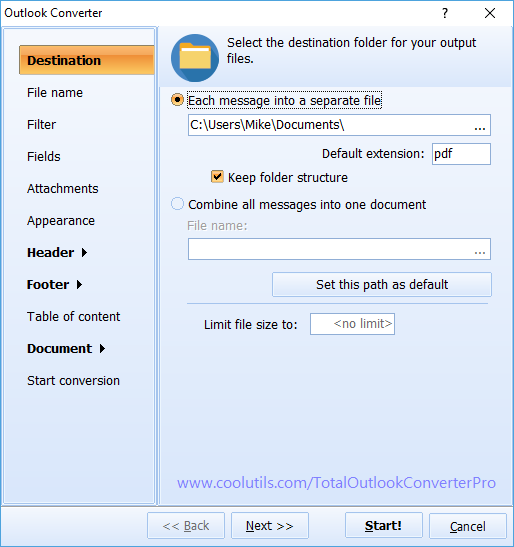
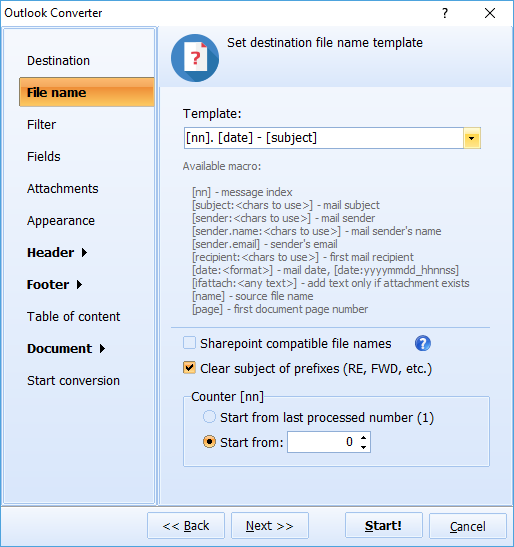
At its core, using a backup solution is very simple. You get to download and use Total Outlook Converter Pro by loading up all the emails you want to convert. Once you choose them, you can select the output file as PDF and start the conversion process. The entire experience is better and easier to do, not to mention that results can easily pay off. Because of that.

Moreover, Total Outlook Converter Pro allows you to easily embed attachments in the same PDF file as the initial document. Usually, you will not be able to do that with any other tool and this can lead to a lot of problems and frustrations in the longer term. Instead of sending multiple files, Total Outlook Converter allows you to remove the hassle and it makes creating a backup for your emails very fast and easy.

So, if you want to start archiving your old emails fast and easy while also receiving the utmost results and a great set of features, you should consider using Total Outlook Converter Pro right away. We can help you transform your old emails in PDF or any other relevant format, allowing you to keep these files for a very long time.

Total Outlook Converter Pro runs fine on Windows Vista/7/8/10/11.
 

  Personal License
   Personal, educational or other non-profit use.

$99.90

  Commercial License
   For business or government environment.

$159.90

*All licenses are life-time. You also get all major upgrades within the first year. No subscriptions or hidden fees. Act now!

pst to pdf testimonials

Testimonials


"My wife is delighted to have the CoolUtils Total Outlook Converter Pro and is very happy to convert bit a bit all of our old and new mails mails into pdf format. From what I understand of the matter she found that since being forced to have an authenicated account she had lost some mails which she had to retrieve through a backup software because the mail provider had deleted messages that were "old". She told me long ago that it would be nice to have a software that would allow batch conversion into an easily readable format. So, on behalf of my wife I say thank you once again."

John Whitehouse


"To answer your question about why am I using Total Outlook Converter, I am retiring soon and I want to keep a copy of my emails in a format which can be read by Thunderbird, Outlook Express, or similar. I do not have Outlook on my home computers. So, even though a folder with 1500 files in it looks a bit cumbersome, it is searchable by Windows Explorer and is better than nothing if a question comes up (from my old workplace) about something I was involved with."

Dean Mazur


quote

Total Outlook Converter Pro Customer Reviews 2026

Rate It
Rated 4.7/5 based on customer reviews
5 Star

"Our mailbox was over quota with years of client correspondence, so I used Total Outlook Converter Pro to archive the old folders as PDF/A before emptying them. Attachments embedded correctly into each PDF, so nothing got lost. The batch mode meant one click handled thousands of messages instead of me dragging them out one at a time."

5 Star Linda Osei Office Administrator, Osei & Partners Law Firm

"Before we retire an employee's Outlook profile, we archive every email as PDF for compliance. Total Outlook Converter Pro pulls straight from the PST folders and produces one PDF per message with attachments intact, which our records team can search later without ever opening Outlook again."

5 Star Craig Bellamy IT Manager, Bellamy Construction Group

"My inbox was unusable with over 20,000 old emails. I archived the bulk of them to PDF and freed up my mailbox in one session. The one-click workflow was exactly what I needed since I am not technical. I would like an option to rename the output files by sender automatically."

4 Star Renata Kowalczyk Executive Assistant, Kowalczyk Consulting

Archiving Outlook Emails to PDF — FAQ ▼

How do I archive Outlook emails as PDF?

Install Total Outlook Converter Pro, load the emails or PST folders you want to keep, select the messages, choose PDF as the output format, and click Start. The whole mailbox is saved as PDF files on your PC.

Can I archive Outlook emails in batch?

Yes. Total Outlook Converter Pro converts whole folders and PST files in one run. Press Ctrl+A to select every message, then start the conversion to archive thousands of emails at once.

Can I save attachments with the archived emails?

Yes. Total Outlook Converter Pro can embed attachments in the same PDF as the message, so each email and its files stay together in one file instead of being scattered across separate documents.

What formats can I archive Outlook emails to?

Total Outlook Converter Pro saves Outlook emails as PDF, PDF/A, JPEG, HTML, TIFF, DOC and TXT. PDF/A is the best choice for long-term archiving because it is designed for durable document storage.

Why use PDF for email archiving?

PDF copies open on any computer without an email client. They keep your messages after you switch from Outlook to another app, move from Windows to Mac, or lose access to a work mailbox, and they are easy to search and share.

Do I need Outlook installed to read the archive?

No. Once your emails are saved as PDF or another format, you can open and read them on any device without Outlook. The archive is independent of any email program.

Is there a free trial of Total Outlook Converter Pro?

Yes. The 30-day trial is fully functional and needs no email or credit card. You can archive your emails to PDF and confirm the results before buying. The Personal license starts at $99.90.


Start working now!

Download free trial and convert your files in minutes.
No credit card or email required.

⬇ Download Free Trial Windows 7/8/10/11 • 174 MB

Support
Total Outlook Converter Pro Preview1
Total Outlook Converter Pro Preview2
Total Outlook Converter Pro Preview3

Latest News

Newsletter Subscribe

No worries, we don't spam.


© 2026. All rights reserved. CoolUtils File Converters

Cards