Need help? Reach us at 

 +1 (855) 418-2323
Need help? Reach us at
+1 (855) 418-2323

 File Converters TIFF and PDF apps Forensic Freeware
Download Total Thunderbird Converter and start exporting your emails to EML today.
(includes 30 day FREE trial)
(only $49.90)
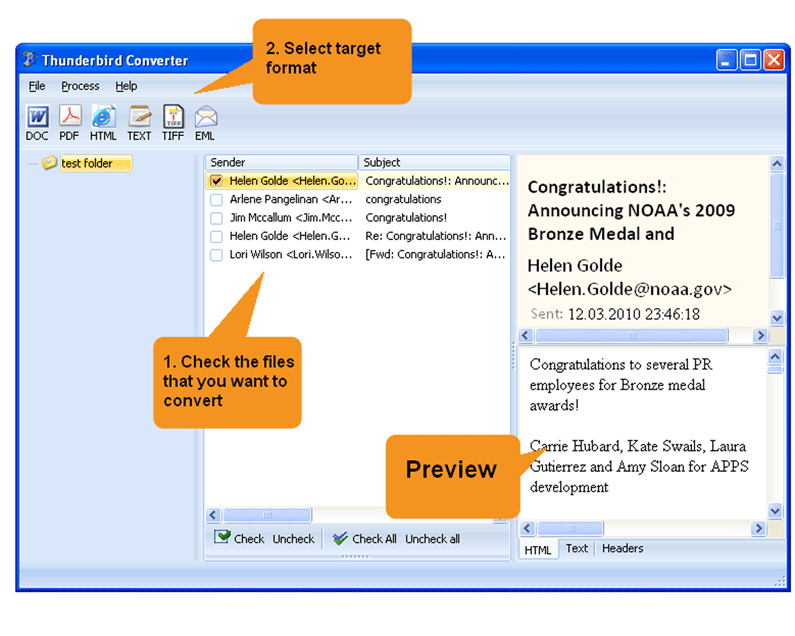
Quick answer: To convert Thunderbird to EML, launch Total Thunderbird Converter so it detects your profile, select the mail folders, click the EML button, choose a destination folder, set a file-naming template, then press Start. The converter splits each MBOX folder into individual .eml files with attachments preserved, in one offline batch with a free 30-day trial.
MBOX is a container format that stores multiple email messages sequentially inside a single file. Thunderbird creates one MBOX file per folder: Inbox, Sent, Drafts, and every custom folder you set up. This is efficient for the mail client, but it means individual messages are buried inside a large binary file and cannot be opened or shared independently.
EML is a single-message format based on the RFC 822 standard. Each .eml file contains exactly one email — headers, body, and attachments. EML files can be opened by virtually any email client: Outlook, Windows Mail, eM Client, The Bat!, and many others. They are also easy to forward, attach to tickets, or store in document management systems.
Converting Thunderbird to EML means splitting each MBOX container into individual .eml files — one per message. The result is a set of portable, self-contained email files that work across all major platforms.
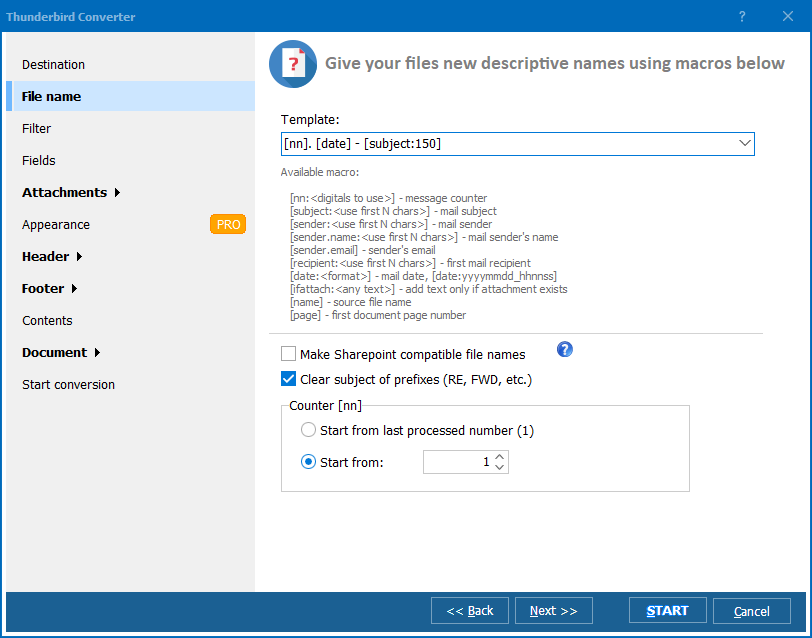
[Date]-[Subject].eml.Each EML file contains the full message with headers, body text (plain and HTML), and all inline images and attachments. You can open these files directly in Outlook, Windows Mail, or any RFC 822-compatible client.
Total Thunderbird Converter includes a command-line interface for scripted exports. Example:
ThunderbirdConverter.exe -sEML "C:\Users\John\AppData\Roaming\Thunderbird\Profiles\abc123.default\Mail\Local Folders\Inbox" C:\Output\EML\
Use this in .bat scripts to schedule nightly EML exports or process multiple Thunderbird profiles automatically.
 Automatic profile detection. The converter finds your Thunderbird profile and shows all folders in a tree. No need to navigate the AppData directory to locate MBOX files manually.
Flexible file naming. Name output EML files using sender name, email date, subject line, or message index. This makes sorting and finding specific emails trivial in a file manager.
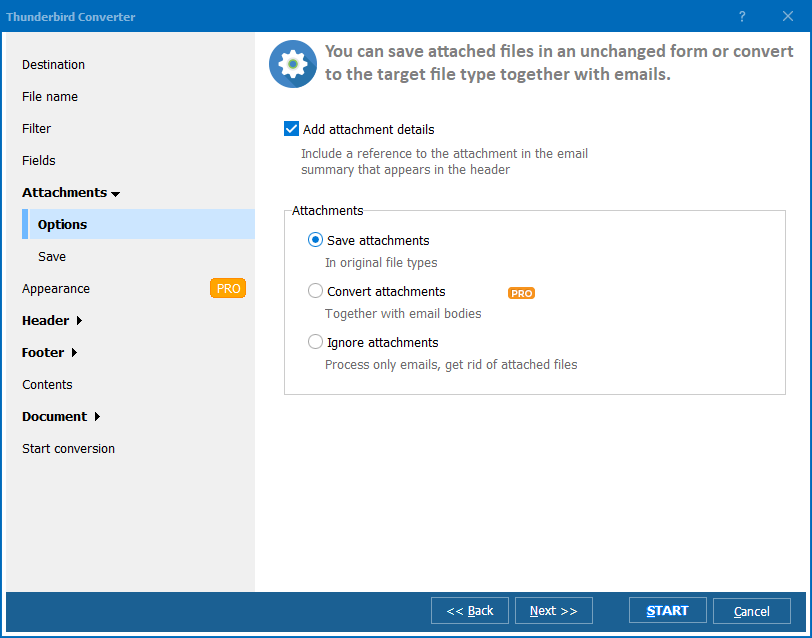
Attachment preservation. Every attachment — documents, images, ZIP archives — stays embedded inside the EML file exactly as it was in the original message.
Batch processing. Export an entire mailbox of thousands of emails in one session. Folder structure is replicated in the output directory, so Inbox emails go into an Inbox subfolder, Sent emails into Sent, and so on.
100% offline. All processing happens locally on your PC. No emails are uploaded to any cloud service or third-party server.
Multiple output formats. Besides EML, export Thunderbird emails to PDF, DOC, HTML, TIFF, TXT, or PST from the same tool.
| Feature | Manual (drag & drop) | Total Thunderbird Converter |
|---|---|---|
| Batch export | One email at a time | Entire folders at once |
| File naming | Random / generic | Customizable template |
| Folder structure | Not preserved | Replicated in output |
| Speed (10,000 emails) | Hours of manual work | Under 5 minutes |
| Attachments | Preserved | Preserved |
| Automation | Not possible | Command-line support |
| Pricing | Free but impractical | One-time $49.90 |

(includes 30 day FREE trial)
(only $49.90)
[Date]-[From]-[Subject].eml produces descriptive filenames that sort chronologically.
Download free trial and convert your files in minutes.
No credit card or email required.

Related Topics
Total Thunderbird Converter