Logo
Home Products Support Contact About Us
arrow1 File Converters
arrow1 TIFF and PDF apps
arrow1 Forensic
arrow1 Freeware

Total Movie Converter Video And Benefits


Why Should You Try Total Movie Converter


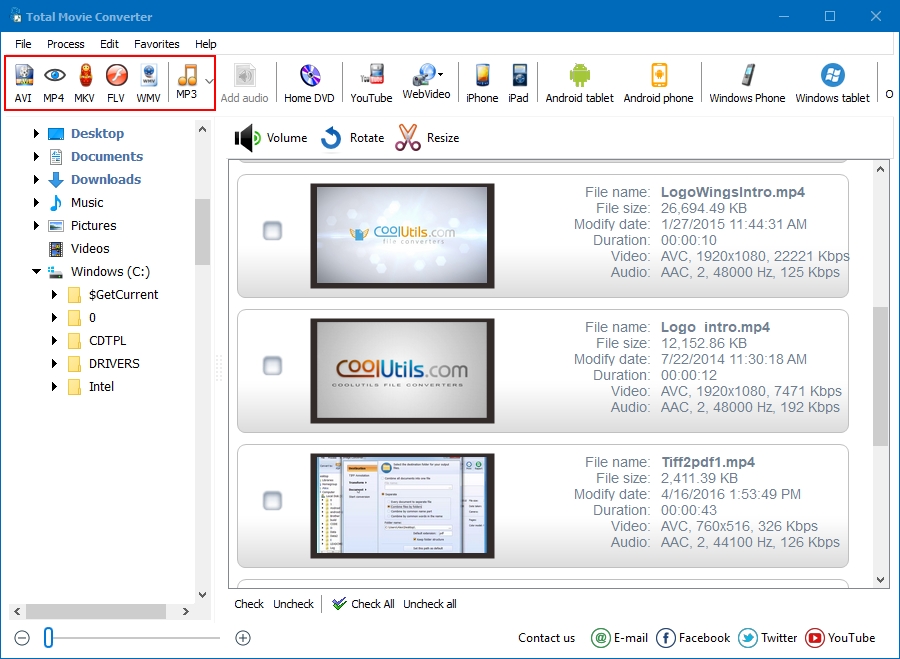
  • Converts almost all video files
  • Output formats include AVI, MPG, WMV, MPEG, FLV.
  • Supports batch mode to save your time
  • A new option of increasing sound volume
  • Preserves file quality
  • Combines several videos into one
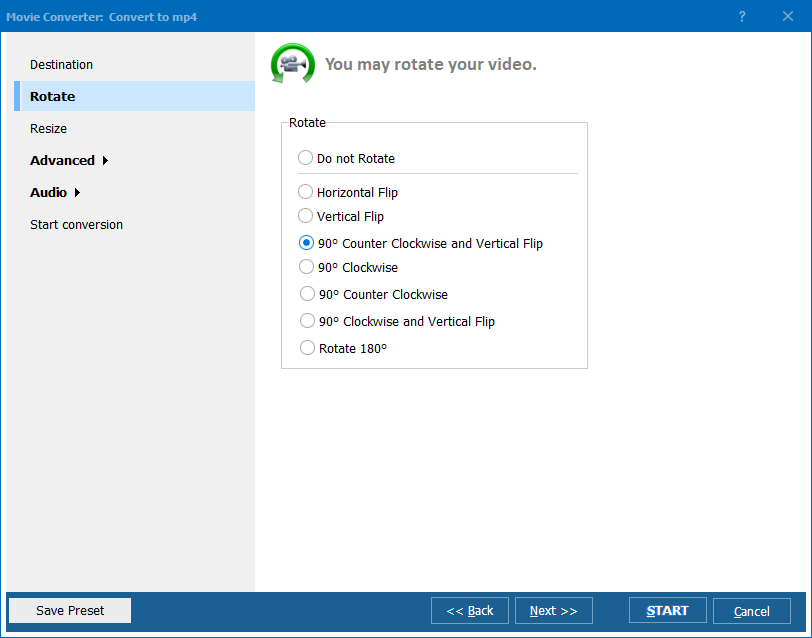
  • Rotates video files
  • Resizes videos to make them smaller
  • Free life-time upgrades
  • Great graphical interface + command line support


quote

Total Movie Converter Customer Reviews 2026

Rate It
Rated 4.8/5 based on customer reviews
5 Star

"We convert training recordings from various formats to MP4 for our LMS. Total Movie Converter is simple enough that our non-technical staff can use it. The device presets ensure videos play correctly on all employee devices. Batch mode saves hours."

5 Star Jennifer Walsh Training Manager, Deloitte Australia

"Lecture recordings in diverse formats need standardization for our video portal. Total Movie Converter handles everything from old AVI files to modern MKV. The video tutorial made setup quick and easy."

5 Star Roberto Garcia Media Specialist, Universidad de Barcelona

"Client projects come in random video formats. Total Movie Converter standardizes everything. The rotate and resize features fix phone videos instantly. The YouTube download feature is a nice bonus for reference clips."

4.5 Star Emily Scott Content Creator, Scott Digital Media

FAQ: Total Movie Converter Tutorial ▼

Input: AVI, FLV, MKV, M2TS, MOV, VOB, SWF, MPEG, MPEG4, AVS, ASF, WMV, 3GP, MOD, DivX, XviD, and more. Output: AVI, MP4, MPG, WMV, MPEG, FLV plus device presets.
Select your video files in the file browser, click the desired output format, adjust settings if needed, and press Start. The converted files are saved to your chosen destination folder.
Yes. Total Movie Converter includes device presets for iPhone, iPad, Apple TV, Archos, Xbox, and other popular devices. Select the preset and the correct resolution, codec, and bitrate are applied automatically.
Yes. The conversion wizard includes options to rotate (90/180/270 degrees), resize to custom dimensions, cut segments, and combine multiple videos into one file.
Enter the YouTube or Vimeo URL directly in Total Movie Converter. The program downloads and converts the video to your chosen format in one step.
Yes. Select multiple files or entire folders and convert them all at once. Each file is processed with the same settings and saved to the output folder.
Yes. The 30-day trial includes full functionality with no limitations. No credit card or email required.


Start working now!

Download free trial and convert your files in minutes.
No credit card or email required.

⬇ Download Free Trial Windows 7/8/10/11 • 69 MB

Support
Total Movie Converter Preview1
Total Movie Converter Preview2

Latest News

Newsletter Subscribe

No worries, we don't spam.


© 2026. All rights reserved. CoolUtils File Converters

Cards