Need help? Reach us at 

 +1 (855) 418-2323
Need help? Reach us at
+1 (855) 418-2323

 File Converters TIFF and PDF apps Forensic Freeware
A partner in Seoul sends you a contract as an .hwp file. Windows does not know what to do with it, Microsoft Word refuses it, and buying Hangul Office for one document makes no sense. HWP is the house format of South Korean offices, schools, and government agencies, so if you work with Korea at all, these files keep arriving. Total Doc Converter reads them directly on Windows and turns them into PDF in batch — Korean text, tables, and page layout included.
Quick answer: To convert HWP to PDF without Hangul Office, launch Total Doc Converter, navigate to the folder with your .hwp or .hwpx files, tick the ones you need, click the PDF button, set paper size and any security or header options, then press Start. It reads every Hangul Word Processor variant natively and converts the whole folder in one offline batch, with no Korean software installed.
HWP is the native format of Hancom Office Hangul, the word processor that dominates South Korea. It is not one format but a family: HWP 3 is an old binary format, HWP 5 is an OLE2 compound file, HWPML stores the same document as plain XML, and HWPX is the newer zipped XML version adopted as a Korean national standard. Windows has no built-in support for any of them, and Microsoft Word cannot open them at all.
PDF is a universal fixed-layout format. Fonts, images, and page geometry travel inside the file, so the document looks the same on Windows, Mac, Linux, and mobile. Converting HWP to PDF gives you a file any recipient can open, print, sign, and archive — and one that will still be readable long after the original Hangul version is gone.
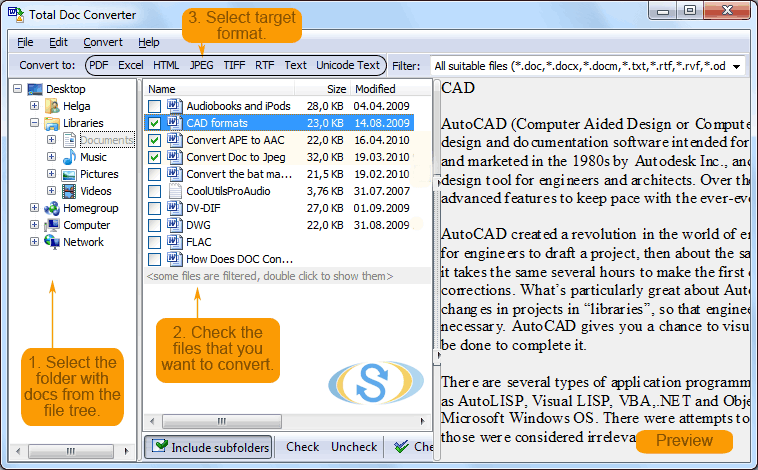
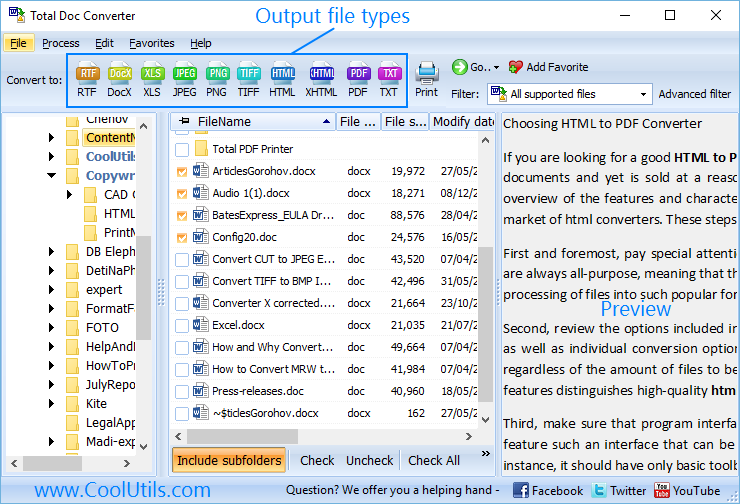
Launch Total Doc Converter. The folder tree on the left shows your drives and directories. Navigate to the folder holding your .hwp or .hwpx files and tick the ones you need. To convert everything at once, tick the folder checkbox.
Click the PDF button in the format bar at the top. The settings wizard opens with tabs for page layout, security, header and footer, and watermark.
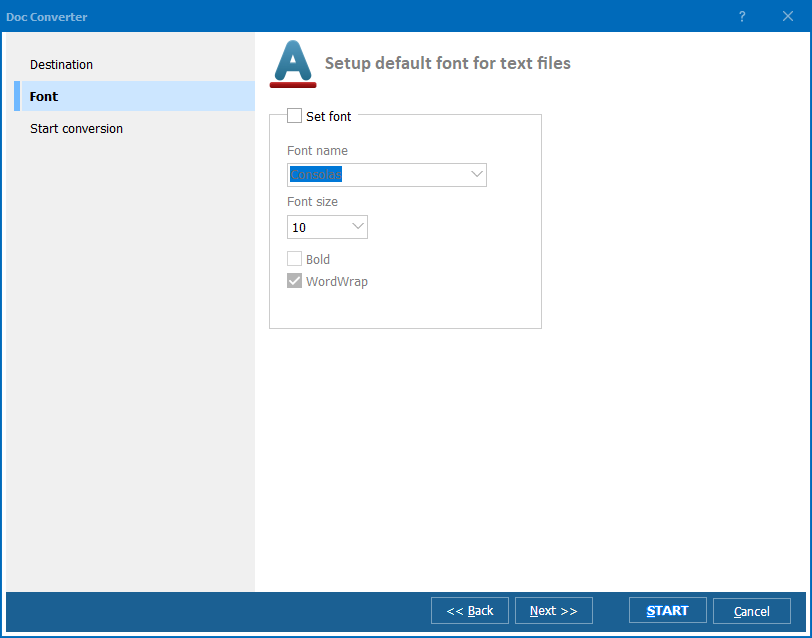
Set paper size (A4, Letter, Legal), orientation, and margins. On the Security tab, add a password or a digital signature. On the Header/Footer tab, add page numbers or a date stamp if the document is going into an archive.
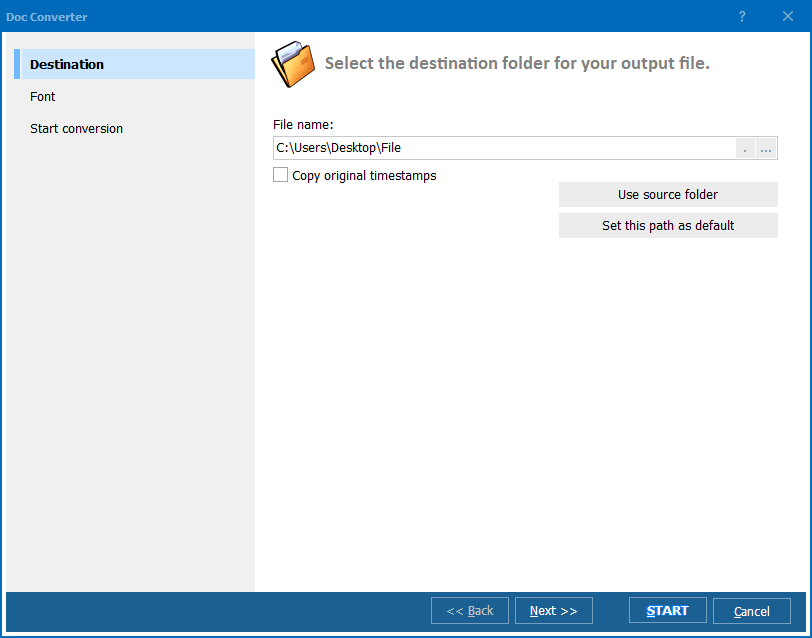
Press Start. Total Doc Converter identifies which Hangul variant each file actually is, extracts the content, and writes a formatted PDF. A progress log shows the status of every file, and the output folder opens when the run finishes.
Total Doc Converter includes a command-line interface for unattended processing:
DocConverter.exe "C:\Incoming\*.hwp" "C:\Output\" -cPDF -pA4
Parameters: source path (wildcards supported), destination folder, -cPDF sets the target format, -pA4 sets paper size. Save it in a .bat file and run it from Windows Task Scheduler to process an incoming folder every night. Total Doc Converter X (server edition) adds ActiveX for integration into web applications and document workflows with no GUI at all.
| Method | Batch | Formatting | Privacy | Limitations |
|---|---|---|---|---|
| Hancom Office Hangul | No — manual export | Perfect | Offline | Paid license just to convert documents |
| Hancom Office Viewer | No — one file at a time | Good | Offline | View and print only, no batch conversion |
| Online converters | Limited | Varies | Files uploaded to third-party servers | Size limits, unsuitable for contracts |
| LibreOffice | Limited | Patchy — layout and tables break | Offline | Import filter targets HWP 5 only |
| Rename .hwpx to .zip | Manual | No — raw XML only | Offline | No readable document, images stay unlinked |
| Total Doc Converter | Yes — unlimited | Good | 100% offline | Windows only |
You do not install Hangul Office, you do not register for a Hancom account, and you do not upload a confidential contract to an online service. Total Doc Converter reads the HWP structure itself on Windows 7/8/10/11.
Real-world HWP files are messy: an HWPX renamed to .hwp, an XML HWPML document carrying a binary extension, a file produced by a version of Hangul from fifteen years ago. Because detection is based on the file content rather than its name, these still convert instead of throwing an error.
The same tool handles DOC, DOCX, DOCM, ODT, Apple Pages, RTF, RVF, and TXT. When a project brings documents from Korean, Western, and Mac-using partners at once, one converter covers the whole inbox.
Total Doc Converter X runs headless as a background process, taking commands via ActiveX or the command line. It suits a helpdesk mailbox, a CMS import, or a compliance archive that receives HWP attachments around the clock.
Download the free 30-day trial — no email or credit card required. A personal license costs $49.90 and includes one year of free upgrades. Works on Windows 7/8/10/11.
Download Free Trial Buy License — $49.90
Download free trial and convert your files in minutes.
No credit card or email required.

Related Topics
Convert ODT to PDF — Batch OpenDocument to PDF Converter