Logo
Home Products Support Contact About Us
arrow1 File Converters
arrow1 TIFF and PDF apps
arrow1 Forensic
arrow1 Freeware

Convert SXW to PDF — Open Legacy OpenOffice Writer Files as PDF


Have old .sxw files from StarOffice or OpenOffice.org 1.x that you can't open anymore? Total Doc Converter reads SXW documents and converts them to PDF — preserving text, formatting, and page layout. SXW is a defunct format that even modern LibreOffice handles inconsistently, so converting to PDF is the safest way to preserve your documents. Our SXW to PDF converter:
  • Converts .sxw files (StarOffice/OpenOffice.org Writer 1.x) to PDF
  • Processes one file or an entire folder in a single batch
  • Preserves text, formatting, images, and page layout
  • Adds PDF encryption, user permissions, and digital signatures
  • Works 100% offline — no files uploaded anywhere
  • Provides command-line interface for automation
  • Includes a 30-day free trial with no limitations

Download Total Doc Converter and start converting your legacy SXW files to PDF today.


Download Now!

(includes 30 day FREE trial)

Buy License

(only $49.90)

SXW vs PDF: What Is the Difference?

SXW (.sxw) was the native document format for StarOffice Writer and OpenOffice.org 1.x (2000–2005). It is a ZIP archive containing XML files that describe the document structure. When OpenOffice.org 2.0 was released in 2005, the project switched to the ODF standard (.odt), and SXW became obsolete. Today, very few applications open .sxw files correctly — even LibreOffice sometimes misrenders fonts, styles, or page breaks from old SXW documents.

PDF (Portable Document Format) is a fixed-layout format that looks identical on every screen, printer, and operating system. It is the universal standard for sharing finished documents. PDFs can carry encryption, digital signatures, and access restrictions — features that SXW does not support.

When you convert SXW to PDF, the document's visual layout is frozen: text, images, and formatting are locked in place. The result is a file that opens on any device without requiring StarOffice, OpenOffice, or any specific application.
How to Convert SXW to PDF

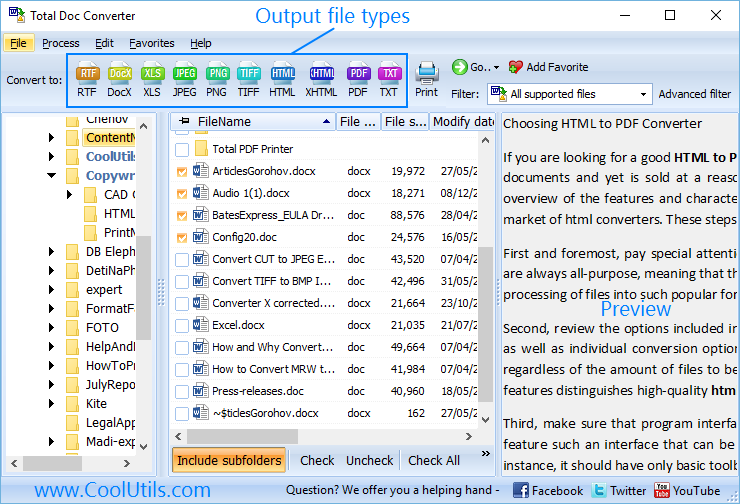
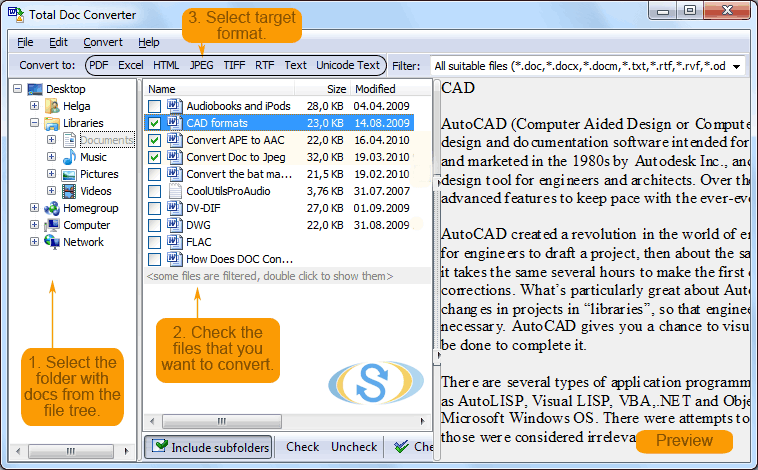
  • Step 1. Launch Total Doc Converter. The left panel shows a folder tree for quick navigation.
  • Step 2. Browse to the folder that contains your .sxw files. The file list in the center displays all supported documents, including SXW, ODT, DOC, DOCX, and more.
  • Step 3. Check the files you want to convert. Use Check All to select every file in the folder for batch conversion.
  • Step 4. Click PDF in the format toolbar at the top of the window.
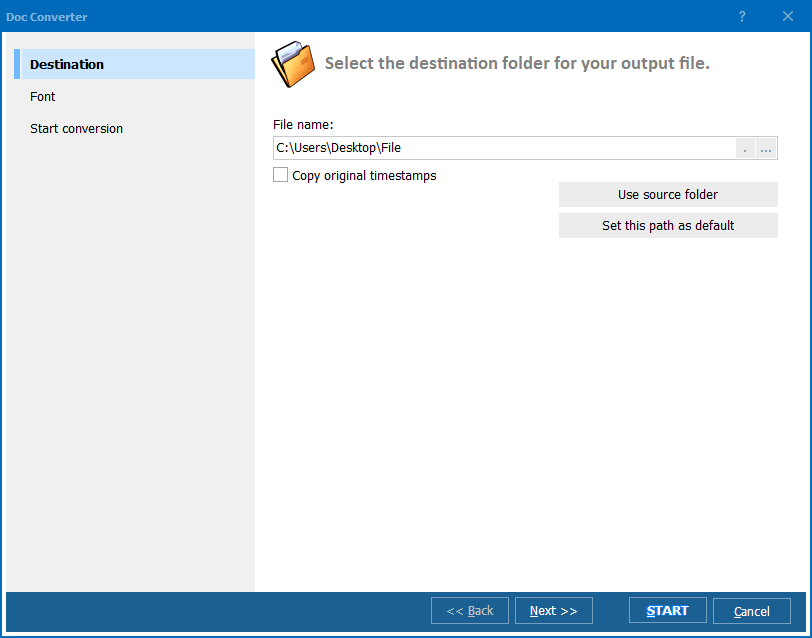
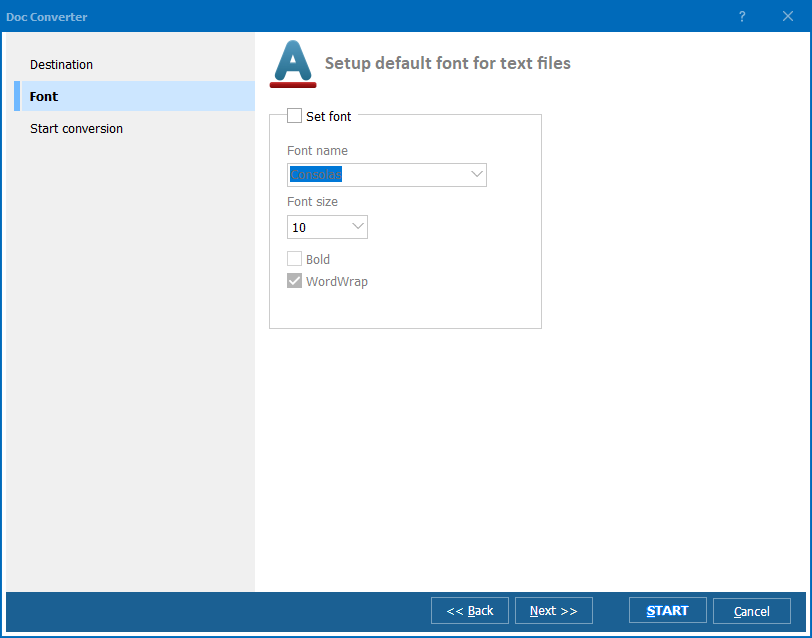
  • Step 5. In the conversion wizard, configure PDF settings: page size, margins, headers/footers, encryption, and user permissions. Choose a destination folder for the output files.
  • Step 6. Press Start. The converter processes all selected files and saves PDF output to your chosen folder.

Total Doc Converter - SXW to PDF conversion interface

Each .sxw file becomes a separate PDF. Original SXW files remain untouched. You can also merge multiple SXW files into a single PDF — useful for combining chapters or related documents into one file.

Command-Line Conversion

Total Doc Converter includes a command-line interface for converting SXW files without the GUI. Example:

DocConverter.exe C:\Archive\memo.sxw C:\Output\memo.pdf -c PDF

You can wrap this command in a .bat file or a scheduled task to automate recurring conversions. This is useful for migrating entire archives of legacy StarOffice documents — point the script at a folder tree and let it process every .sxw file automatically.

Why Use Total Doc Converter?

Green PlusReliable SXW parsing. Total Doc Converter reads .sxw files using its own built-in parser. Unlike LibreOffice, which sometimes misrenders old SXW documents, our converter focuses on accurate text and layout extraction for clean PDF output.

Green PlusBatch processing. Select hundreds of .sxw files and convert them all to PDF in a single run. Each document becomes a separate PDF, or merge them into one. No need to open files individually in a word processor.

Green PlusPDF security features. Set owner and user passwords, restrict printing, copying, and editing. Add digital signatures with certificates. These options apply to every file in the batch automatically.

Green PlusNo StarOffice or OpenOffice required. Total Doc Converter is a standalone Windows application. You do not need StarOffice, OpenOffice, or LibreOffice installed to convert .sxw files.

Green PlusPrivacy. All conversion happens locally on your PC. No cloud uploads, no third-party servers. This matters when converting old business correspondence, contracts, or internal memos from legacy archives.

Green Plus20+ output formats. Besides PDF, convert SXW files to DOC, DOCX, HTML, RTF, TXT, ODT, JPEG, TIFF, and more — all from the same program. Total Doc Converter also reads 20+ other document input formats.

Online Converters vs Desktop Converter

FeatureOnline ToolsTotal Doc Converter
File size limit5–50 MB typicalNo limit
Batch conversionOne file at a timeUnlimited
PrivacyFiles uploaded to cloud100% offline
SXW format supportRare or brokenFull support
PDF encryptionRarely availablePasswords, permissions, signatures
AutomationManual onlyBuilt-in command line
PricingSubscription or per-fileOne-time $49.90

download SXW to PDF converter

Windows 7/8/10/11 • 30-day free trial

When Do You Need SXW to PDF Conversion?

Here are the most common scenarios where converting SXW to PDF is necessary:
  1. Legacy document recovery. Organizations that used StarOffice or OpenOffice.org in the early 2000s often have archives of .sxw files on old servers and backup drives. Converting to PDF makes this content accessible again without hunting for obsolete software.
  2. IT migration. Decommissioning old workstations or file servers? Any .sxw files found during migration should be converted to a modern format before the legacy systems are retired. PDF is the safest choice for long-term preservation.
  3. Cross-platform sharing. You received an .sxw file from a colleague, client, or archive, but cannot open it on your machine. Converting to PDF gives you a universally readable document that works on Windows, macOS, Linux, and mobile devices.
  4. Long-term archiving. PDF is an ISO-standardized format guaranteed to remain readable for decades. SXW is an obsolete format with dwindling application support. Archiving documents as PDF ensures they stay accessible regardless of future software changes.
  5. Compliance and auditing. Regulators and auditors expect documents in standard formats. If your historical records are in .sxw format, converting them to PDF satisfies compliance requirements and makes document review straightforward.


Download Now!

(includes 30 day FREE trial)

Buy License

(only $49.90)

FAQ ▼

SXW (.sxw) is the native document format of StarOffice Writer and OpenOffice.org 1.x (2000–2005). It is a ZIP archive containing XML files that describe the document's text, formatting, and layout. The format was replaced by ODF (.odt) when OpenOffice.org 2.0 was released in 2005.
LibreOffice can open some .sxw files, but rendering is not always accurate — fonts, styles, and page breaks may differ from the original. Microsoft Word does not support .sxw at all. Converting to PDF is the most reliable way to preserve the document's appearance.
Yes. Total Doc Converter extracts text, images, tables, and page layout from the SXW file and renders them in the output PDF. The result is a faithful reproduction of the original document that opens identically on any device.
Yes. Total Doc Converter supports batch conversion. Select all .sxw files in a folder (or use Check All), choose PDF as the output format, and press Start. There is no limit on the number of files.
No. Total Doc Converter reads .sxw files using its own built-in parser. You do not need StarOffice, OpenOffice, or LibreOffice installed on your machine.
Yes. The conversion wizard lets you set owner and user passwords, restrict printing, copying, and editing, and attach digital certificates for PDF signing. These settings apply to every file in the batch.
Yes. Total Doc Converter includes a built-in command-line interface. You can convert .sxw files to PDF from batch scripts, scheduled tasks, or automated pipelines without opening the GUI. A dedicated server license is available for unattended use.


Start working now!

Download free trial and convert your files in minutes.
No credit card or email required.

⬇ Download Free Trial Windows 7/8/10/11 • 83 MB

Support
Doc Converter Preview1
Doc Converter Preview2
Doc Converter Preview3

Latest News

Newsletter Subscribe

No worries, we don't spam.


© 2026. All rights reserved. CoolUtils File Converters

Cards