Need help? Reach us at 

 +1 (855) 418-2323
Need help? Reach us at
+1 (855) 418-2323

 File Converters TIFF and PDF apps Forensic Freeware
Download Total Excel Converter and start exporting your Excel data to CSV.
(includes 30 day FREE trial)
(only $49.90)
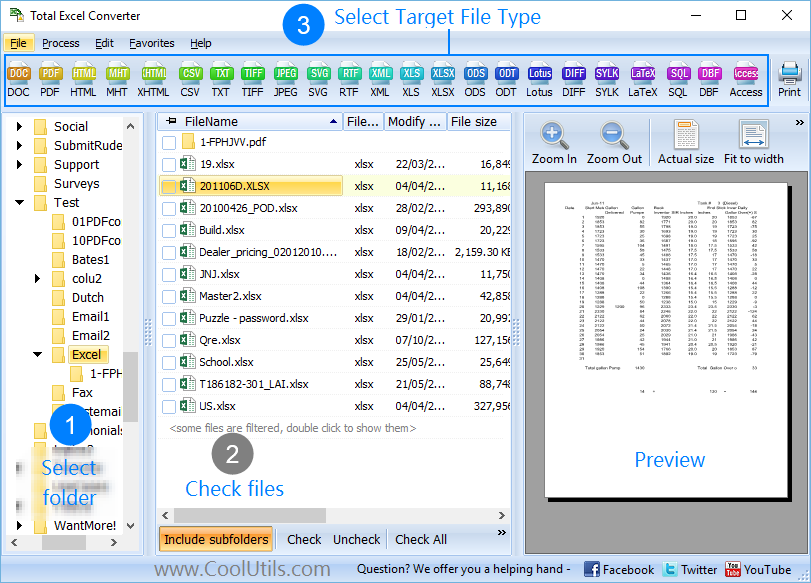
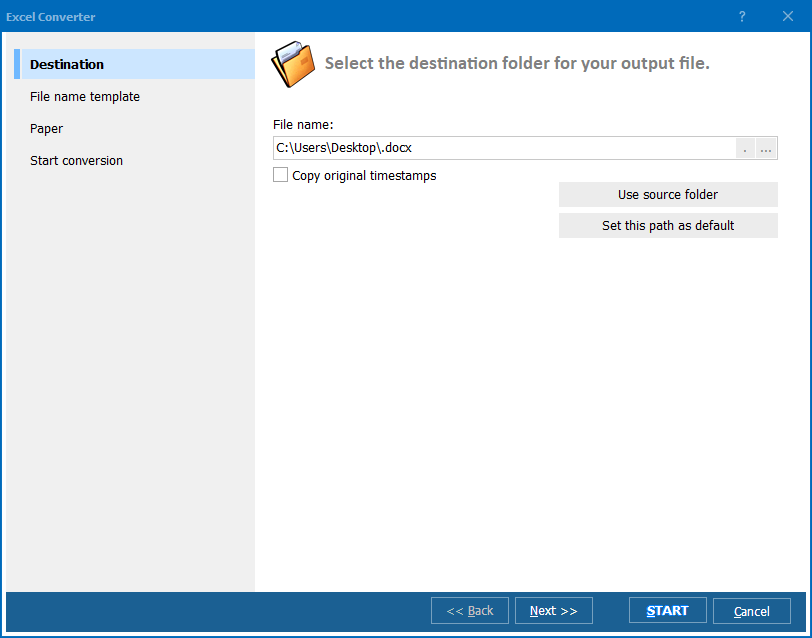
Quick answer: To convert XLSX to CSV, install Total Excel Converter, browse to your XLSX files, check the ones to export, click the CSV button, pick the delimiter and encoding, then press Start. Each sheet becomes its own CSV file, processed in batch and entirely offline with no upload and no file-size limit.
XLSX (Excel Workbook) is the default spreadsheet format since Excel 2007. It stores cell values, formulas, formatting, charts, images, and multiple worksheets in a ZIP-compressed XML package. XLSX files require Excel or a compatible application to open and interpret correctly. They are designed for interactive data work — editing, calculating, and visualizing.
CSV (Comma-Separated Values) is a plain-text format where each row is a line and each field is separated by a delimiter (typically a comma). CSV has no formatting, no formulas, no multiple sheets — just raw data. Every programming language, database, and data tool reads CSV natively. It is the universal data-exchange format.
The trade-off is clear: XLSX preserves presentation, CSV preserves portability. When you need to feed spreadsheet data into a database, analytics pipeline, CRM, ERP, or any non-Excel system, CSV is the required format.
| Feature | XLSX | CSV |
|---|---|---|
| Formatting | Fonts, colors, borders, conditional formatting | None (plain text) |
| Formulas | Supported | Values only |
| Multiple sheets | Yes | One sheet per file |
| File size | Larger (XML + ZIP) | Smaller (plain text) |
| Universal readability | Requires Excel or compatible app | Any text editor, any language |
| Database import | Needs connector or driver | Native support |
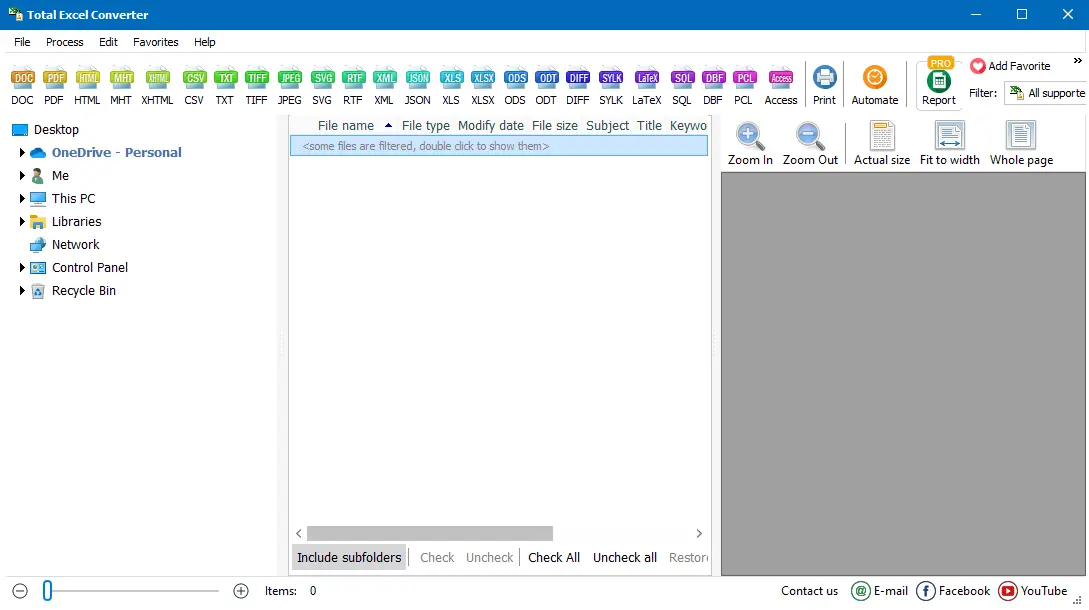
Multi-sheet workbooks generate one CSV file per sheet, named with the original file name plus the sheet name suffix — keeping everything organized without manual renaming.
Total Excel Converter includes a command-line interface for scripted and automated workflows. Convert a single XLSX file to CSV:
ExcelConverter.exe C:\Data\report.xlsx C:\Output\report.csv -cCSV
Convert an entire folder with semicolon delimiter and UTF-8 encoding:
ExcelConverter.exe C:\Data\*.xlsx C:\Output\ -cCSV -Delimiter:Semicolon -Encoding:UTF8
Embed this in a .bat script or Windows Task Scheduler for automated XLSX-to-CSV exports — useful for nightly database feeds, ETL pipelines, and report generation workflows.
Choose comma, semicolon, tab, or any custom character as the field separator. Different systems expect different delimiters — European databases typically use semicolons, while US systems default to commas. Total Excel Converter handles both.
Select an entire folder of XLSX files and convert them all to CSV in one run. The program processes thousands of spreadsheets sequentially, creating one CSV per sheet without manual intervention.
XLSX workbooks often contain multiple sheets. The converter exports each sheet as a separate CSV file with a clear naming convention. You can also select specific sheets to export, skipping sheets you don't need.
Choose UTF-8 for international characters, ANSI for legacy systems, or other encodings as required by your target application. Incorrect encoding causes garbled text in databases — Total Excel Converter prevents this by letting you set it explicitly.
CSV cannot store formulas. The converter evaluates all formulas and writes the calculated values to CSV. What you see in Excel is what you get in the CSV output — no #REF! errors, no broken references.
All conversion runs locally on your PC. Financial data, customer records, internal reports — nothing is uploaded to external servers. No internet connection required.
| Feature | Online Tools | Total Excel Converter |
|---|---|---|
| File size limit | 10–50 MB | No limit |
| Batch conversion | One file at a time | Unlimited |
| Privacy | Files uploaded to cloud | 100% offline |
| Delimiter choice | Comma only | Comma, semicolon, tab, custom |
| Multi-sheet handling | First sheet only | All sheets or selected |
| Encoding options | Default only | UTF-8, ANSI, and more |
| Automation | Manual only | Built-in command line |
| Pricing | Subscription or ads | One-time $49.90 |

(includes 30 day FREE trial)
(only $49.90)
Download free trial and convert your files in minutes.
No credit card or email required.

Related Topics
Total Excel Converter