Logo
Home Products Support Contact About Us
arrow1 File Converters
arrow1 TIFF and PDF apps
arrow1 Forensic
arrow1 Freeware

Convert XML to XHTML — Transform Structured Data into Clean Web Pages


Need to convert XML files into well-formed XHTML documents for web publishing, data presentation, or archival? Total XML Converter transforms raw XML data into clean, standards-compliant XHTML pages — in batch, handling hundreds of files at once. Unlike manual XSLT editing or online converters:
  • Converts XML files to valid XHTML with proper document structure
  • Processes an entire folder of XML files in a single batch run
  • Preserves element hierarchy and data relationships in the output
  • Handles large and deeply nested XML files without memory issues
  • Works 100% offline — your data never leaves your computer
  • Supports command-line automation for recurring tasks
  • Includes a 30-day free trial with no limitations

Download Total XML Converter and start turning XML data into web-ready XHTML today.


Download Now!

(includes 30 day FREE trial)

Buy License

(only $59.90)

XML vs XHTML: What Is the Difference?

XML (eXtensible Markup Language) is a generic data format for storing and transporting structured information. XML files contain elements, attributes, and text data but have no built-in visual presentation — they are not meant to be viewed in a browser directly. XML is used in APIs, configuration files, data feeds, and document interchange.

XHTML (eXtensible HyperText Markup Language) is a stricter variant of HTML that follows XML syntax rules. Every XHTML document is also a valid XML document. XHTML pages render in all web browsers and can be processed by XML tools — parsers, validators, and XSLT transformations — making XHTML the bridge between raw data and visual web content.

When you convert XML to XHTML, the converter reads the XML tree structure and wraps it in a valid XHTML document with a DOCTYPE, head section, and properly formatted body. Data elements become readable tables or lists that any browser can display.
How to Convert XML to XHTML

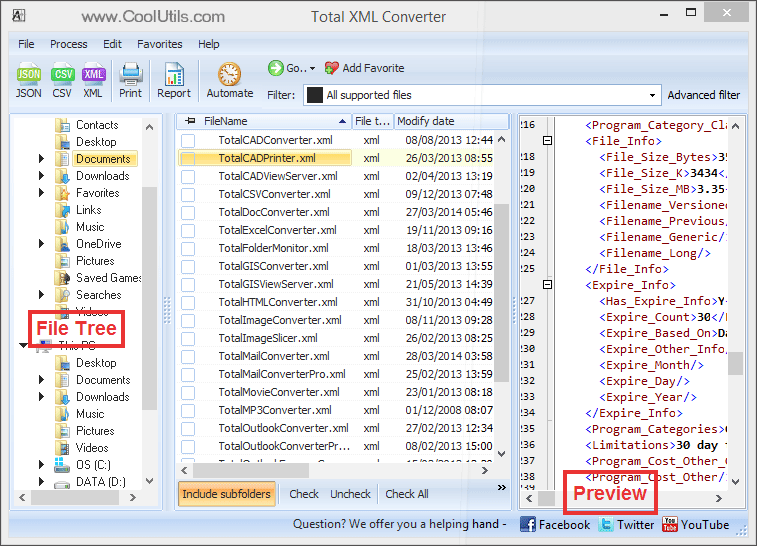
  • Step 1. Launch Total XML Converter. The left panel shows a folder tree for quick navigation.
  • Step 2. Browse to the folder that contains your XML files. The file list in the center displays all XML files found.
  • Step 3. Check the files you want to convert. Use Check All to select every file in the folder for batch conversion.
  • Step 4. Click XHTML in the format toolbar at the top of the window.
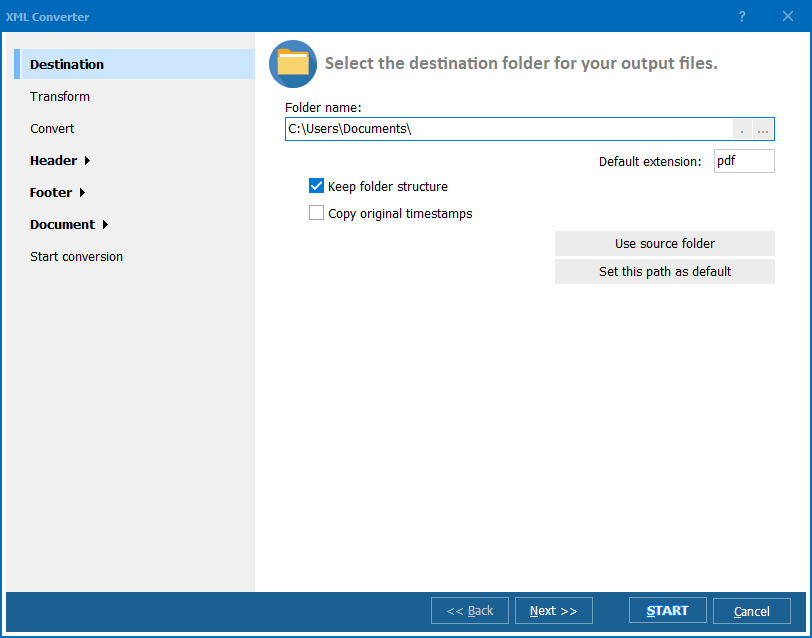
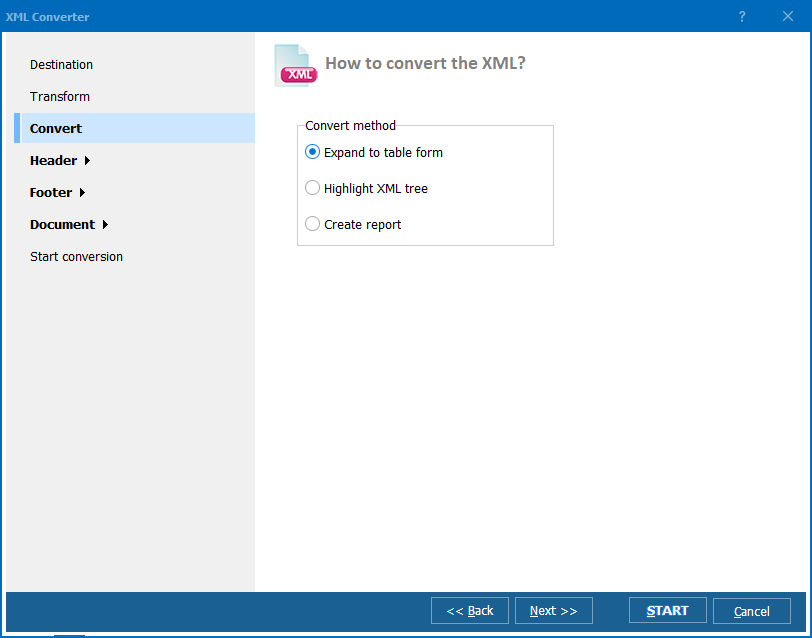
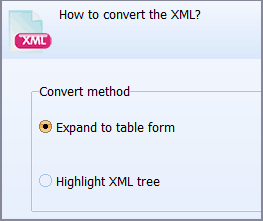
  • Step 5. In the conversion wizard, configure the output options: choose whether to generate a table layout or a list layout, set encoding, and specify the output folder.
  • Step 6. Press Start. The converter processes all selected files and saves XHTML documents to your chosen folder.

Total XML Converter - XML to XHTML batch conversion interface

Each XML file becomes a separate XHTML document with well-formed markup. Element names, attributes, and text content are preserved in a structured layout. Original XML files remain untouched.

Command-Line Conversion

Total XML Converter includes a command-line interface for converting XML files without the GUI. Example:

XMLConverter.exe C:\Data\feed.xml C:\Output\feed.xhtml -c XHTML

You can wrap this command in a .bat file or a scheduled task to automate recurring conversions. This is ideal for publishing XML data feeds as web pages on a regular schedule.

Why Use Total XML Converter?

Green PlusValid XHTML output. Total XML Converter produces standards-compliant XHTML that passes W3C validation. Proper DOCTYPE, namespace declarations, and escaped entities are handled automatically — no manual cleanup needed.

Green PlusBatch processing. Select hundreds of XML files and convert them all to XHTML in a single run. Each file becomes a separate XHTML page. No need to open and re-save files one by one.

Green PlusReadable data presentation. The converter transforms raw XML elements into structured HTML tables or nested lists, making complex data immediately readable in any browser without custom stylesheets.

Green PlusHandles complex XML. Deeply nested elements, namespaces, CDATA sections, and large files are processed without errors. The converter handles real-world XML feeds, SOAP responses, and configuration files of any size.

Green PlusFull offline operation. All conversion happens locally on your PC. Your XML data is never uploaded to the cloud — important for proprietary data, financial records, and confidential configurations.

Green Plus15+ output formats. Besides XHTML, convert XML files to PDF, CSV, JSON, XLS, TXT, and more — all from the same program.

Online Converters vs Desktop Converter

FeatureOnline ToolsTotal XML Converter
File size limit5–50 MB typicalNo limit
Batch conversionOne file at a timeUnlimited
PrivacyFiles uploaded to cloud100% offline
Valid XHTMLOften broken markupW3C-compliant
Complex XMLMay fail on large filesNo size or depth limit
AutomationManual onlyBuilt-in command line
Other formatsLimitedPDF, CSV, JSON, XLS, TXT…
PricingSubscription or per-fileOne-time $59.90

download XML to XHTML converter

Windows 7/8/10/11 • 30-day free trial

When Do You Need XML to XHTML Conversion?

Here are the most common scenarios where converting XML to XHTML is necessary:
  1. Publishing data feeds on the web. You receive XML data from APIs, databases, or partner systems and need to display it as a human-readable web page. XHTML output can be styled with CSS and published directly on your website.
  2. Reporting and documentation. Configuration files, log exports, and structured reports stored as XML need to be shared with non-technical stakeholders. XHTML makes the data viewable in any browser without specialized software.
  3. Data validation and review. Before importing XML data into another system, you need to visually inspect its contents. Converting to XHTML lets you review every element and attribute in a clear, formatted layout.
  4. Archiving structured data. XHTML is a long-term archival format — it is both human-readable and machine-parseable. Converting XML feeds to XHTML ensures the data remains accessible for years, even if the original system is decommissioned.
  5. Cross-platform data sharing. You need to send structured data to recipients who do not have XML viewers. XHTML opens in every web browser on every operating system — Windows, Mac, Linux, and mobile devices.


Download Now!

(includes 30 day FREE trial)

Buy License

(only $59.90)


quote

Total XML Converter Customer Reviews 2026

Rate It
Rated 4.7/5 based on customer reviews
5 Star

"We receive product catalogs as XML from suppliers and need to publish them on the company website. Total XML Converter turns those files into valid XHTML in seconds. The output passes W3C validation without any manual edits."

5 Star Sarah Mitchell Web Developer

"I document APIs and their XML responses. Converting those samples to XHTML for the help portal used to be tedious. Now I batch-convert 50+ files in one click and paste the output straight into our CMS."

5 Star Tomasz Kowalski Technical Writer

"Good tool for converting XML test reports into browser-readable XHTML. The command line makes it easy to plug into our CI pipeline. Only wish: an option to inject a custom CSS link into the output header."

4 Star Laura Chen QA Engineer

FAQ ▼

XML is a generic data format for storing structured information. XHTML is a strict version of HTML that follows XML syntax rules. When you convert XML to XHTML, the converter wraps raw data in a valid web document that any browser can display.
Yes. The output includes a proper DOCTYPE declaration, namespace attributes, and correctly escaped entities. The resulting XHTML passes W3C validation.
Yes. Total XML Converter supports batch processing. Select an entire folder of XML files, choose XHTML as the output format, and press Start. Every file is converted in a single run.
Total XML Converter processes XML files of any depth and complexity. Nested elements, namespaces, CDATA sections, and attributes are all preserved in the XHTML output as structured tables or nested lists.
Yes. Total XML Converter includes a command-line interface. Example: XMLConverter.exe C:\Data\feed.xml C:\Output\feed.xhtml -c XHTML. You can use it in batch scripts and scheduled tasks.
Yes. Total XML Converter works 100% offline. Your XML files are never uploaded to any server. All processing happens locally on your PC.
Besides XHTML, it converts XML to PDF, CSV, JSON, XLS, XLSX, TXT, SQL, and more. All formats are available from the same interface and command line.


Start working now!

Download free trial and convert your files in minutes.
No credit card or email required.

⬇ Download Free Trial Windows 7/8/10/11 • 83 MB

Support
Total XML Converter Preview1
Total XML Converter Preview2
Total XML Converter Preview3

Latest News

Newsletter Subscribe

No worries, we don't spam.


© 2026. All rights reserved. CoolUtils File Converters

Cards