Need help? Reach us at 

 +1 (855) 418-2323
Need help? Reach us at
+1 (855) 418-2323

 File Converters TIFF and PDF apps Forensic Freeware
1) Upload MPC file to convert
Drop files here, or Click to select
2) Set converting MPC to MP3 options
3) Get converted file
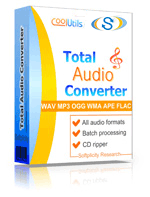
 Total Audio Converter
 Total Audio Converter supports WAV, MP3, OGG, WMA, APE, FLAC, MP4, AAC, MPC and many other rare image file types files (complete list).Rip CDs to WAV, FLAC, OGG, MP3, AAC, WMA, MPC, APE and other formats with Total Audio Converter!No tech knowledge required. Intuitive interface makes it easy for everybody to be the master of audio conversions. If you do not know what bit rate or frequency to choose the wizard of the program will automatically set the most appropriate.What to combine tracks into one audio file? Total Audio Converter can do that too!Convert MP3, WAV, AAC and many other files in seconds via our foolproof interface with lots of hints for beginners.CNet editor's review: TAC is reasonably attractive and plenty powerful to justify its $20 price.Total Audio Converter converts a lot of rare audio file types like NIST, AU, TTA, MOD, MIDI, XM, PAF, SPX audios.Total Audio Converter can split FLAC and APE files by CUE (split CUE-based FLAC, split CUE-based APE).Price. No hidden costs! Our pricing is clear and concise. Once paid you get all upgrades free for the first year. Tech support is also free to registered users (sure we will answer all your questions even if you are using trial version of Total Audio Converter).Total Audio Converter can get audio tracks from YouTube videos - just paste the url.Total Audio Converter can be run via command line (get the ready-to-use command line from GUI settings).Softonic Editor: Total Audio Converter is an easy-to-use tool conversion tool with support for a bunch of formats and ability to rip audio CDs.
💾 Upload Your File: Go to the site, click on «Upload File,» and select your MPC file.
✍️ Set Conversion Options: Choose MP3 as the output format and adjust any additional options if needed.
Convert and Download: Click 👉«Download Converted File»👈 to get your MP3 file.




| File extension | .MPC, .MPP, .MP+ |
| Category | Audio File |
| Description | MPC (Musepack) is a kind of audio compression format, which uses a compression pattern based on MPEG-1 Layer-2 and MPEG-2 algorithms and is optimized for variable medium high bitrates not exceeding 48khz. Bitrates vary according to the complexity of audio data. These parameters ensure effective compression with little detriment to sound quality. Although Musepack does show better sound quality than MP3, it is still not so popular because few audio players support it. |
| Associated programs | VLC media player FFMpeg |
| Developed by | Andree Buschmann |
| MIME type | audio/x-musepack audio/musepack |
| Useful links | More detailed information on MPC files |
| Conversion type | MPC to MP3 |
| File extension | .MP3 |
| Category | Audio File |
| Description | MP3 is the most popular audio file type based on MPEG-1 Layer III compression. Its lossy algorithm was developed in 1991. MP3 codes the sound almost with the same quality, as CD (16-bit stereo), providing compression in size 1 to 10 from the original WAF or AIFF tracks. The quality of MP3 seriously depends on the bitrate. It can be 128 - 256 kbps. Higher bitrates are also supported, but they seriously increase the file size. It is supported by all modern hard- and software players. |
| Associated programs | RealOne WinAmp Windows Media Player iTunes |
| Developed by | Fraunhofer Institute |
| MIME type | audio/mpeg audio/MPA audio/mpa-robust |
| Useful links | More detailed information on MP3 files |
Quick answer: To convert MPC to MP3, open CoolUtils' online converter, upload your MPC file, choose MP3 as the output format, click Convert and download the track. The MP3 plays on phones, car stereos, smart speakers and every media player, which the original file often does not. It is free and needs no installation.
MPC is a compressed audio format, better known by the name Musepack. It has a small and loyal following among listeners who ripped their CDs with it, but hardware players and phones almost never support it. MP3 is the format that plays everywhere, which is why people convert.
Support for the format was never built into most phones, car head units or streaming devices. The audio itself is fine, the decoder is simply missing. Converting the file to MP3 solves it, because MP3 playback is present on effectively every device made in the last twenty years.
Page updated
