Need help? Reach us at 

 +1 (855) 418-2323
Need help? Reach us at
+1 (855) 418-2323

 File Converters TIFF and PDF apps Forensic Freeware
The fast and easy PDF splitter download for Windows - split any PDF by pages, ranges or bookmarks.
Windows
2000/2003/Vista
7/8/10/11/Citrix
CoolUtils PDF Splitter lets users split PDF files into individual pages, custom page ranges, or chapters defined by bookmarks. The tool works offline on Windows, processes files instantly, and requires no PDF editing experience. Download the free trial version and start splitting PDFs in seconds.
The PDF Splitter download is a lightweight installer that completes in seconds. The free trial includes full functionality for 30 days, no credit card or registration required. Once installed, the tool works entirely offline - no files are uploaded to a server, so confidential documents stay on your machine.
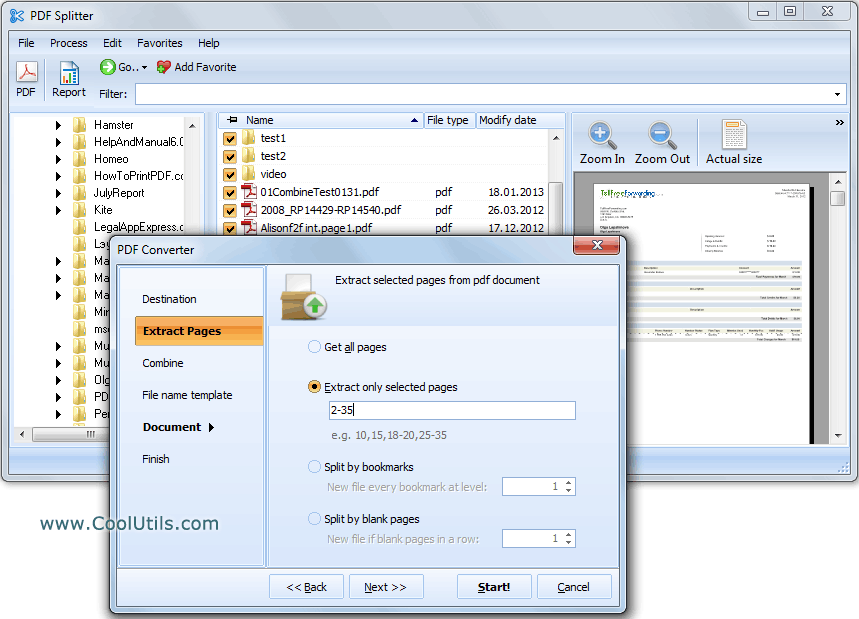
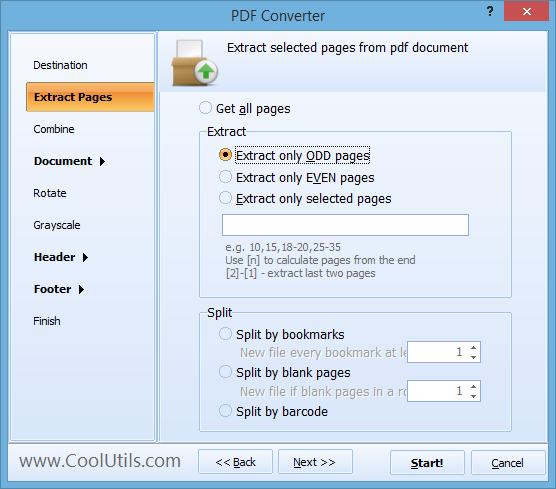
Select a PDF, choose a splitting method - by individual pages, custom ranges (e.g. 1,2,5,7-10), bookmarks, blank pages, barcodes or by maximum file size - and let the tool produce the output files. Pro version users can also split by any text line, such as invoice numbers, for automated batch separation.
PDF Splitter can also combine split pages. Split a 10-page PDF into 5 two-page documents, or reorganize pages in any order.
Built-in renamer gives new files descriptive names: [Name].page#.pdf. Start enumeration from any digit. Unique option: enumerate based on files already in the destination folder.
PDF Splitter works via GUI and command line. For web servers, use PDF Splitter X (ActiveX, no GUI). Works on Windows 7/8/10/11. 30-day free trial, no registration. $59.90 lifetime license.
| Feature | PDF Splitter | Online Services |
|---|---|---|
| Batch splitting (hundreds of files) | Yes | 1–3 files per upload |
| File size limit | None | Usually 10–50 MB |
| Split by bookmarks | Yes | Rarely |
| Split by blank pages | Yes | No |
| Split by barcode | Yes | No |
| Extract odd/even pages | Yes | Some services |
| Smart file renaming | Yes | No |
| Privacy (files stay local) | Yes | Uploaded to third-party servers |
| Command-line automation | Yes | No |
| Pricing | $59.90 one-time | Monthly subscription or per-file |
(includes 30 day FREE trial)
(only $59.90)

"The PDFSplitter program is the only program I found that could do what I needed on a project. For the final version we decided to use the PDFSplitterX which is launched by our Visual Basic.net program. It is working exactly as needed.
Here is what we do. We have a package of data in pdf format in which we need to separate the certificates at the end of the data package to a different file.
The amount of pages varies so we decided to use the blank page as a separator. Your PDF Splitter X separates the PDF into 2 files before and after the blank page and we discard the first file."
 James Newman
Yokogawa Electric Corporation
www.yokogawa.com
Updated Sun, 24 May 2026
(only $59.90)
How To: Split a PDF File with CoolUtils PDF Splitter. The tool is built around the most common splitting workflows, so most users finish their first split in under five minutes.
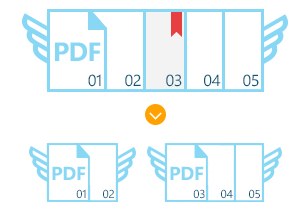
You can rely on default settings or set your own params. You can even password protect and apply other security features to the split PDF files if you wish. Above all, you don't even have to have Adobe Acrobat to split PDF files. PDF Splitter is the ultimate tool to have.
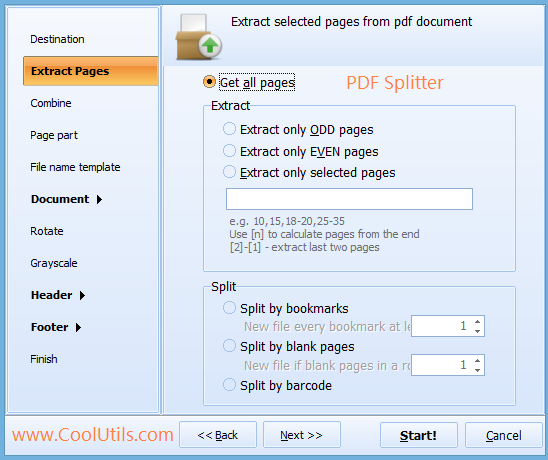

Get the free evaluation version now or place your order (the price starts from $59.90) and enjoy the most powerful PDF Splitter with a life-time license.
Windows Vista/7/8/10/11
Updated Sun, 24 May 2026
(only $59.90)
Updated Sun, 24 May 2026
(only $59.90)
Download free trial and convert your files in minutes.
No credit card or email required.