Need help? Reach us at 

 +1 (855) 418-2323
Need help? Reach us at
+1 (855) 418-2323

 File Converters TIFF and PDF apps Forensic Freeware
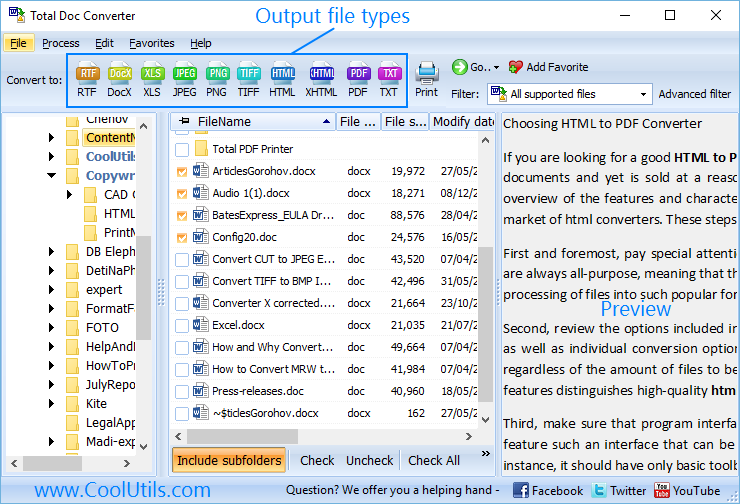
Plain text files store raw content without any formatting — no fonts, no margins, no page breaks. That is fine for logs and config files, but not when you need to send a presentable document or import text into a system that expects RTF. Opening each .txt file in WordPad and saving as RTF works for a few files, not for a hundred. Total Doc Converter converts TXT files to RTF in batch — select a folder, pick RTF, set font and layout options, click Start.
(includes 30 day FREE trial)
(only $49.90)
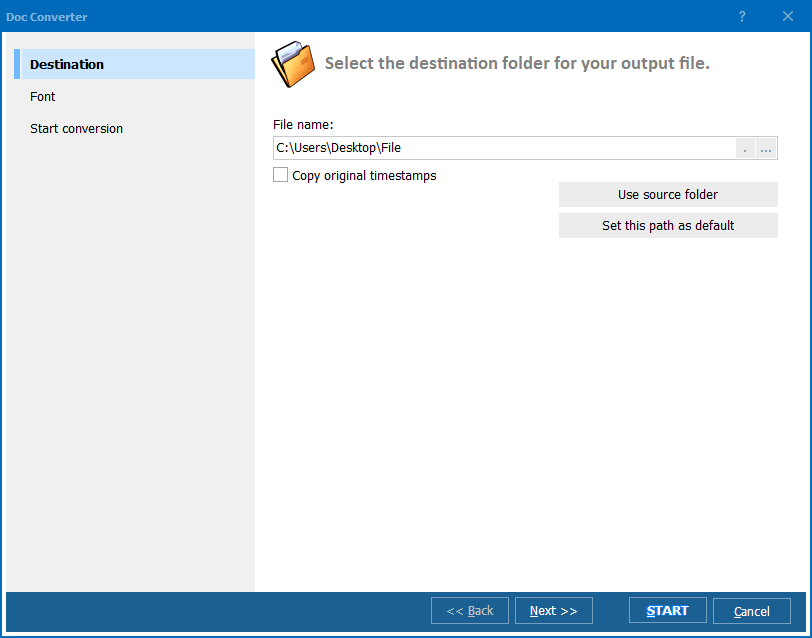
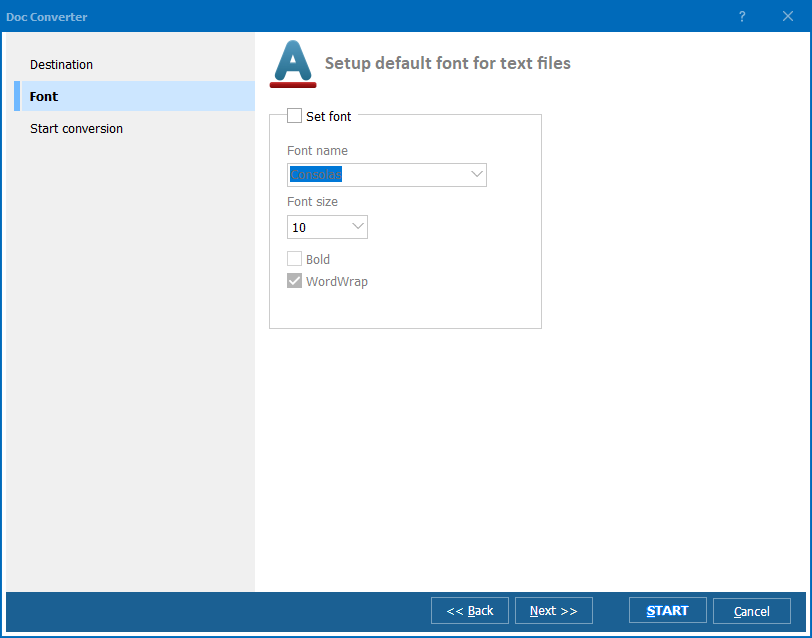
Quick answer: To convert TXT to RTF in batch, launch Total Doc Converter, browse to the folder with your TXT files, check the files or click Check All, click RTF in the format toolbar, choose the font, size, and page margins, then press Start. Plain text gets consistent formatting, and hundreds of files convert in one run — offline, with no cloud upload and no size limit.
A TXT file contains raw characters with no formatting metadata. It stores text in ASCII or UTF-8 encoding and nothing else — no fonts, no colors, no images, no page margins. Every operating system and every text editor opens TXT files without compatibility issues. The downside: you cannot control how the text looks when printed or displayed in a word processor.
Microsoft published the RTF specification in 1987 as a cross-platform document interchange format. RTF files use plain-text markup with control words to encode fonts, colors, bold/italic styles, tables, margins, and page layout. Nearly every word processor on Windows, macOS, and Linux reads RTF. RTF does not support macros, which makes it safer for email attachments and regulated document exchange.
Converting TXT to RTF adds formatting capabilities to plain text. You set the font, size, margins, and page orientation during conversion — the output RTF file looks like a properly formatted document instead of raw text dumped into a viewer.
The entire batch takes seconds, even for hundreds of files. Your original TXT files remain untouched.
Total Doc Converter includes a command-line interface for unattended processing. Convert a single file:
DocConverter.exe C:\Logs\readme.txt C:\Output\readme.rtf -c RTF
Convert an entire folder with wildcards:
DocConverter.exe C:\Logs\*.txt C:\Output\ -c RTF
Add font settings directly in the command:
DocConverter.exe C:\Logs\*.txt C:\Output\ -c RTF -FontName "Courier New" -FontSize 11
Save this command in a .bat file and schedule it with Windows Task Scheduler. New TXT files that appear in the source folder get converted to RTF automatically on a daily, weekly, or on-demand basis.
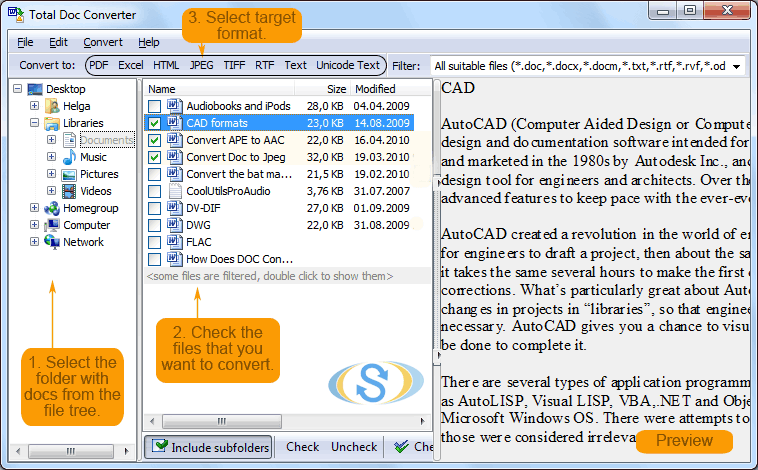
 Batch processing. Select a folder with 10 or 10,000 TXT files and convert them all to RTF in one run. No need to open each file and re-save manually.
Font and layout control. Plain text has no formatting. During TXT-to-RTF conversion you choose the font, size, bold/italic style, margins, and page orientation. Every output file gets consistent, professional formatting.
Folder structure. Converting files across multiple subfolders? The converter recreates the original directory tree in the output location. No manual sorting afterward.
Unicode support. TXT files in UTF-8, UTF-16, or ANSI encodings are detected automatically. Characters from any language — Cyrillic, Chinese, Arabic — transfer to RTF correctly.
No cloud uploads. All processing happens locally on your PC. Server logs, data exports, and internal documents never leave your machine.
20+ output formats. Besides RTF, convert TXT to PDF, DOC, HTML, ODT, XHTML, JPEG, TIFF, and more — all from the same tool.
| Feature | Online Tools | Total Doc Converter |
|---|---|---|
| File size limit | 10–50 MB | No limit |
| Batch conversion | 1–5 files at a time | Unlimited |
| Privacy | Files uploaded to cloud | 100% offline |
| Speed | Depends on connection | Instant (local CPU) |
| Automation | None or paid API | Built-in command line |
| Font control | No — default fonts only | Full: font, size, style, margins |
| Folder structure | Not supported | Recreated automatically |
| Pricing | Subscription or per-file fee | One-time $49.90 |
(includes 30 day FREE trial)
(only $49.90)
Download free trial and convert your files in minutes.
No credit card or email required.