Need help? Reach us at 

 +1 (855) 418-2323
Need help? Reach us at
+1 (855) 418-2323

 File Converters TIFF and PDF apps Forensic Freeware
Your Outlook mailbox contains years of correspondence, and you need to extract the text from those emails — for archiving, searching, data mining, or simply to free up the mailbox. PST is a proprietary binary format that only Outlook can read. Total Outlook Converter reads PST files, extracts every email, and saves them as plain text (TXT) — one file per message or all messages merged into a single document. You choose which fields to export, how to handle attachments, and whether to process one email or ten thousand at once.
Quick answer: To convert PST to TXT, launch Total Outlook Converter, open your PST through File → Open PST, tick the emails or use Check All, click the TXT button, choose which fields to export and how attachments are handled, then click Start. Total Outlook Converter reads PST without Outlook and exports thousands of emails to plain text in one offline batch.
PST (Personal Storage Table) is Microsoft's proprietary format for storing emails, contacts, and calendar items in Outlook. It requires Outlook to open and cannot be searched by standard text tools. The binary structure makes PST files opaque to scripts, search engines, and document management systems.
TXT (Plain Text) is the simplest and most universal file format. Every operating system, every programming language, and every search tool can read TXT. A plain text archive of your emails can be indexed by full-text search engines, parsed by scripts, imported into databases, and read without any specialized software — now or decades from now.
| Feature | PST | TXT |
|---|---|---|
| Format type | Proprietary binary (Microsoft) | Open plain text (universal) |
| Readable by | Microsoft Outlook only | Any text editor, script, or search tool |
| File size | Large (binary overhead, indexes) | Minimal (text only, no formatting) |
| Searchable | Only within Outlook | grep, PowerShell, Python, full-text indexes |
| Long-term archival | Depends on Microsoft's format support | Format-independent, readable forever |
| Formatting | HTML, rich text, embedded images | Plain text only, no formatting |
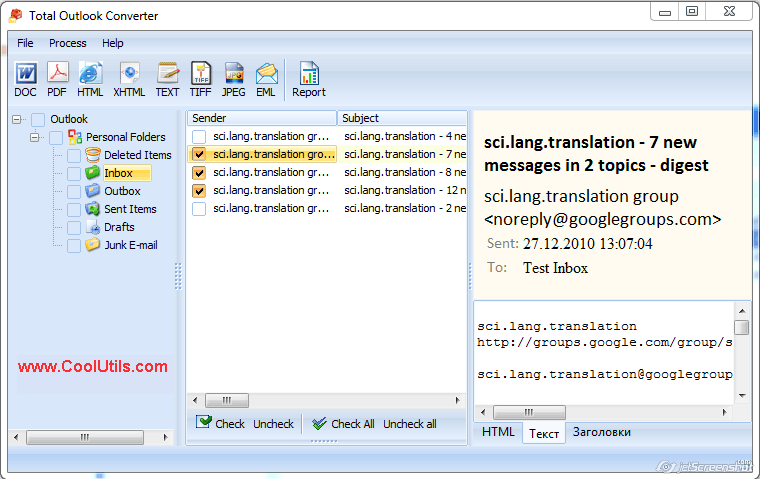
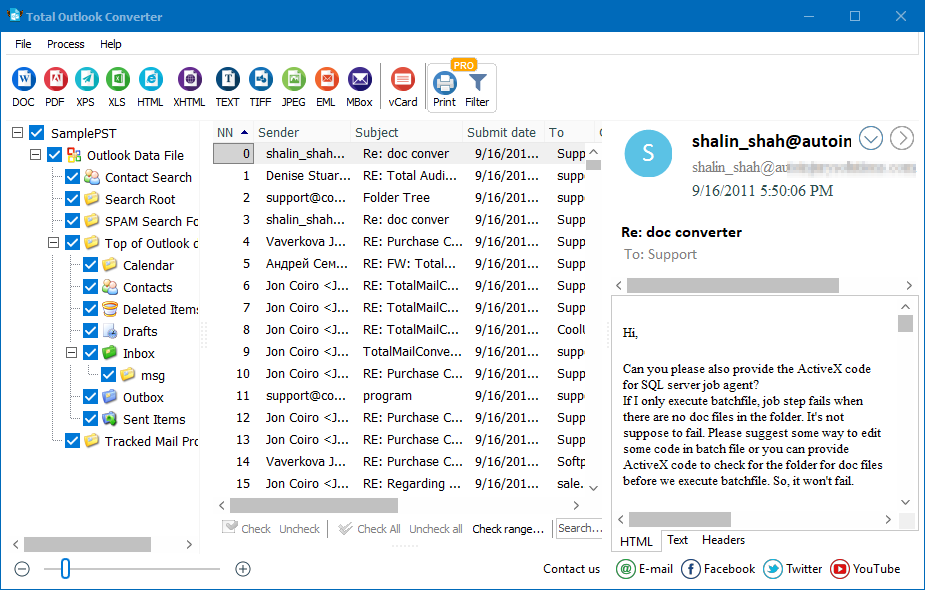
Launch Total Outlook Converter. The folder tree on the left displays folders from the default Outlook PST. To open a different PST, go to File → Open PST and browse to the file. No Microsoft Outlook installation is required — Total Outlook Converter has its own PST parser.
Click a folder in the tree to see its messages. The list shows sender, subject, date, and size. Tick individual messages or click Check All to select the entire folder.
Click the TXT button on the toolbar. The settings wizard opens.
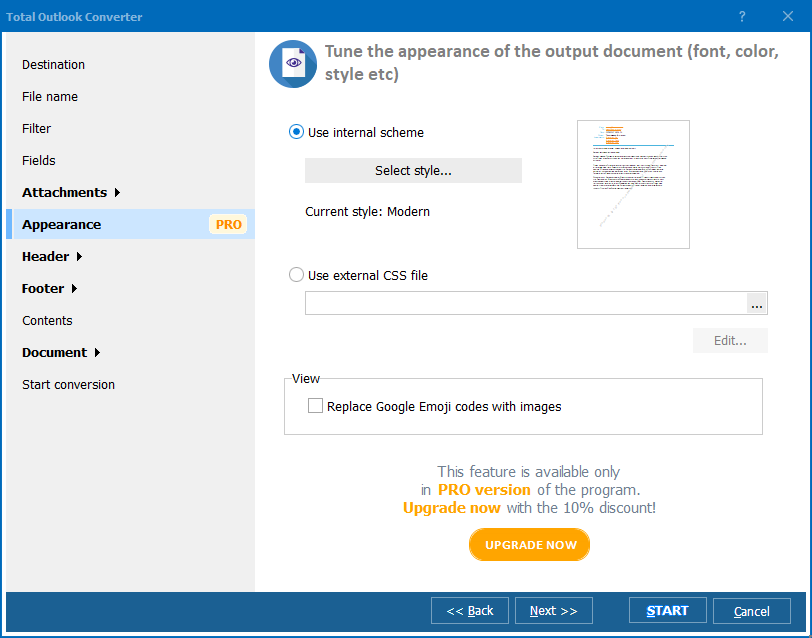
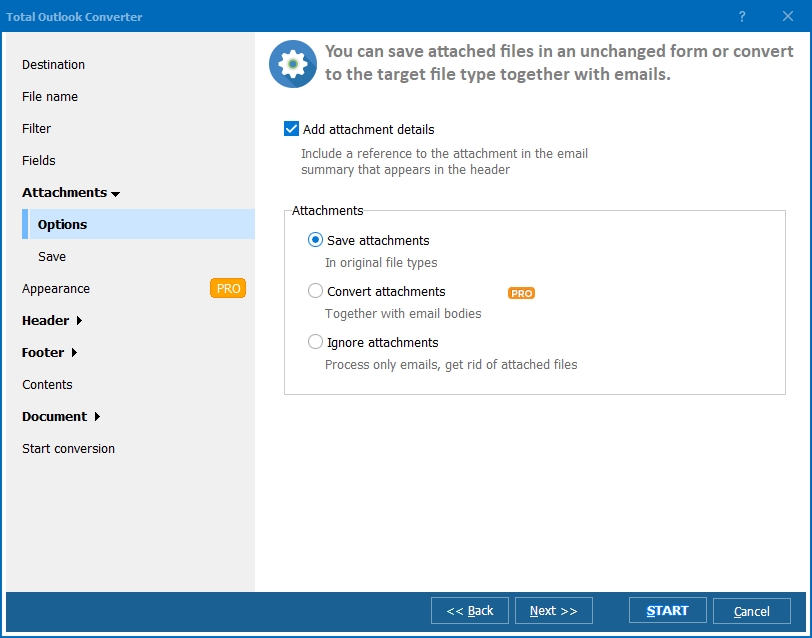
Set the destination folder. Choose the file naming pattern: by subject, by date, by sender, or a combination. Select which email fields to include in the output. Decide whether to create one TXT per email or merge all into a single file. Configure attachment handling.
Click Start. The converter processes every selected email and writes TXT files to the output folder. A progress bar shows the status. The log lists each converted message with its source folder and output path.
Total Outlook Converter includes a command-line interface for automated workflows:
OutlookConverter.exe "C:\Mail\archive.pst" -aTXT -o "C:\Export\txt\" -fields "From,To,Subject,Date,Body"
Parameters: PST file path, -aTXT sets plain text as the output format, -o specifies the destination folder, -fields selects which headers to include. Add this command to a .bat script and run it nightly with Task Scheduler for automated email archiving.
Other useful flags: -merge combines all emails into one file, -att separate saves attachments to a subfolder, -enc UTF8 forces UTF-8 encoding.
| Email Component | How It Appears in TXT |
|---|---|
| Headers (From, To, Subject, Date) | Written as labeled lines at the top of each text file: "From: ...", "To: ...", "Subject: ...", "Date: ..." |
| HTML body | HTML tags are stripped. Only the readable text content remains. Links are preserved as plain URLs. |
| Plain text body | Copied as-is into the output file. |
| Inline images | Removed (plain text cannot contain images). File names can be listed if attachment processing is enabled. |
| Attachments | Three options: save as separate files in a subfolder, list file names in the text, or skip entirely. |
| Timestamps | Preserved in the selected date format. Optional time zone normalization. |
| Unicode characters | Preserved when UTF-8 encoding is selected. |
| Feature | Online PST-to-TXT Services | Total Outlook Converter |
|---|---|---|
| Privacy | You upload your entire email archive to a third-party server. | Runs locally. No data leaves your computer. |
| File size limit | Typically 50–200 MB. Large PST files rejected. | No limit. Handles PST files of any size. |
| Field selection | No control over which fields are exported. | Choose exactly which headers and body parts to include. |
| Merge option | Not available. | Merge all emails into one TXT or create separate files. |
| Batch processing | One file at a time. | Entire folders or multiple PST files in one batch. |
| Automation | Manual process only. | Command-line interface with scripting and scheduling. |
| Cost | Free for small files, subscriptions for larger. | One-time purchase: $49.90. Free 30-day trial. |
Total Outlook Converter has its own PST parser. It reads PST files directly without requiring Microsoft Outlook on the machine. Install it on any Windows computer and start converting immediately.
Not every email field is relevant. Exclude CC, BCC, or headers you do not need. Include only From, Subject, Date, and Body for a clean, readable archive. The field selector is available in both GUI and command-line modes.
Create an individual TXT file for each email — useful when you need to search or reference specific messages. Or merge thousands of emails into a single text file for bulk analysis, data mining, or compliance review.
Select an entire Outlook folder or multiple folders. Thousands of emails are converted in minutes at local disk speed, without uploading anything to the internet.
Schedule nightly PST-to-TXT exports with a .bat script and Task Scheduler. Automate email archiving without manual steps. Integrate into IT workflows for compliance or data retention.
TXT is one of many options. Total Outlook Converter also exports to DOC, PDF, HTML, RTF, EML, MBox, TIFF, XPS, and more — all from the same interface.
Download the free 30-day trial — no email or credit card required. A personal license costs $49.90 and includes one year of free upgrades. Works on Windows 7/8/10/11.
Download Free Trial Buy License — $49.90
Download free trial and convert your files in minutes.
No credit card or email required.

Related Topics
Convert PST to TIFF