Logo
Home Products Support Contact About Us
arrow1 File Converters
arrow1 TIFF and PDF apps
arrow1 Forensic
arrow1 Freeware

Convert PDF to DOC


When you need to convert PDF to DOC (Word) your primary goal is preserving the layout. The output file should be equal to the source PDF document. As PDF format is a complicated one (fonts, images, background color, etc.) not all PDF converters can transfer all the elements to a Word file correctly.

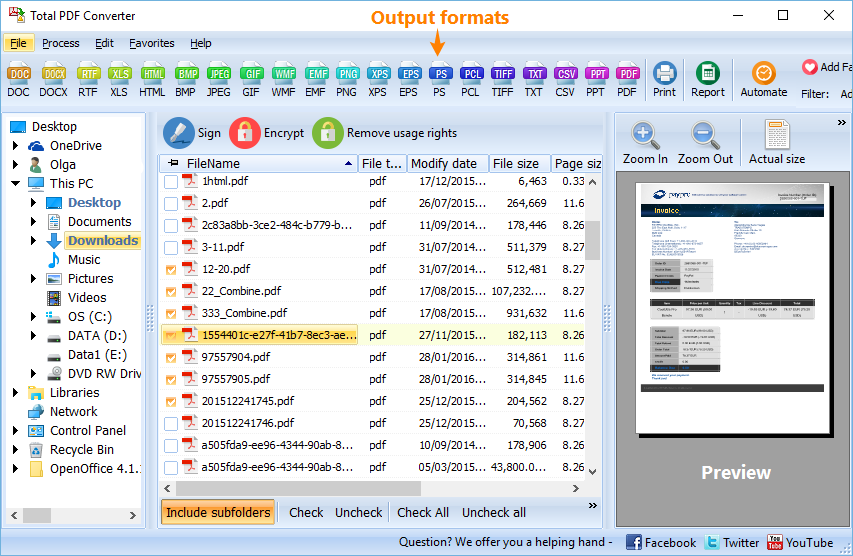
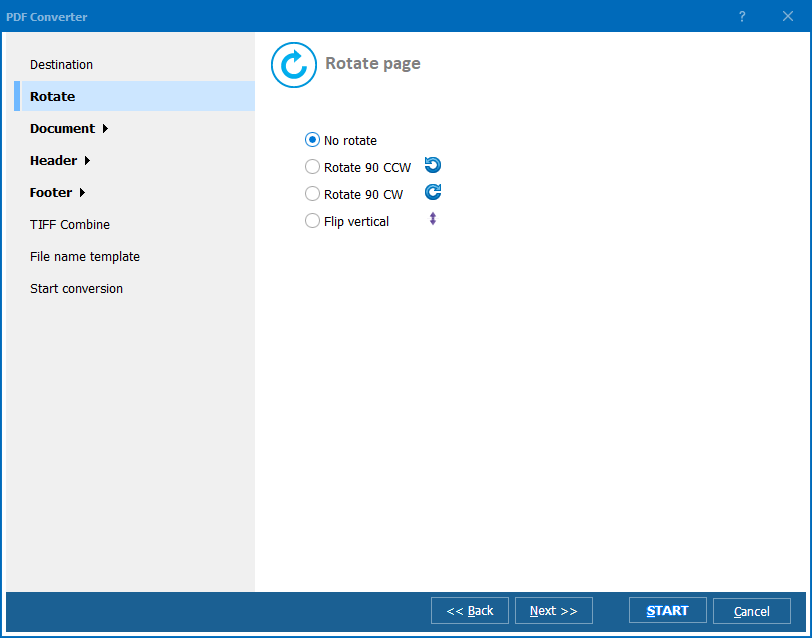
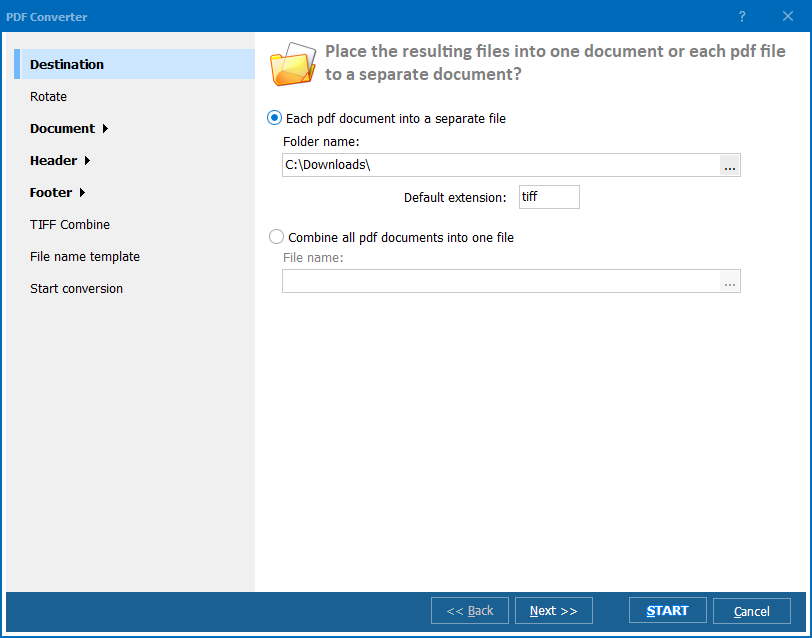
Quick answer: To convert PDF to DOC, install Total PDF Converter, tick the PDF files you want, click the DOC button, adjust the settings in the wizard or keep the defaults, then press Start to get Word files with the original layout preserved. It converts any number of files in one batch, keeps the folder structure, and runs offline on Windows.

Total PDF Converter can do the task in the proper way. It converts any number of PDF files to Doc (Word) in 3 steps and preserves original document layout. It's a very reliable tool that supports all types of PDF documents. The benefits of Total PDF Converter include:

  • You save your time with the batch option. Set any number of folders with PDF files and get the neat Doc files as a result (folder structure is kept).
  • Enjoy the fool proof user interface.
  • Convert PDF to Doc via command line (find sample codes in the download).
  • Get rid of unnecessary items: convert only text without images, or images without text.
  • Converting a multi-page PDF file you can place every PDF page to a separate Word file
  • .

Note that Total PDF Converter converts both PDF, PS, EPS, XPS and PCL files. The target formats are DOC, HTML, XLS, TXT, TIFF, JPEG. It's not only a PDF DOC converter, it's the all-in-one solution.

Total PDF Converter is the right choice to convert PDF to DOC. It is good for both computer-savvy people and beginners. The built-in wizard helps to make al the settings. Total PDF Converter always keeps the original files safe so that you could reconvert them with other parameters. We did everything so that you could achieve perfect results. Try Total PDF Converter now for free. Hit the Download button and convert you first PDF file to DOC in few minutes.


quote

Total PDF Converter Customer Reviews 2026

Rate It
Rated 4.7/5 based on customer reviews
5 Star

"We receive lease agreements as PDF and often need to redline changes in Word. Total PDF Converter keeps the original layout, fonts, and background shading intact when it turns them into DOC files, which our legal team needs for accurate tracked changes. We run entire folders in one batch and the structure stays intact."

5 Star Isabelle Marchetti Contracts Manager, Commercial Real Estate Firm

"Old manuals only exist as PDF, and rebuilding them in Word from scratch would take weeks. This tool preserved the layout well enough that editing existing DOC files was realistic instead of retyping everything. It handled image placement and background colors better than the other converters we tried first."

5 Star Gareth Voss Publishing Coordinator, Technical Documentation Studio

"Policy documents come in as PDF and our underwriters often need an editable DOC version for internal notes. The wizard settings let us tune the conversion, and most files keep their formatting. A few PDFs with complex tables need a quick manual cleanup, but the folder structure is preserved across the whole batch, which saves re-sorting files afterward."

4 Star Noah Fielding Office Manager, Regional Insurance Broker

PDF to DOC — FAQ ▼

How do I convert PDF to DOC?

Install Total PDF Converter, tick the PDF files you want, click the DOC button, adjust the settings in the wizard or keep the defaults, then press Start. The output is a Word file with the original layout preserved.

Does converting PDF to DOC keep the layout?

Yes. Total PDF Converter is built to preserve the original document layout, including fonts, images, and background color, so the Word file matches the source PDF.

Can I convert PDF to DOC in batch?

Yes. You can set any number of folders with PDF files and get neat DOC files as a result, and the folder structure is kept during the batch conversion.

Can I put each PDF page into a separate Word file?

Yes. When converting a multi-page PDF, Total PDF Converter can place every PDF page into its own separate Word file.

Can I convert PDF to DOC without Microsoft Word?

Yes. Total PDF Converter creates DOC files on its own and does not need Microsoft Word installed to perform the conversion.

Can I convert PDF to DOC from the command line?

Yes. Total PDF Converter supports command-line conversion, and sample codes are included in the download so you can automate the process.


Start working now!

Download free trial and convert your files in minutes.
No credit card or email required.

⬇ Download Free Trial Windows 7/8/10/11 • 100 MB

Support
PDF Converter Preview1
PDF Converter Preview2
PDF Converter Preview3

Related Topics

Latest News

Newsletter Subscribe

No worries, we don't spam.


© 2026. All rights reserved. CoolUtils File Converters

Cards