Logo
Home Products Support Contact About Us
arrow1 File Converters
arrow1 TIFF and PDF apps
arrow1 Forensic
arrow1 Freeware

PDF to XHTML Converter

PDFs are recognized by Windows and Mac. It is the global standard for email attachments. These documents are reliable, and they may contain mixed data, from images to text to annotations. However, there is also a downside. If you want to use PDF as a web document, you may need to turn it into an XHTML file, which requires a powerful PDF to XHTML converter.
PDF to XHTML conversion

Quick answer: To convert PDF to XHTML, install Total PDF Converter, mark the PDF files for conversion, choose XHTML as the output format and adjust its parameters, then click Start to get clean web-ready files. It processes hundreds of files at once, keeps the original layout, can add headers and page numbers, and runs offline on your PC.

Why Convert PDF to XHTML?

This is the new version of HTML, the standard for web pages. Many websites are now built on it. XHTML files are easy to open via browsers like Microsoft Edge or Google Chrome. So, how can you convert PDF to XHTML?

How to Convert PDF to XHTML

Total PDF Converter offers the fastest and most efficient way to switch between the formats. Unlike other tools, it guarantees precision. Transform data flexibly, with a wide range of output options. This utility can process hundreds of files simultaneously. You will have peace of mind, as the result is guaranteed.

Download and install the program from our site (full or demo version). Then, open the tool and take the following steps:
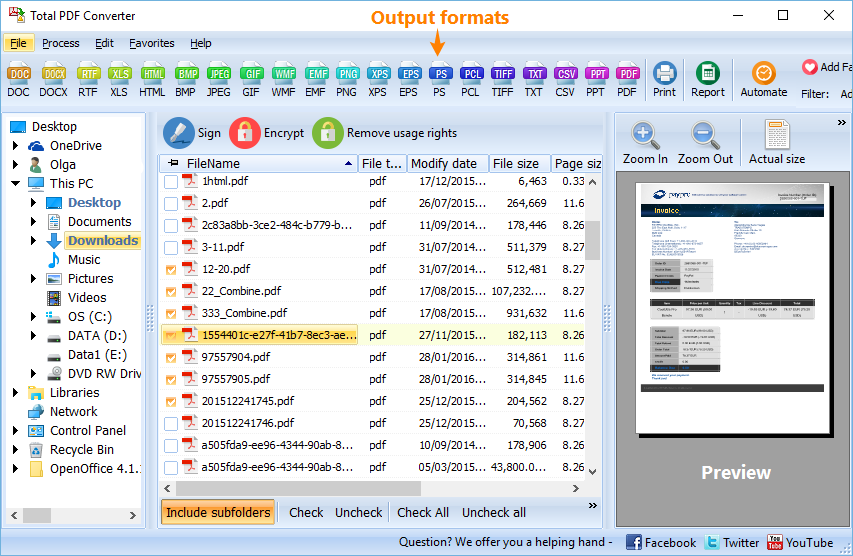
  1. Mark the PDF files for conversion.
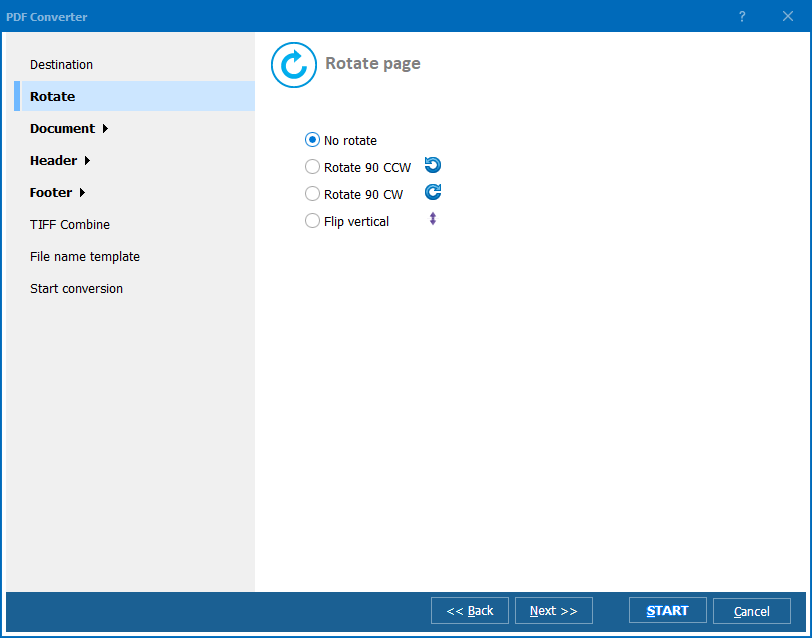
  2. Specify the format for the output (XHTML) and change its parameters according to your needs.
  3. Click the Start! button to convert PDF to XHTML.

PDF to XHTML

Fine-Tune the Output

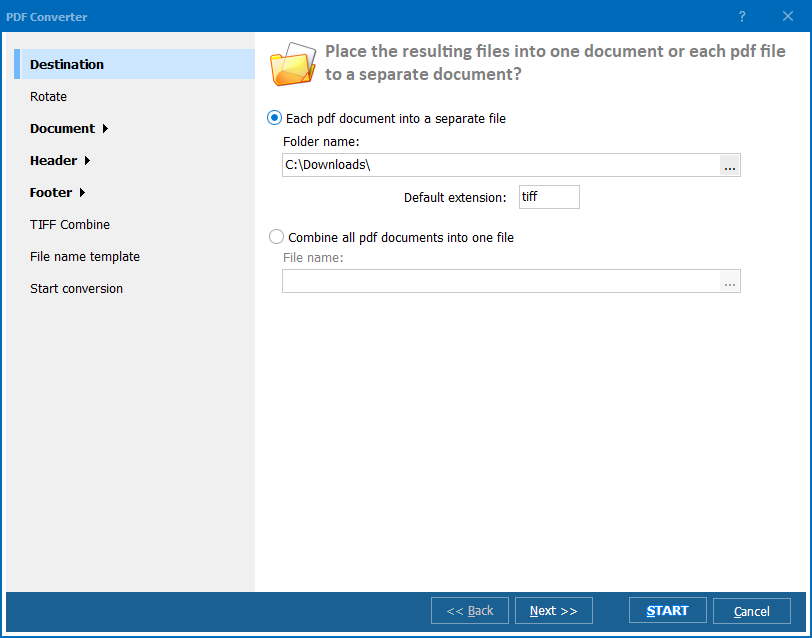
The system can process files one by one or in a batch. Users have a wide range of features to choose from. Adjust the output according to your liking. You may:

  • Split or combine PDF files;
  • Insert footnotes and headers (e.g., page numbers, bates stamping, a corporate logo, etc.);
  • Give the files descriptive names using the built-in renamer feature;
  • Have the best settings applied automatically to each file in a batch.

XHTML is only one of the possible target formats. This is an all-around solution for conversion. It may turn your PDF into a CVS, DOC, DOC text, EPS, HTML, JPEG, PDF/A, PS, RTF, TIFF (separately or in a batch), TXT, Unicode, WMF, or XLS file. Create documents, images, or spreadsheets!
PDF to XHTML Converter

Buy Now

CoolUtils offers several versions of this omnipotent converter. Use it with a GUI, or launch the process from your command line. You cannot find a more flexible product, and it is also reasonably priced!

Pay once, and transform as much data as you like, as often as necessary. Our lifetime license is a bargain! Make the most of the 30-day trial period and discover the full potential of Total PDF Converter.


quote

Total PDF Converter Customer Reviews 2026

Rate It
Rated 4.7/5 based on customer reviews
5 Star

"A client needed decades of PDF newsletters turned into clean XHTML for a new CMS import, and standard HTML export from other tools kept producing invalid markup. Total PDF Converter's XHTML output validated cleanly and kept the original layout, and we converted the whole archive of hundreds of files in one batch."

5 Star Julia Rasmussen Frontend Developer, Digital Agency

"We publish product manuals as PDF internally but needed a web-ready XHTML version with headers and page numbers preserved for our help center. Marking the files and adjusting the output parameters in one pass got us clean, structured pages without touching each document by hand."

5 Star Thabo Nkosi Technical Writer, Software Documentation Team

"Old grant reports existed only as PDF, and our new website platform required strict XHTML. This tool processed our whole reports folder at once and kept the layout intact for most documents. A few reports with embedded charts needed manual adjustment afterward, but it ran offline with no upload, which our data policy required."

4 Star Grace Lindqvist Content Migration Specialist, Nonprofit Organization

PDF to XHTML — FAQ ▼

How do I convert PDF to XHTML?

Install Total PDF Converter, mark the PDF files for conversion, choose XHTML as the output format and adjust its parameters, then click Start. The clean, web-ready files are saved to the folder you pick.

What is the difference between HTML and XHTML?

XHTML is the stricter, XML-based version of HTML and the standard for many modern web pages. Total PDF Converter outputs both, so you can choose XHTML when you need cleaner, well-formed markup.

Can I convert PDF to XHTML in batch?

Yes. Total PDF Converter can process hundreds of files simultaneously, so you can convert one PDF or a whole folder to XHTML in a single run.

Can I add headers or page numbers during conversion?

Yes. Total PDF Converter lets you insert headers and footnotes such as page numbers, bates stamping, or a corporate logo, and you can rename files with the built-in renamer.

Is converting PDF to XHTML free?

Total PDF Converter offers a 30-day free trial that is fully functional. After the trial, a one-time lifetime license lets you convert as much as you like.

Can I convert PDF to XHTML from the command line?

Yes. Total PDF Converter can be launched from the command line as well as the interface, so you can automate PDF to XHTML conversion in your own scripts.


Start working now!

Download free trial and convert your files in minutes.
No credit card or email required.

⬇ Download Free Trial Windows 7/8/10/11 • 100 MB

Support
PDF Converter Preview1
PDF Converter Preview2
PDF Converter Preview3

Related Topics

Latest News

Newsletter Subscribe

No worries, we don't spam.


© 2026. All rights reserved. CoolUtils File Converters

Cards




