Logo
Home Products Support Contact About Us
arrow1 File Converters
arrow1 TIFF and PDF apps
arrow1 Forensic
arrow1 Freeware

How to convert PDF to TIFF


Do you need to convert PDF to TIFF? Wondering how to choose the best converter software? Here's everything you need to know.

PDF and TIFF are both image file formats, but they have different uses. PDF is mainly used for documents, while TIFF is widely used for images. If you need to convert a PDF document into an image, TIFF is a good format to use.

Why convert PDF to TIFF? There are several reasons. TIFF is a lossless format, meaning that no quality is lost when converting PDF to TIFF. This is important if you need to make high-quality prints of your document. TIFF is also a good format for editing images.

Quick answer: To convert PDF to TIFF, install Total PDF Converter, add your PDF files, select TIFF as the output format, set DPI and compression, then click Start. The whole batch converts at once, offline on your PC, with no upload and no file-size limit, and a free 30-day trial.

download XPS converter

How to convert PDF to TIFF by Coolutils software?

There are many PDF to TIFF converter software programs available. Some are free, while others are paid. When choosing a converter, make sure it is compatible with your operating system and has all the features you need. We recommend that you try the free version of our software and make sure of its quality.

Now that we know what PDF and TIFF are, let's convert PDF to Tiff with CoolUtils! Follow these easy steps:
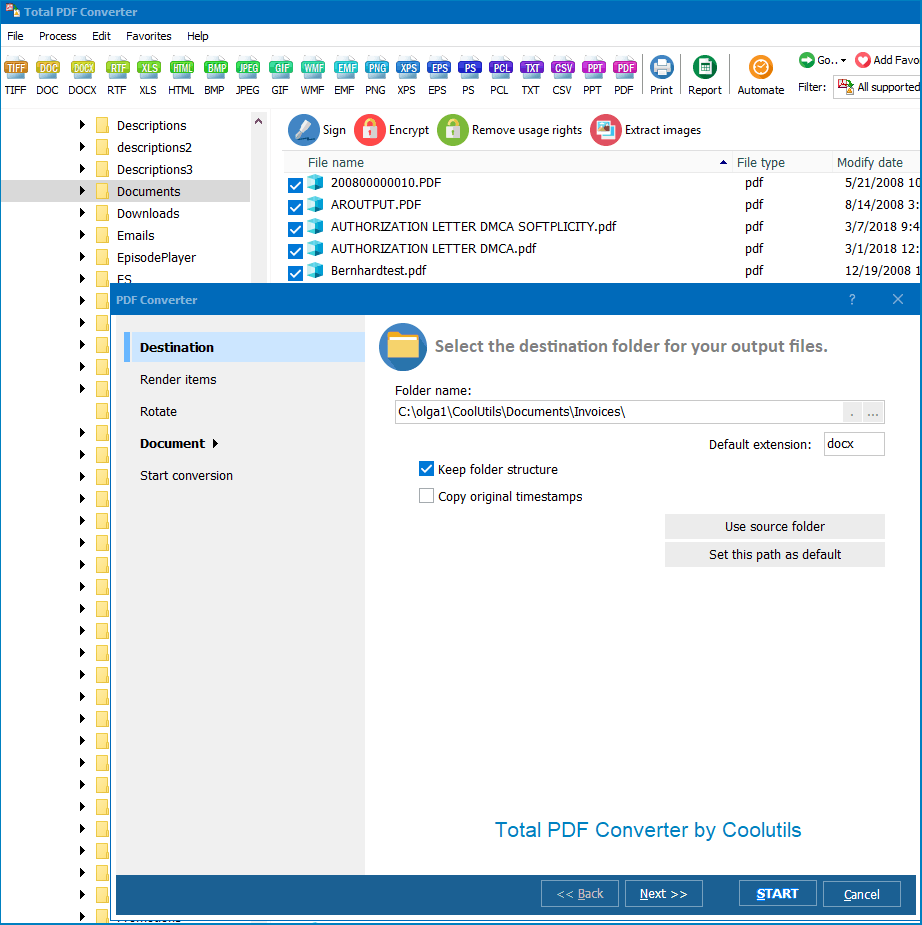
  • Step One: Download and install CoolUtils PDF Converter
  • Step Two: Add your PDF file(s) to the software
  • Step Three: Select TIFF as your output format
  • Step Four: Convert!
pdf converter


It's that easy! With CoolUtils, you can convert PDF to TIFF in just four easy steps. So why wait? Try CoolUtils today and see how easy it is to convert PDF to TIFF. You won't be disappointed.


Batch PDF to TIFF Converter

Total PDF Converter is an all-purpose tool for personal and professional use. It converts PDFs to a wide variety of formats, including TIFF. Generate high-quality images easily in a few steps. Batch conversion will allow you to process as many files as you like simultaneously!

If you have multiple documents, transforming them separately can take ages. Save time and spare yourself the trouble of one-by-one conversion. Just open our all-purpose tool, choose the source files, and let this batch PDF to TIFF converter handle the rest. You can also fine-tune the output in a variety of ways.
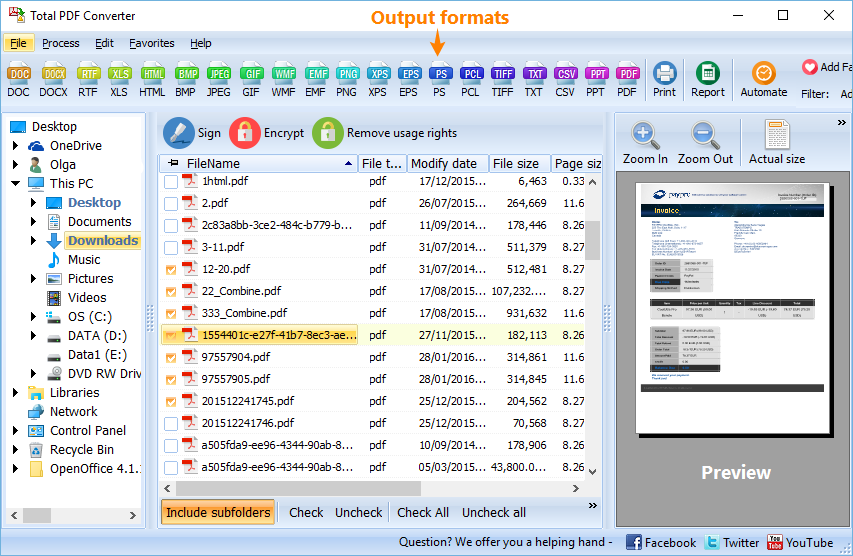
PDF to TIFF

How to Convert TIFF in a Batch

After launching the converter, browse to the folder containing your PDF documents. The batch mode allows you to generate separate TIFF files or merge the data into a single one. Here are the settings:
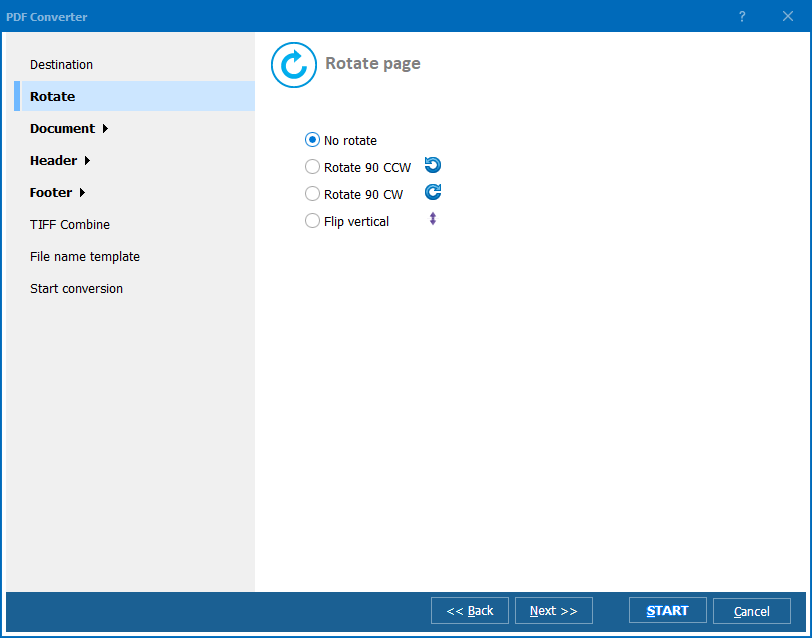
  • Image DPI: Choose between 75, 150, and 300 DPI, or enter a custom value.
  • Page size: Keep the default format or change it according to your needs.
  • TIFF compression: Choose from seven options or forgo compression.
  • Multipage TIFF: If necessary, split your multi-page PDF by page into a bunch of TIFF files.

PDF to TIFFconversion

Now you are ready to batch convert PDF to TIFF. Revise the settings and click on the "Start!" button. Note that if you stick to the default parameters, you will get TIFF copies with the same formatting as the PDFs.
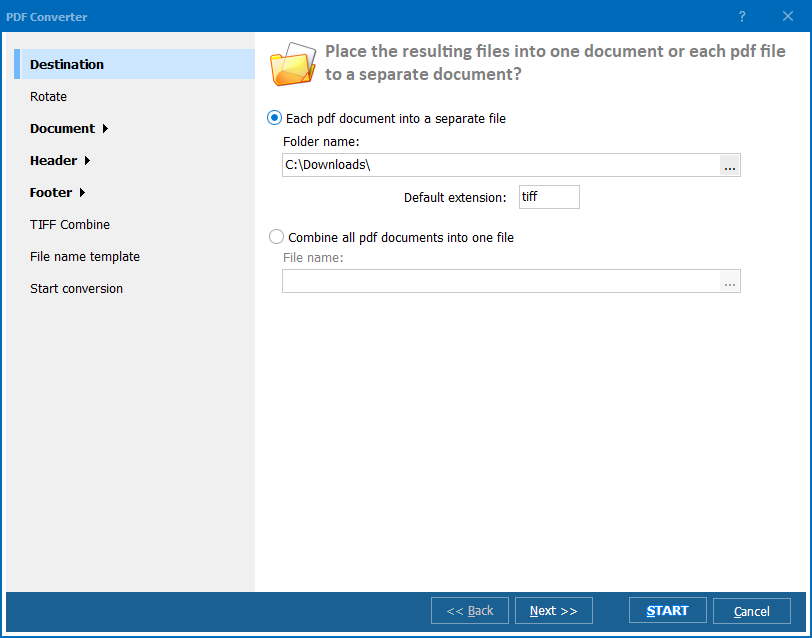
PDF to TIFFbatch

Discover More Features

Try the demo version of our tool and batch convert PDF to TIFF for 30 days free of charge! Total PDF Converter can also turn your documents into separate TIFF files and a plethora of other formats:


quote

Total PDF Converter Customer Reviews 2026

Rate It
Rated 4.7/5 based on customer reviews
5 Star

"State archiving rules require TIFF for long-term storage of scanned records, but everything reaches us as PDF. Total PDF Converter converts each page into lossless TIFF images with adjustable resolution, and we run entire folders overnight without any quality loss compared to the source PDF."

5 Star Walter Higgins Records Manager, County Government Office

"We needed high-resolution TIFF images from client PDF proofs for our prepress workflow, and this converter lets us set exact size and resolution per job. Being a lossless format matters for our print quality checks, and batch conversion means we're not opening each proof individually."

5 Star Anika Ferreira Print Production Supervisor, Commercial Printer

"Claims adjusters need PDF documents split into individual TIFF pages for our imaging system, and this tool creates one image per page reliably across large batches. Setting the right resolution for our archive standard took a bit of experimentation at first, but once configured it runs unattended every week."

4 Star Derek Simmons IT Support Specialist, Insurance Claims Department

PDF to TIFF - FAQ ▼

How do I convert PDF to TIFF?

Install Total PDF Converter, add your PDF files, click the TIFF button, set DPI and compression in the wizard, then click Start. The converter saves each PDF as a TIFF image in your chosen folder.

Can I convert PDF to TIFF in batch?

Yes. Open a folder of PDFs in Total PDF Converter and use Check All to select them, then convert the whole set to TIFF in one run. There is no per-batch file limit.

Is converting PDF to TIFF free?

Total PDF Converter offers a fully functional 30-day free trial with no email or credit card required. A personal license starts at $49.90 for continued use.

Does PDF to TIFF conversion keep quality?

Yes. TIFF is a lossless format, so no quality is lost. You can also choose 75, 150, or 300 DPI, or a custom resolution, for high-quality prints.

Can I convert a multi-page PDF to a single TIFF?

Yes. Total PDF Converter can merge every page of a PDF into one multi-page TIFF, or split each page into a separate TIFF file using the Multipage TIFF option.

How do I convert PDF to TIFF without Acrobat?

Total PDF Converter reads PDF files with its own engine, so you do not need Adobe Acrobat or any other PDF software installed to produce TIFF images.

Can I convert PDF to TIFF from the command line?

Yes. Total PDF Converter includes a command-line version, so you can script PDF to TIFF conversion in .bat files or schedule it with Windows Task Scheduler.


Start working now!

Download free trial and convert your files in minutes.
No credit card or email required.

⬇ Download Free Trial Windows 7/8/10/11 • 100 MB

Support
PDF Converter Preview1
PDF Converter Preview2
PDF Converter Preview3

Related Topics

Latest News

Newsletter Subscribe

No worries, we don't spam.


© 2026. All rights reserved. CoolUtils File Converters

Cards




