Logo
Home Products Support Contact About Us
arrow1 File Converters
arrow1 TIFF and PDF apps
arrow1 Forensic
arrow1 Freeware

Total HTML Converter Video and Key Features


Why Should You Try Total HTML Converter


  • Converts HTML to PDF, DOC, XLS, JPEG, TIFF, EMF, TXT, RTF, TXTW
  • Supports HTML, HTM, MHT, MD, EPUB files
  • Supports IE headers and footers
  • Recognizes all HTML tags
  • Adds your watermark to the output document
  • Works in a batch mode and keeps folders' structure
  • User interface and command line
  • Easy-to-use, free to try


quote

Total HTML Converter Customer Reviews 2026

Rate It
Rated 4.8/5 based on customer reviews
5 Star

"We use Total HTML Converter for multiple conversion tasks: HTML to PDF for archival, HTML to TXT for indexing, and HTML to TIFF for document imaging. One tool covers all our needs. The batch mode handles our daily volume of thousands of pages."

5 Star Peter Novak IT Manager, Czech National Library

"Landing pages and email templates saved as HTML need PDF versions for stakeholder review. Total HTML Converter is easy to learn — the video tutorial had us up and running in minutes. CSS rendering is accurate."

5 Star Rebecca Thompson Marketing Operations, HubSpot

"We evaluated several HTML converters for our internal reporting system. Total HTML Converter won on CSS accuracy, batch processing speed, and command-line flexibility. The ActiveX server version handles our high-volume needs."

4.5 Star Ahmed Hassan Systems Administrator, Saudi Aramco

FAQ: Total HTML Converter Tutorial ▼

Input: HTML, HTM, MHT, XHTML, ePub, FB2, CHM, Markdown, RST, PPT, PPTX, and more. Output: PDF, DOC, XLS, TXT, RTF, TIFF, JPEG, PNG, SVG, EMF, ODT, and XHTML.
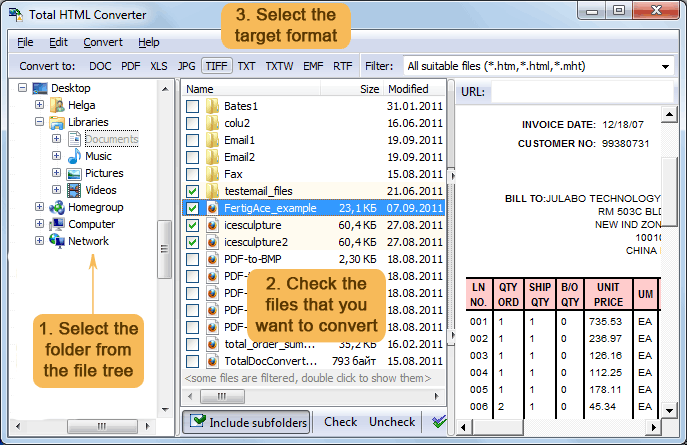
Select an entire folder in the file browser. Check all files and click the desired output format. Total HTML Converter processes them all in one batch run.
Yes. Enter a URL in the address bar and Total HTML Converter will download, render, and convert the web page to your chosen format.
Run TotalHTMLConverter.exe with source file, destination file, and format options. Example: TotalHTMLConverter.exe C:\pages\report.html C:\output\report.pdf -cPDF. Wrap in .BAT files for automation.
Yes. Add text or image watermarks to every page during conversion. Useful for branding, confidentiality stamps, or QR codes.
Yes. Total HTML Converter X is designed for servers and web applications. It runs silently with no GUI and supports ActiveX integration.


Start working now!

Download free trial and convert your files in minutes.
No credit card or email required.

⬇ Download Free Trial Windows 7/8/10/11 • 100 MB

Support
HTML Converter Preview1
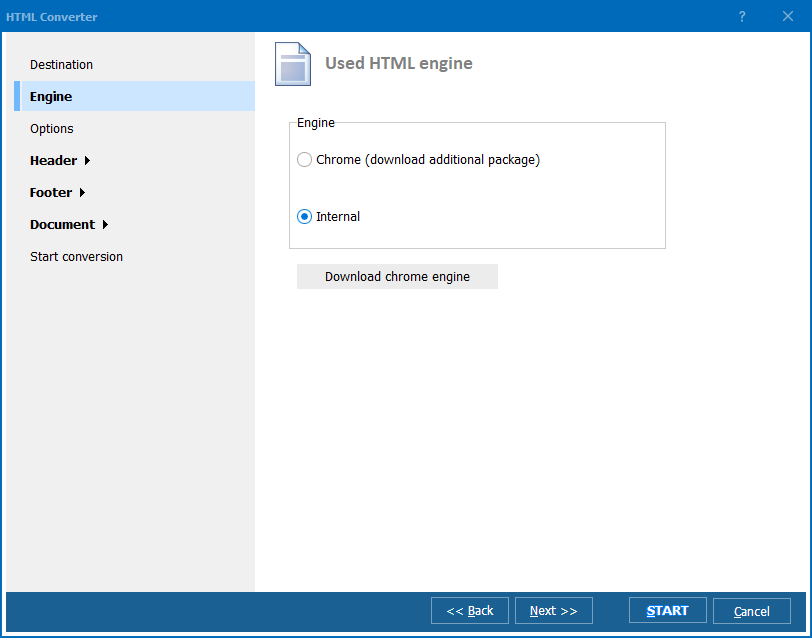
HTML Converter Preview2

Latest News

Newsletter Subscribe

No worries, we don't spam.


© 2026. All rights reserved. CoolUtils File Converters

Cards