Need help? Reach us at 

 +1 (855) 418-2323
Need help? Reach us at
+1 (855) 418-2323

 File Converters TIFF and PDF apps Forensic Freeware

 | If you need to archive or print Thunderbird emails with all their attachments intact, TIFF is one of the best formats for the job. Unlike PDF or JPEG, TIFF supports multi-page documents without any quality loss, making it ideal for legal archiving, printing and long-term storage. Total Thunderbird Converter Pro lets you export Thunderbird emails with attachments to TIFF in batch, saving hours of manual work. Quick answer: To export Thunderbird emails with attachments to TIFF, install Total Thunderbird Converter Pro, select the mailbox folder and check the messages, click the TIFF button in the format bar, choose how to handle attachments, adjust resolution and compression, then press Start. Hundreds of emails convert in one lossless multi-page batch — offline, no upload. Why Choose TIFF for Email Archiving?TIFF is a lossless image format widely used in professional environments. Here is why it works so well for email conversion:
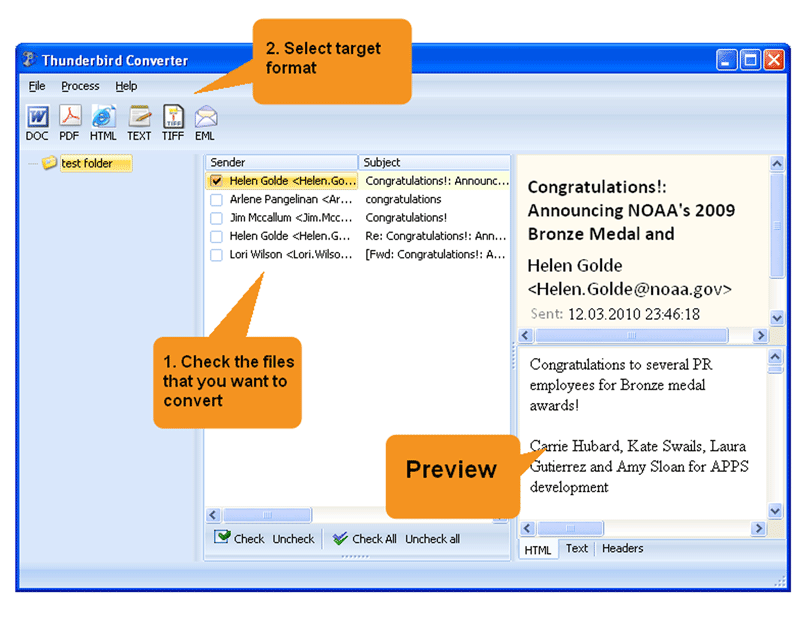
How to Convert Thunderbird Emails to TIFFTotal Thunderbird Converter Pro connects directly to your Thunderbird account and displays all mailboxes in a familiar folder tree. The conversion process is straightforward: 1. Select the mailbox folder and check the messages you want to convert. 2. Click the TIFF button in the format bar at the top. 3. Choose how to handle attachments: convert them, merge into the TIFF file or save separately. 4. Adjust TIFF settings (resolution, color mode, compression, paper size) if needed. 5. Press Start and get your TIFF copies ready in seconds. 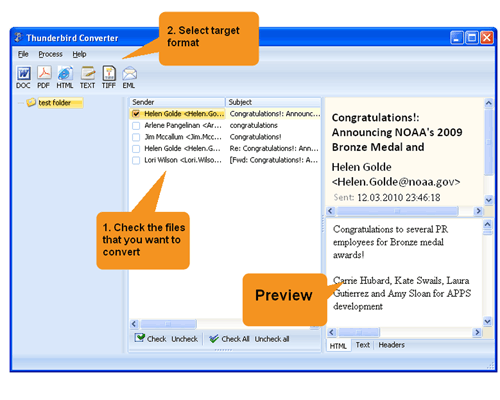 Full Control Over the OutputSince this is a batch Thunderbird email converter, you can process any number of messages at once with the same settings. You are free to:
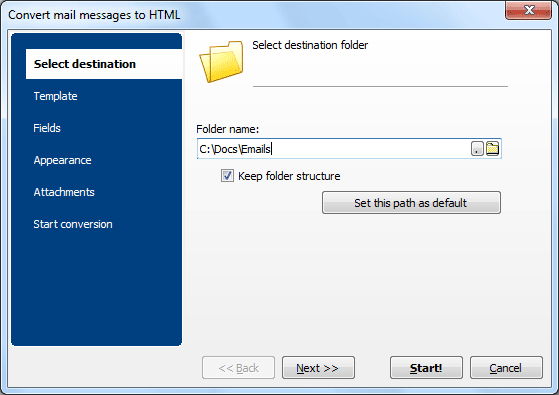
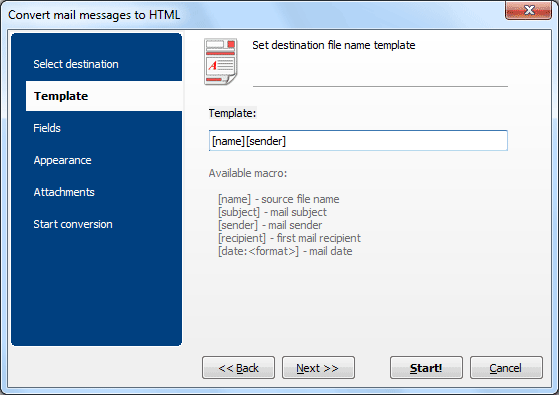
The fields selector lets you skip unimportant metadata (dates, CC, BCC) so your TIFF copies contain only the data that matters. The file name template keeps converted copies properly organized in storage, which is especially useful when you export emails from Thunderbird to TIFF in large batches. Smart Attachment HandlingWhat makes the Pro version stand out is its advanced attachment processing. While most converters simply extract attachments to a folder, Total Thunderbird Converter Pro can convert attached documents to TIFF, unpack archives, embed attached images directly into the converted email copy and even resize them to fit the page. This ensures full data integrity when archiving your correspondence. Download the free trial and see how easy it is to convert Thunderbird emails with attachments to TIFF. No credit card or registration required. |
Download free trial and convert your files in minutes.
No credit card or email required.

Related Topics
Export Thunderbird Emails to PDF with Attachments | CoolUtils
 Multi-page support — an entire email with all attachments can be stored in a single TIFF file
