Need help? Reach us at 

 +1 (855) 418-2323
Need help? Reach us at
+1 (855) 418-2323

 File Converters TIFF and PDF apps Forensic Freeware
Word (DOC) is the go-to format when you need to edit, annotate, or redistribute email content outside of Thunderbird. Converting messages to Word preserves text formatting, inline images, and tables while giving you full control over layout in Microsoft Word, LibreOffice, or Google Docs.
Total Thunderbird Converter Pro reads your Thunderbird profile or any MBOX file and exports each message as a separate Word document. Unlike basic export methods, the Pro version converts all attachments together with the email body, so related files stay in one place.
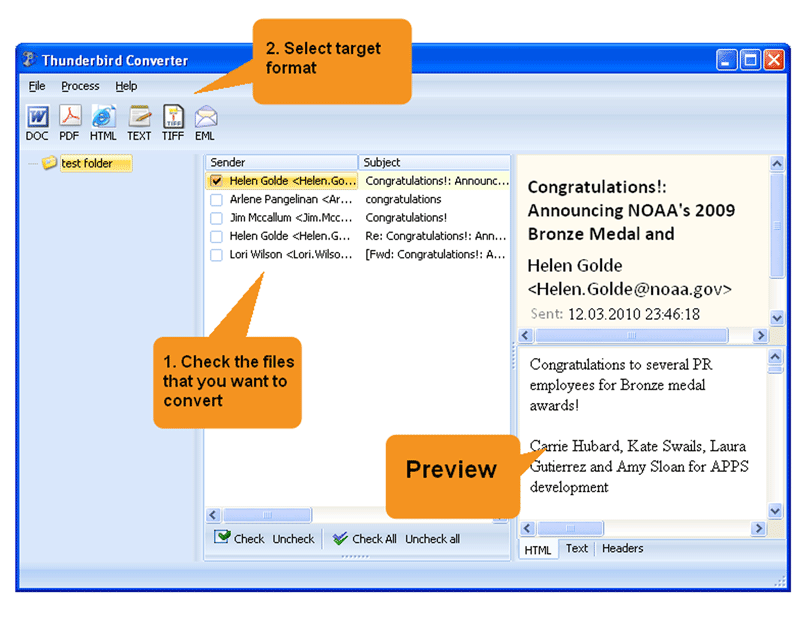
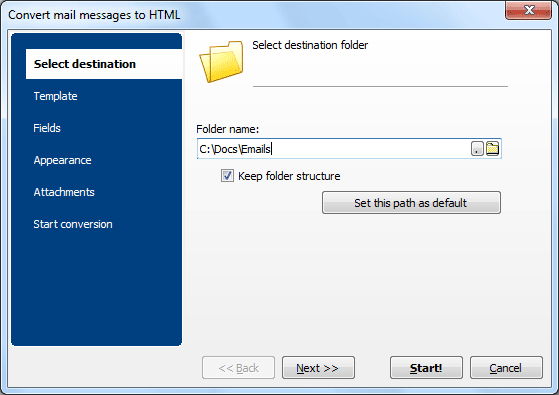
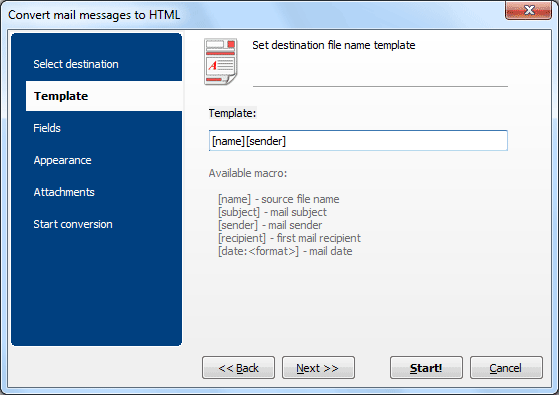
Quick answer: To convert Thunderbird emails to Word, install Total Thunderbird Converter Pro, let it detect your profile, select a folder and use Check All, click the DOC icon, pick a destination and the fields to include, enable attachment conversion, then press Start. Each message becomes an editable DOC with attachments embedded — batch, offline, no upload.
When conversion finishes, the program opens the output folder so you can verify the results immediately.
Thunderbird has no built-in «Export to Word» function. The most common workaround is to save an email as HTML, open the HTML file in a browser, copy the content, and paste it into Microsoft Word. This approach is manual, loses formatting, and does not include attachments.
The ImportExportTools NG add-on lets you export messages as HTML or plain text in bulk, but it cannot produce DOC files directly. You would still need to convert each HTML output to Word using another tool. For reliable batch export with full attachment support, a dedicated converter saves time and avoids formatting issues.
 Editing and annotation. Word documents are easy to edit, comment on, and redline. Convert an email thread to DOC, add your notes in Track Changes, and share the annotated version with colleagues or legal counsel.
Archiving with attachments. Total Thunderbird Converter Pro embeds attachments directly into the Word file. One DOC contains the email body and all attached documents, making it simple to archive or review everything in a single file.
Legal and compliance needs. Courts and regulatory bodies often request documents in Word format. Converting emails to DOC produces editable files that can be Bates-stamped, paginated, and formatted according to filing requirements.
Batch processing. The converter handles any volume — from a handful of messages to an entire mailbox with tens of thousands of emails. Select all, choose DOC, and let the program do the work.
Total Thunderbird Converter Pro processes the most common attachment formats: PDF, DOC, DOCX, XLS, XLSX, JPG, PNG, TIFF, BMP, GIF, TXT, HTML, and RTF. Attached documents are rendered inside the output Word file, so you get a single self-contained document per email.
If an attachment cannot be rendered (for example, a ZIP archive or an executable), the converter saves it as a separate file next to the Word output and adds a reference link in the document.
By default, each email becomes a separate Word file. If you need a consolidated document — for example, a single DOC with an entire email thread — enable the Merge option. The converter will combine selected emails into one multi-page Word document, with page breaks between messages.

Download free trial and convert your files in minutes.
No credit card or email required.

Related Topics
Export Thunderbird Emails to PDF with Attachments | CoolUtils