Need help? Reach us at 

 +1 (855) 418-2323
Need help? Reach us at
+1 (855) 418-2323

 File Converters TIFF and PDF apps Forensic Freeware
You saved an image from the web and it landed as a WebP file that your photo editor, your office suite, or that older piece of software simply refuses to open. WebP is efficient, but plenty of programs still do not read it. Converting to JPEG restores compatibility everywhere. Total Image Converter converts a whole folder of WebP files to JPEG in one batch, so every image opens in the tools you already use.
Quick answer: To convert WebP to JPEG, install Total Image Converter, open the folder with your WebP files, check the images you want, click the JPEG button, set the quality, then press Start. The entire folder converts offline in one run with no upload and no size limit, so every WebP image opens in older editors and software.
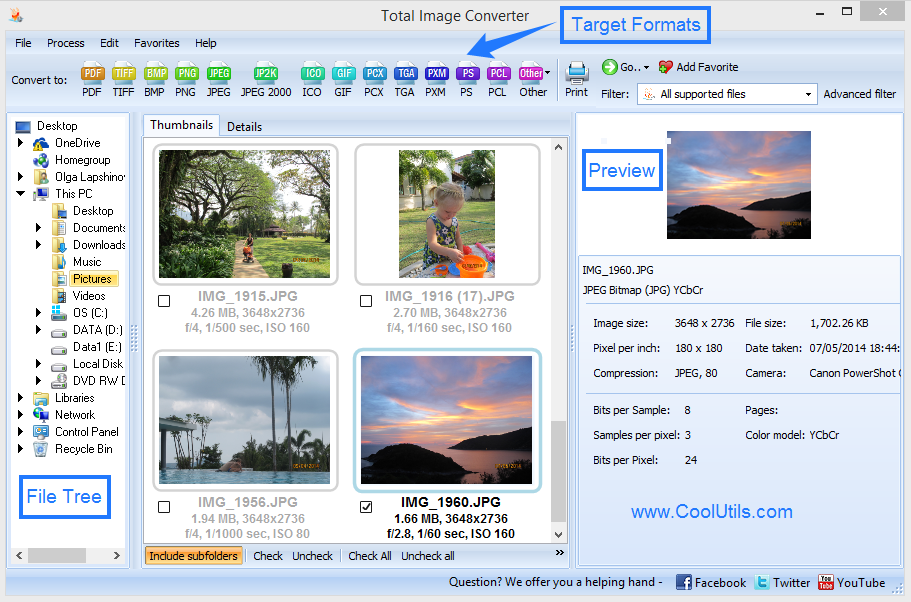
Open the folder of WebP files in Total Image Converter. The built-in viewer shows a thumbnail of each image, so you pick the ones you need at a glance. Check the files, or check the whole list, click the JPEG button, and set the quality level. Press Start and the program writes a standard JPEG for every WebP original into the output folder you choose. A folder full of downloaded WebP images becomes universally readable in a single pass.
WebP is a newer format, and many older editors, content systems, and third-party programs still cannot open it. JPEG is the format nearly everything reads, from decades-old design software to email clients and photo kiosks. Converting your WebP files to JPEG removes the compatibility wall, so you can edit, print, upload, and share the images without hunting for a plugin or a special viewer.
Yes. Before you press Start, you can crop, rotate, and resize each image, and stamp a watermark onto every result. This is handy when the downloaded WebP files are the wrong orientation or too large for your layout. If you would rather keep an animated source as a moving image, Total Image Converter also handles WebP to GIF from the same file list.
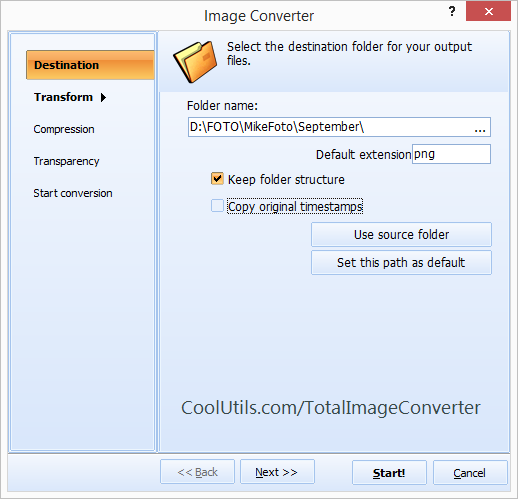
For the quickest run, keep the defaults: each WebP file becomes a separate JPEG at high quality, named after the original. Adjust the parameters only when you want smaller files or a fixed size.
A command-line version ships with the program, so you can script WebP to JPEG conversion in a .bat file or a scheduled task and let a server handle each new batch automatically.
Total Image Converter runs on Windows 7, 8, 10, and 11. The 30-day trial is fully functional with no email or credit card, and a personal license starts at $49.90. It also serves as a general JPEG converter for PNG, BMP, TIFF, and RAW.
Download free trial and convert your files in minutes.
No credit card or email required.

Related Topics
Convert ICNS to JPEG with ease and smile