Total Thunderbird Converter Pro Video Guide
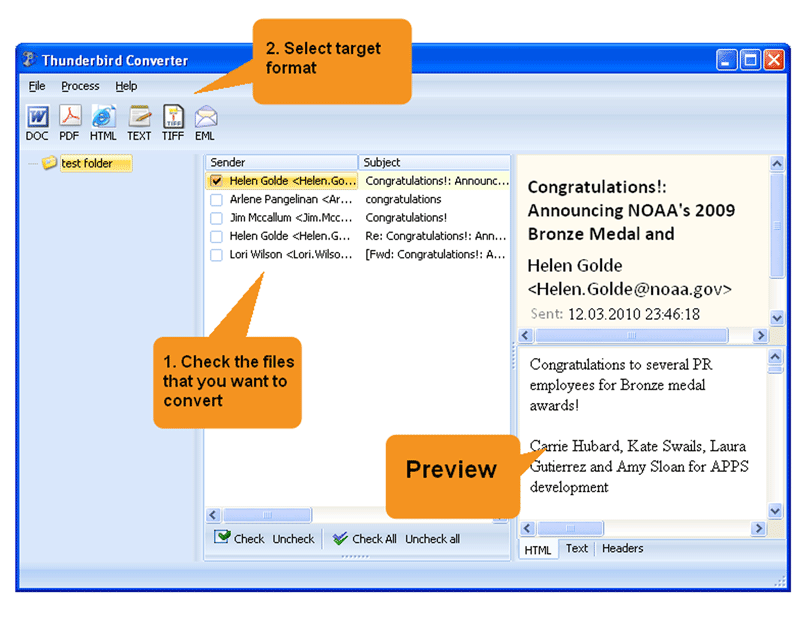
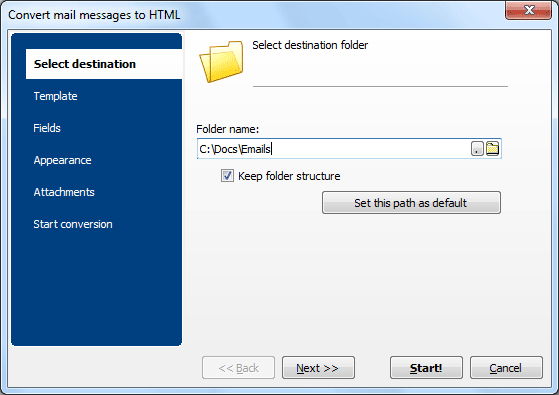
Quick answer: To convert Thunderbird emails with Total Thunderbird Converter Pro, launch the program so it loads your Thunderbird profile, open a mail folder, check the messages, pick an output format such as PDF, DOC, HTML, TIFF, or TXT, set attachment handling, then press Start. The whole folder converts in one batch — attachments included, offline, with a free 30-day trial.
Why Should You Try Total Thunderbird Converter Pro
- Converts Thunderbird emails to PDF, DOC, HTML, JPEG, TIFF, TXT, RTF;
- Help s to migrate to Outlook, converts emails to PST;
- Can convert each email into a new file or combine several emails into one file;
- Converts attached files!
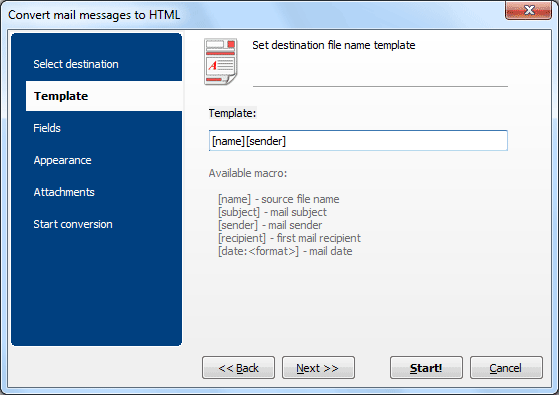
- Gives new descriptive names to saved emails and attachments;
- Adds page counters or your company's name to the output documents;
- Stamps bates;
- Helps you with archiving and migration;
- Easy-to-use interface and command line support;
- Free 30-day evaluation copy.
FAQ: Total Thunderbird Converter Pro Tutorial
What does the Pro version do that the Standard does not?
▼
The Pro version converts email attachments (Word, Excel, PDF, images) alongside the email body. It also adds PDF encryption, digital signatures, Bates stamping, custom fonts/styles, and the ability to merge multiple emails into one document.
How does attachment conversion work?
▼
When enabled, the Pro converter processes each attachment and converts it to the same output format as the email. A Word attachment in an email converted to PDF becomes a PDF page appended to the email's PDF output.
Can I encrypt the output PDF files?
▼
Yes. Set a user password and/or owner password. Restrict printing, copying, and editing. Add a digital signature for document authenticity.
What is Bates stamping?
▼
Bates stamping adds sequential identification numbers to every page of every converted email. It is used in legal document production to create a unique page reference for court filings and discovery.
Can I merge multiple emails into one PDF?
▼
Yes. The Pro version can combine multiple emails and their attachments into a single multi-page PDF, DOC, or TIFF document.
Is there a command-line interface?
▼
Yes. The Pro version includes an enhanced command line. The GUI can generate ready-to-use command-line strings that you can copy into scripts.


 +1 (855) 418-2323

 File Converters