Logo
Home Products Support Contact About Us
arrow1 File Converters
arrow1 TIFF and PDF apps
arrow1 Forensic
arrow1 Freeware

Convert CSV to JSON — Batch CSV to JSON Converter for Windows


APIs, NoSQL databases, and web applications expect data in JSON. Your data sits in CSV files. Copying values by hand or writing one-off scripts wastes time and introduces errors. Total CSV Converter converts CSV files to well-formed JSON in batch — hundreds of files in one run — with full control over delimiters, encoding, and structure.
  • Converts each CSV file to a JSON array of objects with column headers as keys
  • Processes an entire folder of CSV files in a single batch
  • Detects delimiters automatically (comma, semicolon, tab) or lets you set one manually
  • Handles UTF-8, ANSI, Unicode, and other encodings correctly
  • Includes a command-line interface for scripted and scheduled conversions
  • Works 100% offline — no files uploaded anywhere
  • 30-day free trial, no email or credit card required

Download Total CSV Converter and start converting CSV to JSON today.


Download Now!

(includes 30 day FREE trial)

Buy License

(only $49.90)

CSV vs JSON: What Is the Difference?

CSV (Comma-Separated Values) is a plain-text format where each line is a row and values are separated by a delimiter — usually a comma or semicolon. CSV carries no data types, no hierarchy, and no metadata. It is the default export format for databases, spreadsheets, and reporting tools.

JSON (JavaScript Object Notation) is a structured text format that stores data as key-value pairs and arrays. JSON supports nested objects, explicit data types (strings, numbers, booleans, nulls), and is the native data format for REST APIs, NoSQL databases (MongoDB, CouchDB), and modern web applications.

When you convert CSV to JSON, each row becomes a JSON object where column headers serve as keys and cell values become the corresponding values. The result is an array of objects that any API, database import tool, or front-end application can consume directly without parsing.
How to Convert CSV to JSON

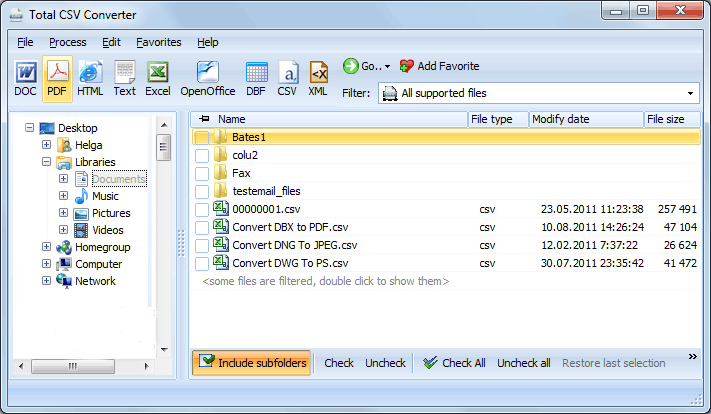
  • Step 1. Launch Total CSV Converter. The left panel shows a folder tree for quick navigation.
  • Step 2. Browse to the folder that contains your CSV files. The file list in the center displays all supported files.
  • Step 3. Check the files you want to convert. Use Check All to select every file in the folder for batch conversion.
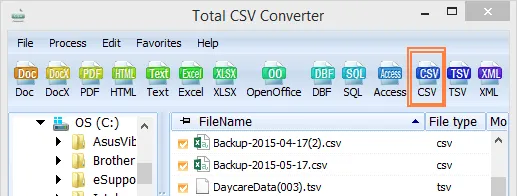
  • Step 4. Click JSON in the format toolbar at the top of the window.
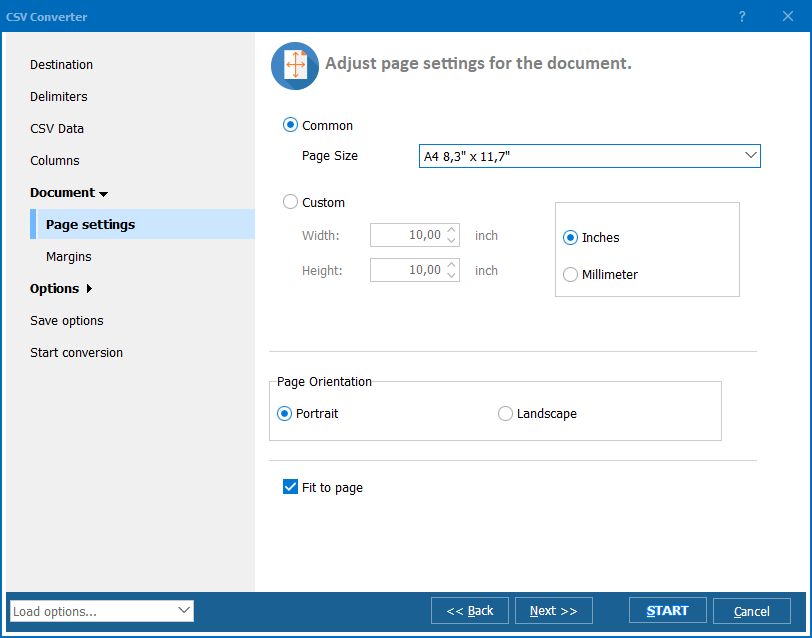
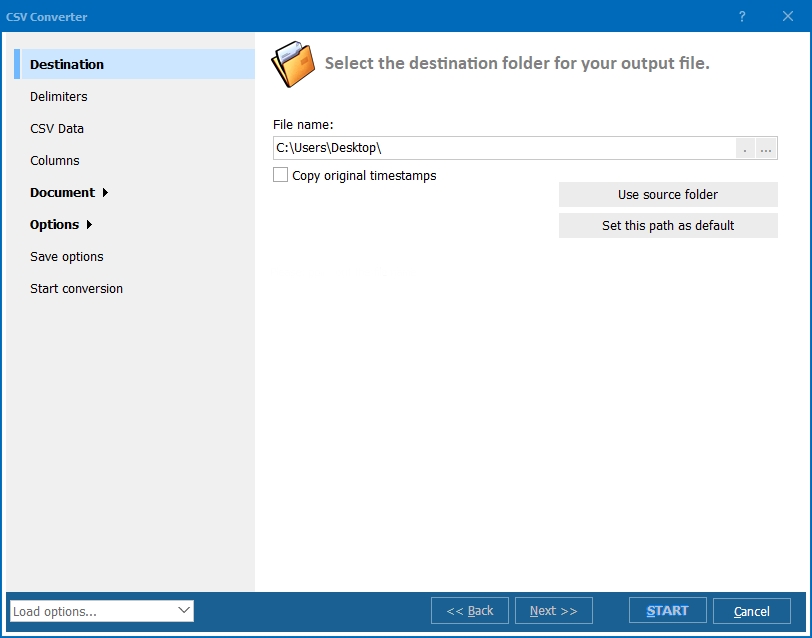
  • Step 5. In the conversion wizard, set the delimiter (comma, semicolon, tab, or custom), verify encoding, and choose a destination folder for the output files.
  • Step 6. Press Start. The converter processes all selected files and saves JSON output to your chosen folder.

Total CSV Converter - CSV to JSON batch conversion interface

Each CSV file becomes a separate .json file containing an array of objects. Original CSV files remain untouched. The first row of the CSV is used as property names in each JSON object.

Command-Line Conversion

Total CSV Converter includes a command-line interface for converting CSV files without the GUI. Example:

CSVConverter.exe C:\Data\export.csv C:\Output\export.json -c JSON -SepChar ;

Wrap this command in a .bat file or a Windows scheduled task to automate recurring conversions. This is useful for data pipelines — for example, automatically converting nightly database exports from CSV to JSON for an API or a NoSQL database import.

Why Use Total CSV Converter?

Green PlusSmart delimiter detection. The converter auto-detects the delimiter in your CSV files (comma, semicolon, tab, pipe). You can also set it manually for non-standard files. This ensures every value maps to the correct JSON key.

Green PlusBatch processing. Select hundreds of CSV files and convert them all to JSON in one run. Each file becomes a separate .json file. No need to process files one by one with scripts or online tools.

Green PlusCorrect encoding. Handle CSV files in any encoding: UTF-8, ANSI, Unicode, and more. The converter preserves accented characters, CJK text, and special symbols that break when handled by basic parsers.

Green PlusValid JSON output. The output is well-formed JSON that passes any validator. Strings are properly escaped, special characters are handled, and the structure is consistent across all files in a batch.

Green PlusNo coding required. Total CSV Converter is a desktop application with a GUI wizard. Developers who prefer scripting can use the built-in command line instead — both produce the same output.

Green Plus10+ output formats. Besides JSON, convert CSV files to XLS, XLSX, PDF, HTML, XML, DBF, TXT, and more — all from the same program.

Online Converters vs Desktop Converter

FeatureOnline ToolsTotal CSV Converter
File size limit5–50 MB typicalNo limit
Batch conversionOne file at a timeUnlimited
PrivacyFiles uploaded to cloud100% offline
Delimiter controlAuto onlyAuto + manual + custom
Encoding supportUTF-8 onlyUTF-8, ANSI, Unicode, etc.
AutomationManual onlyBuilt-in command line
PricingSubscription or per-fileOne-time $49.90

download CSV to JSON converter

Windows 7/8/10/11 • 30-day free trial

When Do You Need CSV to JSON Conversion?

Here are the most common scenarios where converting CSV to JSON is necessary:
  1. API data ingestion. REST APIs accept JSON payloads. If your source data is CSV — exported from a database, spreadsheet, or reporting tool — you need to convert it to JSON before sending it to an API endpoint.
  2. NoSQL database import. MongoDB, CouchDB, and other document databases store data as JSON documents. Converting CSV exports to JSON creates ready-to-import files without writing custom parsing scripts.
  3. Web application data. Front-end frameworks (React, Vue, Angular) consume JSON natively. Converting CSV data files to JSON lets you serve them as static data sources or load them into your app directly.
  4. Configuration and data files. Many applications use JSON for configuration, seed data, or fixture files. Converting tabular data from CSV to JSON creates structured config files with proper key-value pairs.
  5. Data pipeline automation. Scheduled tasks generate CSV exports nightly. Converting them to JSON via command line feeds downstream systems — APIs, dashboards, analytics tools — automatically, without manual intervention.


Download Now!

(includes 30 day FREE trial)

Buy License

(only $49.90)


quote

Total CSV Converter Customer Reviews 2026

Rate It
Rated 4.7/5 based on customer reviews
5 Star

"We get daily CSV exports from a legacy ERP system and need to push them into a REST API. Total CSV Converter handles the batch conversion in a scheduled task every night. No custom scripts, no maintenance."

5 Star Daniel Ortiz Back-End Developer

"I convert hundreds of CSV report files to JSON for our MongoDB import pipeline. The delimiter auto-detection is a lifesaver — our files come from different sources with different separators. Everything just works."

5 Star Sarah Lindgren Data Analyst, NordTech AB

"Solid tool for bulk CSV to JSON conversion. The command line is straightforward and the encoding handling is reliable. Would appreciate an option to define nested JSON structures, but for flat table-to-JSON it does the job perfectly."

4 Star Marcus Chen Systems Administrator

FAQ ▼

JSON (JavaScript Object Notation) is a lightweight text format for structured data. It stores information as key-value pairs and arrays. JSON is the standard data format for REST APIs, NoSQL databases, and web applications.
Each row in the CSV file becomes a JSON object. The first row provides the property names (keys), and each subsequent row provides the values. The output is a JSON array of objects — one object per row.
Yes. Total CSV Converter supports batch conversion. Select all CSV files in a folder (or use Check All), choose JSON as the output format, and press Start. Each CSV file becomes a separate .json file.
Yes. Total CSV Converter supports comma, semicolon, tab, pipe, and custom delimiters. It can auto-detect the delimiter in each file, or you can set it manually for non-standard CSV exports.
Yes. Use the built-in command-line interface: CSVConverter.exe C:\Data\export.csv C:\Output\export.json -c JSON. You can wrap this in a .bat file or scheduled task for automated conversions. A server license is available for unattended use.
Yes. Total CSV Converter handles UTF-8, ANSI, Unicode, and other encodings. Accented characters, CJK text, and special symbols are preserved correctly in the JSON output.
Yes. The output passes standard JSON validators. Strings are properly escaped, special characters are handled, and the structure is consistent. You can feed the output directly to APIs, databases, or web applications without manual cleanup.


Start working now!

Download free trial and convert your files in minutes.
No credit card or email required.

⬇ Download Free Trial Windows 7/8/10/11 • 49 MB

Friday Sale
Total CSV Converter Preview1
Total CSV Converter Preview2
Total CSV Converter Preview3

Latest News

Newsletter Subscribe

No worries, we don't spam.


© 2026. All rights reserved. CoolUtils File Converters

Cards