Logo
Home Products Support Contact About Us
arrow1 File Converters
arrow1 TIFF and PDF apps
arrow1 Forensic
arrow1 Freeware

Convert CSV to XHTML — Batch CSV to XHTML Converter for Windows


Need XML-compliant output from your CSV data? Total CSV Converter converts CSV files to valid XHTML — in batch, processing hundreds of files in one run. Unlike regular HTML, XHTML follows strict XML rules: every tag must close, attributes must be quoted, and the markup is parseable by any XML processor. This makes it the right choice for XSLT pipelines, CMS imports, and any workflow that expects well-formed XML input.
  • Converts CSV files to valid, well-formed XHTML documents
  • Processes an entire folder of CSV files in a single batch
  • Auto-detects or lets you set delimiters (comma, semicolon, tab, custom)
  • Supports selecting and reordering columns before conversion
  • Generates strict XML-compliant markup parseable by XSLT and XML tools
  • Works 100% offline — no files uploaded anywhere
  • Includes a 30-day free trial with no limitations

Download Total CSV Converter and start producing XHTML from your CSV data today.


Download Now!

(includes 30 day FREE trial)

Buy License

(only $49.90)

CSV vs XHTML: What Is the Difference?

CSV (Comma-Separated Values) is a plain-text format where each line represents a row and values are separated by a delimiter. CSV files carry no formatting, no hierarchy, and no metadata. They are the standard export format for databases, spreadsheets, and business applications — designed for raw data exchange.

XHTML (Extensible HyperText Markup Language) is a reformulation of HTML as valid XML. Every element must have a closing tag, attribute values must be quoted, tag names must be lowercase, and the document must follow a strict DTD. XHTML files open in any browser like regular HTML, but they can also be processed by XML parsers, XSLT engines, and automated pipelines — something loose HTML cannot guarantee.

When you convert CSV to XHTML, each row becomes a table row and each value becomes a cell inside a well-formed XML document. The result passes any XML validator and can feed directly into transformation workflows, content management systems, or archival processes that require standards-compliant input.
How to Convert CSV to XHTML

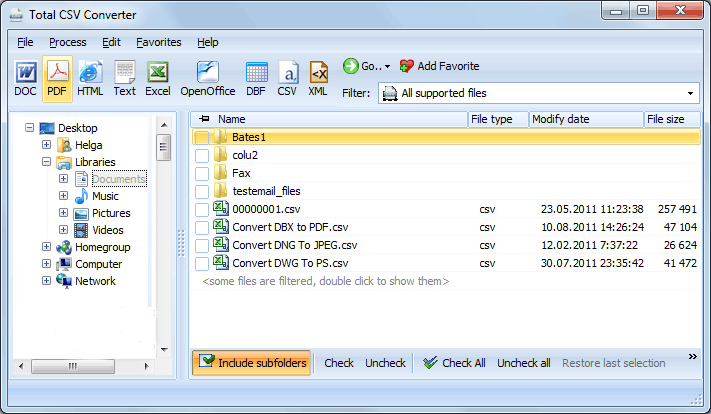
  • Step 1. Launch Total CSV Converter. The left panel shows a folder tree for quick navigation.
  • Step 2. Browse to the folder that contains your CSV files. The file list in the center displays all recognized files.
  • Step 3. Check the files you want to convert. Use Check All to select every file in the folder for batch conversion.
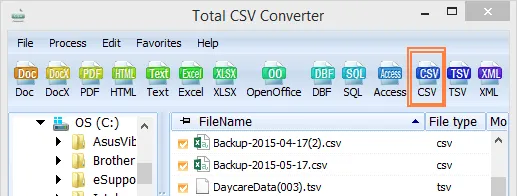
  • Step 4. Click XHTML in the format toolbar at the top of the window.
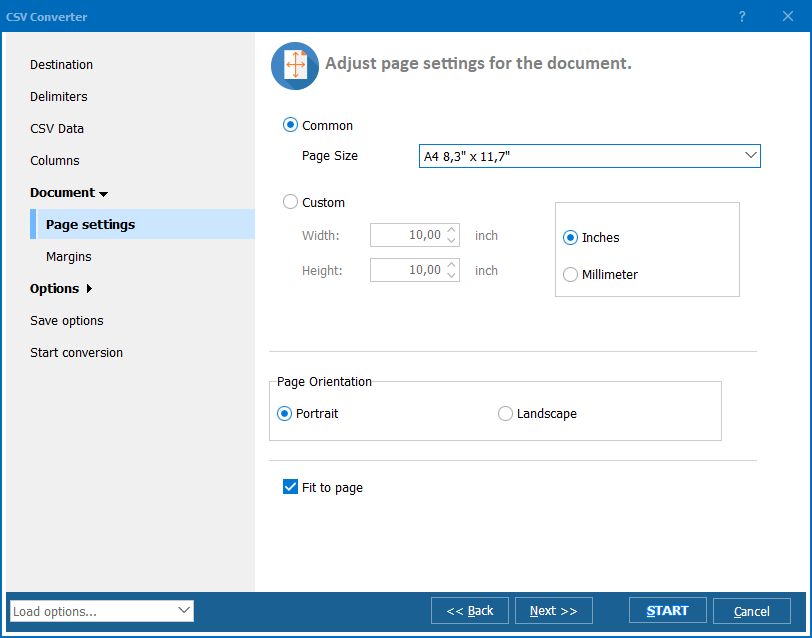
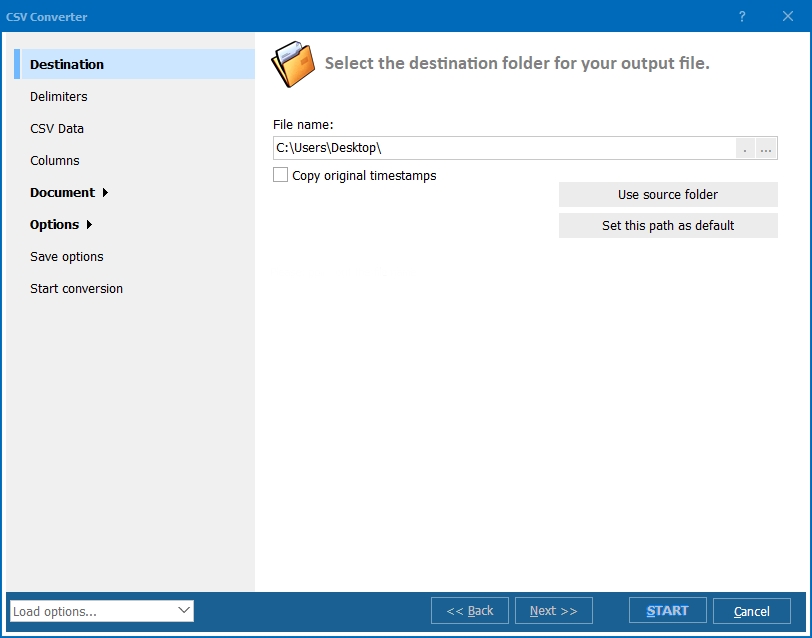
  • Step 5. In the conversion wizard, set the delimiter (comma, semicolon, tab, or custom), choose which columns to include, and pick a destination folder for the output files.
  • Step 6. Press Start. The converter processes all selected files and saves XHTML output to your chosen folder.

Total CSV Converter - CSV to XHTML batch conversion interface

Each CSV file becomes a separate XHTML document with a properly structured table. Original CSV files remain untouched. You can also merge multiple CSV files into a single XHTML page — useful for consolidating data exports into one report.

Command-Line Conversion

Total CSV Converter includes a command-line interface for unattended conversion. Example:

CSVConverter.exe C:\Data\export.csv C:\Output\export.xhtml -c XHTML -SepChar ;

Wrap this in a .bat file or a scheduled task to automate recurring jobs. A nightly script can convert fresh CSV exports to XHTML and push them to a web server or XML processing pipeline without manual work.

Why Use Total CSV Converter?

Green PlusValid XHTML output. The converter produces well-formed XML that passes W3C validation. All tags are properly closed, attributes are quoted, and the document includes the correct DOCTYPE and XML declaration. The output works in browsers and XML processors alike.

Green PlusBatch processing. Select hundreds of CSV files and convert them all to XHTML in one run. Each file becomes a separate document, or merge them into one. No scripting required.

Green PlusSmart delimiter detection. The converter auto-detects commas, semicolons, tabs, and pipes. You can also set the delimiter manually for non-standard files — so every value lands in the correct table cell.

Green PlusColumn selection. Choose which columns to include and reorder them before conversion. Useful when CSV exports contain dozens of fields but you only need a few for the final XHTML table.

Green PlusFull encoding support. Handle CSV files in UTF-8, ANSI, Unicode, and other encodings. Accented characters, CJK text, and special symbols display correctly in the XHTML output.

Green Plus20+ output formats. Besides XHTML, convert CSV to HTML, XLS, XLSX, PDF, JSON, XML, DBF, and more — all from the same program.

Online Converters vs Desktop Converter

FeatureOnline ToolsTotal CSV Converter
File size limit5–50 MB typicalNo limit
Batch conversionOne file at a timeUnlimited
PrivacyFiles uploaded to cloud100% offline
XML validityOften loose HTMLStrict XHTML / W3C compliant
Column selectionNoChoose & reorder columns
AutomationManual onlyBuilt-in command line
PricingSubscription or per-fileOne-time $49.90

download CSV to XHTML converter

Windows 7/8/10/11 • 30-day free trial

When Do You Need CSV to XHTML Conversion?

Here are the most common scenarios where converting CSV to XHTML is the right move:
  1. XSLT transformation pipelines. Your data workflow uses XSLT to transform structured documents. XHTML input is required because XSLT processors expect well-formed XML. Converting CSV to XHTML bridges the gap between raw tabular data and XML-based processing.
  2. CMS and publishing systems. Content management systems that ingest XML-based content need valid XHTML, not loose HTML. Converting CSV data to XHTML lets you import tabular content directly into these systems without manual cleanup.
  3. Web accessibility compliance. XHTML enforces stricter rules than HTML — closed tags, quoted attributes, lowercase elements. Sites that follow WCAG or Section 508 standards benefit from the structural consistency of XHTML output.
  4. Data archiving. Long-term storage of tabular data in a self-describing, validated format. XHTML documents are both human-readable in a browser and machine-readable by XML parsers, making them a durable archival choice.
  5. Automated reporting for XML-aware systems. Enterprise systems (ERP, BI dashboards) that consume XML feeds can accept XHTML tables directly. A scheduled script converts nightly CSV exports to XHTML and feeds them into the reporting pipeline.


Download Now!

(includes 30 day FREE trial)

Buy License

(only $49.90)


quote

Total CSV Converter Customer Reviews 2026

Rate It
Rated 4.7/5 based on customer reviews
5 Star

"We export CSV reports from our ERP system every night and feed them into an XSLT pipeline that generates client dashboards. The pipeline requires valid XHTML input. Total CSV Converter handles the CSV-to-XHTML step perfectly — batch mode, correct XML declarations, no manual fixes needed. Saved us from writing a custom script."

5 Star Marcus Lindqvist Data Integration Specialist

"Our CMS only accepts XHTML for imported content. I used to convert CSV to HTML in another tool and then manually fix all the unclosed tags and unquoted attributes. With Total CSV Converter the output is valid XHTML from the start. Column selection is a nice bonus — I only include the fields the CMS actually needs."

5 Star Diana Petrova Web Content Manager

"Set up a scheduled task with the command-line version to convert inventory CSV dumps to XHTML every morning. The files go straight to our intranet server. Works reliably, encoding is correct even with product names in French and German. Would be nice to have JSON config files for the CLI, but the command-line flags do the job."

4 Star Kevin Doherty IT Administrator

FAQ ▼

HTML allows loose markup: unclosed tags, unquoted attributes, mixed case. XHTML is strict XML — every tag must close, attributes must be quoted, element names must be lowercase, and the document must include an XML declaration. If your workflow involves XML parsers or XSLT, XHTML is the correct choice.
Yes. Total CSV Converter supports comma, semicolon, tab, pipe, and custom delimiters. It can also auto-detect the delimiter used in each file, so every value maps to the correct table cell in the output.
Yes. The converter produces well-formed XHTML with the correct DOCTYPE, XML declaration, properly closed tags, and quoted attributes. The output is valid XML and can be parsed by any standards-compliant XML processor.
Yes. Total CSV Converter handles batch conversion. Select all CSV files in a folder (or use Check All), choose XHTML as the target format, and press Start. There is no limit on the number of files.
Yes. The conversion wizard lets you pick specific columns and reorder them before conversion. This is useful when your CSV exports contain many fields but you only need a subset for the XHTML table.
Yes. Total CSV Converter handles UTF-8, ANSI, Unicode, and other encodings. Accented characters, CJK text, Cyrillic, and special symbols are preserved in the XHTML output.
Yes. Total CSV Converter includes a built-in command-line interface. You can convert CSV files to XHTML from batch scripts, scheduled tasks, or automated pipelines without opening the GUI. A dedicated server license is available for unattended use.


Start working now!

Download free trial and convert your files in minutes.
No credit card or email required.

⬇ Download Free Trial Windows 7/8/10/11 • 49 MB

Friday Sale
Total CSV Converter Preview1
Total CSV Converter Preview2
Total CSV Converter Preview3

Latest News

Newsletter Subscribe

No worries, we don't spam.


© 2026. All rights reserved. CoolUtils File Converters

Cards