Need help? Reach us at 

 +1 (855) 418-2323
Need help? Reach us at
+1 (855) 418-2323

 File Converters TIFF and PDF apps Forensic Freeware
Download Total Excel Converter and start recovering your Lotus 1-2-3 data today.
(includes 30 day FREE trial)
(only $49.90)
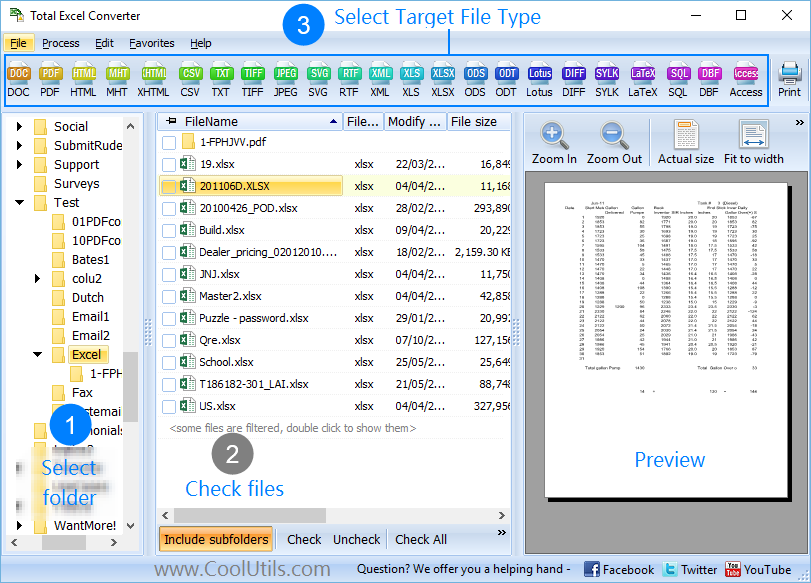
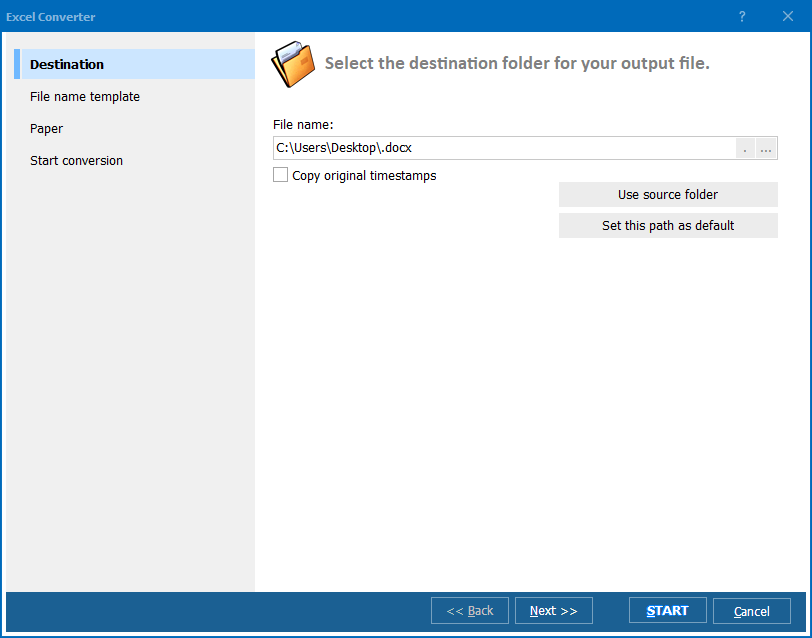
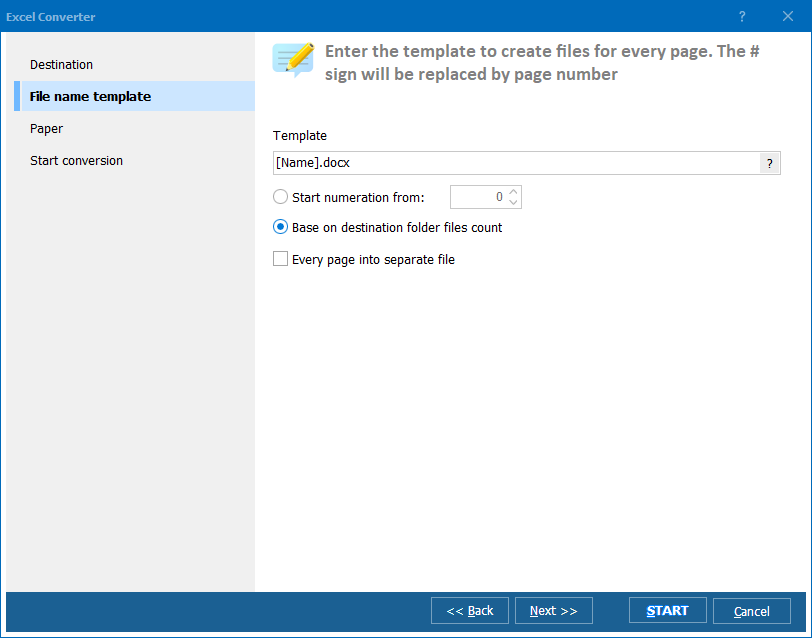
Quick answer: To convert Lotus 1-2-3 to XLSX, install Total Excel Converter, browse to the folder with your .123 files, check the ones you need, click XLSX in the format toolbar, choose a destination folder, then press Start. The converter reads every Lotus release with its own parser, keeps cell values and sheet layout, runs in batch, and works offline with no legacy software.
Lotus 1-2-3 (.123, .wk1, .wk3, .wk4) was the dominant spreadsheet application in the 1980s and early 1990s, before Microsoft Excel took over the market. Lotus stored data in a proprietary binary format that varied across versions. The software was discontinued in 2013 when IBM ended support. Today, no actively maintained application opens .123 files reliably — including current versions of Microsoft Excel, which dropped Lotus support years ago.
XLSX is the default format for Microsoft Excel since version 2007. It uses ZIP-compressed XML internally and is readable by Excel, Google Sheets, LibreOffice Calc, and virtually every modern spreadsheet tool. XLSX supports formulas, cell formatting, multiple sheets, charts, and conditional formatting — far beyond what Lotus 1-2-3 offered.
Because the .123 format is proprietary and obsolete, you cannot simply rename the file or open it in a current spreadsheet app. A dedicated converter must parse the Lotus binary structures and rebuild the cell data as an Excel-compatible workbook. Total Excel Converter does exactly that.
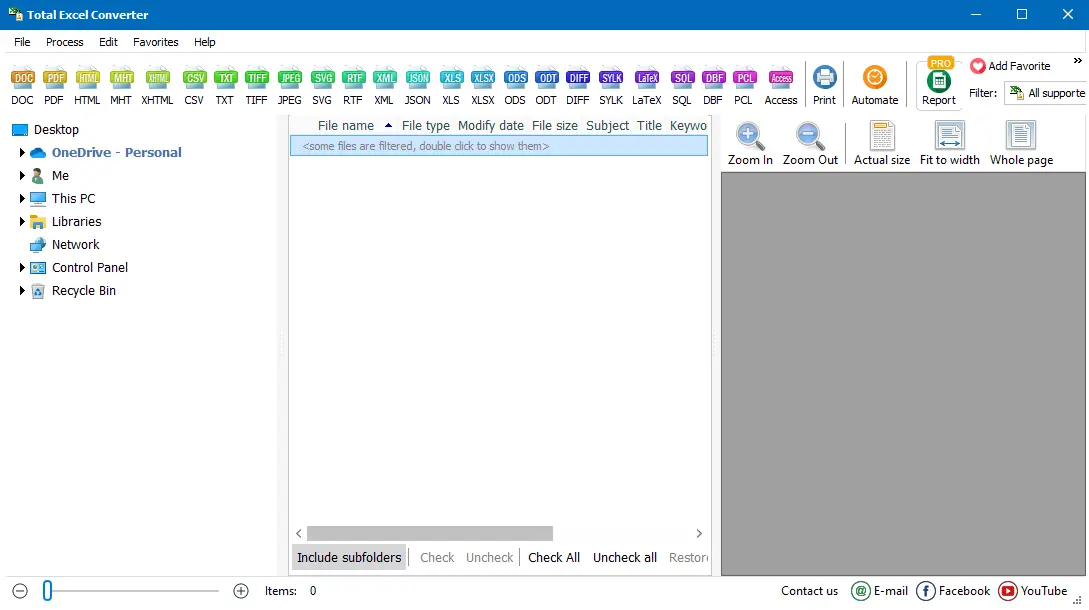
Each .123 file becomes a separate XLSX workbook. If the original Lotus file contained multiple sheets, they are preserved in the output. Your original .123 files remain untouched.
Total Excel Converter includes a command-line interface for converting Lotus files without the GUI. Example:
ExcelConverter.exe C:\Data\budget.123 C:\Output\budget.xlsx
You can wrap this command in a .bat file or a scheduled task to automate recurring conversions. This is useful for migrating entire archives of legacy Lotus spreadsheets — point the script at a folder tree and let it process every .123 file automatically.
 Reads all Lotus versions. Total Excel Converter handles .123 files from Lotus 1-2-3 releases 1 through 9, as well as related formats like WK1, WK2, WK3, and WK4. No need to find different tools for different Lotus versions.
Batch processing. Select 500 .123 files and convert them all to XLSX in a single run. Each source file becomes a separate workbook. No need to process files one at a time or upload them to a website.
No Lotus software required. Lotus 1-2-3 has been discontinued since 2013 and does not run on modern Windows. Total Excel Converter reads .123 files using its own parser — no legacy software installation needed.
Data preservation. Cell values, numbers, text, and sheet structure survive the conversion. The converter maps Lotus cell data to Excel cells accurately, so your spreadsheets remain usable after migration.
Privacy. All conversion happens locally on your PC. No cloud uploads, no third-party servers. This matters when converting financial records, payroll spreadsheets, or confidential business data from legacy archives.
20+ output formats. Besides XLSX, convert .123 files to XLS, PDF, CSV, HTML, XML, ODS, and more — all from the same program. Total Excel Converter also handles 20+ other input formats.
| Feature | Online Tools | Total Excel Converter |
|---|---|---|
| File size limit | 5–50 MB typical | No limit |
| Batch conversion | One file at a time | Unlimited |
| Privacy | Files uploaded to cloud | 100% offline |
| Lotus version support | Limited or none | All versions (1–9, WK1–WK4) |
| Speed | Depends on upload speed | Instant (local) |
| Automation | Manual only | Built-in command line |
| Pricing | Subscription or per-file | One-time $49.90 |

(includes 30 day FREE trial)
(only $49.90)
Download free trial and convert your files in minutes.
No credit card or email required.

Related Topics
Convert XLSX to TIFF in Batch