Logo
Home Products Support Contact About Us
arrow1 File Converters
arrow1 TIFF and PDF apps
arrow1 Forensic
arrow1 Freeware

Convert QPW to XLSX — Quattro Pro to Excel Converter


Need to convert Quattro Pro QPW files to Excel? Total Excel Converter transforms QPW spreadsheets into modern XLSX format while preserving your cell data, formulas, and formatting. Our QPW to XLSX converter:
  • Converts QPW files from all Quattro Pro versions (WB1, WB2, WB3, QPW)
  • Batch-converts hundreds of files in a single run
  • Works offline — no files uploaded to the cloud
  • Provides command-line interface for automation
  • Includes a 30-day free trial with no limitations

Download Total Excel Converter and bring your legacy Quattro Pro spreadsheets back to life.


Download Now!

(includes 30 day FREE trial)

Buy License

(only $49.90)

What Is a QPW File?

QPW (Quattro Pro Workbook) is the native spreadsheet format of Corel Quattro Pro, a program originally developed by Borland in 1989 as a competitor to Lotus 1-2-3 and Microsoft Excel. Quattro Pro was later acquired by Novell and then by Corel, where it became part of the WordPerfect Office suite.

QPW files store cell data, formulas, multiple sheets, formatting, and named ranges in a proprietary binary format. Older versions used extensions like .WB1, .WB2, and .WB3, while modern versions use .QPW. The format was widely used in legal firms, government agencies, and corporations that standardized on WordPerfect Office throughout the 1990s and 2000s.

Today, Quattro Pro is no longer actively developed. Microsoft Excel cannot open QPW files natively, and even LibreOffice has limited support for the format. If you have legacy QPW spreadsheets, converting them to XLSX is the most reliable way to access your data in modern software.
How to Convert QPW to XLSX

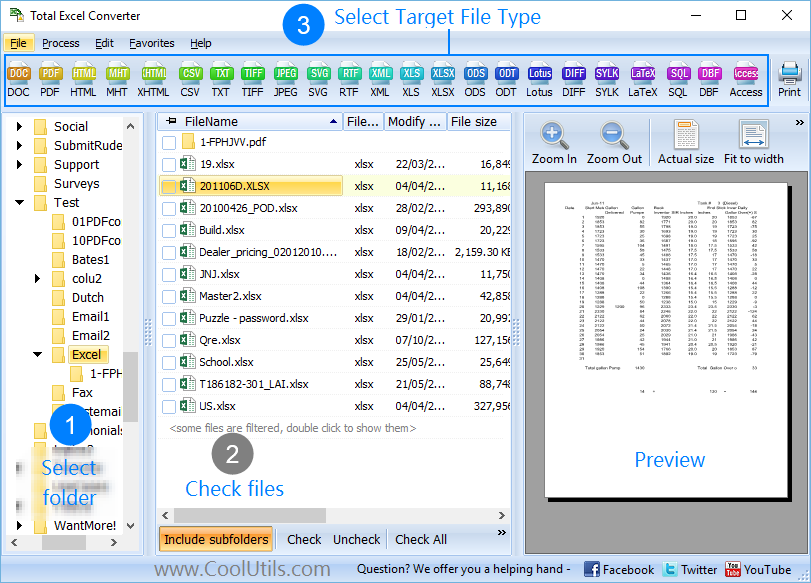
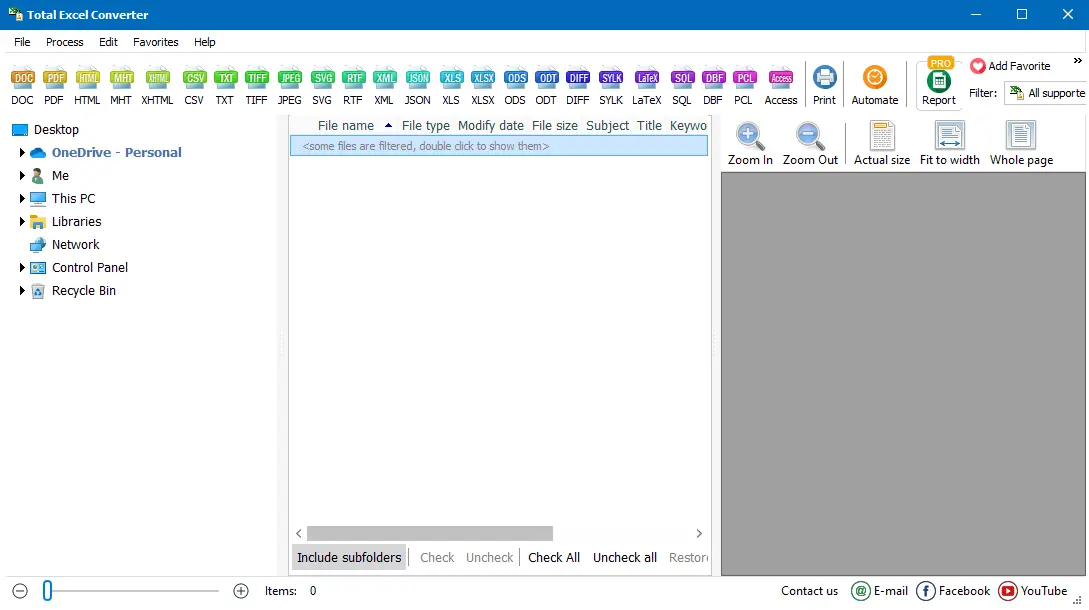
  • Step 1. Launch Total Excel Converter. The left panel displays a folder tree for quick navigation.
  • Step 2. Browse to the folder that contains your QPW files. The file list in the center shows all supported spreadsheets, including .qpw, .wb1, .wb2, and .wb3 files.
  • Step 3. Check the QPW files you want to convert. Use Check All to select every file in the folder for batch conversion.
  • Step 4. Click XLSX in the format toolbar at the top of the window.
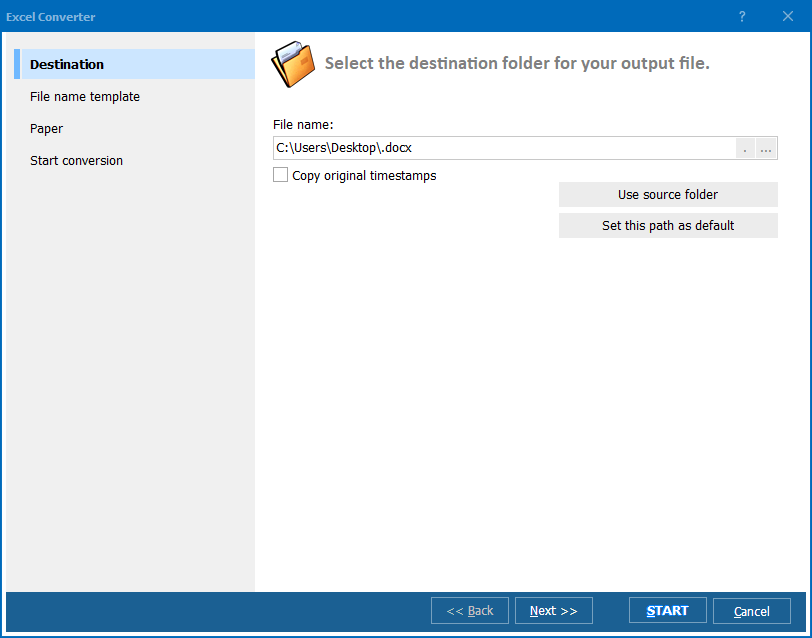
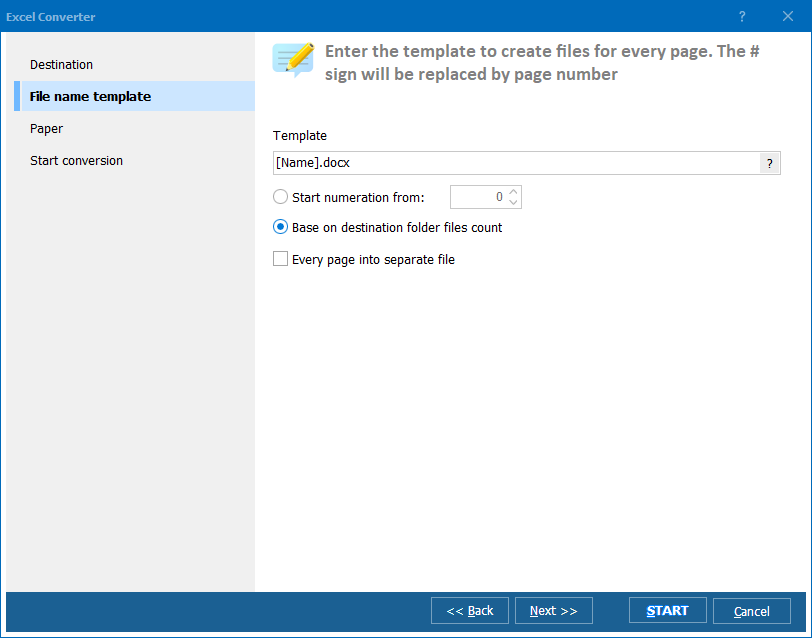
  • Step 5. Set the destination folder and adjust any settings in the conversion wizard (sheet selection, naming conventions, merge or split sheets).
  • Step 6. Press Start. The converter processes all selected files and saves the XLSX output to your chosen folder.

Total Excel Converter - QPW to XLSX conversion interface

The entire conversion takes seconds, even for large batches. Your original QPW files remain untouched.

Command-Line Conversion

Total Excel Converter includes a command-line interface that lets you convert QPW to XLSX from scripts, batch files, or scheduled tasks. Example:

ExcelConverter.exe C:\Data\report.qpw C:\Output\report.xlsx

This makes it easy to integrate QPW-to-XLSX conversion into automated workflows, migration scripts, or server-side processes. You can generate ready-to-use .bat scripts directly from the GUI after setting up a conversion job.

Why Use Total Excel Converter for QPW Files?

Green PlusBatch processing. Select hundreds of QPW files and convert them to XLSX in a single run. Large archives of Quattro Pro spreadsheets are processed in minutes, not hours.

Green PlusAll Quattro Pro versions. Total Excel Converter reads QPW files from every version of Quattro Pro, as well as older WB1, WB2, and WB3 formats. No need to track down old software to open legacy files.

Green PlusData preservation. Cell values, formulas, number formats, and multi-sheet workbook structure are transferred accurately to the XLSX output.

Green PlusBuilt-in viewer. Preview any QPW spreadsheet before conversion to verify that the source data is correct.

Green PlusNo cloud uploads. All processing happens locally on your PC. Confidential financial data, legal spreadsheets, or trade secrets never leave your machine.

Green Plus20+ output formats. Besides XLSX, convert QPW to PDF, DOC, HTML, CSV, XML, SQL, DBF, and more — all from the same tool.

Online Converters vs Desktop Converter

FeatureOnline ToolsTotal Excel Converter
QPW supportRare or noneFull support
File size limit10–100 MBNo limit
Batch conversionLimited or paidUnlimited
PrivacyFiles uploaded to cloud100% offline
SpeedDepends on connectionInstant (local)
AutomationAPI (paid plans)Built-in command line
PricingSubscriptionOne-time $49.90

download QPW to XLSX converter

Windows 7/8/10/11 • 30-day free trial

When Do You Need QPW to XLSX Conversion?

There are several common scenarios where converting Quattro Pro spreadsheets to Excel format is necessary:
  1. Legacy data migration. Organizations that used WordPerfect Office in the 1990s and 2000s often have thousands of QPW files in their archives. Converting to XLSX makes this data accessible in modern Excel, Google Sheets, or any other current spreadsheet application.
  2. Legal and compliance. Law firms and government agencies that relied on Quattro Pro need to produce spreadsheets in universally readable formats for audits, court filings, or public records requests. XLSX is the accepted standard.
  3. Corporate standardization. When a company moves to Microsoft 365, all legacy spreadsheet formats — including QPW — must be converted to XLSX to maintain a single, manageable file ecosystem.
  4. Data analysis. Power BI, Power Query, and most business intelligence tools import XLSX natively but cannot read QPW. Converting first ensures a clean data import.
  5. Collaboration. Sharing QPW files with external partners is impractical since almost nobody has Quattro Pro installed today. XLSX is the universal spreadsheet format that everyone can open.


Download Now!

(includes 30 day FREE trial)

Buy License

(only $49.90)

FAQ ▼

QPW (Quattro Pro Workbook) is the native spreadsheet format of Corel Quattro Pro, part of the WordPerfect Office suite. Originally developed by Borland in 1989, the format stores cell data, formulas, multiple sheets, and formatting in a proprietary binary structure. Older versions used .WB1, .WB2, and .WB3 extensions. QPW files cannot be opened directly in Microsoft Excel or most modern spreadsheet applications.
No. Microsoft Excel has never supported the Quattro Pro QPW format natively. There is no import filter or plugin for Excel that can read .qpw files. You need a dedicated converter like Total Excel Converter to transform QPW into XLSX first, and then open the result in Excel.
Install Total Excel Converter, open the built-in file explorer, navigate to the folder containing your QPW files, and select them all (or check the folder to include every file). Choose XLSX as the target format, adjust any settings you need, and click Start. Hundreds of files can be converted in a single run.
Total Excel Converter offers a full-featured 30-day free trial with no limitations. During the trial you can convert as many QPW files to XLSX as you need. After the trial, a one-time license costs $49.90 — no subscription.
Total Excel Converter preserves cell values, formulas, number formats, and multi-sheet workbook structure during conversion. Quattro Pro macros are not compatible with Excel and will not be converted, but all spreadsheet data is transferred accurately to the XLSX file.
Yes. Total Excel Converter reads all Quattro Pro spreadsheet formats, including .WB1 (Quattro Pro for DOS), .WB2, .WB3, and .QPW (Quattro Pro for Windows). You can convert any of these to XLSX, PDF, CSV, and 20+ other formats.
Yes. Total Excel Converter includes full command-line support. You can generate a ready-to-use .bat script directly from the GUI after setting up a conversion job, or write your own commands. This makes it easy to schedule conversions, run them from scripts, or integrate them into server-side workflows.


Start working now!

Download free trial and convert your files in minutes.
No credit card or email required.

⬇ Download Free Trial Windows 7/8/10/11 • 36 MB
Get all CoolUtils products
for $99 only
read more

  (you save up to $500)


Support
Excel Converter Preview1
Excel Converter Preview2
Excel Converter Preview3

Related Topics

Convert WK1 to XLSX in batch
Convert Apple Numbers to XLSX — Open Mac Spreadsheets in Excel
Convert Lotus 1-2-3 to XLSX
Convert ODS to XLSX — OpenDocument to Excel

Latest News

Newsletter Subscribe

No worries, we don't spam.


© 2026. All rights reserved. CoolUtils File Converters

Cards