Need help? Reach us at 

 +1 (855) 418-2323
Need help? Reach us at
+1 (855) 418-2323

 File Converters TIFF and PDF apps Forensic Freeware
Download Total Excel Converter and start opening Apple Numbers files on Windows today.
(includes 30 day FREE trial)
(only $49.90)
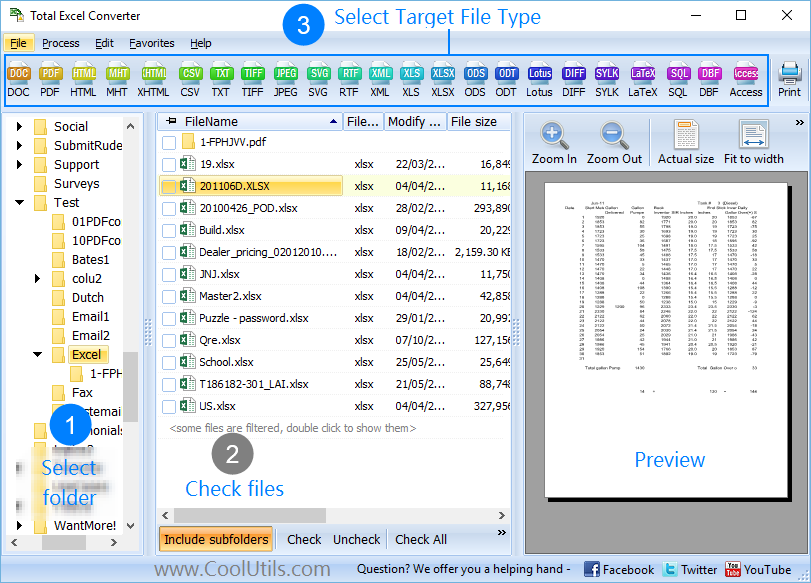
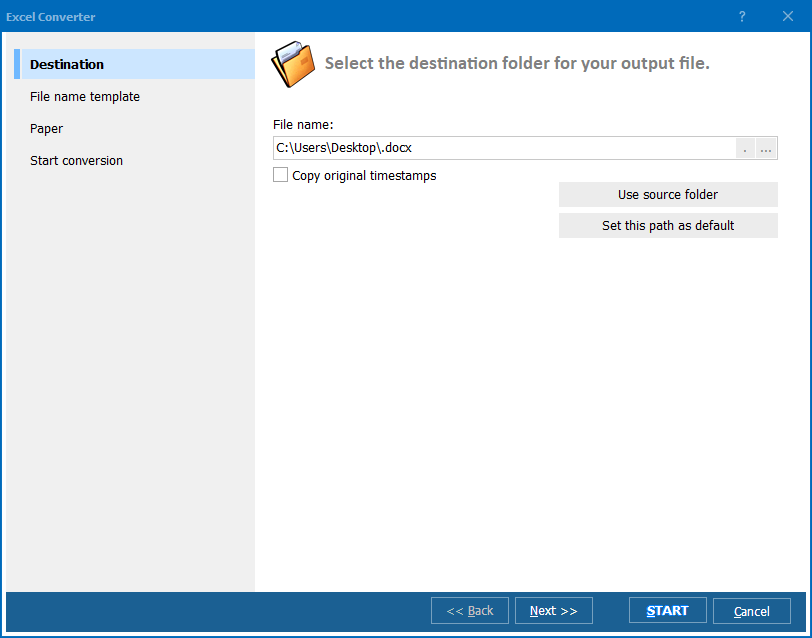
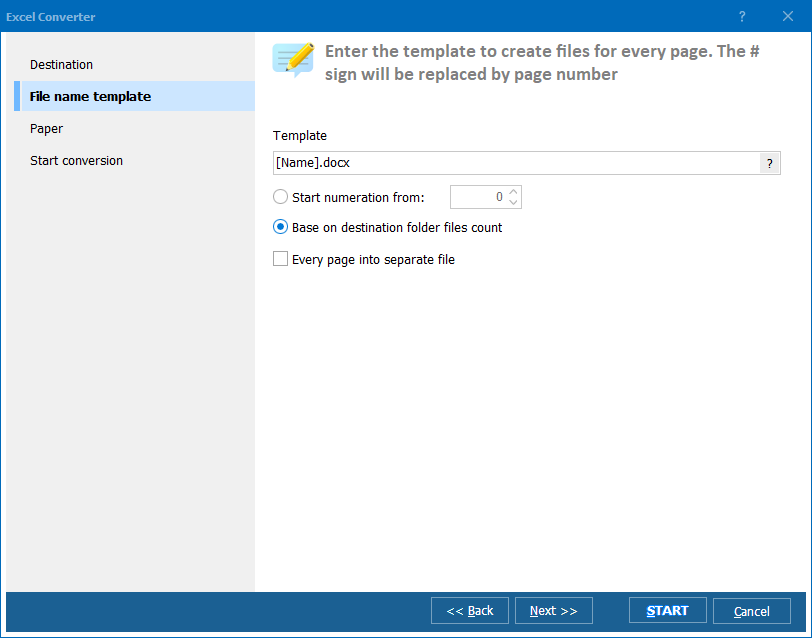
Quick answer: To convert Apple Numbers to XLSX, install Total Excel Converter, browse to the folder with your .numbers files, check the ones you need, click XLSX in the format toolbar, choose a destination folder, then press Start. Each file becomes an Excel workbook with every table on its own sheet, processed in batch on Windows with no Apple software and no upload.
Apple Numbers (.numbers) is the spreadsheet format used by Apple's Numbers app on macOS, iOS, and iCloud. Internally, it is a ZIP archive containing Protobuf-encoded data files. Numbers uses a canvas-based layout where multiple tables can sit on a single sheet — a concept that has no direct equivalent in Excel. The format is not supported natively on Windows: neither Microsoft Excel nor LibreOffice can open .numbers files.
XLSX is the default spreadsheet format for Microsoft Excel since version 2007. It uses ZIP-compressed XML internally and is supported by virtually every spreadsheet application on every platform. XLSX follows a grid-based model with one table per sheet.
Because of these structural differences, you cannot simply rename a .numbers file to .xlsx. A proper converter must parse the Protobuf data inside the Numbers archive, extract each table, and rebuild the content as an Excel worksheet. Total Excel Converter does exactly that.
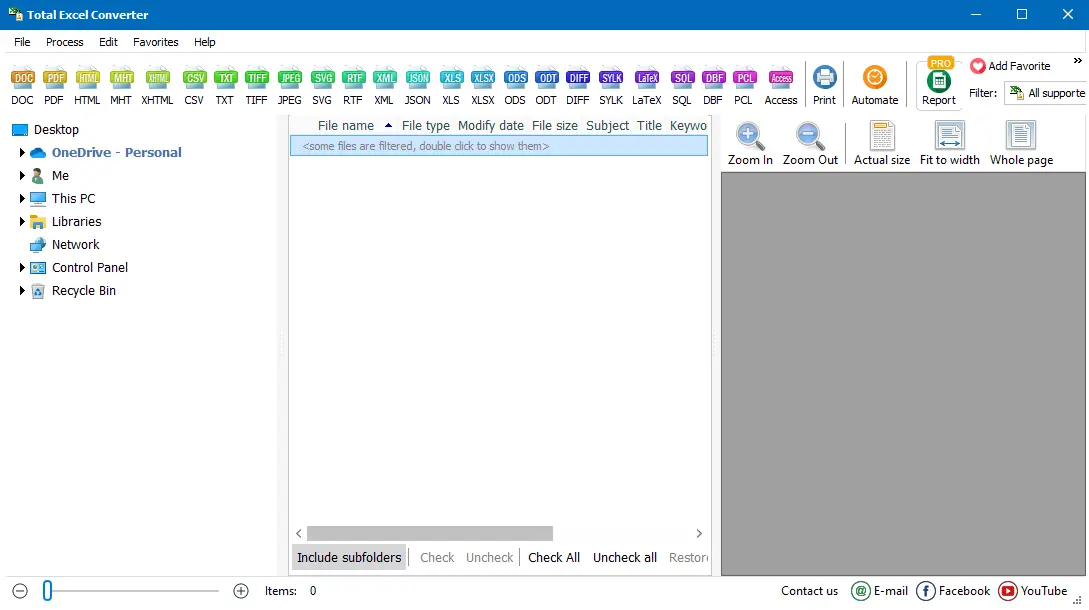
Each .numbers file becomes a separate XLSX workbook. If the original file contained multiple tables on one sheet, each table is placed on its own worksheet in the output XLSX. Your original .numbers files remain untouched.
Total Excel Converter includes a command-line interface for converting Numbers files without the GUI. Example:
ExcelConverter.exe C:\Data\report.numbers C:\Output\report.xlsx
You can wrap this command in a .bat file or a scheduled task to automate recurring conversions. This is useful when Mac users regularly send .numbers files and you need them in Excel format on a Windows server.
 The only desktop Numbers converter for Windows. Most tools that claim to convert .numbers files are online services that require uploading your data. Total Excel Converter works locally — no internet connection needed, no file size restrictions.
Batch processing. Drop 500 .numbers files into a folder, select them all, and convert in a single run. No need to open each file individually or upload them one by one to a website.
Multi-table handling. A Numbers spreadsheet can contain several tables on one canvas. The converter extracts each table and places it on a dedicated sheet in the XLSX output, so nothing is lost or overlapped.
No Apple software required. You do not need a Mac, iCloud, or Apple Numbers installed. The converter reads .numbers files directly on Windows.
Privacy. Your spreadsheets stay on your computer. No cloud uploads, no third-party servers. This matters when converting financial reports, client data, or internal budgets.
20+ other formats. Besides XLSX, convert Numbers files to PDF, CSV, HTML, XML, and more — all from the same program. Total Excel Converter also handles XLS, ODS, WK1, QPW, and 20+ other input formats.
| Feature | Online Tools | Total Excel Converter |
|---|---|---|
| File size limit | 5–50 MB typical | No limit |
| Batch conversion | One file at a time | Unlimited |
| Privacy | Files uploaded to cloud | 100% offline |
| Speed | Depends on upload speed | Instant (local) |
| Multi-table support | Often broken | Each table → separate sheet |
| Automation | Manual only | Built-in command line |
| Pricing | Subscription or per-file | One-time $49.90 |

(includes 30 day FREE trial)
(only $49.90)
Download free trial and convert your files in minutes.
No credit card or email required.

Related Topics
Convert XLSX to TIFF in Batch