Need help? Reach us at 

 +1 (855) 418-2323
Need help? Reach us at
+1 (855) 418-2323

 File Converters TIFF and PDF apps Forensic Freeware
Emails locked inside an inbox are hard to share, archive, or review without a mail client. When you need to hand correspondence to a colleague, attach it to a legal case, or store it for compliance, Word DOC is the format everyone can open. Total Mail Converter reads EML and MSG files directly from disk, converts them to DOC with full control over layout and content, and handles hundreds of emails in a single batch.
Quick answer: To convert email to DOC, launch Total Mail Converter, open the folder with your EML or MSG files in the left tree, tick the messages or click Check All, click the DOC button, set the destination and choose separate or merged output with the fields and attachments you want, then click Start. Hundreds of emails become Word DOC files in one batch, running locally with no upload.
EML and MSG are standard formats for individual email messages. EML (RFC 5322) is used by Thunderbird, Windows Mail, and most IMAP clients. MSG is Microsoft Outlook's proprietary container. Both store headers, text or HTML body, and attachments — but require an email client or a dedicated viewer to open.
DOC is the Microsoft Word binary document format. It opens in Word, LibreOffice, Google Docs, and dozens of other applications. DOC files support formatting, tables, images, and page layout. Unlike EML/MSG, they can be printed, annotated, and shared without any special software.
| Feature | EML / MSG | DOC |
|---|---|---|
| Content type | Structured email (headers, body, attachments) | Formatted document (text, tables, images) |
| Opens in | Email client (Outlook, Thunderbird) | Word, LibreOffice, Google Docs, any office app |
| Editable | Only in a mail client | Yes — edit, annotate, add comments |
| Searchable | Within email client only | Full-text search in OS file explorer |
| Printable | Requires mail client | Direct print from any application |
| Attachments | Embedded inside the email | Can be embedded or referenced |
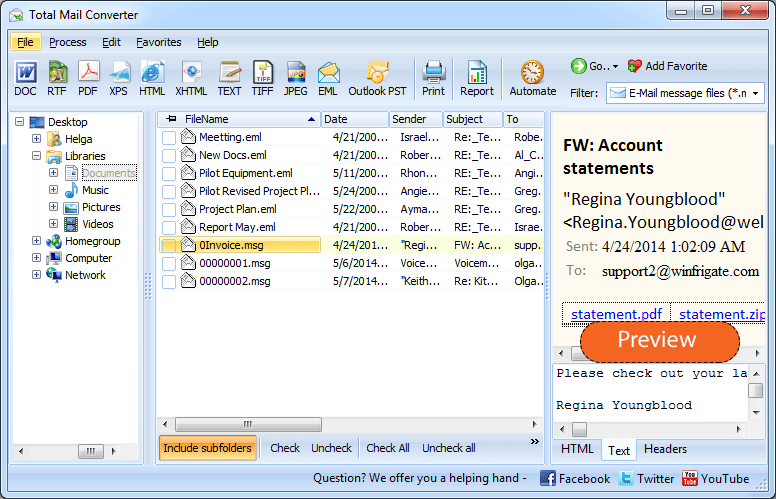
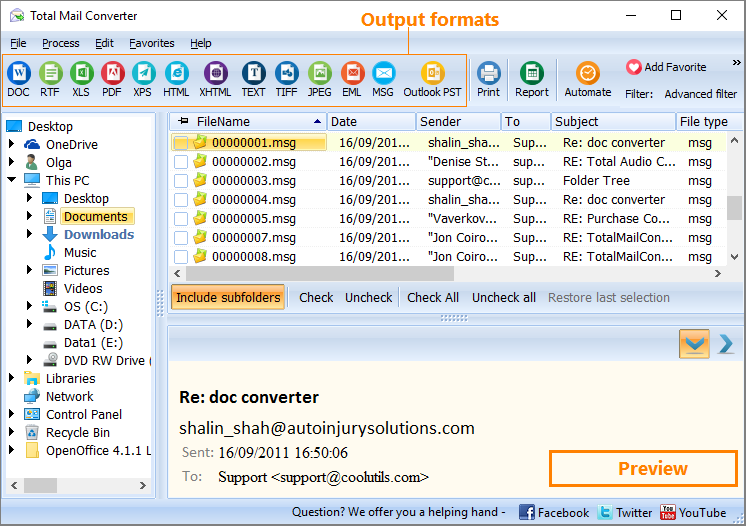
Launch Total Mail Converter. The folder tree on the left shows directories containing EML and MSG files. Click a folder to list every email inside it — sender, subject, date, and size appear in the file list.
Tick individual messages or click Check All to select the entire folder. You can process ten emails or ten thousand in the same operation.
Click the DOC button on the toolbar. The conversion wizard opens with all DOC-specific options.
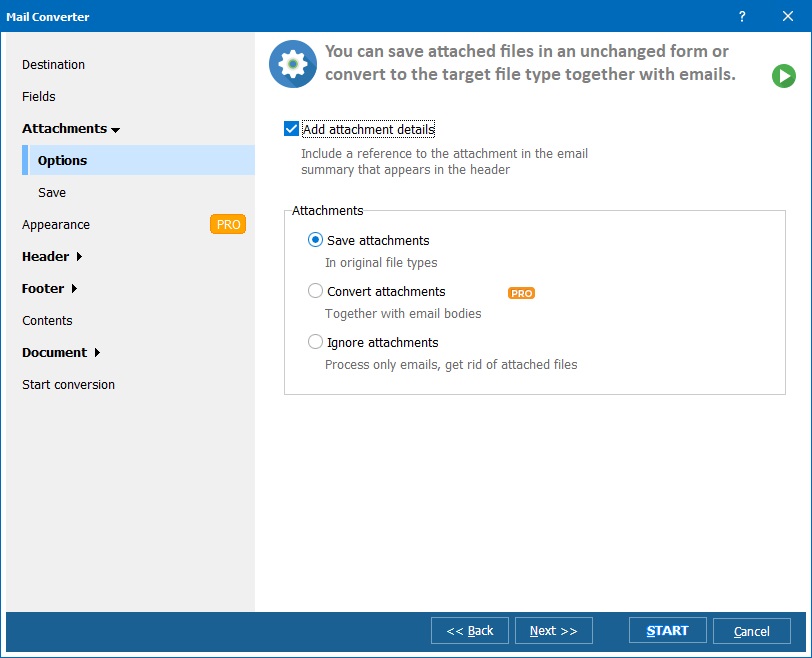
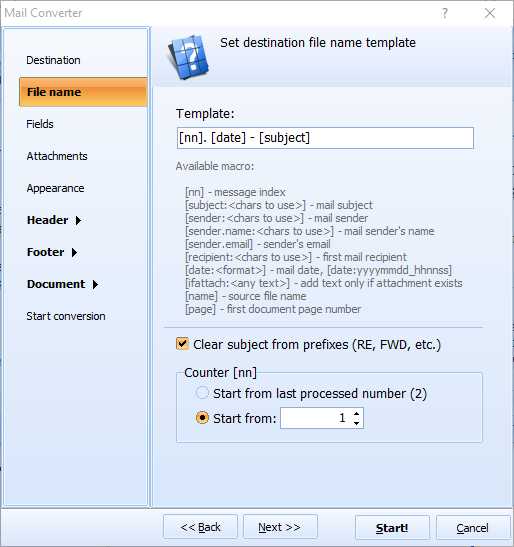
Set the output folder and file naming pattern. Choose:
Click Start. Each email is rendered as a Word DOC file: headers at the top, formatted body below, and attachments handled according to your settings. The log confirms every processed file.
Total Mail Converter includes a command-line interface for scripting and automation:
MailConverter.exe "C:\Emails\*.eml" -oDOC -d "C:\Archive\doc\"
Parameters: source files with wildcards, -oDOC sets the output format, -d specifies the destination folder. Add -merge to combine all emails into one document, -toc to generate a table of contents.
Schedule with Windows Task Scheduler for automatic nightly conversion. Wrap the command in a .bat file to chain multiple folders or formats in one run.
| Feature | Online Email-to-DOC Services | Total Mail Converter |
|---|---|---|
| Privacy | Emails are uploaded to a third-party server. | Runs locally. No data leaves your machine. |
| Batch mode | One file at a time, manual upload. | Entire folders, thousands of emails at once. |
| Merge into one DOC | Not available. | Combine any number of emails into a single document with TOC. |
| Field selection | No control over which fields appear. | Choose exactly which headers and content to include. |
| Attachments | Usually stripped or lost. | Embed, save separately, or convert (Pro version). |
| Automation | Not available. | Command-line interface with scheduling. |
| Cost | Free for small files; subscriptions for more. | One-time purchase: $59.90. Free 30-day trial. |
Total Mail Converter opens EML files from Thunderbird, Windows Mail, and Apple Mail, plus MSG files from Microsoft Outlook. No email client needs to be installed — the converter reads files directly from disk.
Combine hundreds of emails into one DOC file with an auto-generated table of contents. Each email becomes a section. Use the merged document as a case file, audit trail, or project archive.
Select the email fields that matter: From, To, CC, Date, Subject, Body. Exclude irrelevant headers to keep the DOC output clean and focused on the content you need.
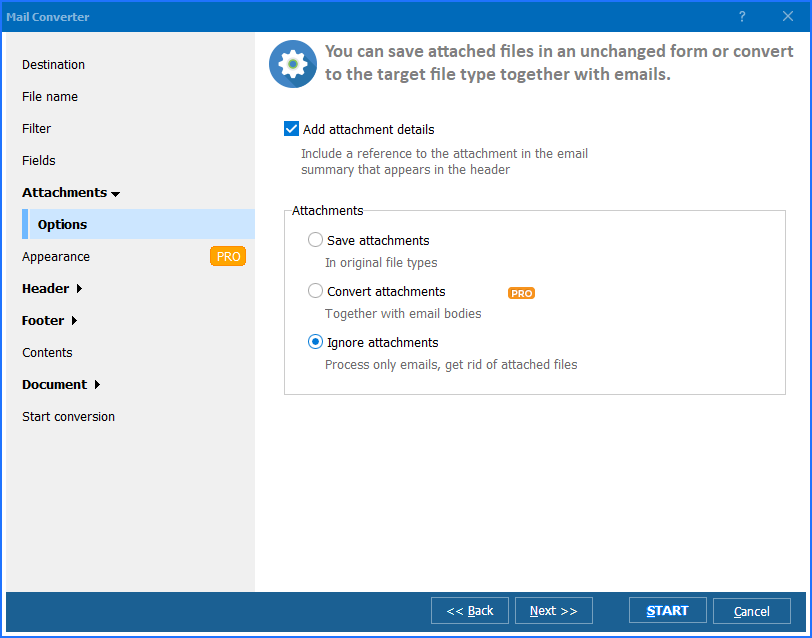
Embed attached images directly into the DOC. Save other attachments to a separate folder. The Pro version converts attachments themselves to DOC, PDF, TIFF, JPEG, HTML, or TXT.
Select a folder with thousands of EML or MSG files and convert them all in one operation. No file-by-file uploads, no internet dependency, no size limits.
Schedule email-to-DOC conversion with a .bat script and Task Scheduler. Automate nightly archiving, compliance exports, or backup workflows without manual intervention.
Download the free 30-day trial — no email or credit card required. A personal license costs $59.90 and includes one year of free upgrades. Works on Windows 7/8/10/11.
Download Free Trial Buy License — $59.90
Download free trial and convert your files in minutes.
No credit card or email required.

Related Topics
How to convert Email to PST format?