Need help? Reach us at 

 +1 (855) 418-2323
Need help? Reach us at
+1 (855) 418-2323

 File Converters TIFF and PDF apps Forensic Freeware

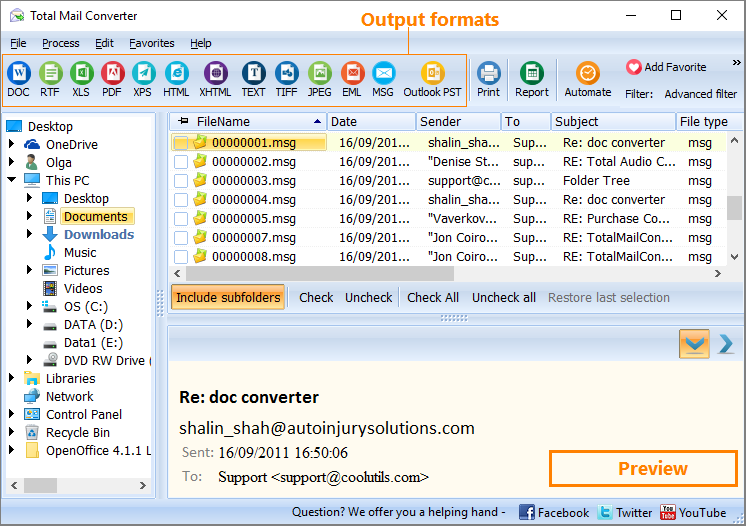
| Email files like EML or MSG are not supported by text or image viewers, and can be read only after importing into a mail client. If you would like to share them freely, or be able to edit as texts, you should export emails to text format. TXT is very small in size, and you will be able to store your mail copies compactly in memory or share online with minimum traffic consumption. And there is even no need to buy and install any software for this, as you are able to convert email to text free of charge, using Online Mail Converter from CoolUtils. Quick answer: To convert email to text for free, open the Online Mail Converter page in your browser, upload your EML or MSG file, select TXT as the output format, and download the converted copy. The TXT file keeps the from, to, subject, date and body fields. It is free, needs no software installation, and allows up to 10 conversions per day; for batch processing use the desktop Total Mail Converter. It is just a limited version of desktop Total Mail Converter. It supports converting thosands of emails emails to:
No editable settings are available with the free service, you just get a copy of original message file in a new format. A TXT copy will contain the info from major email fields like from, to, subject, date and body. This free mail text converter provides only single file conversion, no batch mode is supported. Just convert every file separately, producing a TXT file for each. The process of conversion doesn't imply any registrations, purchases or watching ads. You just open the converter's page in a web browser, upload original email file, select format and get your TXT copy. You can convert emails even from your mobiles or tablets, as no matter what OS your device is running. The only requirement is internet connection. Being a free online mail converter, it is limited in use. You can make up to 10 conversions per day, as you need. For batch processing try the desktop Total Mail Converter. The free evaluation copy is valid for 30 days. |
Download free trial and convert your files in minutes.
No credit card or email required.

Related Topics
How to convert Email to PST format?