Need help? Reach us at 

 +1 (855) 418-2323
Need help? Reach us at
+1 (855) 418-2323

 File Converters TIFF and PDF apps Forensic Freeware
A VSD diagram only opens in Microsoft Visio. Send one to a colleague, a client or a web page and they see nothing unless they own Visio too. SVG solves that: it is a vector format every modern browser renders natively and every CAD tool understands. With Total CAD Converter you can convert VSD to SVG in batch and make your Visio flow charts viewable and embeddable without the source application.
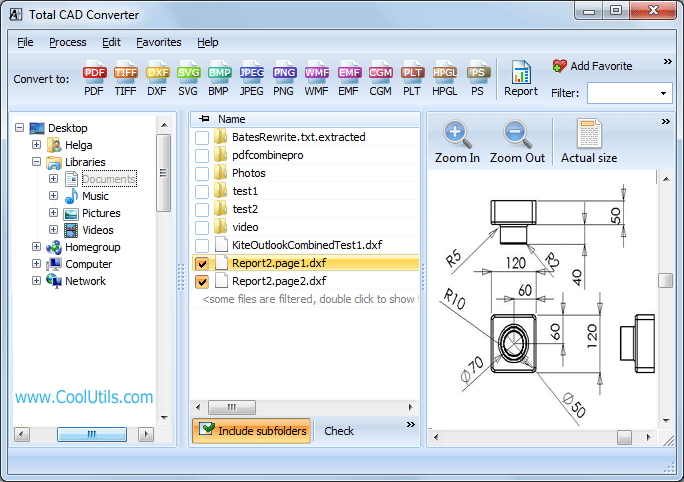
Quick answer: To convert VSD to SVG, install Total CAD Converter, open the folder with your Visio files, check the diagrams (or press Select All), pick SVG in the top format bar, choose in the wizard whether each VSD becomes a separate SVG or all charts merge into one, then press Start. The whole folder converts offline with no file count or size limit.
SVG scales to any zoom level without blur, loads directly in a web page, and needs no viewer plugin. That makes it the right target when you want to publish a diagram online, hand it to someone who does not run Visio, or feed it into a CAD program. Total CAD Converter keeps the original properties of each VSD, so the SVG matches the source chart. Need a different web-vector source instead? The same program handles DWG to SVG, and if you want a fixed print copy use SVG to PDF.
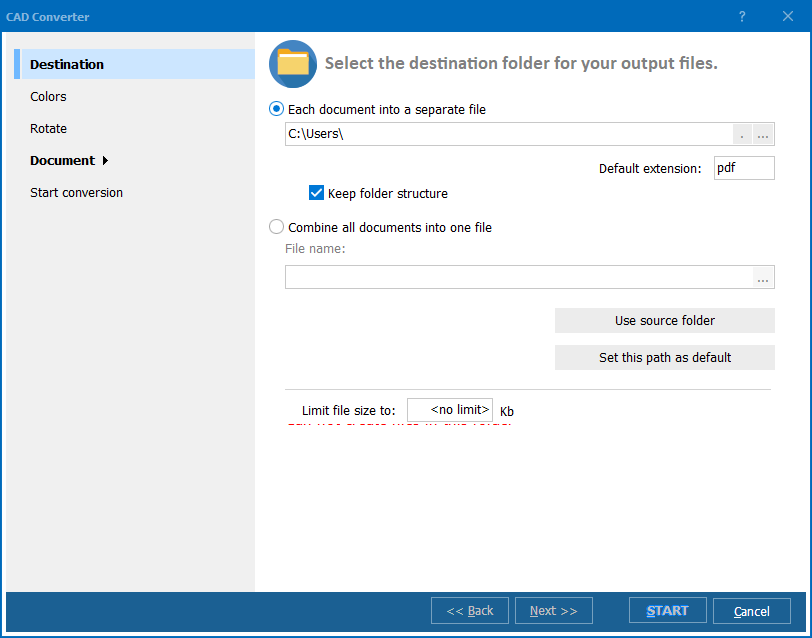
Collect your VSD files in one folder and open it in the program. Check the diagrams by hand, or press Select All to grab the whole folder at once. Choose SVG in the top bar and the options wizard appears. There you decide how the batch is written:
Yes. Total CAD Converter reads the VSD directly and never launches Visio, so you do not need Microsoft Visio installed to run the conversion. That is the whole point: one drag of a folder turns diagrams nobody could open into web-ready SVG.
For scheduled or server jobs, run the command-line version from a .bat file with preset parameters, or write the command by hand.
The 30-day trial is fully functional with no email or credit card required. Download Total CAD Converter and turn your first Visio folder into SVG right away.
Download free trial and convert your files in minutes.
No credit card or email required.