

 +1 (855) 418-2323

 File Converters
An HEIC file is a photo saved in Apple’s High Efficiency Image Container format, the default photo format on iPhone and iPad since iOS 11. It stores an image compressed with HEVC (H.265), so a HEIC photo takes roughly half the space of a JPEG of the same quality. Apple devices open HEIC natively. Windows needs the free HEIF Image Extensions, and many websites, forms and older programs still require a JPG, which is why HEIC files are so often converted.
What is the HEIC file type?
HEIC is Apple’s implementation of HEIF, the High Efficiency Image File Format standardized by the MPEG group. HEIF is the container; HEIC is that container with pictures compressed by the HEVC video codec. Apple switched the iPhone camera to HEIC with iOS 11 in 2017, on the iPhone 7 and newer, to fit more photos into the same storage without visible quality loss.
| Property | HEIC file |
|---|---|
| Extensions | .heic, .heif (also .heics for image sequences) |
| Standard | HEIF (ISO/IEC 23008-12) with HEVC compression |
| Created by | iPhone and iPad camera (iOS 11+), some Android phones and cameras |
| Typical size | About half of an equivalent JPEG |
| Extras | 16-bit color, transparency, depth maps, Live Photo sequences, edit history |
| Opens with | Apple Photos and Preview, Windows Photos with HEIF extensions, Android, image converters |
HEIC format vs HEIF: what is the difference?
HEIF is the overarching format, defined by the same group that maintains MPEG video standards. HEIC is a specific profile of HEIF that uses HEVC-coded images, and it is the variant Apple devices produce. The format supports features JPEG never had: multiple images in one file, depth information for portrait mode, transparency, and non-destructive edits stored next to the original (the AAE sidecar files you see after copying photos to a PC). In practice the two names are used interchangeably, and a converter that accepts HEIF files accepts HEIC files.
How do I stop my iPhone from saving HEIC files?
Open Settings, go to Camera, then Formats, and switch from High Efficiency to Most Compatible. From that moment the camera saves JPEG files instead of HEIC. Photos already taken stay HEIC.
If you only need JPEGs on a computer, keep HEIC on the phone and let iOS convert during transfer: in Settings, open Photos, scroll to Transfer to Mac or PC and choose Automatic. Photos copied over USB then arrive as JPEG, while the originals on the phone stay small.
How do I open an HEIC file on Windows?
Windows 10 and 11 do not display HEIC pictures until two codecs are installed from the Microsoft Store: HEIF Image Extensions (free) and HEVC Video Extensions, which Microsoft sells for a small fee unless your PC maker provides a free version. With both installed, the Photos app, File Explorer thumbnails and most Windows programs show HEIC files. Paint, older Office versions and many web upload forms still refuse them, so a conversion to JPG or PNG remains the practical fix for anything that leaves your PC.
On a Mac, Preview and Photos open HEIC out of the box, and Preview exports it to JPEG or PNG through File > Export.
How do I convert HEIC to JPG or PNG?
JPG and PNG are recognized by every device, website and program, which makes them the safe choice for sharing, printing and uploading. Three routes:
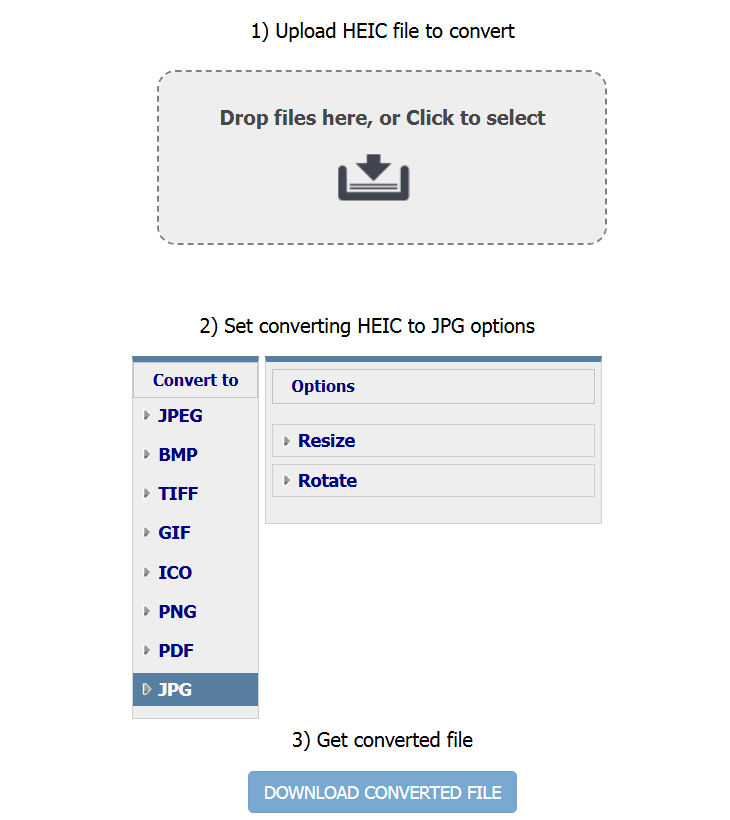
- Online, one file at a time: the HEIC to JPG converter, the HEIF to JPG converter and HEIC to PNG work in the browser without installing anything. Free, no registration.
- Batch on Windows: Total Image Converter converts whole folders of HEIC photos to JPG, PNG, TIFF or PDF in one run, offline, and can resize, rename and keep EXIF metadata on the way. The 30-day trial is free and needs no card or email; a Personal license starts at $24.90.
- Built-in tools: on a Mac, open the file in Preview and choose File > Export > JPEG. On Windows with the codecs installed, open the file in Photos or Paint and use Save as.
Steps in Total Image Converter: launch the program, browse to the folder with your HEIC photos, tick the files or check the whole folder, click JPG (or PNG) on the toolbar, set quality, size and file names if needed, and press Start. The originals stay untouched; converted copies land in the folder you chose.
Does professional software open the HEIC format?
Current versions of Photoshop and Lightroom open HEIC files on macOS directly and on Windows once the HEIF and HEVC extensions are installed. Older releases do not, and neither do many niche tools such as embroidery, sign-cutting or older document management software. If an application rejects a HEIC file, converting it to JPG or PNG first is faster than hunting for a plugin.
Should I keep photos as HEIC?
On Apple devices, yes. HEIC halves storage use, keeps 16-bit color and depth data, and iCloud, Messages and AirDrop handle it without conversion. Convert copies to JPG only when something outside the Apple ecosystem needs them: a website upload, a Windows PC without codecs, a print shop, or an old camera frame. Keeping the HEIC originals and converting on demand preserves the best quality.
Frequently asked questions
How do I convert HEIC to JPEG?
Upload the file to the online HEIC to JPG converter, or open it in Preview on a Mac and export as JPEG. For many files at once, Total Image Converter on Windows converts whole folders of HEIC photos to JPG in one batch.
How do I open an HEIC file on my computer?
On a Mac, double-click it; Preview and Photos open HEIC natively. On Windows 10 or 11, install the HEIF Image Extensions and HEVC Video Extensions from the Microsoft Store, then the Photos app opens it. Alternatively, convert the file to JPG online and open the copy anywhere.
Should I convert HEIC to JPEG?
Only for sharing outside the Apple ecosystem. JPEG is universal but larger and limited to 8-bit color. Keep the HEIC originals on your phone or Mac and convert copies when a website, a Windows PC or a print service asks for JPG.
How do I turn off HEIC on my iPhone?
Go to Settings, then Camera, then Formats, and choose Most Compatible. New photos are saved as JPEG. To convert only during transfer, set Settings, Photos, Transfer to Mac or PC to Automatic.
Why are my photos HEIC instead of JPG?
Because iOS 11 and later use the High Efficiency format by default to save storage. Every iPhone from the iPhone 7 onward shoots HEIC unless the camera format is switched to Most Compatible.
Is HEIC better than JPEG?
For quality per megabyte, yes: HEIC stores the same image in about half the space, supports 16-bit color, transparency and depth maps. JPEG wins on compatibility, since every device and program in the world can open it.
Convert HEIC files online
Free, no installation, no upload limits — convert right in your browser:

