Need help? Reach us at 

 +1 (855) 418-2323
Need help? Reach us at
+1 (855) 418-2323

 File Converters TIFF and PDF apps Forensic Freeware
Download our tool and convert XLS, XLSX, ODS, XML spreadsheets in batch offline
Windows
2000/2003/Vista
7/8/10/11/Citrix
Total Excel Converter is the perfect choice to convert any type of table. Supported input formats include Excel and Excel 2007, XLSM, XLT, XLTM as well as OpenOffice formats ODS, XML, SQL, WK2, WKS, WAB, DBF, TEX, and DIF. The list of target formats is even more extensive: convert your tabled files into DOC, DOCX, PDF, HTML, Access, TXT, ODT, ODS, XML, SQL, CSV, Lotus, DBF, TEX, DIFF, SYLK, and LaTeX. Download excel converter and convert XLS, XLSX, ODS, XML spreadsheets in batch offline
Total Excel Converter strictly preserves document layout; you'll get an exact copy of the source file but in a new format. In addition, we've included a number of handy options:
Whether you're a beginner or advanced user, our transparent interface provides the perfect blend of usability and functionality. Full command line support is also available. Here is a server version without any GUI or interrupting messages. Experience the time-saving benefits of the Total Excel Converter by downloading our one month trial version today for free!
(includes 30 day FREE trial)
(only $49.90)

Anyone who converts Excel, ODS, DBF, and other spreadsheets to PDF, DOC, CSV, and more in batch
Convert Excel reports to protected PDF for stakeholders
Finance teams convert XLS and XLSX reports to encrypted PDF files with copy and edit protection before sending them to management, auditors, or clients. Batch-convert entire folders of monthly reports at once while strictly preserving the original document layout, formulas, and formatting.
Convert between Excel, ODS, DBF, and legacy formats
IT and data teams convert spreadsheets between formats for cross-platform compatibility. Turn OpenOffice ODS files into Microsoft XLS, migrate legacy DBF databases to XLSX, or convert WK2 and DIF files to modern formats. Each sheet can be exported as a separate file for granular control.
Extract spreadsheet data to CSV, XML, SQL, and databases
Analysts and developers extract data from Excel files by converting them to CSV for import into analytics tools, XML for system integrations, SQL for direct database loading, or Access for lightweight databases. Process hundreds of spreadsheets in one pass with folder structure preserved.
Convert spreadsheets to Word and HTML for reports and web
Report writers and content teams convert Excel tables to DOC or DOCX for inclusion in Word reports, or to HTML for web publishing. The converter preserves table layout exactly, so complex spreadsheets look identical in the target format — with LaTeX and TEX output available for academic publishing.
Batch-convert Excel files via command line
IT departments automate spreadsheet conversion using the command line interface. Nightly Excel exports from ERP and CRM systems are converted to PDF, CSV, or HTML on schedule. For server-side deployments with ActiveX and no GUI, use Total Excel ConverterX.
Updated Sun, 15 Feb 2026
(only $49.90)
Figuring out how to convert Excel spreadsheets into other formats can be daunting. But with the help of CoolUtils' Total Excel Converter, the conversion process becomes quick and easy. Our tool has many advanced features to ensure your files are converted to your preferred format within seconds.
Experience any issues or need some more info? Our support team is always ready to help and answer your questions via phone, email, or social media.
Our software is easy to install. Get the trial version to test it for free - you will get 30 days of unlimited conversion. CoolUtils offers a flexible range of lifetime licenses for personal or commercial use. Here is how to get started.
(includes 30 day FREE trial)
(only $49.90)
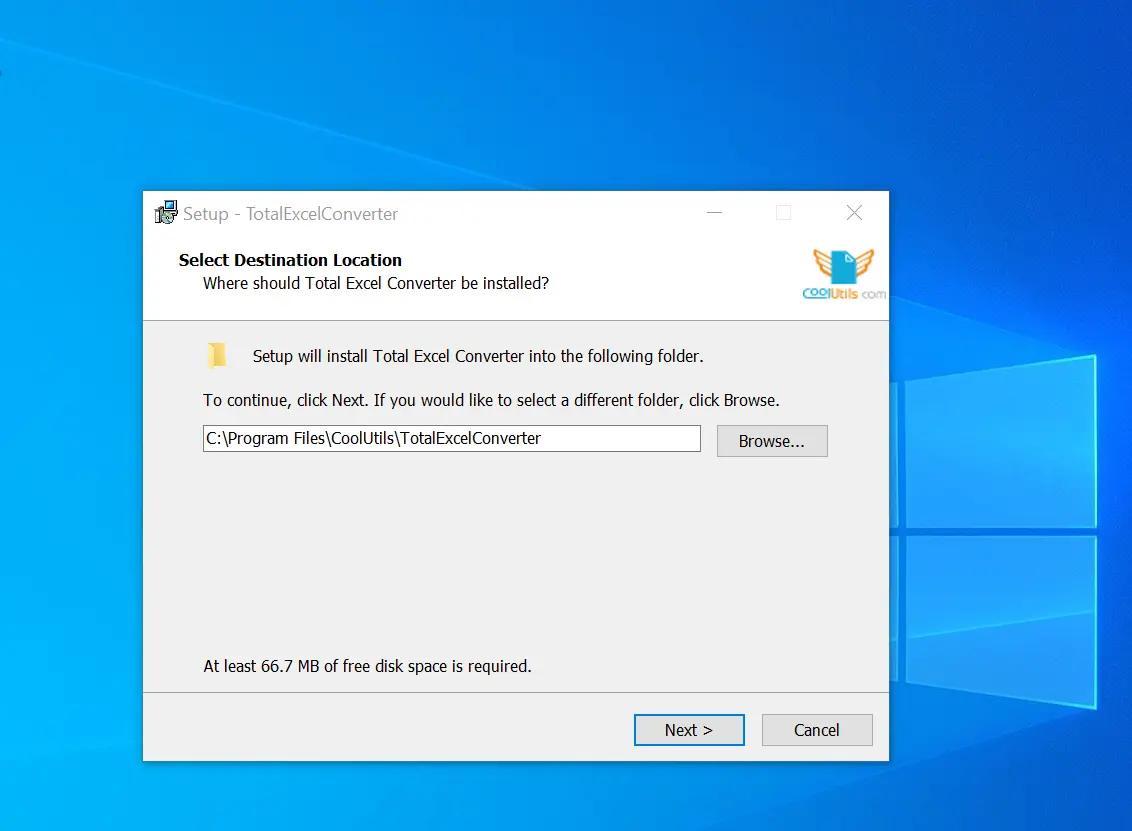
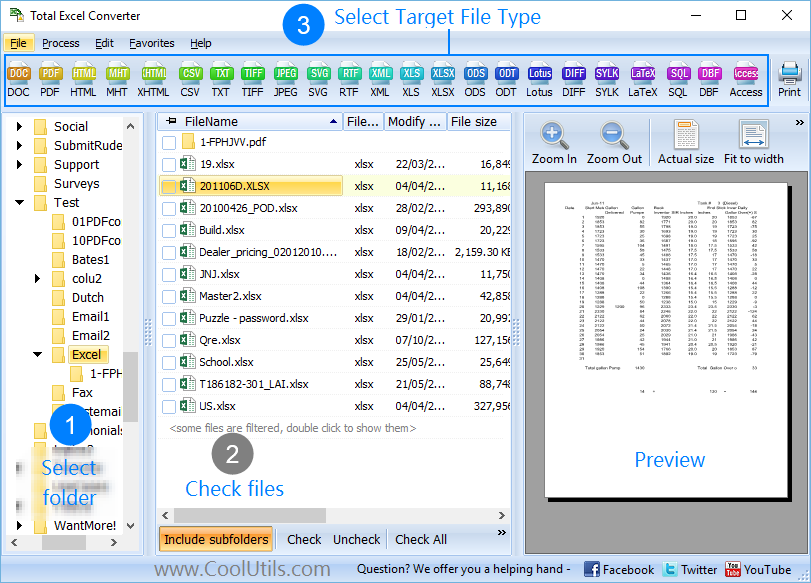
Our Excel converter software is quick and easy to use - just select the spreadsheet files, set the parameters, and launch the transformation. After downloading Total Excel Converter and installing it, there are just a few steps to take:
1. Launch the offline converter, open the folder containing the files, and check the boxes next to the items you want to convert.
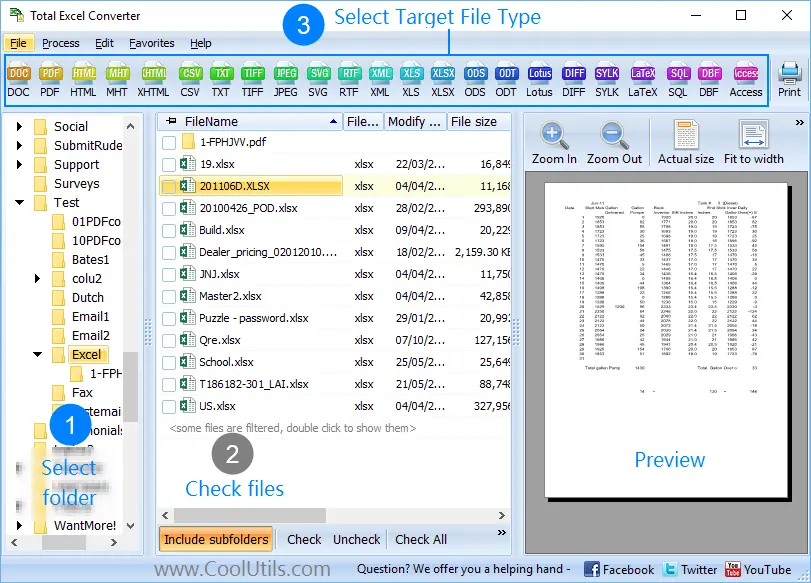
2. Click on the 'PDF' button at the top to open up the wizard.

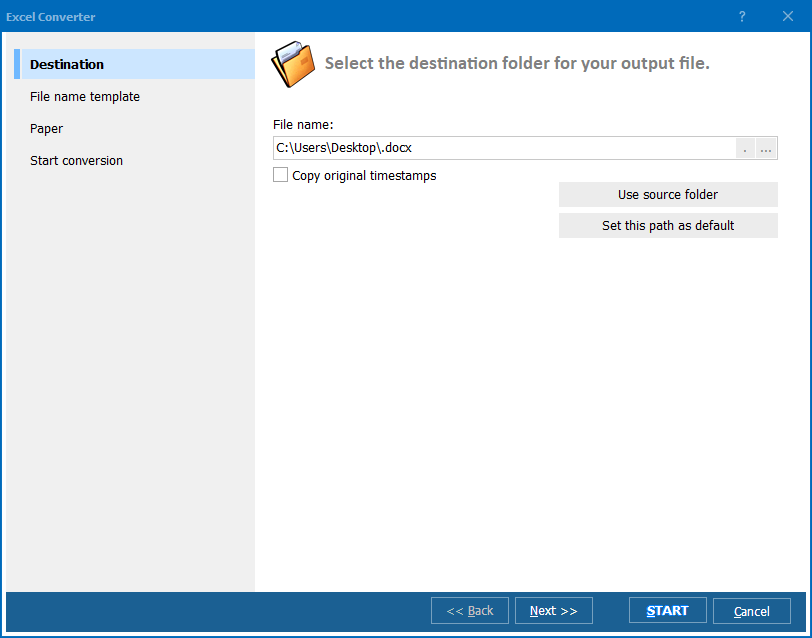
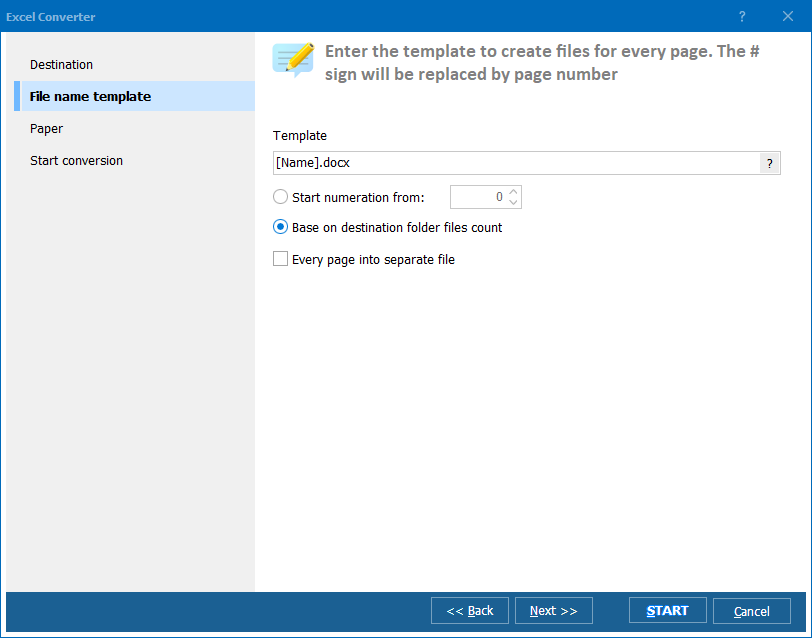
3. Change the look of the documents and other settings as you like.
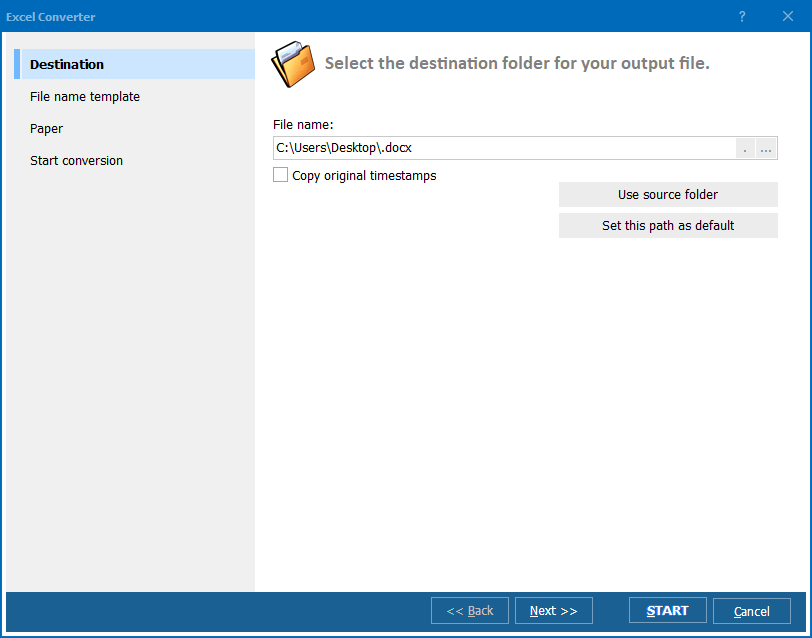
4. Click on the 'Start' button to launch conversion! Upon completion, you can find the PDF file with your spreadsheets in its designated destination.
Updated Sun, 15 Feb 2026
(only $49.90)
Updated Sun, 15 Feb 2026
(only $49.90)
Download free trial and convert your files in minutes.
No credit card or email required.