Need help? Reach us at 

 +1 (855) 418-2323
Need help? Reach us at
+1 (855) 418-2323

 File Converters TIFF and PDF apps Forensic Freeware
WMA files work fine on Windows, but play back poorly on Apple devices and many mobile players. M4A is the standard audio container for iTunes, iPhone, iPad, and most modern streaming apps. If you have a WMA library and want it to work everywhere, converting to M4A is the direct fix.
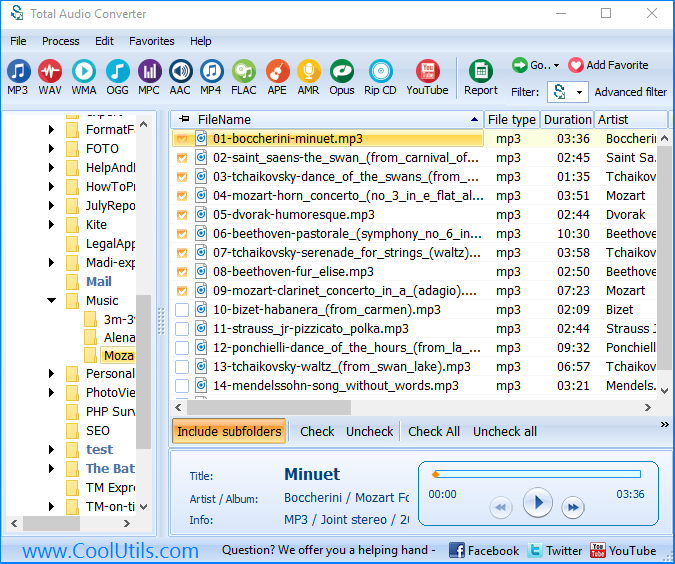
Total Audio Converter handles WMA to M4A conversion in batch — pick a folder, set the output format, click Convert. No limit on file count, no quality loss beyond what AAC encoding normally involves.
(includes 30 day FREE trial)
(only $24.90)
WMA (Windows Media Audio) is Microsoft's proprietary audio format, introduced in 1999. It uses its own codec and is natively supported by Windows Media Player and Xbox. Outside the Microsoft ecosystem — iOS, macOS, Android apps, most streaming services — WMA support is inconsistent or absent. WMA files also carry DRM (Digital Rights Management) in some cases, which prevents playback on unauthorized devices.
M4A (MPEG-4 Audio) is an audio-only container using the AAC codec. Apple developed it as the standard format for iTunes purchases and device storage. It plays natively on every iPhone, iPad, and Mac, and is supported by Android, VLC, Windows 10/11 (via Media Player), and most car infotainment systems. M4A has no DRM by default and is widely accepted by podcast platforms and music services.
| Feature | WMA | M4A |
| Developer | Microsoft | Apple / MPEG group |
| Codec | WMA | AAC |
| Native support on iOS/macOS | No | Yes |
| Native support on Windows | Yes | Yes (Win 10/11) |
| DRM possible | Yes | Rarely (iTunes Store only) |
| Podcast / streaming platform support | Rare | Widely accepted |
| Typical bitrate | 64–192 kbps | 64–256 kbps |
Total Audio Converter includes a command-line version for server use and automation. Example command:
TotalAudioConverter.exe C:\Music\WMA\ C:\Music\M4A\ -c M4A -b 192
This converts all WMA files in the source folder to M4A at 192 kbps. You can wrap this in a .bat script and run it on a schedule with Windows Task Scheduler — useful for automated ingestion pipelines or media server libraries that require M4A input.
If you have hundreds or thousands of WMA files — ripped CDs, archived recordings, purchased downloads — converting them one by one is not practical. Total Audio Converter processes entire folder trees in a single operation. Subfolders are included if you enable recursive mode.
WMA stores metadata in its own tag format. When converting to M4A, Total Audio Converter reads those tags and writes them into the M4A container as iTunes-compatible metadata. Track title, artist, album, year, track number, and embedded cover art all carry over. You do not need to re-tag files after conversion.
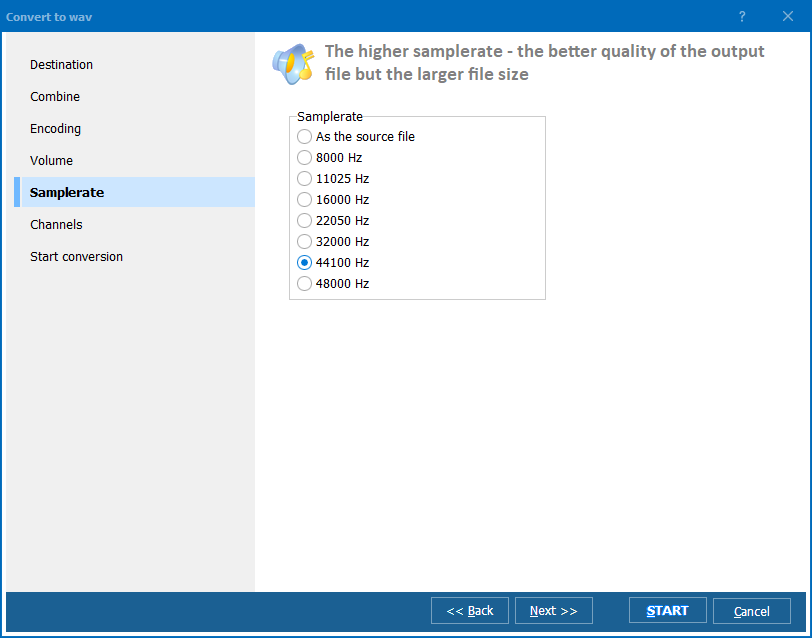
The converter does not apply a fixed bitrate. You choose: 128 kbps for compact files, 256 kbps for near-lossless quality, or anything in between. Sample rate is also configurable. This lets you match the output to the capabilities of your target device or the requirements of a distribution platform.
All processing is local. Your audio files are never uploaded to a server. This matters when working with private recordings, unreleased tracks, or any content you do not want to transmit over a network.
After installation, Total Audio Converter adds a context menu entry in Windows Explorer. Right-click any WMA file, choose Convert, and pick M4A — the conversion starts without opening the main application window.
| Feature | Online converters | Total Audio Converter |
| File size limit | Typically 50–200 MB | No limit |
| Batch conversion | ✘ Usually one file at a time | ✓ Unlimited batch |
| Files uploaded to server | ✘ Yes | ✓ No — local only |
| Tag preservation | Inconsistent | ✓ Full |
| Command-line / automation | ✘ No | ✓ Yes |
| Works offline | ✘ No | ✓ Yes |
| Conversion speed for large batches | Slow (upload + server queue) | Fast (local CPU) |
(includes 30 day FREE trial)
(only $24.90)
"I had three years of interview recordings in WMA that our podcast host refused to accept. Total Audio Converter batch-converted all 200+ files to M4A overnight. Tags came through cleanly and the audio quality was exactly what I expected from AAC at 192 kbps. No more format issues with uploads."
 Karen Whitfield Podcast Producer
"We migrated a shared audio archive from a Windows-only environment to a cross-platform setup. WMA was not usable on the Mac and Linux workstations. The command-line version of Total Audio Converter let us script the whole migration — folder by folder, preserving the directory structure. Saved us days of manual work."
Thomas Brandt IT Administrator
"Switched from a Windows laptop to a MacBook and found that half my music library was WMA. iTunes would not touch those files. Total Audio Converter converted everything to M4A in about 20 minutes — around 600 tracks. Album art and track numbers all came through. Would give 5 stars if the UI were a bit more modern."
 Lisa Nakamura Music Enthusiast
Download free trial and convert your files in minutes.
No credit card or email required.