Logo
Home Products Support Contact About Us
arrow1 File Converters
arrow1 TIFF and PDF apps
arrow1 Forensic
arrow1 Freeware

Total Doc Converter

Convert Doc or RTF to PDF, HTML, XLS, Image and Text easily
Download Total DOC Converter ⇄ Document Conversion Software with Free trial

Windows
2000/2003/Vista
7/8/10/11/Citrix
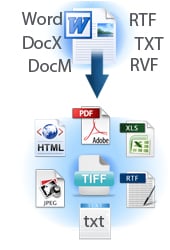
doc ocnverterTotal Doc Converter is a professional solution for converting documents: (Word, Doc, DocX, DocM, RTF, RVF, or TXT files) into PDF, DOCX, XLS, JPEG, PNG, TIFF, HTML, XHTML, RTF, DOC, TXT in batch. Featuring an intuitive interface design, new users will find that it's easy to set-up and run conversion projects. For advanced users, the Total Doc Converter can be run via command line as well. For a quick browser-based job, try our online tools — no install, no signup: DOC to PDF, DOC to JPG, DOC to XLS, TXT to PDF, RTF to TXT, DOCX to TXT.

Total Doc Converter strictly preserves document layout; you'll get an exact copy of the source file in a new format! In addition, robust, optional features help to achieve the perfect results. For example:

  • Combine multiple source DOC files into a single multi-page PDF or TIFF file.
  • Users can encrypt the final PDF file in order to protect it from being copied or modified.
  • Total Doc Converter preserves original document properties (author, creator, key words, subject, title, etc.) when you convert DOC to PDF.

Total Doc Converter is able to process any number of docs in a single pass, while maintaining folder structure to avoid confusion. Download the most powerful batch DOC converter for free today! Note a 64-bit version is available upon request. Here is a server version with ActiveX.

Download Now!

(includes 30 day FREE trial)

Buy License

(only $49.90)

 
Accept Payment Methods

quote

Total Doc Converter Customer Reviews 2026

Rate It
Rated 4.7/5 based on customer reviews
5 Star

"We've been using the TotalDocConverter for a few years and just purchased the upgrade to X. It has been working very well for us and we are very satisfied with the product. We use it to convert our documents to PDF format. I will need to look through the documentation to see if there is anything else we could utilize it for."

4.5 Star Todd Braley IT Manager, DRI Title

"I tried a couple of MS Word converters before I downloaded and tested your product. And I have to say, that it works perfectly. I converted about 300000 Word documents without any error. The resulting PDF documents look good and are reasonably small. This is a great product!"

5 Star Klaus Droeder MAC Software Design, www.msdesign.de


Unique options of Total Doc Converter


doc to pdf
Total Doc Converter converts Doc to PDF and allows you to add a digital signature to the final document.

combine doc
Convert and combine several documents into one multi-page file (PDF, DOC, TIFF or a very long TXT file). All done in one go!

time stamps
Total Doc Converter can convert Word 2010 to Word 2003 if you need a file compatible with older Microsoft Word.

docx
Have an outdated Microsoft Office 2003? Update all your old files to the new document file format in one go. Convert Doc files to DocX with our Total Doc Converter.

font
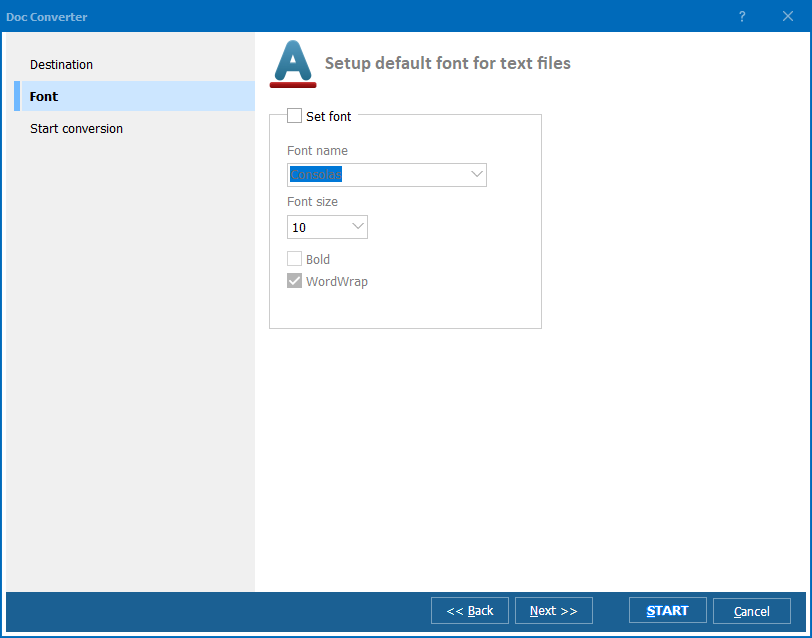
Total Doc Converter allows setting your default font for text files.

print doc
Total Doc Converter can print out, fax to send to OneNote any file you select. It will also create detailed reports on your Doc files in PDF, XLS, CSV, TXT formats. It's the easiest way to learn how many files you have and their parameters.


interface
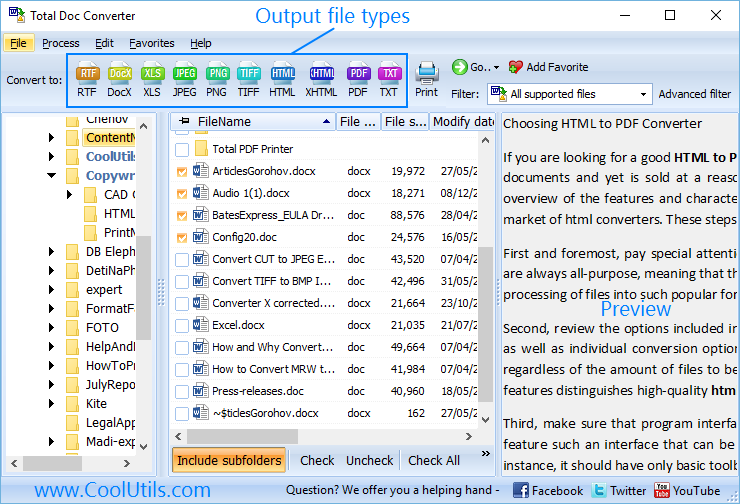
Total Doc Converter has a clear, easy-to-follow interface. You won't get lost in settings!

doc formats
The widest list of supported file types: convert Word, Doc, DocX, DocM, RTF, RVF, or TXT files to RTF, DOCX, XLS, JPEG, PNG, TIFF, HTML, XHTML, PDF, TXT in a batch mode. It's a powerful all-in-one doc converter!

doc converter
Total Doc Converter supports several types of compression for TIFF. If you are at a loss the program will automatically choose the best value.

preview doc
Every document is displayed in Preview panel. You can zoom it or view the document full-sized. Use preview option to quickly find a file.

header
Add your logo or any other image to the header or the footer of the output file.

page
Do you want more order? Total Doc Converter will add page counters or a date to every page of the output files. The app is great for stamping legal bates too!

time stamps
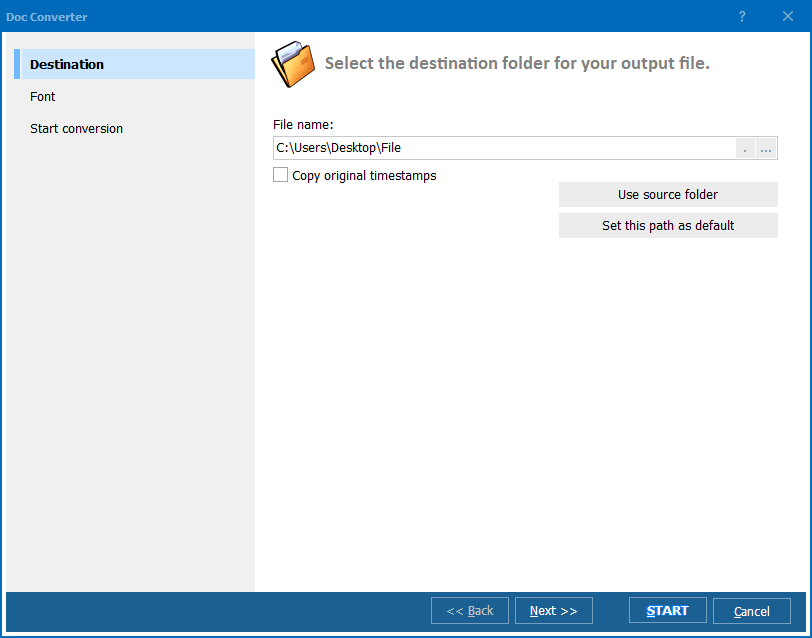
Total Doc Converter can copy original time stamps if you want to keep them.

doc to pdf
Total Doc Converter offers a lot of additional settings for Doc to PDF conversions. Set user permissions, password-protect your files or sign with a digital signature. Get PDF, PDF/A and non-searchable PDFs.


command line
Total Doc Converter can be run via command line (get the ready-to-use command line from GUI).

Who Uses Total Doc Converter?

Anyone who converts Word, DOC, DOCX, RTF, and TXT files to PDF, images, and other formats in batch

Office & Administration

Word-to-PDF Conversion

Convert Word documents to encrypted PDF for distribution

Office staff convert folders of DOC and DOCX files to PDF before sending them to clients, partners, or management. Encrypt the output PDF to prevent copying or modification, and preserve original document properties — author, title, keywords — automatically during conversion.

Legal & Compliance

Legal Document Conversion

Combine multiple DOC files into one multi-page PDF or TIFF

Law firms convert briefs, contracts, and case documents from Word to PDF or TIFF for court filing and archival. Combine multiple DOC files into a single multi-page PDF per case, preserving layout exactly. Batch-process entire case folders while maintaining the original directory structure.

Publishing & Content

Document Format Export

Convert Word files to HTML, XHTML, and images for web

Content teams and publishers convert Word manuscripts to HTML or XHTML for web publishing, to JPEG or PNG for social media and presentations, or to TXT for plain-text distribution channels. The converter handles DOC, DOCX, DocM, RTF, RVF, and TXT files with faithful layout preservation.

Data Extraction

Word-to-Excel & Text Export

Extract data from Word documents to XLS and TXT

Data teams convert Word reports containing tables and structured data to XLS for spreadsheet analysis or TXT for text processing pipelines. Process hundreds of documents in a single pass, converting each file individually or merging multiple sources into one output document.

IT & Automation

Automated Document Conversion

Batch-convert Word files via command line

IT departments automate DOC-to-PDF and DOC-to-TIFF conversion using the command line interface. Incoming Word files from email systems, upload portals, or shared drives are converted on schedule without user interaction. For server-side ActiveX integration, use Total Doc ConverterX.

Download Now!

Updated Sun, 19 Apr 2026

Buy License

(only $49.90)


Our clients


quote

How To Convert Doc Files


1

Launch Total Doc Converter

Run Total Doc Converter on your Windows PC.
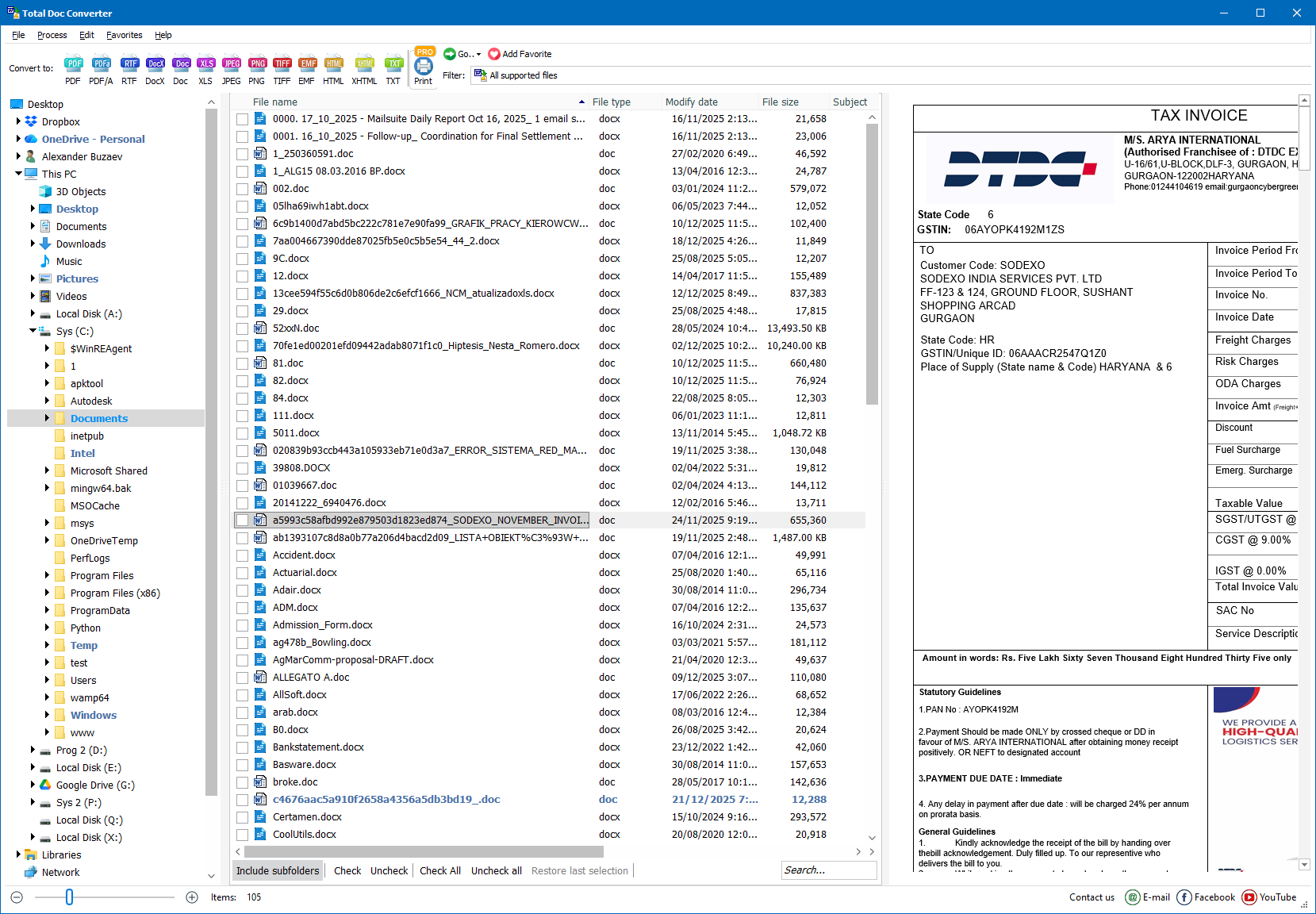
Step 1: Launch Total Doc Converter
Step 1 — Total Doc Converter interface.
2

Select a folder in the left panel

Choose the folder that contains your DOC/DOCX/RTF files.
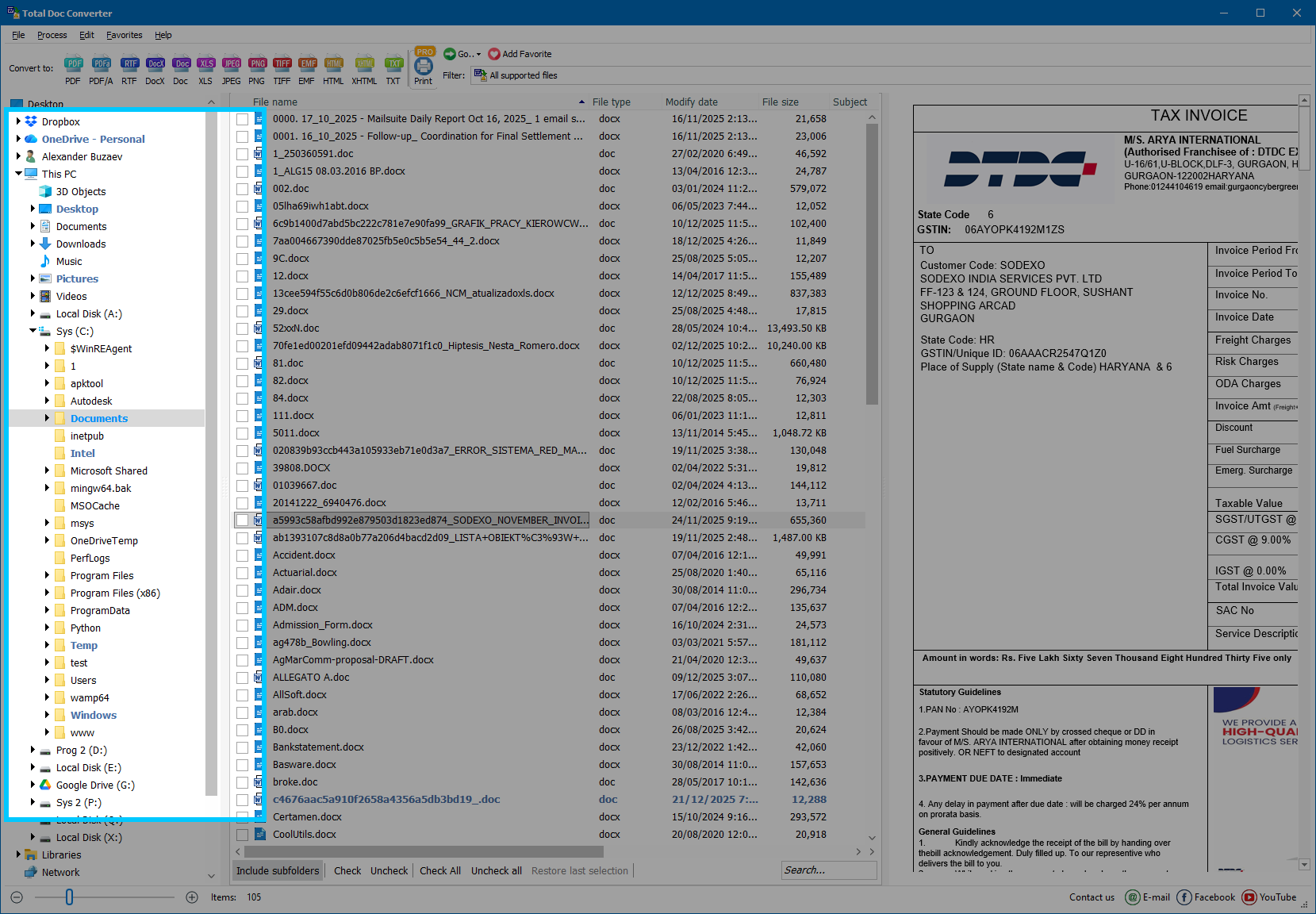
Step 2: Select a folder in the left panel
Step 2 — Select a folder in the left panel.
3

Select the document(s) to convert

In the middle panel, tick one document or select multiple documents for batch conversion.
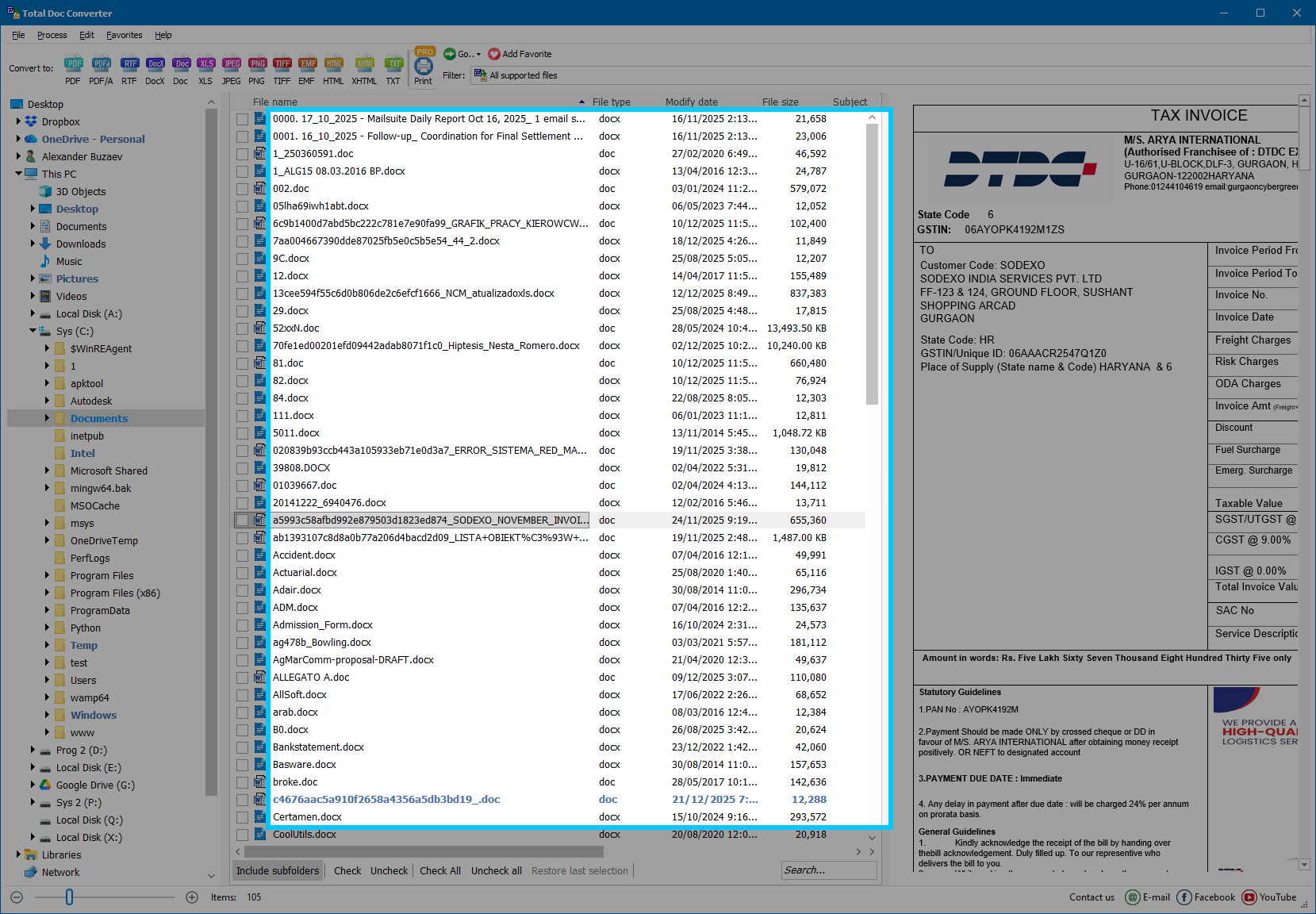
Step 3: Select the document(s) in the middle list
Step 3 — Select one or several files in the list.
4

Preview the selected file (right panel)

The right panel shows a preview of the currently selected document.

Step 4: Preview the selected file in the right panel
Step 4 — Preview of the selected file.
5

Check all files in the folder (optional)

To add all documents from the current folder, click Check All below the list.
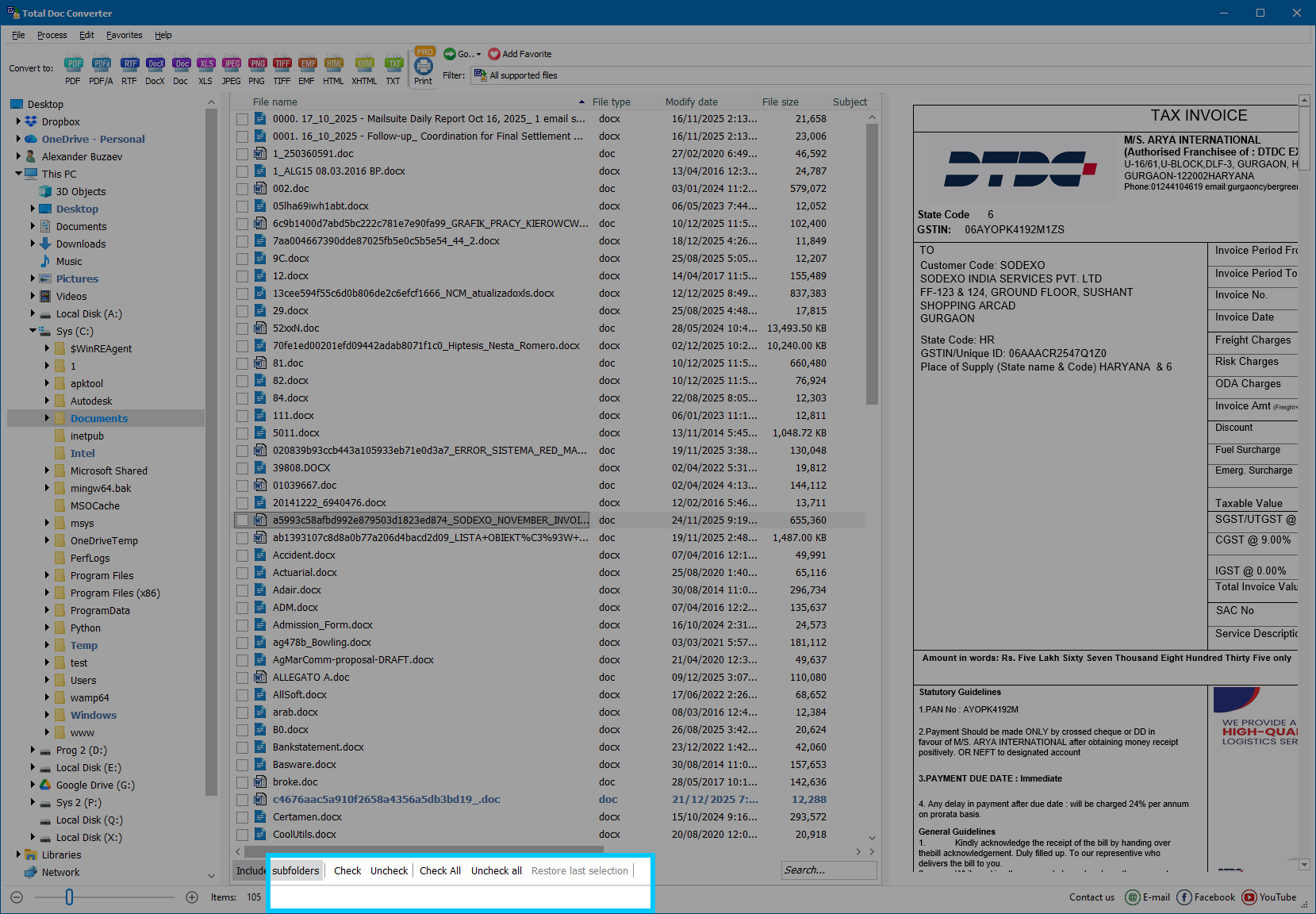
Step 5: Click Check All to select all files
Step 5 — “Check All” selects all files in the folder.
6

Show only supported formats (optional)

If the folder contains odd/unrelated files, change the filter from All files (*.*) to All supported files in the drop-down menu.

7

Select the target format in the upper panel

On the top toolbar (Convert to…), click the output format you need (PDF, RTF, DOCX, etc.).
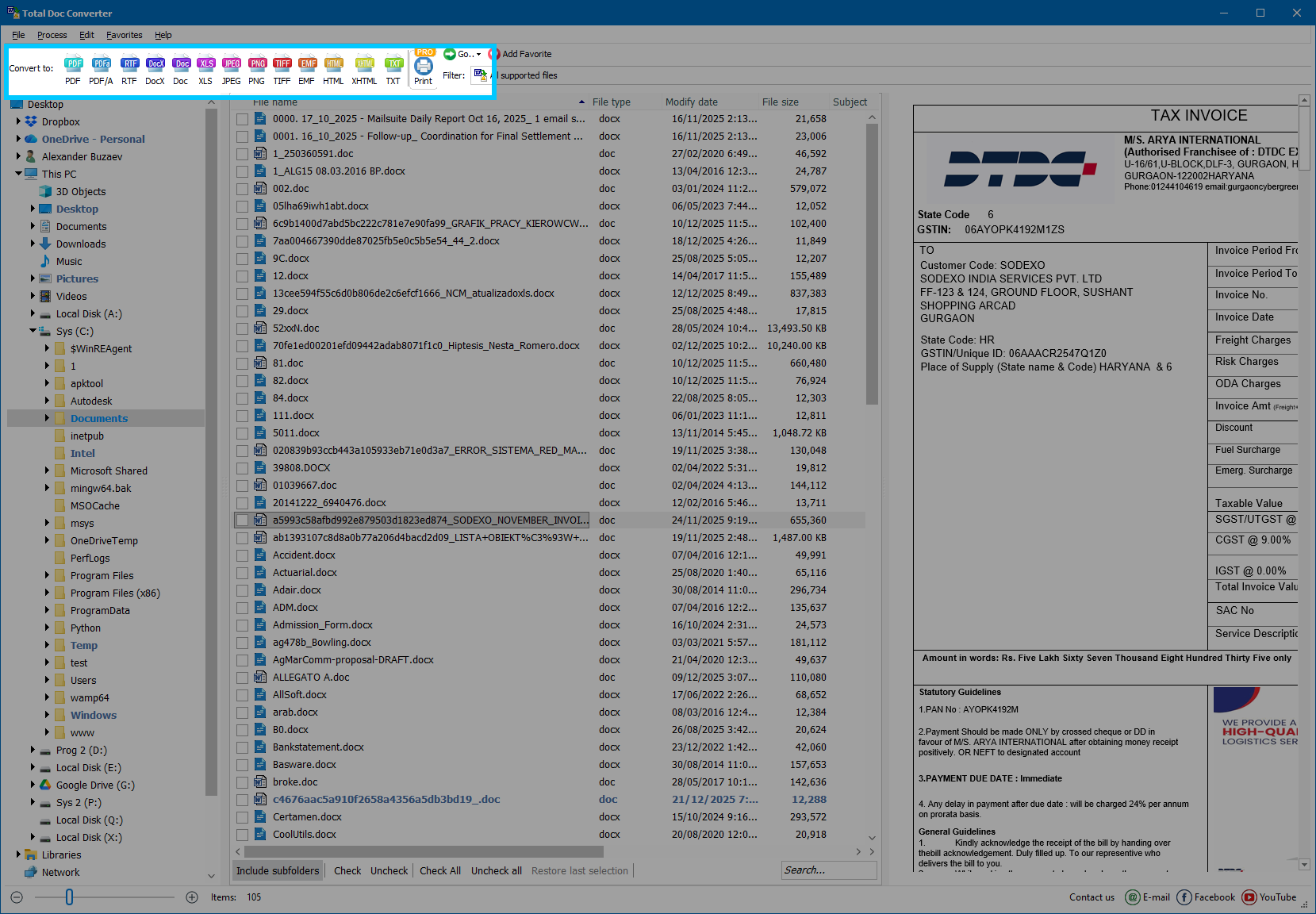
Step 7: Select target format on the toolbar
Step 7 — Choose output format in the upper toolbar.
8

Configure conversion settings in the wizard

In the wizard, set the parameters of conversion:

  • Destination folder for the output files.
  • Combine documents into one file (if needed).
  • Default font and font size for text output.
  • Header settings (position, margins, font) and optional page numbering.
  • Footer settings (same options as header).
  • Paper size (A5, A4, A3, etc.) or custom size; set Portrait/Landscape.
  • Page margins (top, right, bottom, left).
  • Document properties: Author, Creator, Keywords, Subject, Title.
  • Compression: Fastest, Normal, or Maximum.
  • Encryption and password protection (if needed).
  • Digital signature using a PFX certificate (if needed).
  • Open after converting — enable/disable auto-open.
  • Create command file with the current settings (optional).
9

Start conversion and check the result

Click Start and wait until conversion completes. Then check the result by clicking View or opening the output folder.

Download Now!

Updated Sun, 19 Apr 2026

Buy License

(only $49.90)


Screenshots


Doc Converter Preview1
Doc Converter Preview2
Doc Converter Preview3

quote

Total Doc Converter Review


"I use TotalDocConverter to save Doc files with LZW compression. I usually built multichart figures with more than 20 MB which are not accepted by the papers editor. I found this program very usefull."
5 Star Agnieszka Szuster-Ciesielska

"I faced no problem to place the order or even register the program. The main point is that after installation and registration, I ran the program once to make sure it is running OK and since then I have never used it yet. Because of its title Doc Converter I was sure I am going to use it some day that's why I bought it."
5 Star Joseph Cohen

Experience Seamless Document Conversion with Total Doc Converter

Document conversion is all about changing a document's format to a more compatible format based on the desired end use. It's useful in many situations, including:
  • Maintaining compatibility with older or newer app versions;
  • Sharing document files across different software or operating systems, for instance, from Microsoft Word to Apple Pages or Google Docs;
  • Preserving document integrity and preventing unauthorized changes by adding passwords and encryption to PDFs.

Support a wide range of similar formats;

  • For seamless and error-free conversion, you need reliable and up-to-date document conversion software. The right document converter software should:
  • Preserve the original layout, formatting, and document quality;
  • Perform batch conversion quickly and accurately;
  • Save time with quick edits like inserting headers and footers.

The Ultimate Document Conversion Solution

If you're browsing the web for an efficient and fully-featured doc file converter, give our Converter a try. This professional solution can handle RTF, DocX, RVF, Word, TXT, Doc, or DocM files and convert them to DOCX, XLS, RTF, TXT, DOC, PDF, JPEG, PNG, TIFF, HTML, and XHTML in batch. With the file converter to doc, you can also combine multiple documents into one multi-page file or add a digital signature to the final PDF document.

Key Features and Capabilities of Document Converter

You can look forward to the following features when you use the Total Converter on the Windows operating system:

Pages to Doc Converter:

With the help of a DOC files converter, you can convert and compile multiple pages or documents into a single multi-page DOC file when creating reports, presentations, or e-books from various sources. It supports conversions from and to Apple's Page format, a popular word processor for Mac users.

Convert to Doc

Our document converting software offers a remarkable feature: the capability to seamlessly convert popular text and image formats to DOC format, including DocX, DocM, RTF, RVF, TXT, PDF, XLS, JPEG, PNG, TIFF, HTML, and XHTML.

Document Converter Software

You'll get the ultimate solution as you can easily convert to Doc, combine multiple files in batch mode, customize the output settings, add encryption, and preserve the original layout and quality.

MS Word Doc File Converter

Our Word document converter solution doubles as an efficient MS Word DOC converter, as it supports Word 2010 to Word 2003 conversion and vice versa. You can seamlessly convert from DOC to DoCX to DocM.