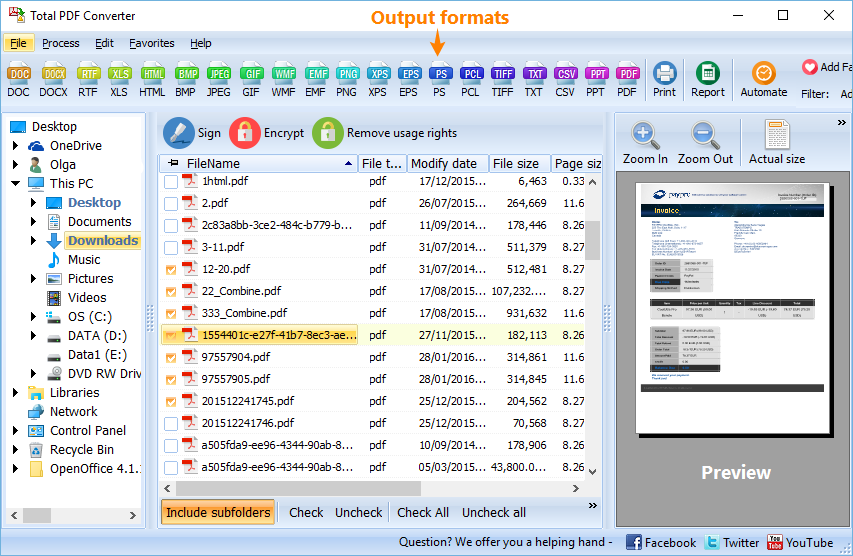
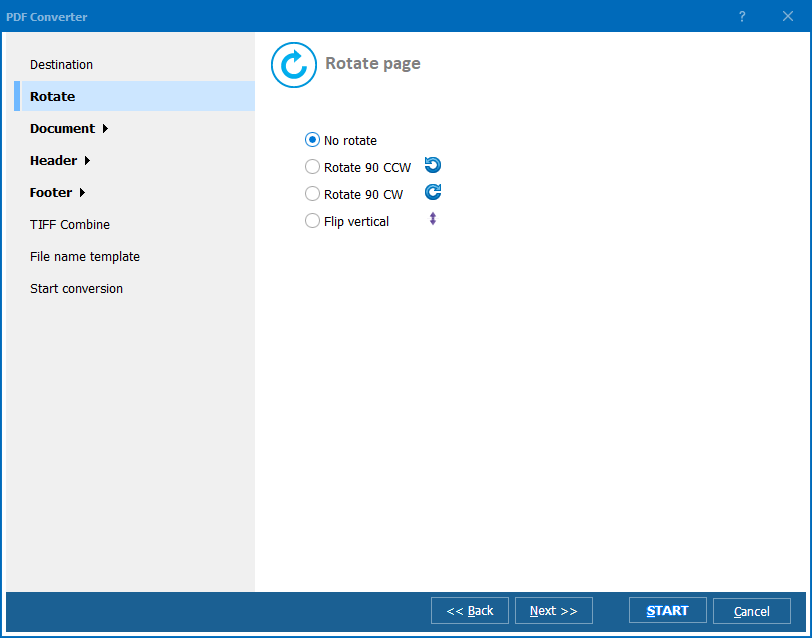
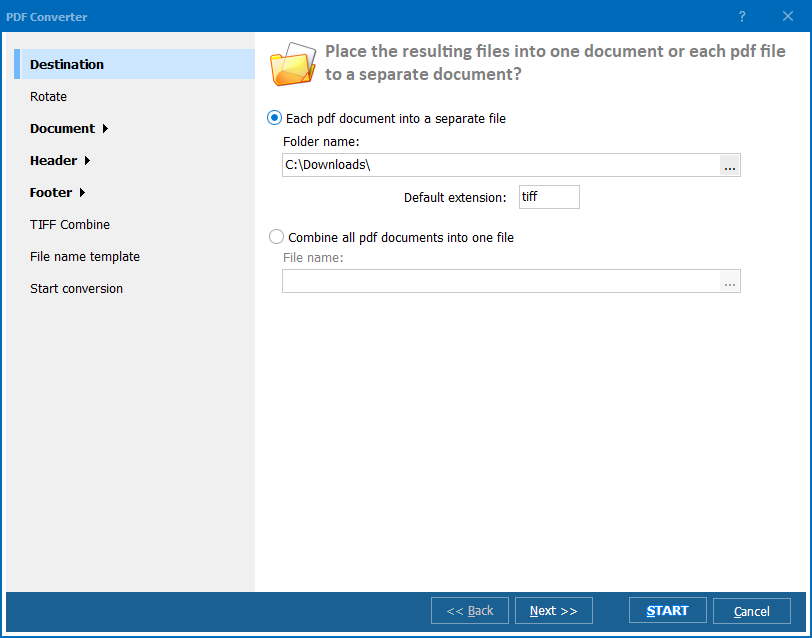
Quick answer: Total PDF Converter turns PDF, PS, PRN, EPS, XPS, and OXPS files into DOC, XLS, HTML, TXT, TIFF, and 14 other formats. Open a folder, check the files, pick an output format, and convert the whole batch at once. It preserves layout, keeps folder structure, handles protected PDFs, adds headers and footers, and runs from the interface or the command line.
"We needed to convert hundreds of PDF report cards into DOC and XLS every semester, and the tutorial showed exactly how to check a folder and convert the whole batch at once. Seeing the headers and footers step demonstrated on video saved us from misconfiguring it on real student records."
Bridget Callaghan Administrative Coordinator, School District Office
"Some of our archived PDFs are password protected, and the video tutorial specifically covers handling protected files, which the written help page glossed over. Total PDF Converter also reads PS and PRN files from our old billing system, and folder structure stays intact across the whole batch."
Yusuf Demir IT Technician, Regional Healthcare Clinic
"The tutorial made it clear how to pick an output format and convert dozens of client PDF statements to XLS in one pass. I mainly use the interface rather than the command line, and the video's pace on the advanced settings was a little fast, but replaying that section once was enough to get it right."
Ingrid Solheim Bookkeeper, Independent Accounting Practice
Download free trial and convert your files in minutes.
No credit card or email required.