Logo
Home Products Support Contact About Us
arrow1 File Converters
arrow1 TIFF and PDF apps
arrow1 Forensic
arrow1 Freeware

How to Convert PRN to PDF?


PRN is a file format that is created by choosing "Print to File" within the Print dialog box. Files of this format can contain text and other content, as well as instructions for the printer. In many ways, PRN is similar to PostScript format. The difference is, however, in software compatibility. PRN files can only be viewed with the help of ACD Systems Canvas 12, Microsoft Office Document Imaging, AllWeb FastPrint, Microsoft Windows Command Prompt, and Free Raw Print (FRP).

Quick answer: To convert PRN to PDF, download and install Total PDF Converter, select the PRN files from the list by checking them, click the PDF button to set it as the target format, adjust the settings if needed, and start. It batch-converts PRN spool files into shareable PDFs offline, with a free 30-day trial.

If you want to view PRN files as a text, however, you will need to convert them into another format. Oftentimes users choose to convert PRN files into PDF, a format used by Adobe Reader. You might want to know, how to convert PRN into PDF easily and yet efficiently. The answer is simple: just install a proper PRN PDF converter!

We suggest you try Total PDF Converter by CoolUtils, a unique tool for converting PRN to PDF and many other formats.

This program has a number of advantages:

  • First and foremost, it supports numerous formats. As such, you can convert PDF, PRN, PS and EPS files into HTML, DOC, TXT, XLS, CSV and numerous image formats.
  • Second, Total PDF Converter is very easy to use. It can be mastered by beginners and advanced computer users alike.
  • Third, it is competitively priced. This program is a multi-purpose tool that can be used to deal with various documents in just a few clicks.

All you need to do to convert PRN to PDF with Total PDF Converter, is:

  • Download the program from CoolUtils website.
  • Install it following the instructions provided by the installation wizard.

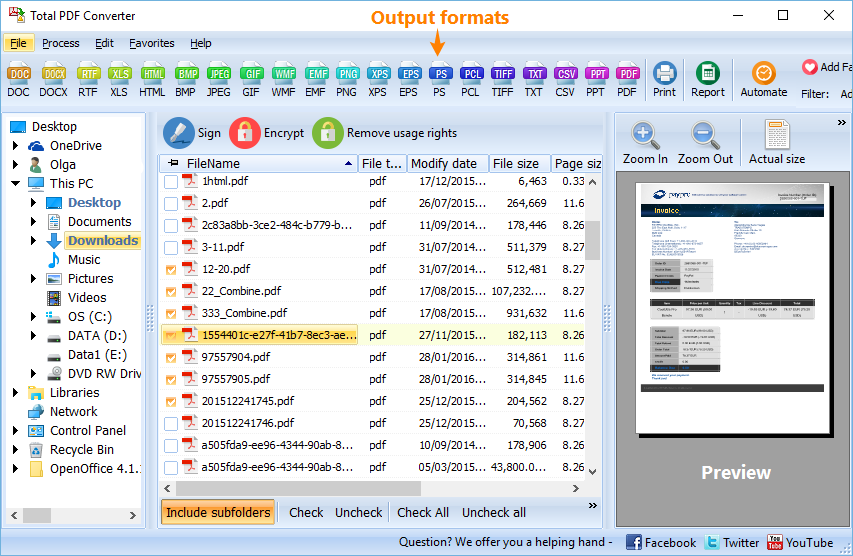
  • Launch the tool and select PRN files you want to process by checking them from the list on your left.
  • Click on the PDF button to set it as the target format and proceed with the conversion.
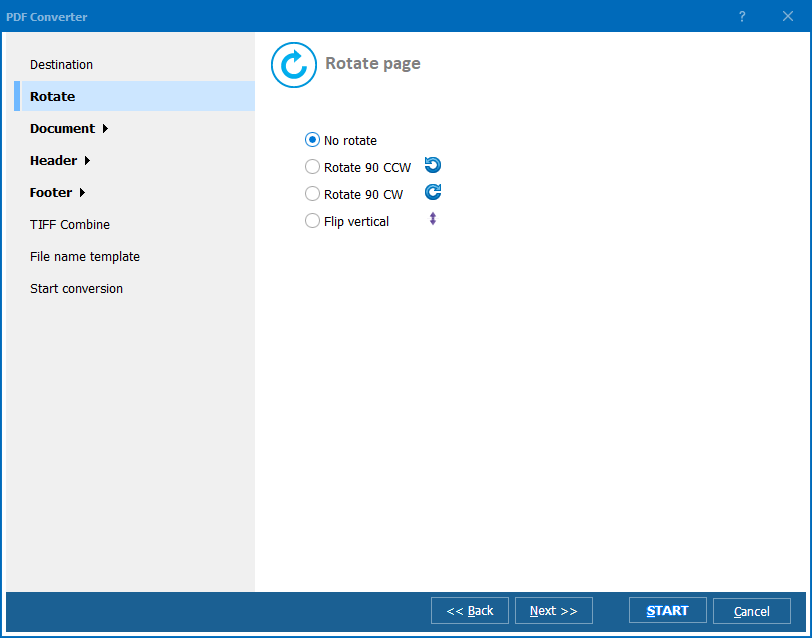
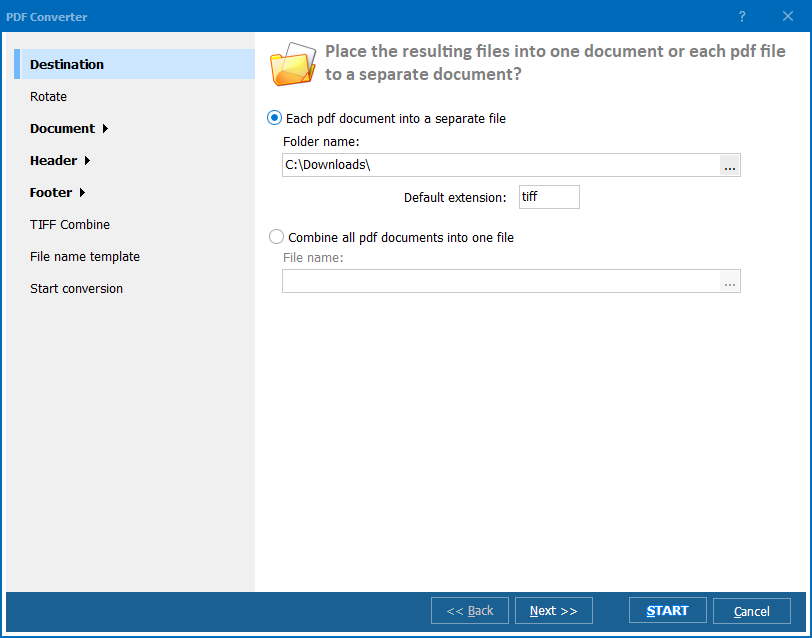
  • Change the default settings to the ones preferred by you (optional).

Contact CoolUtils customer support now to learn more about Total PDF Converter and other products.

Download Total PDF Converter now for free!


quote

Total PDF Converter Customer Reviews 2026

Rate It
Rated 4.7/5 based on customer reviews
5 Star

"Our dispatch software spools invoices as PRN files created through Print to File, and clients need clean PDFs, not raw print output. Total PDF Converter batch-converts the whole folder to PDF via the command line, which we wired into our nightly invoicing script without any manual steps."

5 Star Desmond Okonkwo Accounting Supervisor, Freight and Logistics Company

"PRN output from our legacy patient billing terminal was only viewable through the Windows Command Prompt or a couple of obscure programs. Converting it to PDF made statements shareable with patients and other departments, and the GUI made batch conversion straightforward for staff who aren't technical."

5 Star Ana Cristina Pereira Billing Administrator, Regional Healthcare Network

"We generate PRN files from an older ERP module and needed clean PDFs for our document management system. Selecting the PRN files and setting PDF as the target works reliably across our batch. A couple of the PostScript-like elements in our specific PRN files needed a settings tweak at first, but support helped us get it right quickly."

4 Star Trevor Nash Operations Clerk, Industrial Equipment Distributor

PRN to PDF - FAQ ▼

How do I convert PRN to PDF?

Install Total PDF Converter, select the PRN files by checking them in the list, click the PDF button to set PDF as the target format, adjust the settings if needed, and start. Each PRN is saved as a PDF.

Can I convert PRN to PDF in batch?

Yes. Select as many PRN files as you need in Total PDF Converter and convert them all to PDF in one run. There is no file-size or batch limit.

Is converting PRN to PDF free?

Total PDF Converter offers a fully functional 30-day free trial with no email or credit card required. A personal license starts at $49.90 afterward.

How do I open a PRN file as a PDF?

PRN files are printer spool files that need conversion to be widely viewable. Convert them to PDF with Total PDF Converter, then open the result in Adobe Reader or any PDF viewer.

Do I need Adobe software to convert PRN to PDF?

No. Total PDF Converter reads PRN files and writes PDF with its own engine, so no Adobe Acrobat or printer driver is required.

What other formats can Total PDF Converter export PRN to?

Besides PDF, it converts PRN, PS, and EPS files to HTML, DOC, TXT, XLS, CSV, and many image formats, so one tool covers all your conversion needs.

Can I convert PRN to PDF from the command line?

Yes. Total PDF Converter includes command-line support, so you can automate PRN to PDF conversion in .bat scripts or scheduled tasks on a server.


Start working now!

Download free trial and convert your files in minutes.
No credit card or email required.

⬇ Download Free Trial Windows 7/8/10/11 • 94 MB

Support
PDF Converter Preview1
PDF Converter Preview2
PDF Converter Preview3

Latest News

Newsletter Subscribe

No worries, we don't spam.


© 2026. All rights reserved. CoolUtils File Converters

Cards