Logo
Home Products Support Contact About Us
arrow1 File Converters
arrow1 TIFF and PDF apps
arrow1 Forensic
arrow1 Freeware

How to Convert XPS to Doc


File conversion has never been easier: Today, there is a professional toolkit for XPS to Doc migration from CoolUtils. Many office workers experience difficulties when they need to quickly change the file format while keeping the structure of the Document the same. Leave your doubts and troubles behind, and learn how to convert XPS to Doc with CoolUtils in just a few seconds!

Quick answer: To convert XPS to Doc, install Total PDF Converter, launch it, pick the folder and select the XPS file or files in the left-side menu, choose Doc as the output format, then run the conversion. The desktop converter handles thousands of XPS files in one offline batch, so your documents never leave your PC.

Online Method

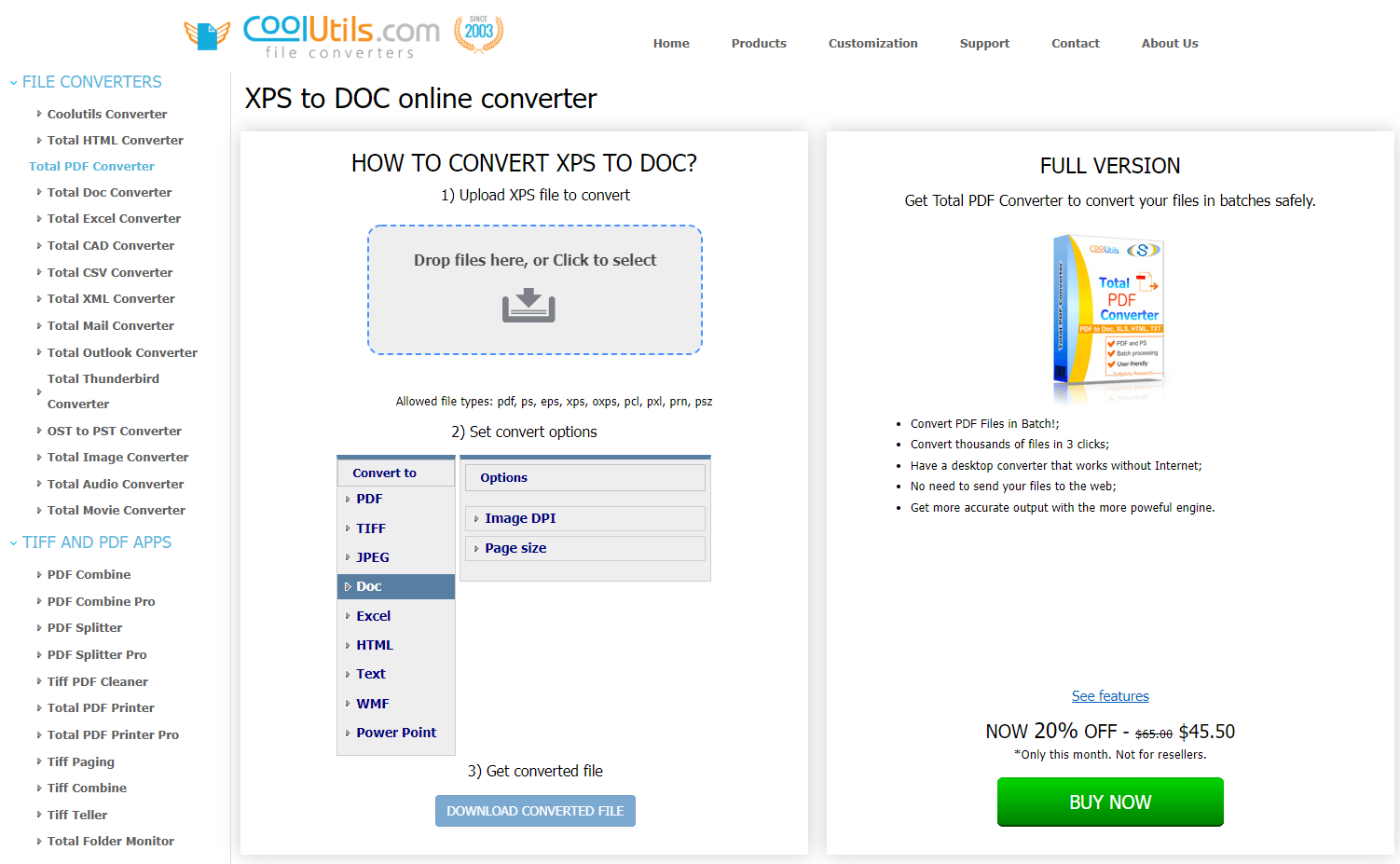
Online conversion is a handy, hassle-free method that you can use to transfer XPS to Doc. This option is suitable for clients who don't work with large volumes of data and just need to perform a one-time conversion. In such a situation, it is simply illogical to install any software on your PC, especially if you are not going to use it again. With such customers in mind, CoolUtils developers have introduced a convenient XPS to Doc converter. So, to convert XPS to Doc online, take the following steps:
  1. Open the CoolUtils XPS to Doc converter webpage;
  2. Upload the XPS file to convert (just drop it in the corresponding field or click to select);
  3. Choose the conversion format from the list;
  4. Download the converted file.

online pdf converter

Yes, that's how easy it can be! No registration, no verification, no captcha - all you need to do is take these 4 simple steps. The online method works fine until you require professional software for bulk data conversion. In such a case, we recommend you consider installing the full desktop version.

How to convert XPS to Doc with our offline software

If you work with large volumes of data or provide these types of services to other people, you should definitely install the full version. XPS to Doc offline converter works under the same principles as the online analog, allowing you to process files in batches (up to thousands of files in just a few clicks). The main advantage of this program is that it works without an internet connection, so you don't need to send your files to the web. In terms of security, this is a 100% safer option, especially if you are hoping to convert vulnerable data. So, to get the job done, follow the below instructions:

download XPS converter
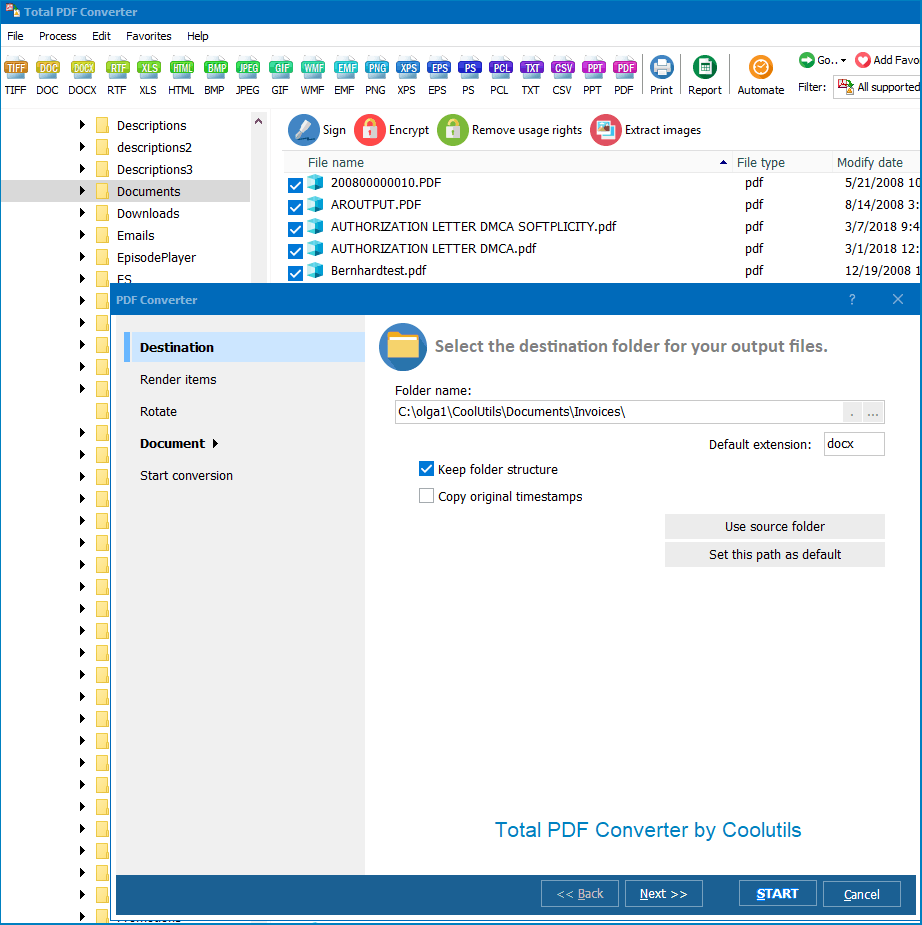
  • Install the CoolUtils XPS to Doc converter on your PC;
  • Launch the program;
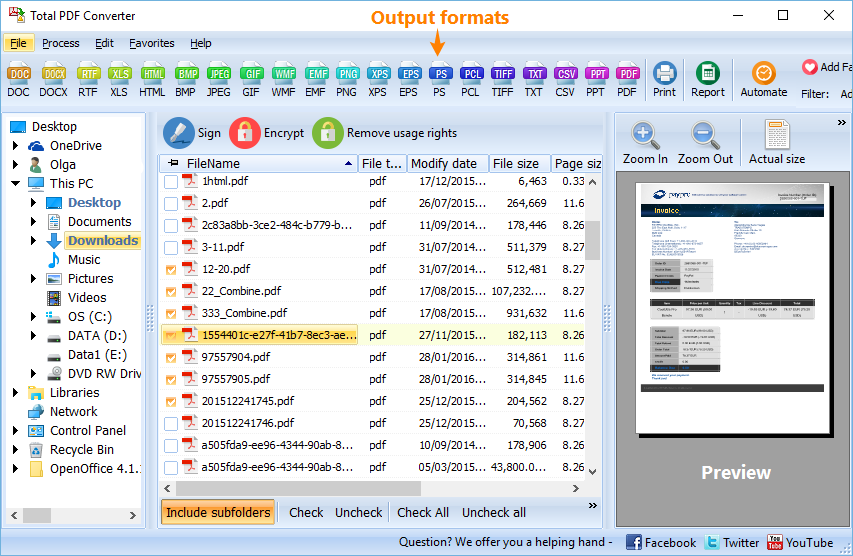
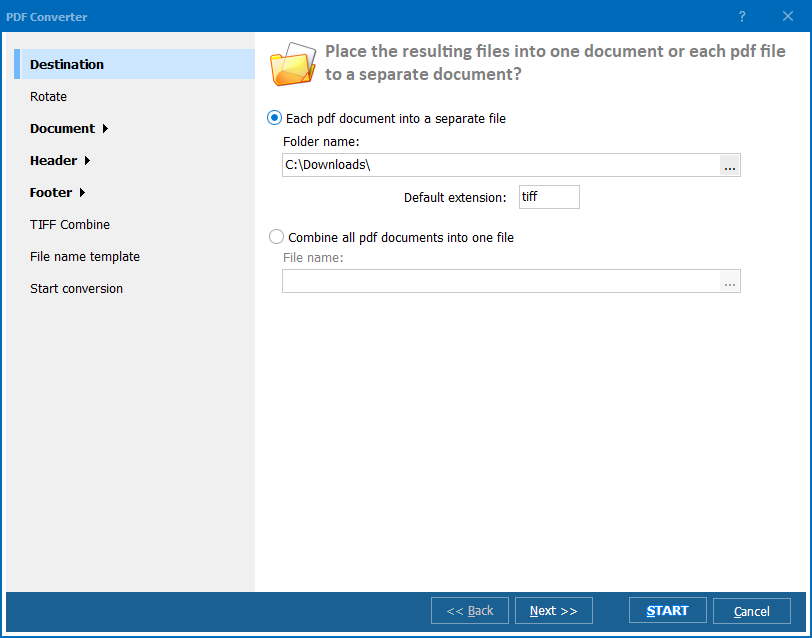
  • In the left-side menu, choose the folder and the corresponding file/files for conversion;
  • Select the appropriate conversion format from the list;
  • Download the converted file/files.
pdf converter

You are not required to purchase the license immediately after installing the program. There is a 30-day free trial period that you can use to familiarize yourself with the software and decide if it meets your expectations. Take your time and enjoy hassle-free file conversion.


quote

Total PDF Converter Customer Reviews 2026

Rate It
Rated 4.8/5 based on customer reviews
5 Star

"Old policy documents were saved as XPS from a system nobody uses anymore, and our team needed them editable in Word. Total PDF Converter converted the entire folder to DOC while keeping the original layout intact, and it ran through several thousand files without a single formatting error."

5 Star Rosalind Chappell Office Administrator, Chappell Insurance Brokers

"Customers occasionally bring in XPS files from office printers that we need to open and edit in Doc before reprinting. Selecting the folder in the left-side menu and running the batch is quick enough to do while a customer waits at the counter. Command-line support would let me automate this further if I had time to set it up."

4.5 Star Tobias Wren Print Shop Owner, Wren Print & Copy

"Notarized documents arrived as XPS and needed to become editable DOC files for amendments before refiling. Total PDF Converter handled the whole batch offline in seconds, keeping document structure exactly as it was in the original XPS, which our filing standards require."

5 Star Bianca Rousseau Legal Secretary, Rousseau Notarial Office

XPS to Doc — FAQ ▼

How do I convert XPS to Doc?

Install Total PDF Converter, launch it, select the folder and your XPS files in the left-side menu, choose Doc as the output format, then run the conversion. The Doc files are saved to the folder you select.

Can I convert XPS to Doc in batch?

Yes. The desktop version of Total PDF Converter processes files in batches, up to thousands of XPS files in just a few clicks, instead of converting them one by one.

Can I convert XPS to Doc online?

Yes. CoolUtils offers a free online XPS to Doc converter for one-off jobs: open the converter page, upload the XPS file, choose the format, and download the result. For bulk work, use the desktop version.

Is converting XPS to Doc free?

The online converter handles single files for free, and the desktop Total PDF Converter comes with a 30-day free trial that has full functionality, so you can decide if it meets your needs before buying.

Is the offline converter safer for sensitive files?

Yes. The offline Total PDF Converter works without an internet connection, so your XPS files are never uploaded to the web. This is a safer option when you convert confidential or vulnerable data.

Can I convert XPS to other formats too?

Yes. Total PDF Converter also exports XPS to PDF, HTML, TXT, TIFF, JPEG, and other formats from the same interface, so a single tool covers your conversion needs.


Start working now!

Download free trial and convert your files in minutes.
No credit card or email required.

⬇ Download Free Trial Windows 7/8/10/11 • 100 MB

Support
PDF Converter Preview1
PDF Converter Preview2
PDF Converter Preview3

Latest News

Newsletter Subscribe

No worries, we don't spam.


© 2026. All rights reserved. CoolUtils File Converters

Cards